Sign Up with Epic Games
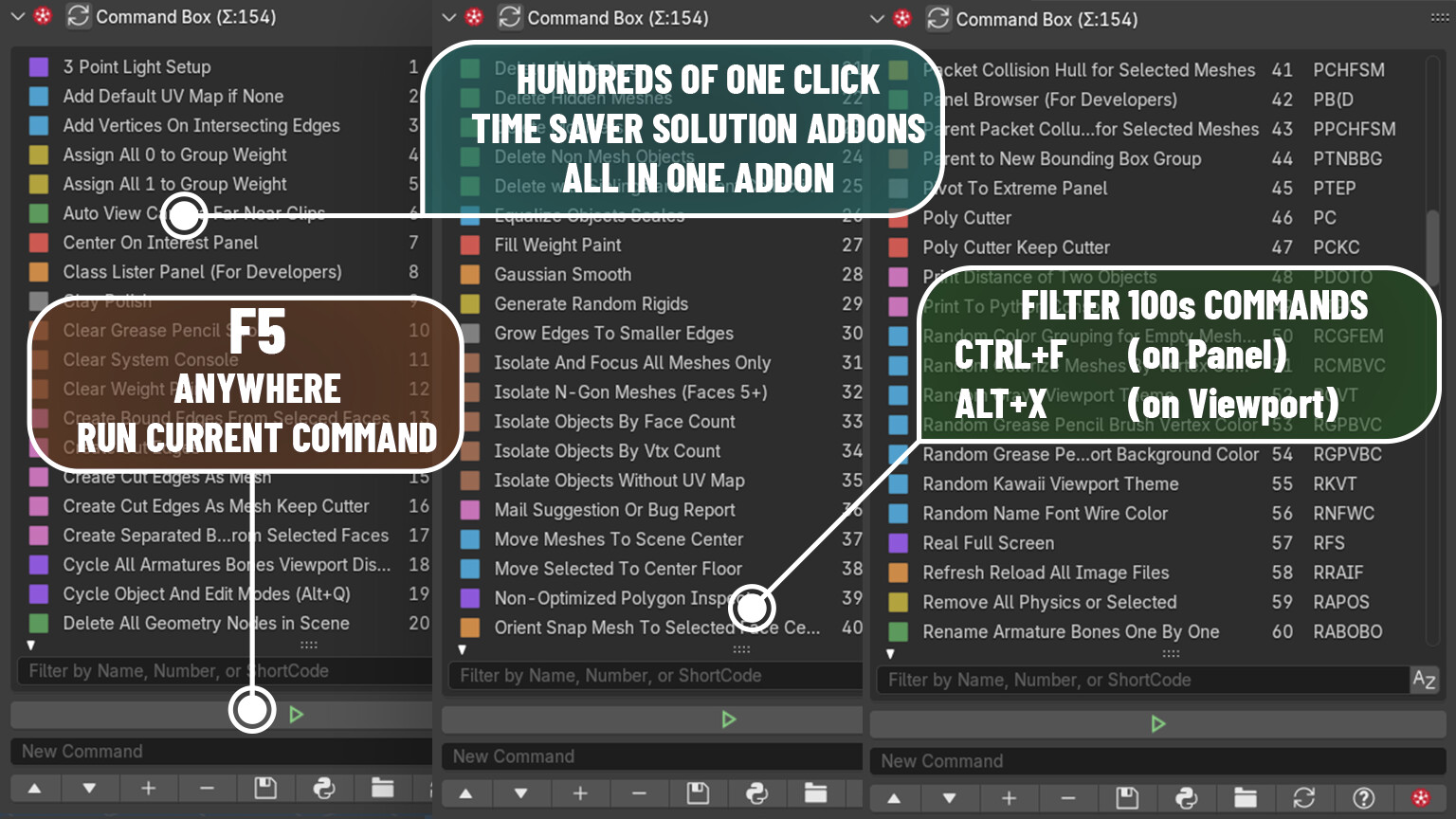
Unlike traditional plugins, it loads dynamically only when you need it, then vanishes from memory, keeping things lightning-fast and super lightweight.
Each command is a star, 437! plugins combined into one cosmic explosion!
Professional Game Developers and CG Artists Use Professional Tools.
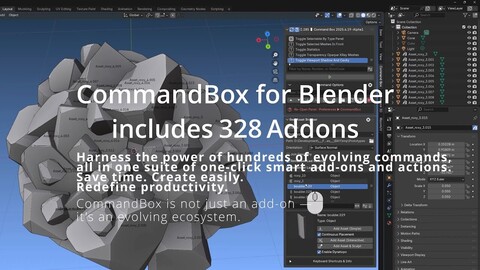
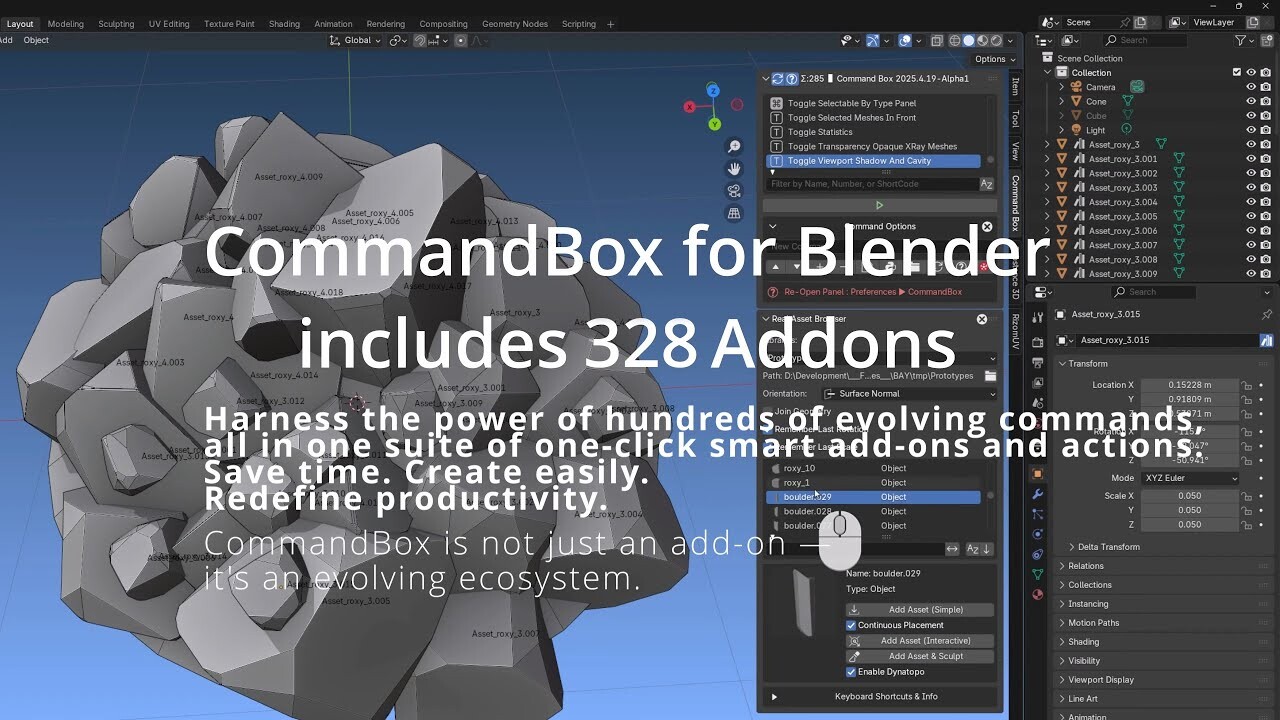
Harness the power of hundreds of evolving commands, all in one suite of one-click smart add-ons and actions. Save time. Create easily. Redefine productivity.
Usage: Alt+X, type slop, eve, triq, kaw, ras, (around hundreds of commands depending command name) than ENTER. it works like that no tabs no tags no categorizes. just few abc+ENTER to run it. also its flexiable plugins only loads when they called. in classic blender any addons statically loads everything at startup. Therefore, CommandBox is lightweight. Unlike traditional add-ons, it doesn't consume memory when not in use. It loads only the required extensions on demand, making its dynamic structure much lighter than classic add-ons.
if you are not sure how its super useful, and wanna Test-Drive Command Box For Blender. Contact us.
CommandBox is not just an add-on — it's an evolving ecosystem.
If you find it useful, consider rating us ⭐⭐⭐⭐⭐
Your support helps us keep Command Box up-to-date and improving.
Current Version: 2026.8.31
Compatible with Blender 4.4,4.5 and 5.0 5.1.2 and all next future versions. periodically getting updates)
(adapted for Blender 4.4, 4.5 and 5.0,5.1,5.2, 5.2.1)
Supported: Linux, Windows, Blender 4.5 (Should work on Mac. Not tested yet)
commandbox commands video playlist:
https://bit.ly/commandbox
Contact us for your command ideas you would like to add.
for more details about changes :
update log: https://bit.ly/commandboxlog
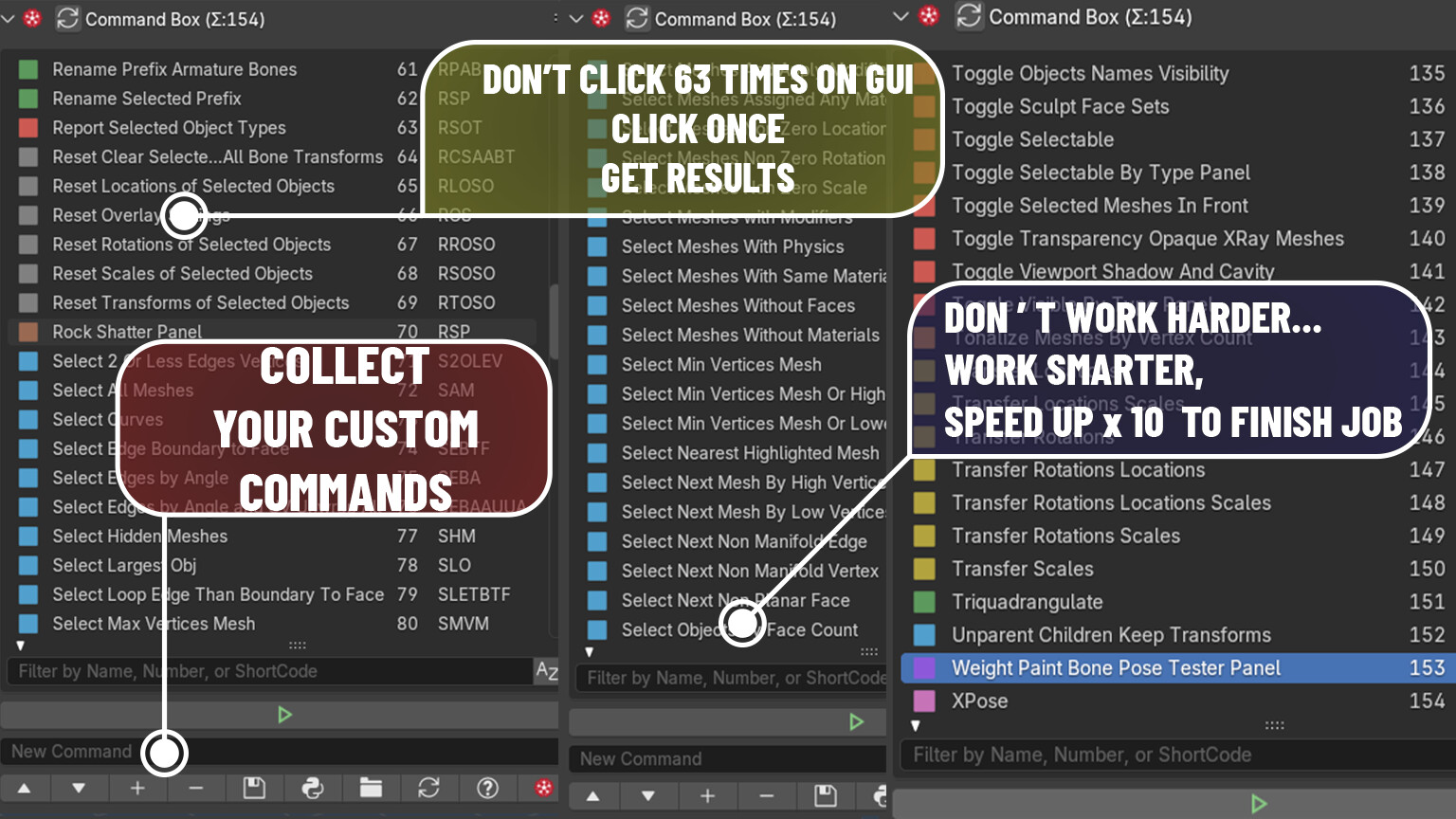
Customize Commands within Files. Filter and Double Click To run script.
Collect all your favorite commands in one place.
ALT+X : to show as popup instead of accessing from panel
CTRL+ALT+X : to show commandbox panel
F5 : Run Active Script Button as Default Shortcut added.
CTRL+SHIFT+ALT+Z : Toggle Real Full Screen.
Adding #Autorun=True as the third line to a .py file ensures it executes automatically at Blender startup.
For example, Real Full Screen.py with #Autorun=True on the third line activates its hotkeys by default at startup.
includes ready to use many functions. (and hundreds will be collected and will be published more for next updates.
you can easy access this directoy using "Open Directory" Button on most-right-bottom in commandbox panel so you can put py files in that directory.
CATEGORIES
Special Offer! Get 10% off when you buy 2 products. Get 15% off when you buy 3 or more products. Applies to all products from this seller only from USD $1.00 to USD $100.00
Command Box Addon for Blender
USD $75.00
License: Standard License
Stock Assets
For personal use and one commercial project (up to 2,000 sales or 20,000 views).
TutorialsOne copy to be used by a single user.
Installable ToolsOne installation by a single user.
Learn MoreFiles (2)
https://artstn.co/m/bvBRK
Copied
More by fables alive games

Add a tip for fables alive games
Tips are appreciated, but optional!