Sign Up with Epic Games
Reference Image Color Picker Plugin for Adobe Substance 3D Painter

in Resources

not BACKWARD COMPATIBLE!!!! if you are using Substance Painter 10 or older version DON'T BUY IT
-Ready for Adobe Substance Painter 11.0.3, 11.1.0, 11.1.1, 11.1.2 , 12.0 and future versions.
- Pan and zoom works flawlessly.
- Bugs Fixes
Warning: The Reference Image Color Picker Plugin for Adobe Substance 3D Painter was first developed for Substance 10 and supports Substance 11 and all future versions. It is not compatible with Substance 10 or earlier versions.!!! (if you are using v10 use file in directory named "old". or better update your substance if you are unable to update, don't buy it. )
Don’t forget to rate us💗⭐⭐⭐⭐⭐ Your support keeps us motivated to keep improving your products.
Updated for Substance Painter 11.0.3
Just a brand new addon developed on September 2024 ! its very helpful in our studio. so published here.
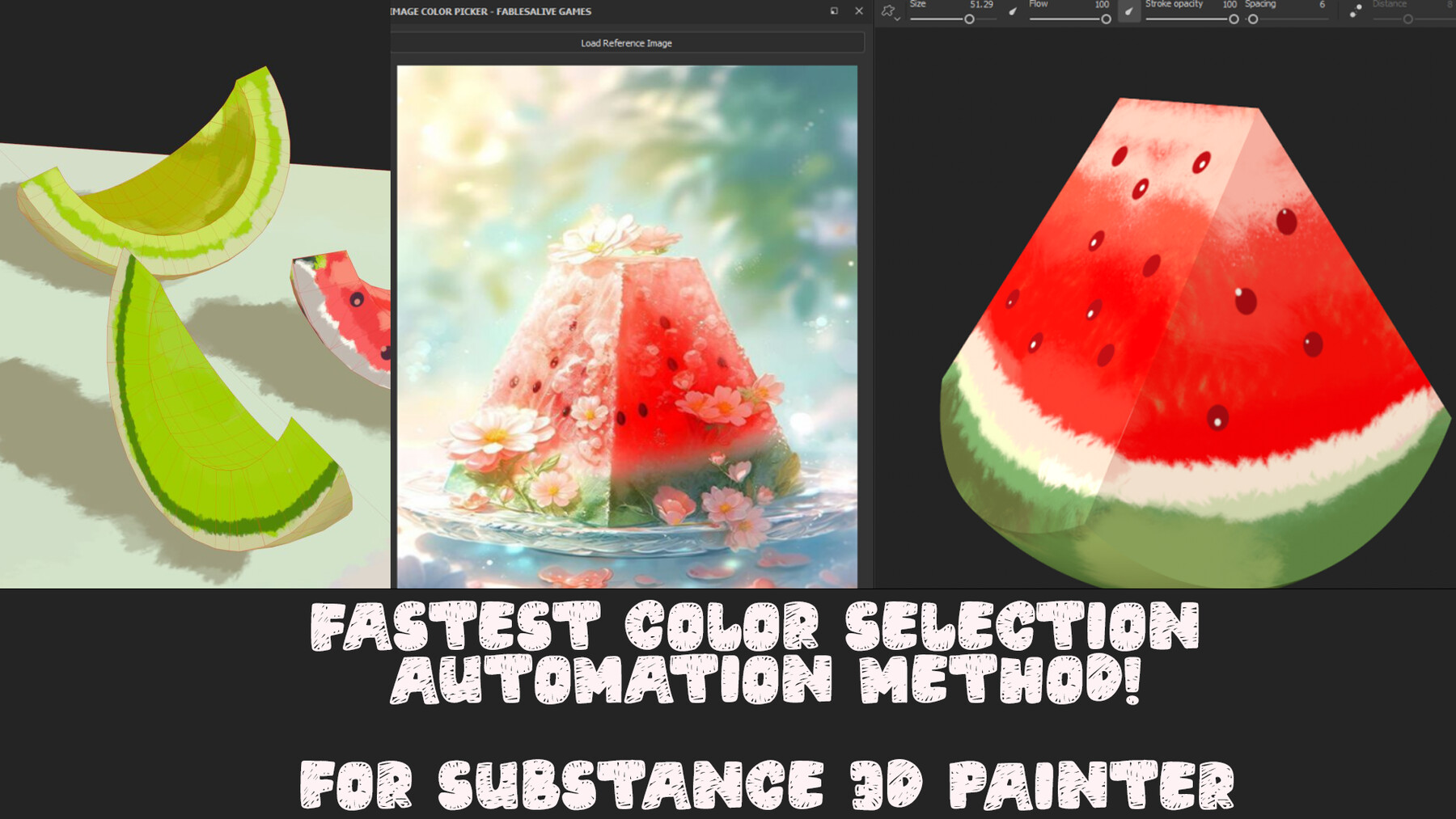
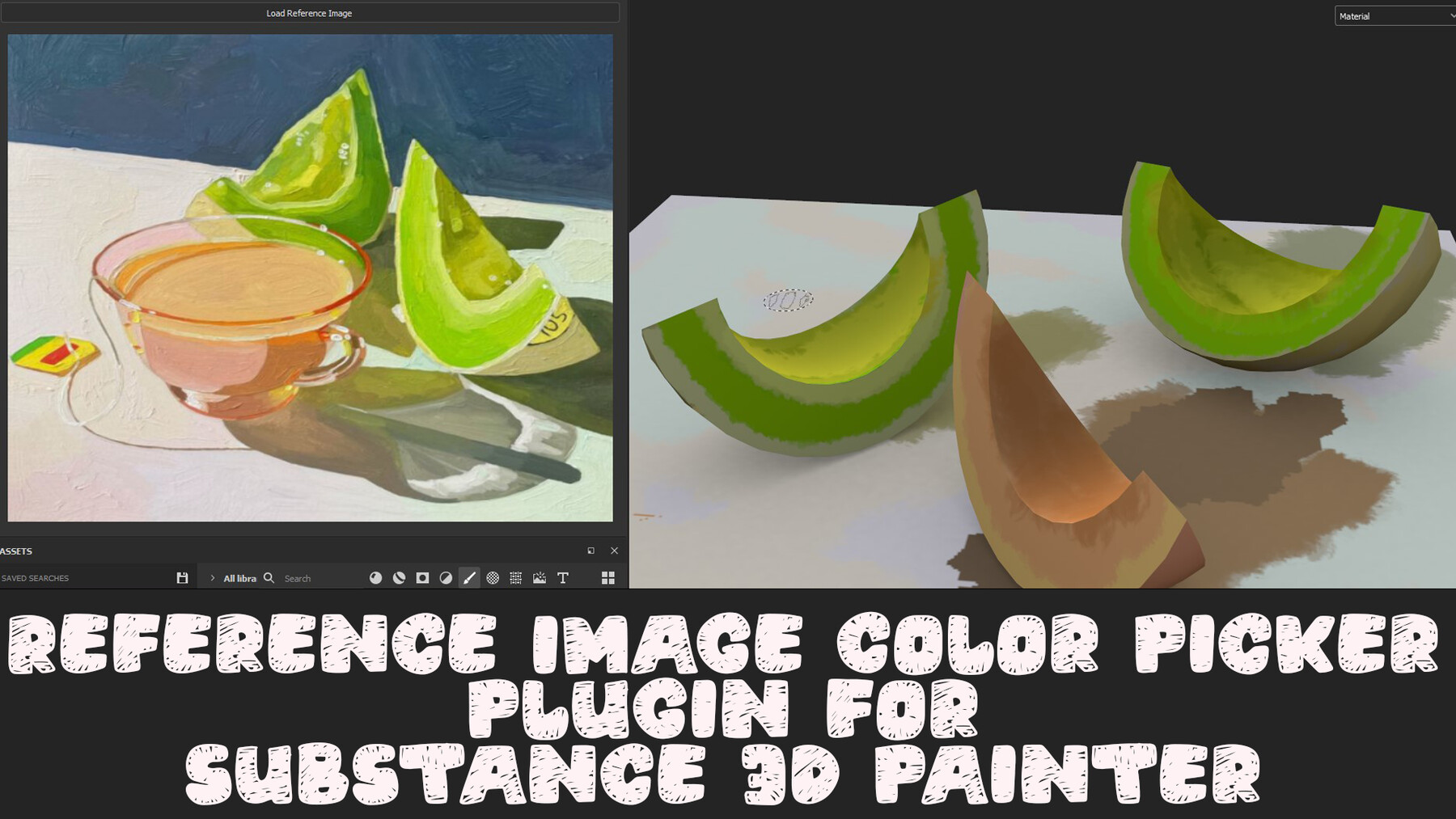
This addon allows users to pick colors directly from a loaded reference image and use them as brush colors in Adobe Substance 3D Painter.
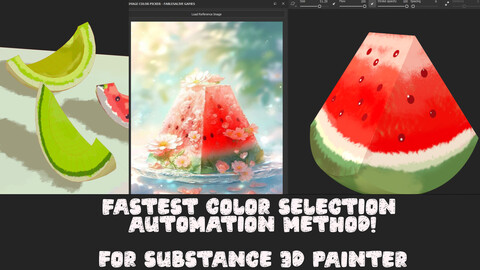
Fastest Color Selection Automation Method! for substance 3D Painter
Usage:
Load a Reference Image:
Use the "Load Image" button on the plugin panel to select and load an image from your files. This image will serve as your reference for picking colors.
Pick and Apply Colors:
After loading the image, click on a brush base color in the standard color panel to activate it.
Then, click on any color in the loaded reference image within the plugin panel.
As you click on different colors in the image, the selected color will automatically become the active brush color in Substance Painter.
Continue painting on your model with the newly selected colors from the reference image.
Real-Time Color Update:
Each time you click on a new color in the reference image, the base brush color in Substance Painter will update to match the chosen color.
This allows for a seamless workflow when working with specific color palettes or reference images.
Additional Notes:
Ensure that the standard color panel is visible in Substance Painter when selecting colors from the image. The plugin relies on this panel being open to update the brush color.
You can load multiple reference images by clicking the "Load Image" button again. Only the currently loaded image will be used for color picking.
The plugin is designed to work smoothly with the Substance 3D Painter UI, providing a non-intrusive and efficient workflow for artists.
Support and Feedback:
For any issues, feature requests, or feedback, please contact FablesAlive Games.
We are always looking to improve our tools and appreciate any input from our users!
Release Notes
updated for substance painter 11.1.2
bugs fixed and added new functionalities.
CATEGORIES
Special Offer! Get 10% off when you buy 2 products. Get 15% off when you buy 3 or more products. Applies to all products from this seller only from USD $1.00 to USD $100.00
Standard Use License
USD $11.11
License: Standard License
Stock Assets
For personal use and one commercial project (up to 2,000 sales or 20,000 views).
TutorialsOne copy to be used by a single user.
Installable ToolsOne installation by a single user.
Learn MoreFiles (2)
https://artstn.co/m/BB0xz
Copied
Ratings & Reviews
Sort by:LikesDate
Reviews (1)
 Lucca Mazzei
00Report| Release v.2025.6.15 | Standard Use License | 7 months ago
Doesn't work and am unable to contact developer.
Edit: Was able to get in contact and have the problem solved.
7 months ago
unable ?
if you have any question or trouble you shall ask .
I didnt get any email.
remove your false comment get your money back.
Filter by Rating
More by fables alive games

Add a tip for fables alive games
Tips are appreciated, but optional!