
 Sign Up with Epic Games



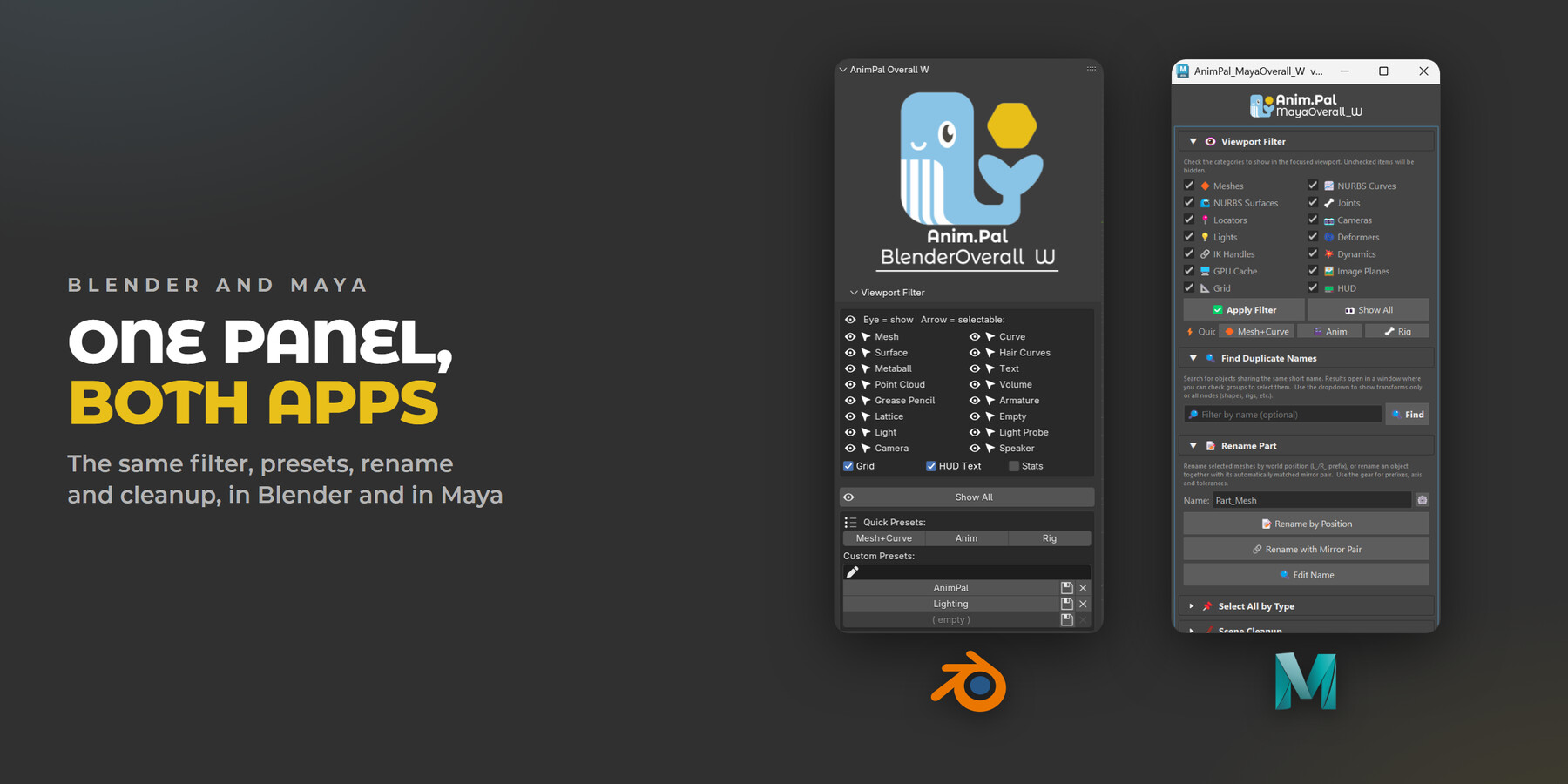
A toolbox of small scene tools: filter the viewport, save views, find bad names, rename in pairs and clean up, in Blender and in Maya.
🌐 Official page: https://animpal.app/en/products/maya-overall-w
A real scene is never tidy. Rigs full of controls, lights you are not working on, cameras, helpers, three copies of Body_Geo.001, and a hand named L_Arm whose mirror is still called Arm.002. None of these problems is big on its own, but every one of them costs a few clicks, and you hit them all day.
I built Overall W as one panel for all of those small jobs. It is not one big feature, it is a set of little ones that live in the same place, so the things you do fifty times a day are one click away instead of three menus deep.
🎬 Quick intro: https://youtube.com/shorts/wFEANNJA_8E
📘 Full tutorial (Blender): https://youtu.be/TZJuHP2GnLw
📘 Full tutorial (Maya): https://youtu.be/KHHGM7Qlw-k
✨ What it does
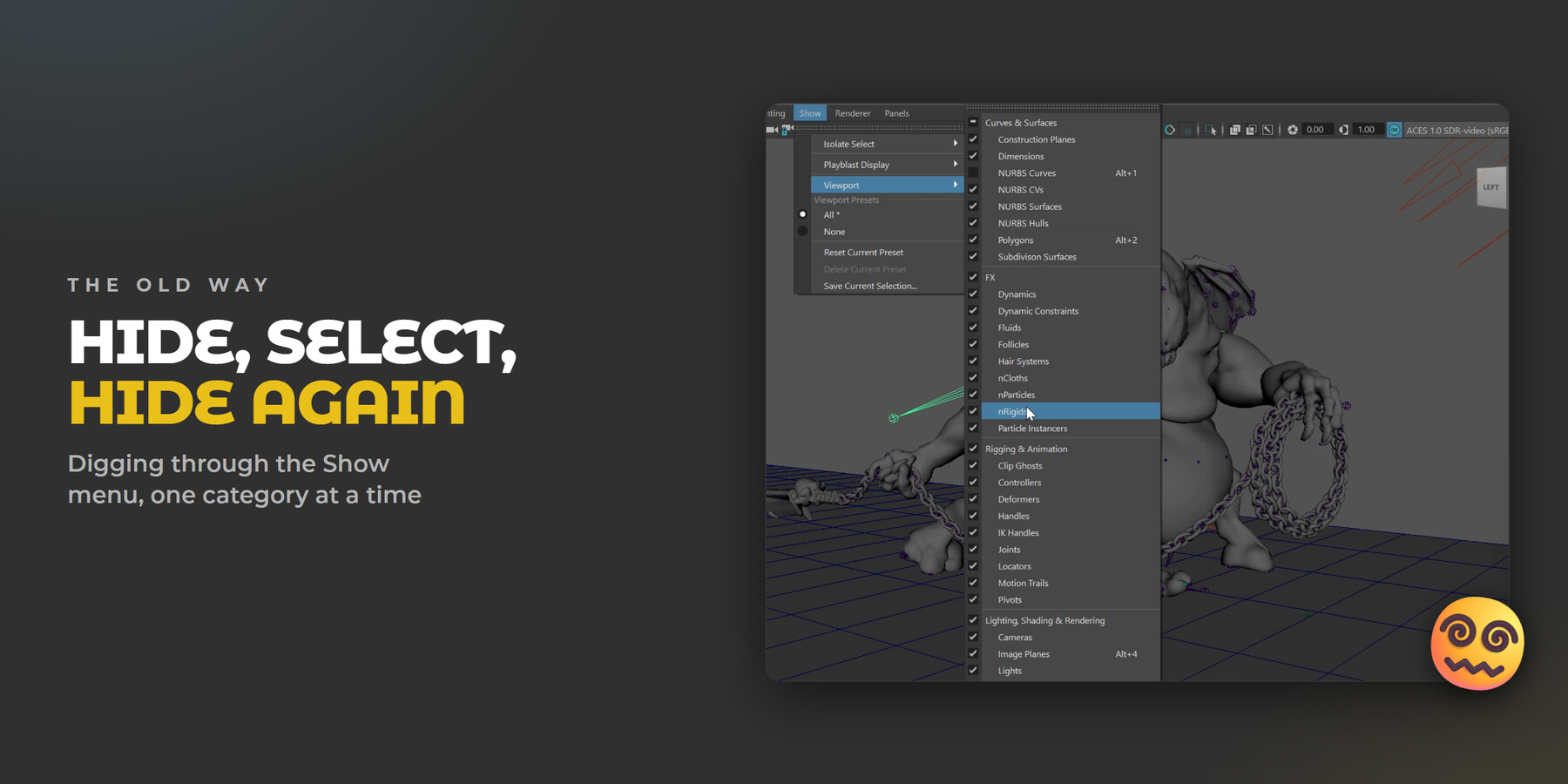
😵💫 Hide, select, hide again
To look at just the character you open the Show menu, untick lights, untick cameras, untick joints, then do it again the next time you need them back. It works, but it is a long menu to dig through every time you want a different view.
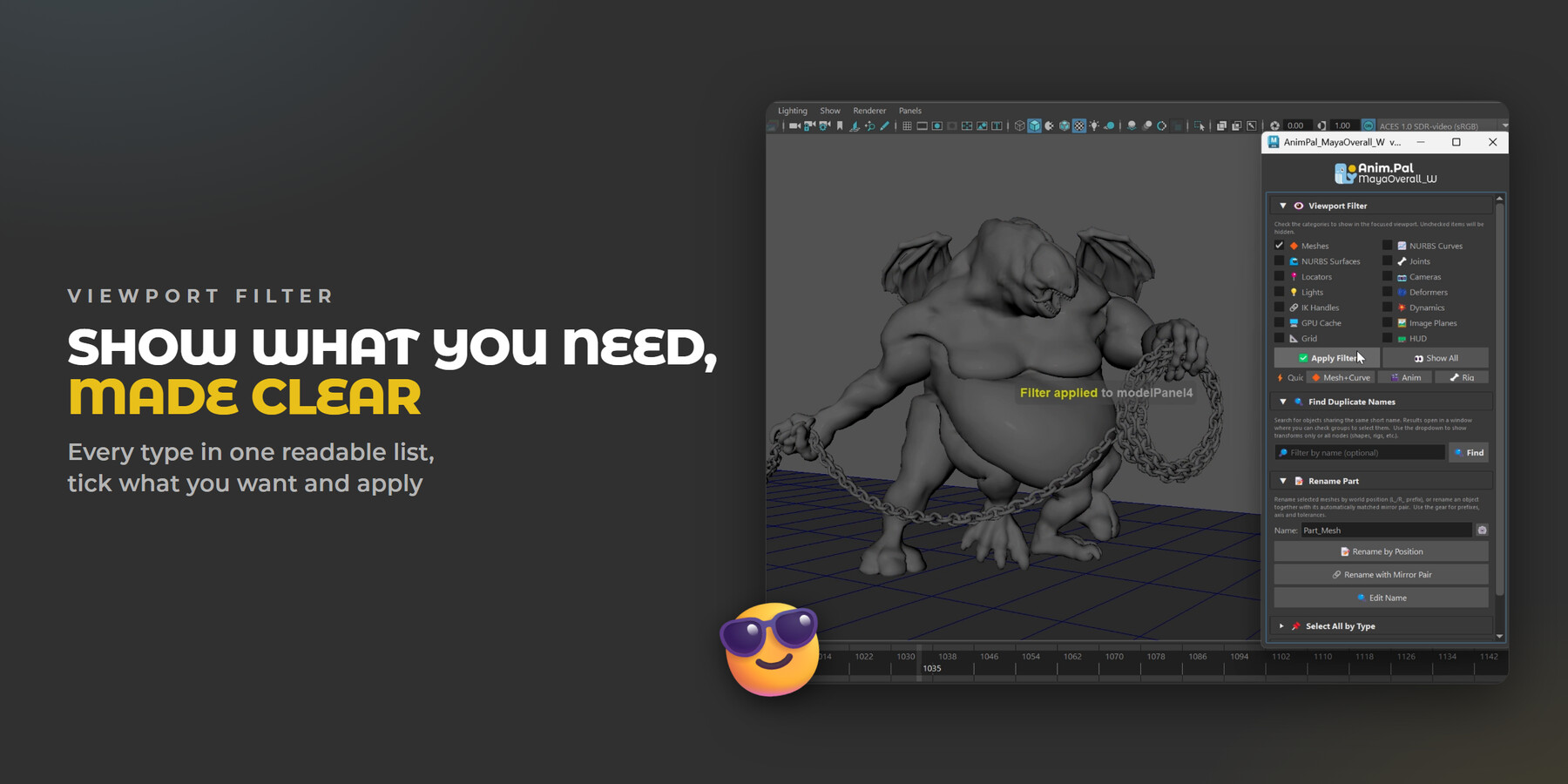
😎 Show what you need, made clear
Both applications can already hide object types, the settings are just scattered. Overall W puts every type in one readable list: tick what you want to see, apply, and the rest is gone. In Blender each type also has its own selectable switch, so you can keep an object visible but stop clicking it by accident.
🎛️ Your view, one click away
Quick Presets switch the viewport for the job in front of you: Mesh+Curve for modeling, Anim for animation, Rig for rigging. Save your own combinations as Custom Presets and bring them back with one click. Show All puts everything back.
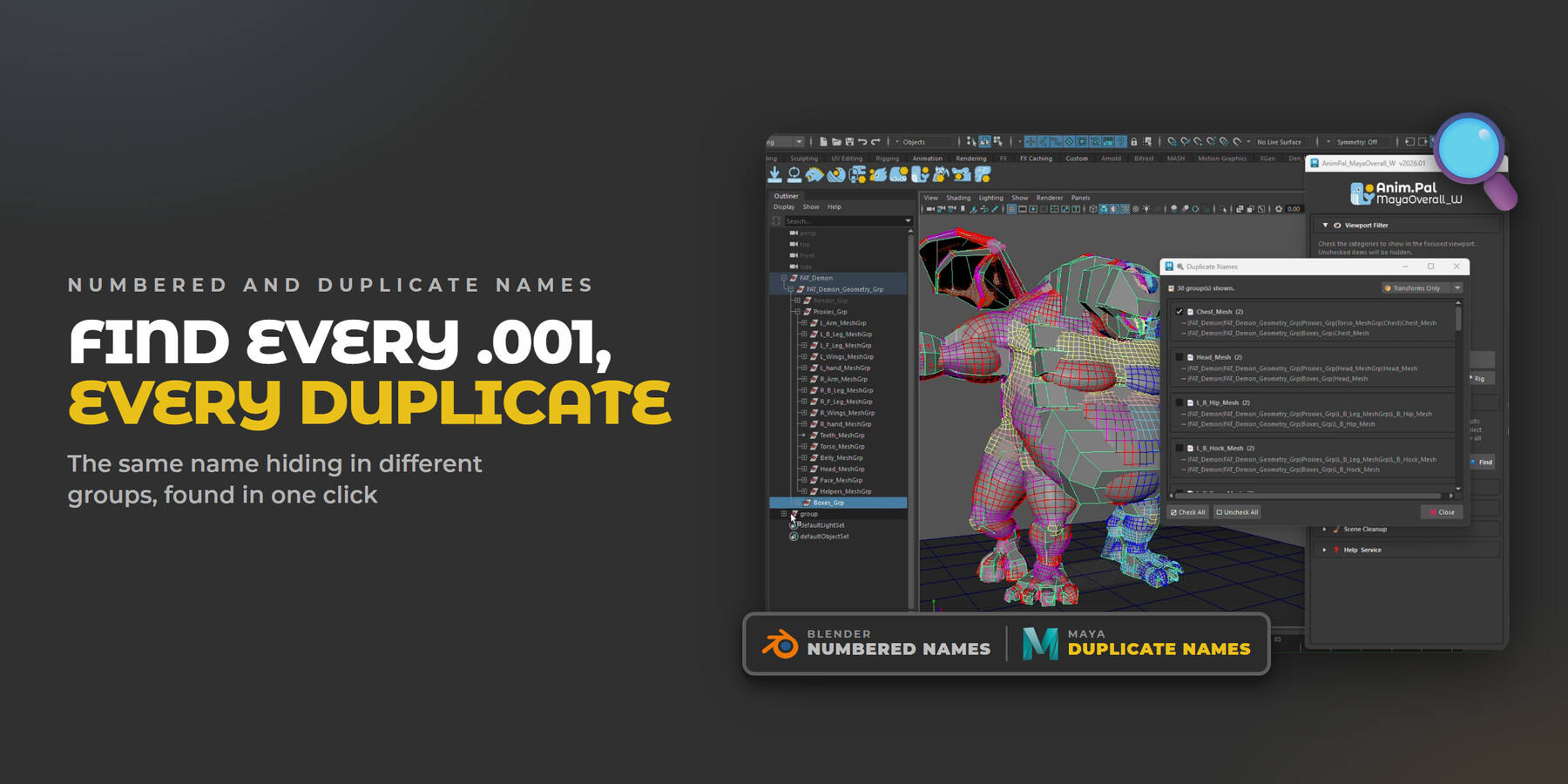
🔍 Find every .001, every duplicate
Names break exports, scripts and references, so Overall W finds the bad ones for you. The two applications check for different problems.
In Blender, Find Numbered Names lists every object that picked up an automatic .001 style number, groups them by base name, and renames a whole group at once with your own base name, separator, digits and start number.
In Maya, Find Duplicate Names lists every name that exists more than once in different groups, as in this clip, so you can fix the clash before it breaks a reference.
🪞 Left and right, named for you
Rename by Position works out which side an object sits on and names it for you, and Rename with Mirror Pair matches each part with its mirror and names both. Find and Replace handles everything else, with a swap for flipping L_ and R_ in one pass.
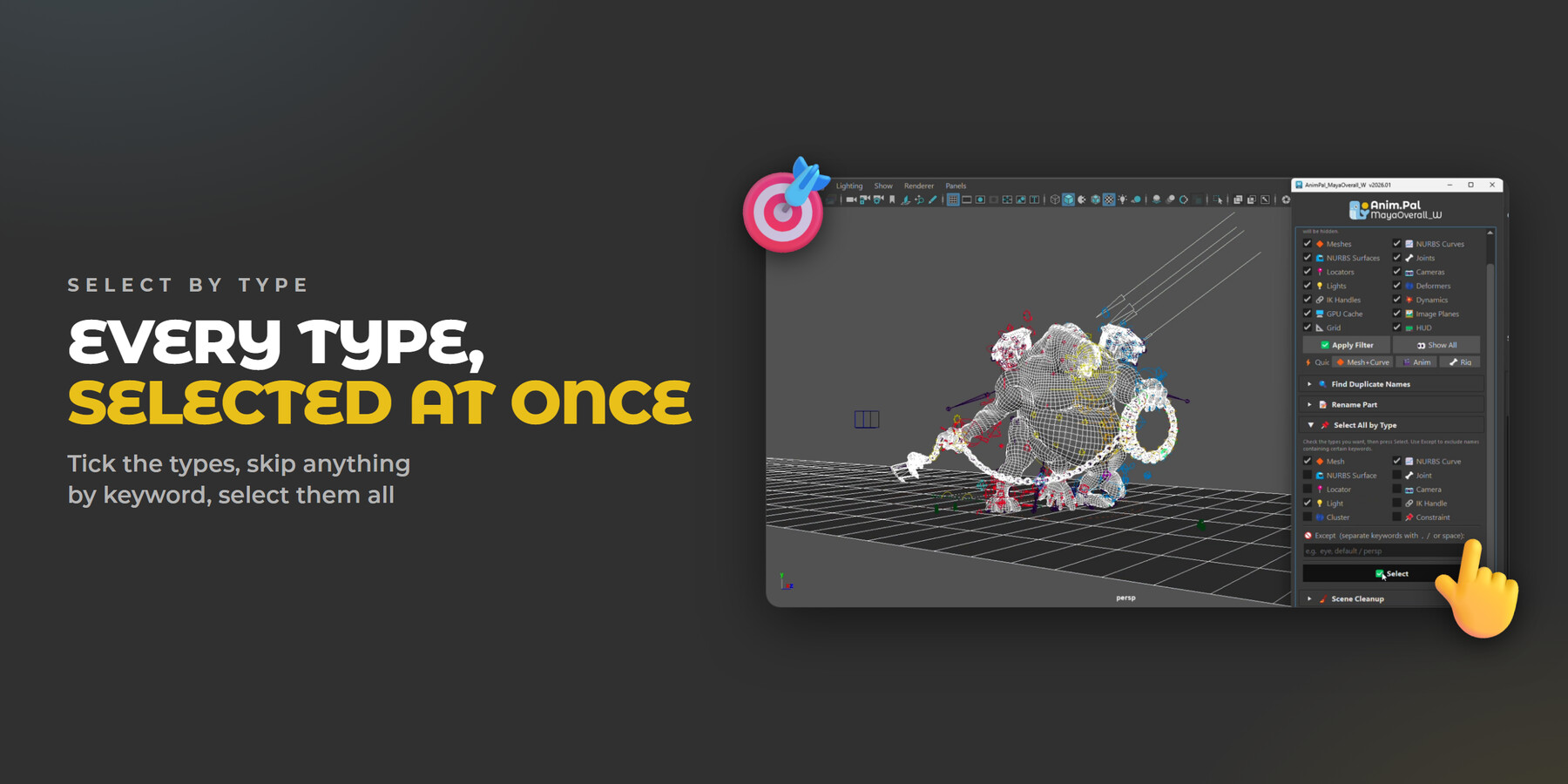
🎯 Every type, selected at once
Tick the types you want (meshes, curves, lights, joints and so on) and select every one of them in the scene at once. The Except field skips anything whose name contains the keywords you type, so the controls you care about stay out of the selection.
🔹 One panel, both apps
The same toolbox in both applications, laid out the same way, so a studio that uses both keeps one habit instead of two.
🔹 Also included
Scene Cleanup: purge orphan data, remove unused material slots and check for missing files, all non destructive.
Optimise Viewports for a lightweight display in every viewport at once when a scene gets heavy.
Grid, HUD text and stats toggles next to the filter in Blender.
Clean Selected and Clean Scene in Maya, both in safe mode.
🖥️ Requirements
- Blender: 4.0 or newer recommended. It loads on 3.6 and up, but 4.0+ is what gets tested.
- Maya: 2022 or newer
📦 What you get
- Blender version: AnimPal_BlenderOverall_W_2026_01.zip (Blender add-on). Install through Blender: Edit > Preferences > Add-ons > Install (Install from Disk in Blender 4.2+), and pick the ZIP.
- Maya version: MayaOverall_W_v2026_01.zip (Maya add-on). Unzip anywhere, drop shelf_AnimPal_Maya.mel on a Maya viewport, then press Install on the shelf and pick this folder.
🚫 What it does not do
- It does not delete anything you did not ask it to. The cleanup tools are the safe kind; the destructive options are kept separate and clearly marked.
- It does not rename anything without showing you first. Numbered and duplicate names are listed so you can check them before renaming.
- It does not replace your outliner. It is a set of shortcuts for the jobs you repeat, not a new way to organize a scene.
📄 Licences
- Blender or Maya: pick the version for the software you use. Each comes as Personal or Studio.
- Blender + Maya: both versions for one person, for less than buying them separately.
- Personal: one person, on every computer they work on.
- Studio: up to 10 people in one team.
- Commercial use is fine. The Blender version is GPL v3, as Blender requires of add-ons.
❓ FAQ
Do I pay again for updates?
Yes. Fixes for serious bugs are free. Beyond those, you keep the version you bought, and later versions are available as a paid upgrade.
Can I use it on more than one computer?
Yes. A licence covers one artist on every computer they work at, at home and at the studio.
Can I use it for commercial work?
Yes. Use it on personal, client and studio projects. Please buy a licence for each person, or a Studio licence for your team.
Does it work on Mac?
Yes. One thing to watch: Safari unzips downloads automatically, and Blender needs the ZIP itself. Before downloading, turn off Safari > Settings > General > "Open 'safe' files after downloading", or download with another browser.
The install fails, or the add-on doesn't show up.
Install the ZIP file itself, without unzipping it first. In Blender: Edit > Preferences > Add-ons > Install (Install from Disk in Blender 4.2+), and pick the ZIP. In Maya: unzip, drop shelf_AnimPal_Maya.mel on a viewport, then press Install on the new shelf.
💬 Support
Questions and bug reports: the Bug report button in the app, or
💬 Discord: https://discord.gg/Wx76CgdCY
✉️ Email: animpal.service@gmail.com
🌐 Official page: https://animpal.app/en/products/maya-overall-w
CATEGORIES
ADDITIONAL INFORMATION
Blender - Personal
USD $9.00
License: Custom EULA
Blender 4.0 or newer recommended. For one person, on every computer they work on, at home and at the studio. Commercial use included. GPL v3. Read MoreRead Less
Files (1)
Maya - Personal
USD $9.00
License: Custom EULA
Maya 2022 or newer, installed from the AnimPal shelf. For one person, on every computer they work on, at home and at the studio. Commercial use included. Read MoreRead Less
Files (1)
Blender + Maya - Personal
USD $15.00
License: Custom EULA
Both versions (Blender 4.0 or newer recommended; Maya 2022 or newer). Saves 17% against buying both. For one person, on every computer they work on, at home and at the studio. Commercial use included. Read MoreRead Less
Files (2)
Blender - Studio
USD $36.00
License: Custom EULA
Blender 4.0 or newer recommended. For up to 10 people in one team or company. Commercial use included. GPL v3. Read MoreRead Less
Files (1)
Maya - Studio
USD $36.00
License: Custom EULA
Maya 2022 or newer, installed from the AnimPal shelf. For up to 10 people in one team or company. Commercial use included. Read MoreRead Less
Files (1)
https://artstn.co/m/xjAjj
Copied
More by AnimPal


Add a tip for AnimPal
Tips are appreciated, but optional!
