
 Sign Up with Epic Games
Texture Path Rescue — Automatic Missing Texture Relinker for Blender & 3ds Max

in Resources
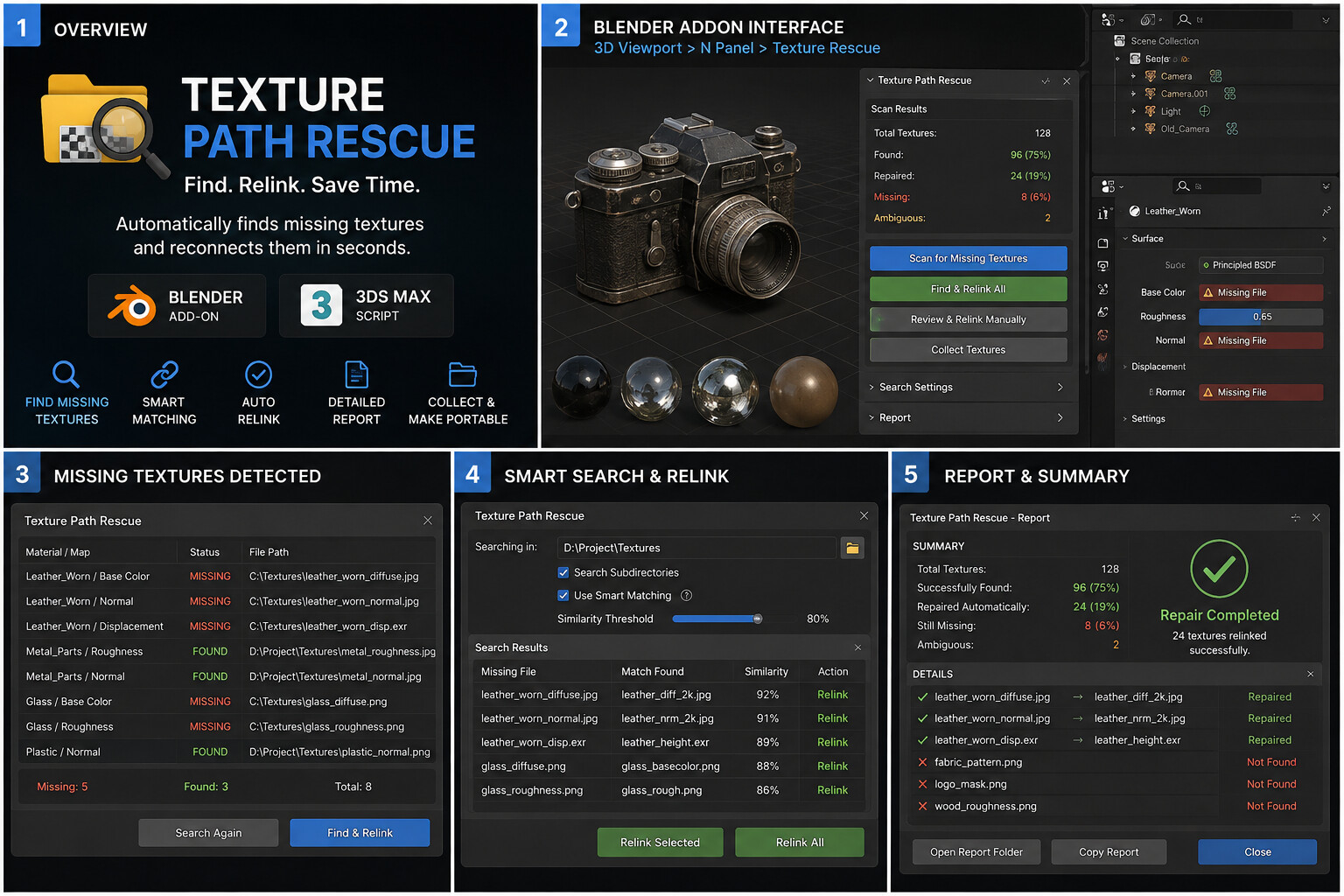
Find missing textures. Relink them automatically. Get your scenes back to work.
Texture Path Rescue is a professional texture recovery tool for Blender and 3ds Max that automatically searches for missing texture files and reconnects them to your materials.
No more manually hunting through folders for hundreds of .jpg, .png, .tif, .exr, or .hdr files.
Simply select your texture library, scan the scene, and let Texture Path Rescue identify potential matches using filename normalization and intelligent similarity matching.
Key Features🔍 Find Missing Textures
Scan your entire scene and identify broken or missing texture references.
🧠 Smart Filename Matching
Find renamed or differently formatted texture files using similarity-based matching.
🔗 Automatic Relinking
Reconnect matching textures in batches instead of repairing materials one by one.
📁 Recursive Folder Search
Search through entire texture libraries and nested subfolders automatically.
⚠️ Ambiguous Match Protection
Potentially uncertain matches are flagged instead of being blindly replaced.
📊 Repair Summary
See how many textures were missing, found, repaired, or left unresolved.
📦 Texture Packing — Blender
Pack repaired textures into the Blender file when you need a portable scene.
↩️ Safe Workflow
The 3ds Max version uses an undoable rescue operation, allowing you to revert changes.
3D artists
Environment artists
ArchViz artists
Game asset creators
Product visualization artists
Freelance 3D artists
Texture artists
Asset marketplaces
Large 3D libraries
Studios managing large projects
1. Open your scene
Load a project containing missing textures.
2. Choose your texture folder
Point Texture Path Rescue toward your texture library.
3. Scan
The plugin identifies missing texture references.
4. Review matches
See the missing file, proposed replacement and similarity.
5. Rescue & Relink
Reconnect the textures automatically.
6. Continue working
Your materials are restored without manually searching through folders.
Blender
Texture Path Rescue Add-on
Autodesk 3ds Max
Texture Path Rescue MAXScript
CATEGORIES
Standard Use License
USD $19.99
License: Standard License
Stock Assets
For personal use and one commercial project (up to 2,000 sales or 20,000 views).
TutorialsOne copy to be used by a single user.
Installable ToolsOne installation by a single user.
Learn MoreFiles (1)
https://artstn.co/m/PB8or
Copied
More by Mansour Mahmoud Amir


Add a tip for Mansour Mahmoud Amir
Tips are appreciated, but optional!
