
 Sign Up with Epic Games


Mesh Extender for Blender
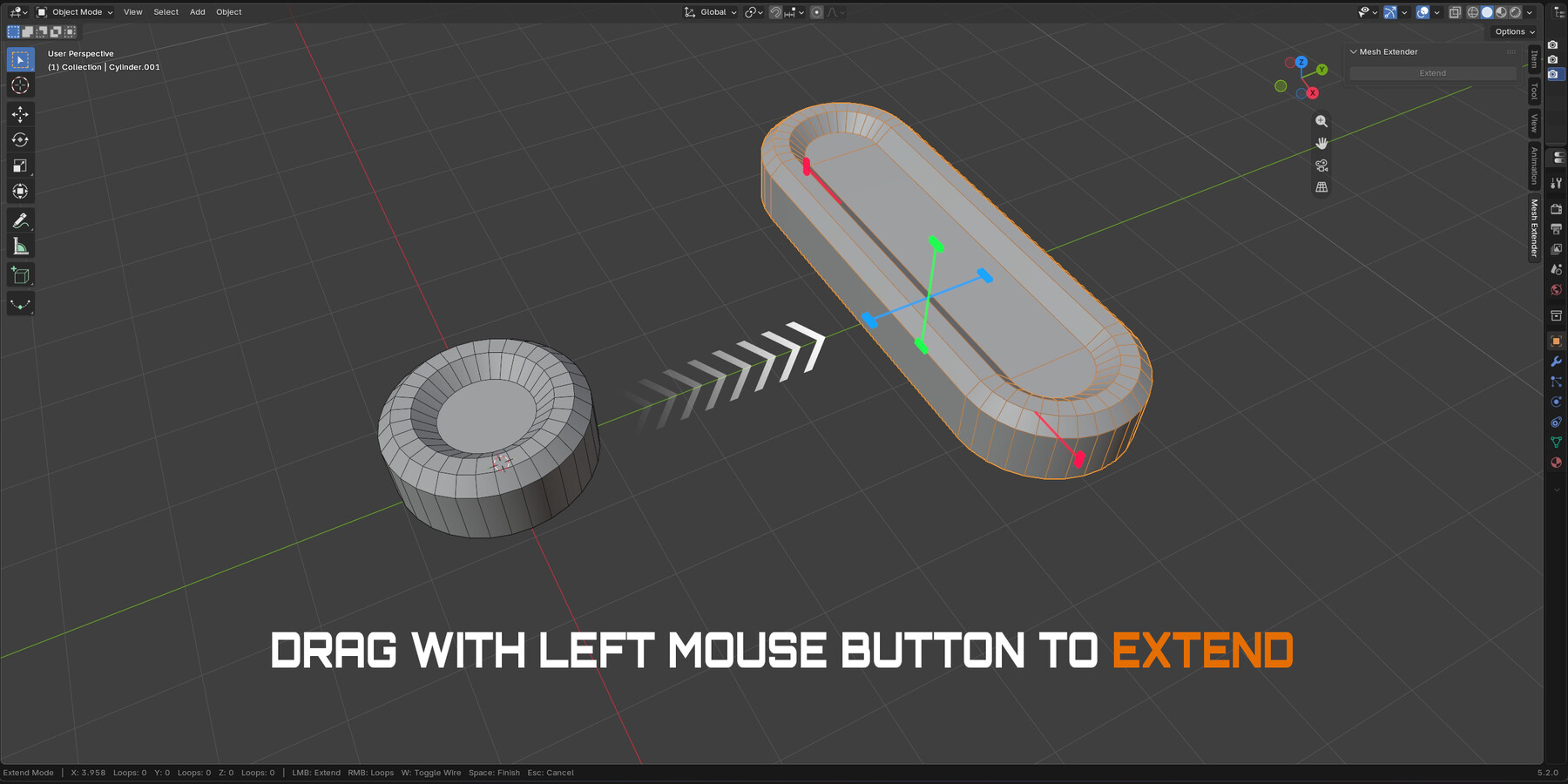
Mesh Extender is a fast, interactive modeling tool for extending mesh geometry along the local X, Y, and Z axes.
Instead of manually cutting, moving, and bridging geometry, simply activate the tool and drag its custom viewport handles. The mesh is split through its center, both sides move symmetrically in opposite directions, and the space between them is automatically bridged, while preserving existing edge properties.
Key Features
Interactive extension in the Viewport
Extend along the local X, Y, and Z axes
Combine multiple axes in a single session
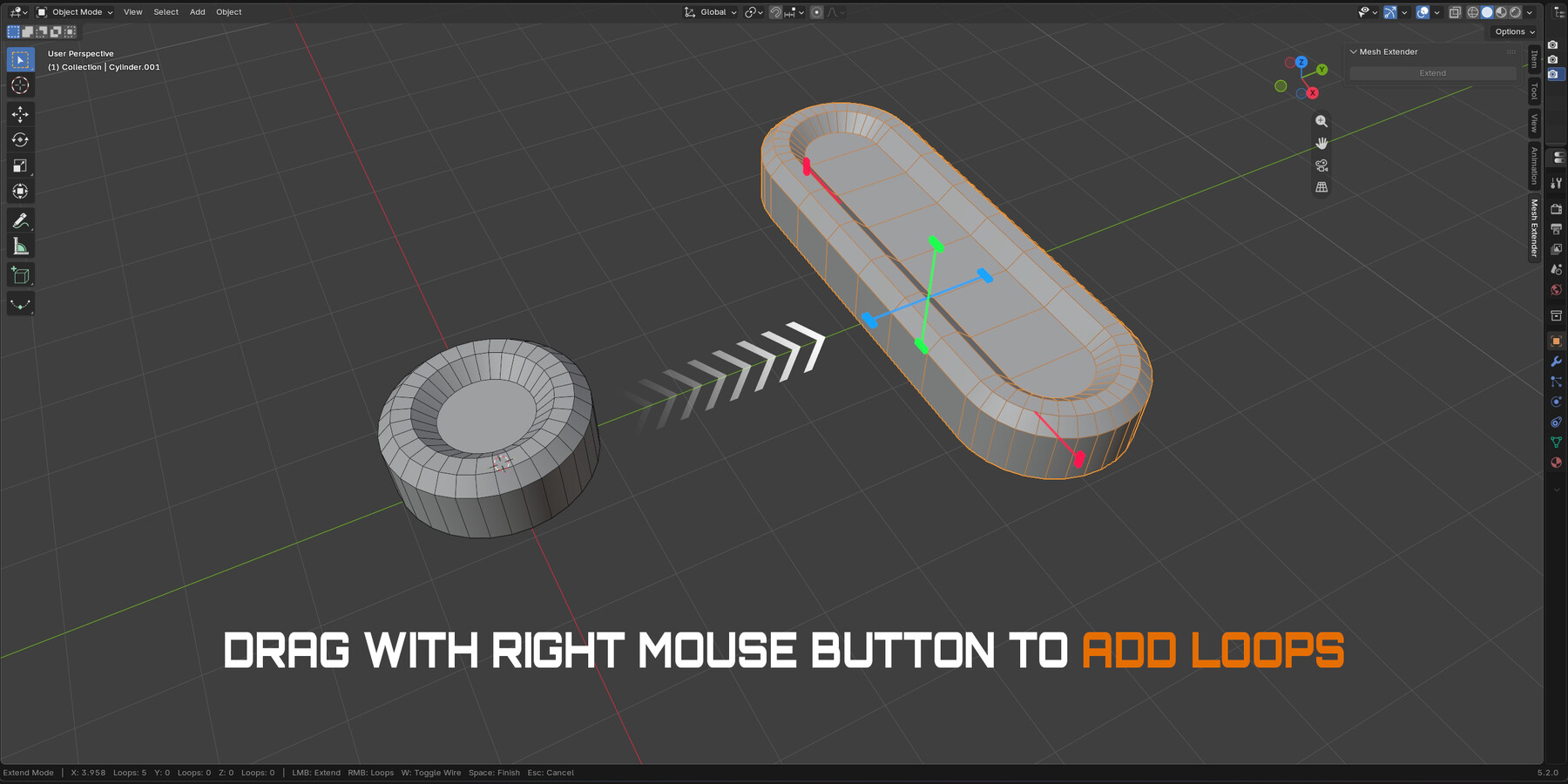
Add or remove edge loops with Right Mouse Button drag
Move right to add loops and left to remove them
Press W to toggle wireframe manually
Preserves Sharp, Seam, Crease, Bevel Weight and Freestyle properties
Installation
Drag and drop the downloaded ZIP file directly into the Blender viewport, then confirm the installation.
Alternatively:
Go to Edit → Preferences → Add-ons
Open the top-right menu and select Install from Disk
Choose the AP_MeshExtender ZIP file and confirm
Enable AP | Mesh Extender if necessary
Open the Mesh Extender tab in the 3D Viewport N-panel
Workflow
Select a mesh object
Open the Mesh Extender tab in the N-panel
Click Extend
Drag a handle with the Left Mouse Button to extend the mesh
Drag the same handle with the Right Mouse Button to add or remove edge loops
Press W to toggle the wireframe overlay
Adjust multiple axes if needed
Press Space to confirm or Esc to cancel
Compatibility
Blender 4.2 or newer
Tested with Blender 4.5 LTS and Blender 5.2 LTS
CATEGORIES
Standard Use License
USD $4.99
License: Standard License
Stock Assets
For personal use and one commercial project (up to 2,000 sales or 20,000 views).
TutorialsOne copy to be used by a single user.
Installable ToolsOne installation by a single user.
Learn MoreFiles (1)
https://artstn.co/m/BjOYM
Copied

Add a tip for Andrey Petrov
Tips are appreciated, but optional!
