Sign Up with Epic Games



Foliage grows where you point.
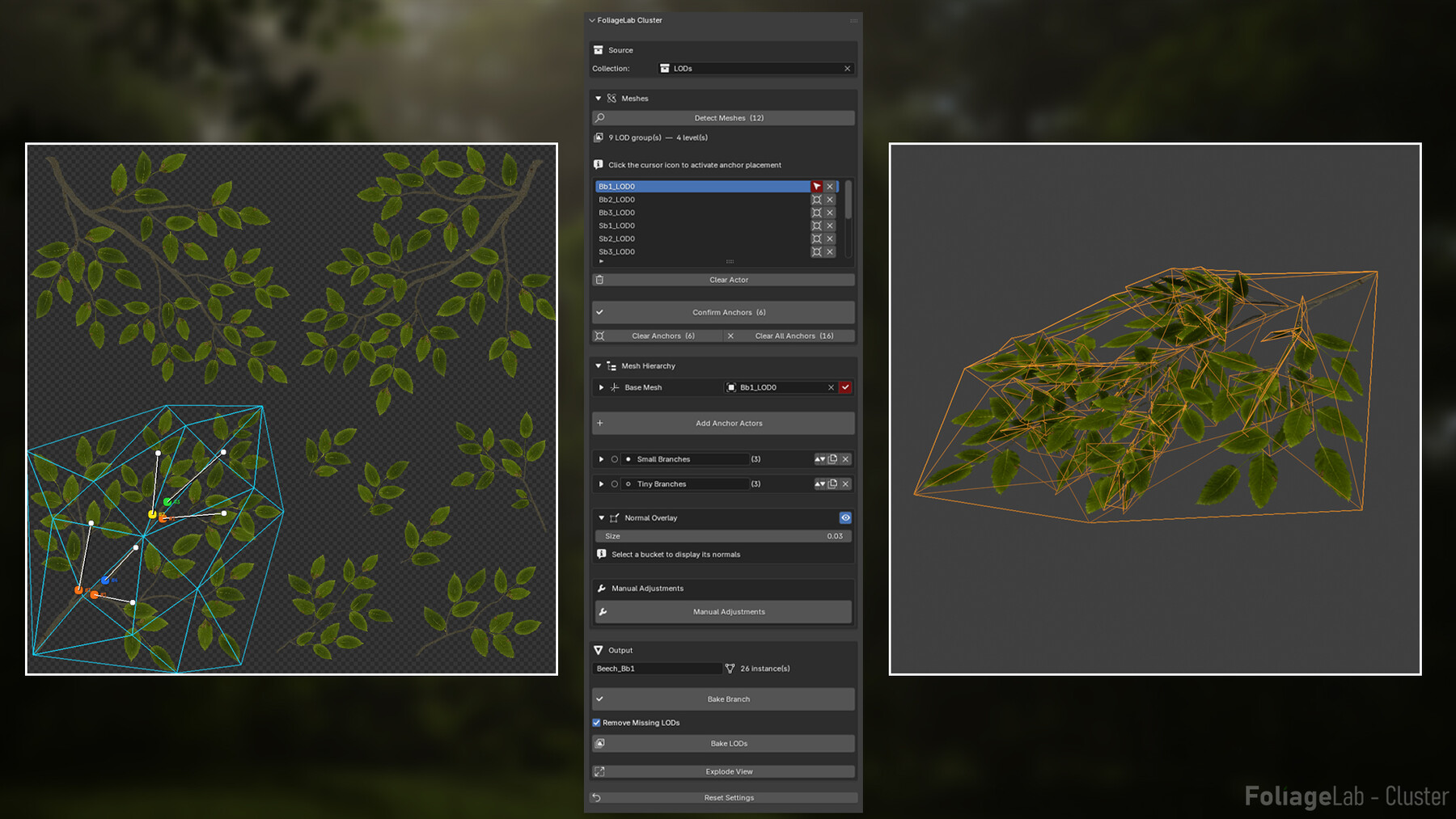
Point your source collection at your foliage meshes. Place anchor points where growth should start. Cluster handles the rest.
Meshes
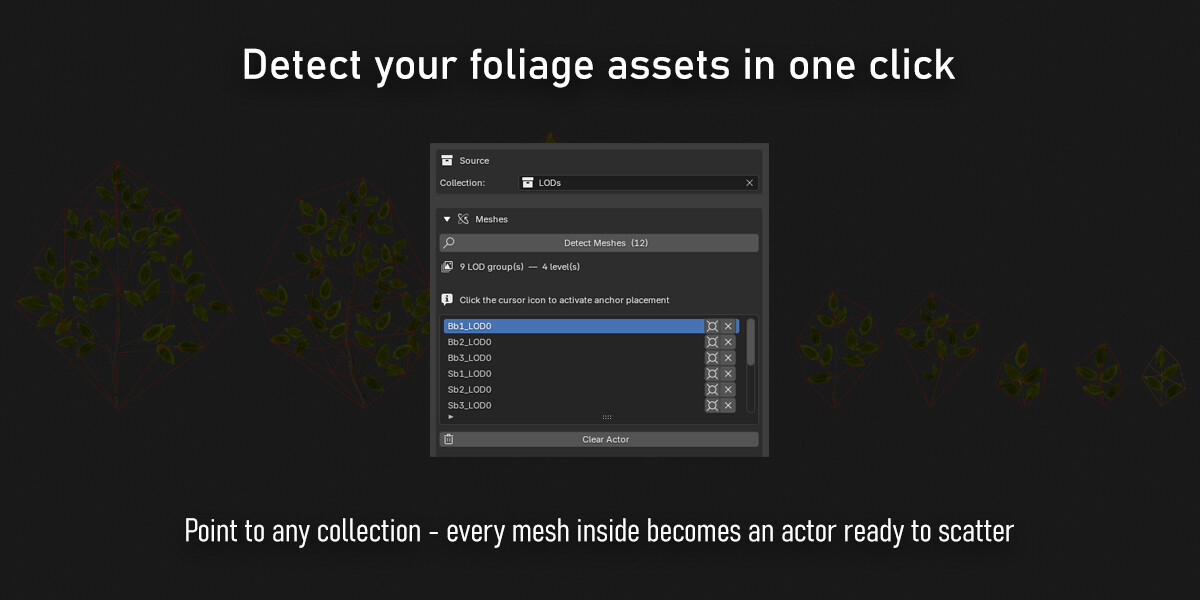
- Detects meshes from any Blender collection — LOD0 objects become actors, higher LOD levels are stored automatically for Bake LODs
- Automatically recognizes LOD groups by naming convention (Leaf_A_LOD0, Leaf_A_LOD1…)
- Assign meshes to buckets and set their target anchor index — controls exactly which anchors each mesh spawns on
Mesh Hierarchy
- Base Mesh with its own deformations — Curl, Fold, Twist, Noise
- Organize actors into buckets — each with independent Rotation, Scale, Variance and Deformations
- Parent — each bucket can spawn on top of any previous bucket, or directly on the Base Mesh, building growth layer by layer
- Per-bucket Seed for controlled variation across groups
- Assign multiple meshes per bucket for natural variety
- Duplicate any bucket to reuse its parameters as a starting point
Lighting
- Per-bucket vertex normal control — adjust how instances catch light without touching the geometry
- Global mode — blend normals toward World Up based on actor size, by size bracket (Tiny to Huge)
- Local mode — Smooth, Parent Puffiness, and directional Adjustments (Up, Right, Out, World Up)
- Normal Overlay — visualize vertex normals per bucket directly in the viewport
Manual Adjustments
- Freeze the preview and adjust instances directly in the viewport
- Actor Override — swap the mesh on any individual instance without rebuilding the preview
- Instance Deformations — override Curl, Fold, Twist, Noise per instance independently of the bucket
- Delete selected instances directly in the viewport
- Confirm or Reset adjustments at any time
Output
- Live preview before baking — updates in real time as parameters change
- Explode View — spread baked LODs side by side with adjustable Spacing
- Bake Branch — finalizes the composition as a single clean mesh (LOD0)
- Bake LODs — generates the full LOD chain. Remove Missing LODs option available
Want the full pipeline? the FoliageLab bundle saves you 30% on the complete suite.
Requirements -
- Blender 4.2+ - This tool is not compatible with Blender 5.0+
Join the Discord server and become part of the FoliageLab community
Learn how to create a cluster
Release Notes
New licensing options are now available:
Standard License
- For individual artists, freelancers, and solo developers.
- No redistribution or resale.
Extended Commercial License
- Valid for the purchasing company.
- Covers employees and contractors working on behalf of the purchasing company.
- Unlimited internal commercial use across all company projects.
- No redistribution, resale, or transfer outside the purchasing company.
Note for existing customers: If you already own a Standard License, nothing changes for you. Your license remains fully valid. This update simply clarifies the licensing terms and introduces an Extended Commercial License for studios and companies.
CATEGORIES
Standard Commercial License
USD $25.00
License: Standard License
Stock Assets
For personal use and one commercial project (up to 2,000 sales or 20,000 views).
TutorialsOne copy to be used by a single user.
Installable ToolsOne installation by a single user.
Learn MoreFor individual artists, freelancers, and solo developers. No redistribution or resale. Read MoreRead Less
Files (4)
Extended Commercial License
USD $50.00
License: Standard License
Stock Assets
For personal use and one commercial project (up to 2,000 sales or 20,000 views).
TutorialsOne copy to be used by a single user.
Installable ToolsOne installation by a single user.
Learn MoreFor companies and studios. Unlimited internal commercial use. No redistribution or resale. Read MoreRead Less
Files (4)
https://artstn.co/m/o55Lm
Copied
Ratings & Reviews
Sort by:LikesDate
Reviews (1)
 Ray Vanderhaegen
00Report| Release v.1.02 | Standard Commercial License | 4 months ago
Cluster is my new favourite foliage tool. It's easier than any alternative, more controllable than something like speed tree and lets you handle everything in DCC. I cannot imagine my life without this tool. 10/10 I would buy it twice if I could
4 months ago
Thank you so much! "I would buy it twice" might be one of the best reviews I've ever received. Really appreciate the support!
Filter by Rating
Bundles with this product




Add a tip for Michael Gerard
Tips are appreciated, but optional!