Sign Up with Epic Games
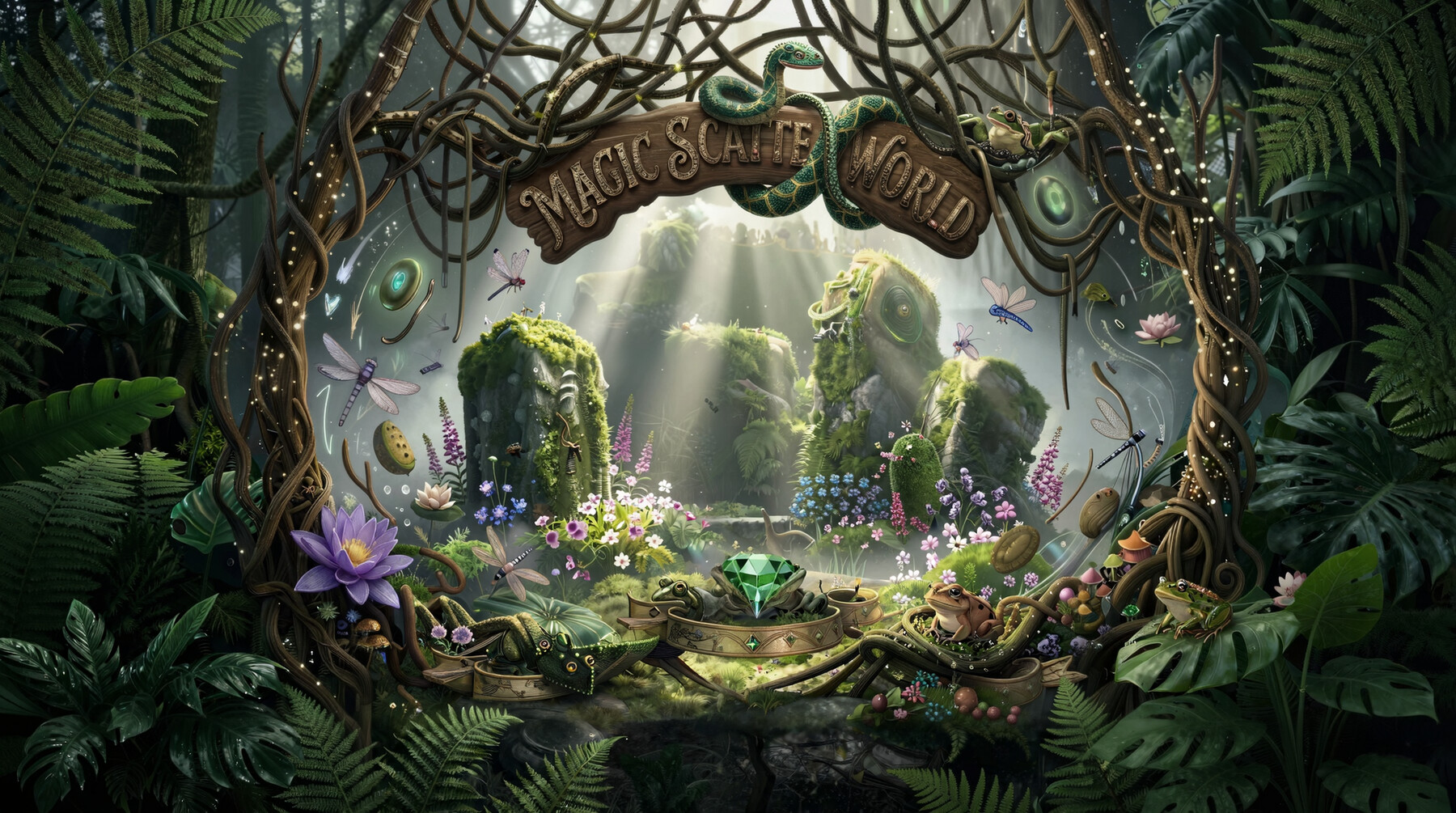
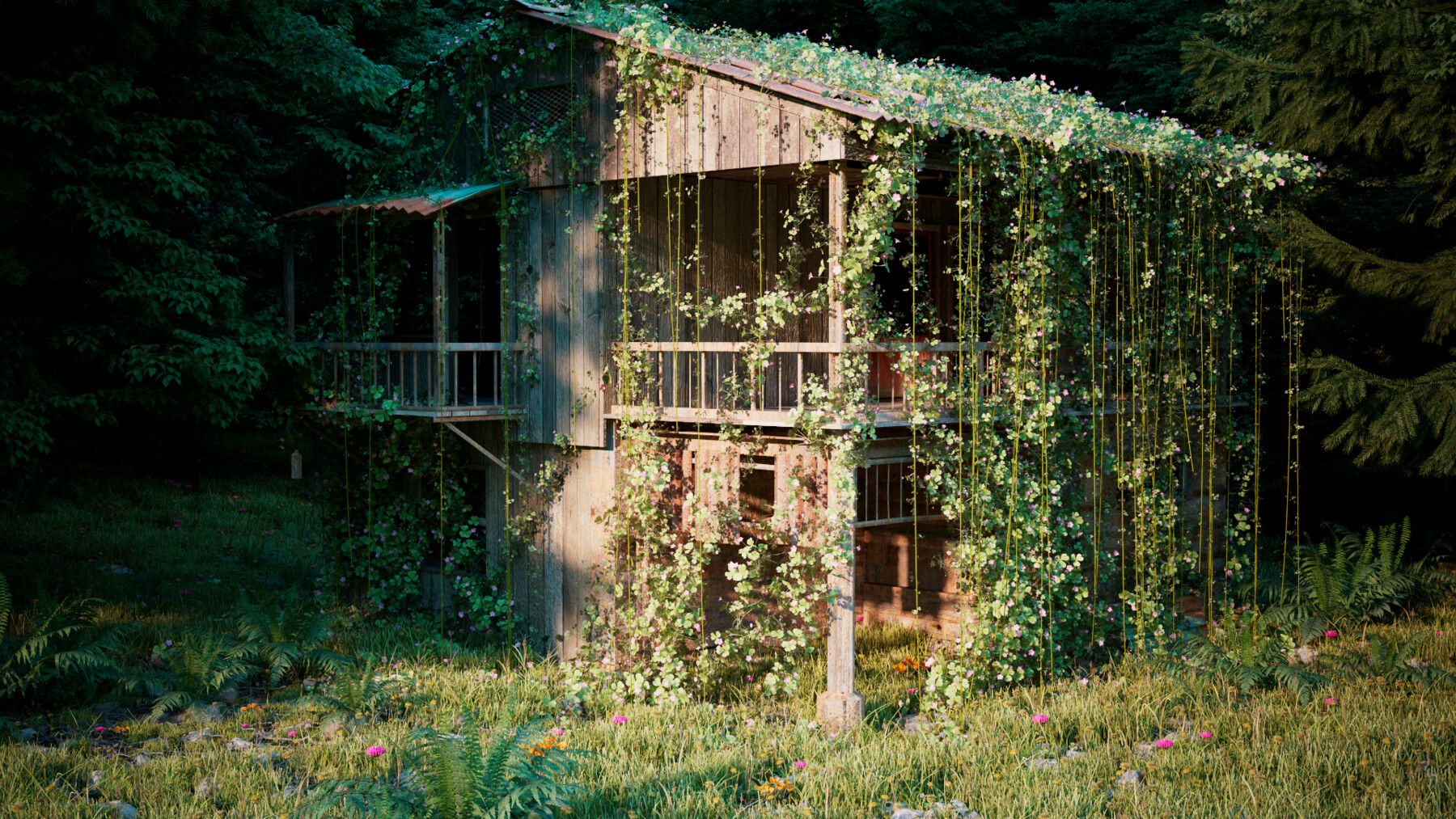


The Heart of the Jungle
Transform empty terrain into rich, living ecosystems in minutes.
Magic Scatter is a procedural worldbuilding and ecosystem scattering toolkit for Houdini designed for artists who want cinematic environments without building complex scatter setups from scratch.
Create dense jungles, fantasy forests, moss-covered ruins, rocky biomes, and layered natural environments using an intuitive artist-focused workflow.
Whether you're building environments for VFX, games, cinematics, or concept art, Magic Scatter gives you fast iteration, powerful art direction controls, and beautiful procedural results.
Please visit my Youtube Channel for video tutorials
https://www.youtube.com/@mamgicscatterworld
Demonstration
https://drive.google.com/file/d/1XBM2NiO13Ed2wULodtJtUxfXL6xUl877/view?usp=drive_link
Tutorials Documentation
https://drive.google.com/drive/folders/1qJ8zC_Ptj4fi4-m4Ti44bEjwjDEuiZia?usp=drive_link
Features
Procedural biome scattering
Layer-based ecosystem generation
Art-directable density and masks
Fast viewport iteration
Organic variation and randomization
Easy-to-use UI built for artists
Create massive environments with minimal setup
Designed for cinematic and stylized worlds
Perfect For
Environment artists
Houdini worldbuilders
Procedural workflows
Cinematic scenes
VFX environments
Stylized fantasy worlds
Jungle and nature generation
Why Magic Scatter?
Most scatter tools focus on technical setups.
Magic Scatter focuses on artistic worldbuilding.
Instead of spending hours wiring nodes and tweaking attributes, you can focus on shaping atmosphere, storytelling, and biome design while the system handles the procedural complexity underneath.
Paint, grow, blend, and evolve entire ecosystems with speed and control.
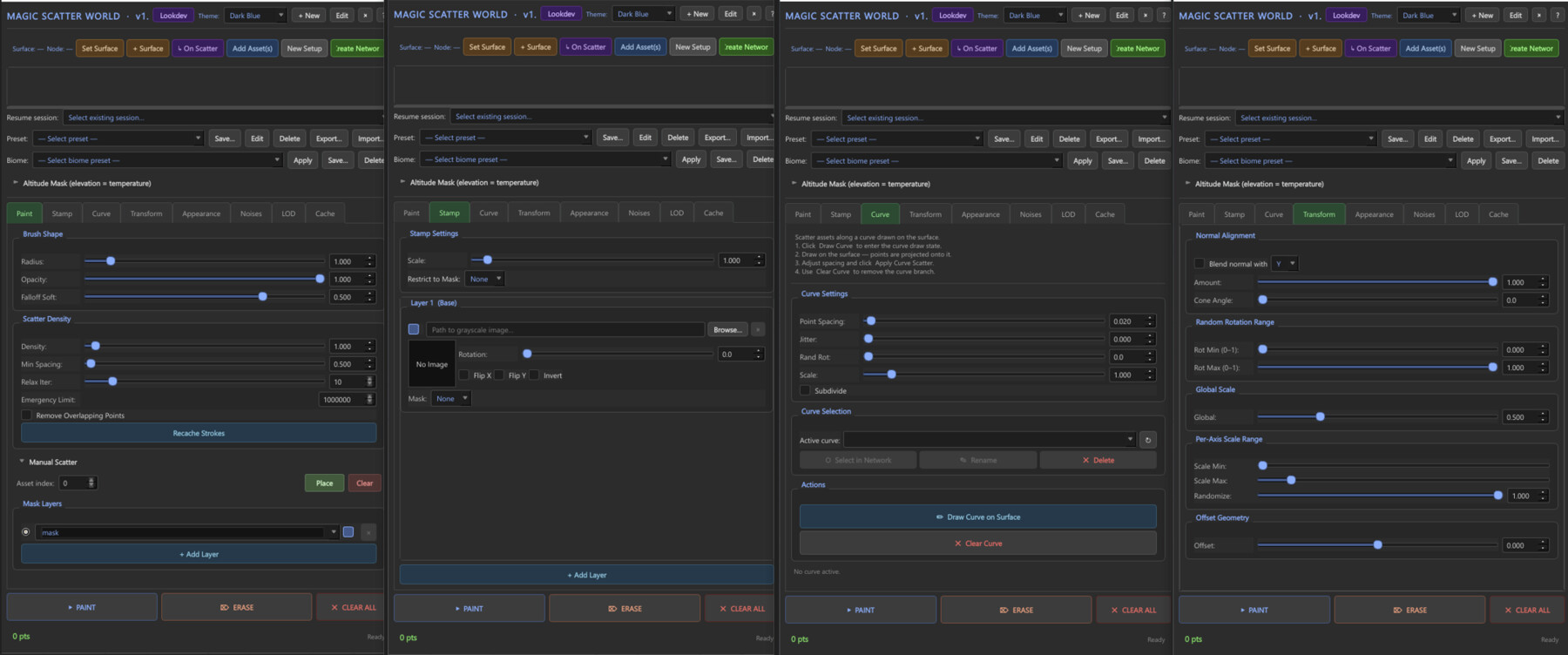
### Scatter Painting
- **Brush tool** with radius, falloff, amount, and softness controls
- **Paint / Erase / Clear** modes toggled directly from the panel
- **Stamp mode** with grayscale mask, rotation, X/Y flip, blend modes (Multiply, Add, Screen, Overlay, and more)
- **Resume support** — dropdown lists all scatter setups in the current scene for easy continuation
### Placement & Distribution
- **Density** and **minimum spacing** with relaxation iterations and max-point limits
- **Rotation:** normal-align, cone angle, full random, min/max normalized ranges
- **Scale:** global scale + per-axis min/max with optional uniform XYZ link
- **Placement rules:** slope filtering (max angle), altitude clamping, noise threshold, distance-from-path culling
### Advanced Systems
| System | Description |
|---|---|
| **Scatter Noise** | Perlin/fractal mask with octaves, lacunarity, roughness, blend modes, animation |
| **Clumping** | Radius-based neighbor clustering with strength blending and minimum-count culling |
| **Flip** | Probability-based 180° normal flip with seed control |
| **Proximity Filter** | Removes points near reference geometry with min/max distance |
| **LOD** | Distance-based culling and piece-index remapping across three tiers |
| **Color Variation** | Per-point RGB interpolation between two colors via Perlin-seeded randomness |
### Asset Management
- Multiple source objects with independent weight sliders per asset
- Thumbnail grid with auto-matched preview icons from the `icons/` folder (fuzzy prefix/suffix matching)
- Asset size presets: Small · Medium · Large · Huge
- All asset data persists as node `userData` inside the `.hip` file
### USD / Solaris Export
- **PointInstancer** export with full prototype preservation
- Smart caching: SHA1-hashed prototype USDs are only re-exported when geometry changes
- Preserves **Redshift Proxy** (`.rs`) and **Arnold Standins** end-to-end — no collapse to polymesh
- Prototype USDs stored at `$HIP/usd/prototypes/MSW_{system_name}/`
### Lookdev
- Non-modal **Lookdev dialog** with engine picker dropdown
- **5 texture slots:** Diffuse · Roughness · Metallic · Normal · Displacement
- **14 PBR parameters:** tint, emission, roughness mult, metallic mult, normal strength, displacement scale/mid, opacity, IOR, transmission, coat weight/roughness, SSS weight, emission intensity
- UDIM support with per-engine token styles (Arnold `<udim>`, Redshift `<UDIM>`)
- **Arnold (HtoA)** and **Redshift** native material network builders
- **Karma/USD:** full MaterialX (`ND_standard_surface`) network authored at the Sdf layer level
### Procedural Ivy — Two Systems
**Ivy Generation** (growth-based)
- Presets: Sparse · Dense · Drape · Wild
- 10+ growth parameters
**Crawling Ivy** (surface-crawling vines)
- 9 presets: Sparse · Dense · Climbing · Hanging · Wild · Tendrils · Carpet · Spider · Smooth
---
## Installation
Four supported methods — choose whichever fits your workflow:
| Method | How |
|---|---|
| **A — Windows Installer** | Run `Magic_Scatter_World_Installer.exe` (one-click GUI, ~40 MB) |
| **A2 — Script Installer** | Double-click `install.bat` (Windows) or `install.command` (macOS) |
| **B — Drag into Houdini** | Drag `houdini_install.py` into the Network Editor |
| **C — CLI / Headless** | `python install.py --all` or `--versions 19.5,20.5` |
The installer auto-detects all Houdini versions on the machine (Windows, macOS, Linux) and handles OneDrive-redirected Documents folders on Windows.
---
## Architecture
```
Magic_Scatter_World/
├── install.py Cross-platform installer (GUI + CLI)
├── houdini_install.py Drag-into-Houdini installer
├── build_installer.py PyInstaller build + release zip script
├── launcher.py Entry points: scatter, ivy, crawling ivy
├── package.json Houdini package descriptor
│
└── scripts/scatter_tool/
├── logic.py Core scatter engine, VEX generation, metadata
├── ui.py Main PySide2/6 UI (tabbed panel)
├── raycast.py Python Viewer State (brush painting)
├── thumbnail.py Preview resolution + disk cache
│
├── usd_io/
│ ├── prototypes.py USD prototype caching (SHA1 invalidation)
│ └── materials_mtlx.py MaterialX network authoring
│
└── lookdev/
├── conventions.py Per-engine texture/colorspace/UDIM rules
├── assign.py Material binding storage + wrangle injection
├── ui.py Lookdev QDialog
└── engines/
├── base.py Shared helpers, version-drift-safe node lookup
├── arnold.py HtoA material builder
└── redshift.py Redshift material builder
```
Release Notes
## What's New in 1.3.0
### New Features
- **USD/Solaris Export** — Full PointInstancer export with hash-based prototype caching. Redshift Proxy and Arnold Standin assets are preserved through the export pipeline without collapsing to polymesh.
- **MaterialX Lookdev** — Karma-compatible `ND_standard_surface` shader networks authored directly at the Sdf layer, with explicit UV readers for cross-renderer compatibility and UDIM glob support.
- **LOD System** — Distance-based point culling and piece-index remapping across three camera-distance tiers, fully driven by VEX.
- **Color Variation System** — Per-point color interpolation between two artist-defined RGB values using Perlin-seeded randomness.
- **Crawling Ivy** — New procedural surface-crawling ivy system with 9 presets (Sparse, Dense, Climbing, Hanging, Wild, Tendrils, Carpet, Spider, Smooth).
- **Improved Installer** — Windows `.exe` installer now bundles all assets into a single ~40 MB file. The build pipeline (`build_installer.py`) auto-strips dev-only reload shelf tools from the distribution.
### Improvements
- Unified **Transformation tab** consolidating rotation and scale controls.
- Assets panel: **Add Another Curve** button is now hidden when not applicable.
- **Auto-select networks** on tool launch for faster workflow entry.
- Paint buttons repositioned above the status bar to match the Ivy Scatter layout convention.
- Debounced parameter updates reduce SOP cook overhead during slider dragging.
- Parameter setter (`_set_parm`) now uses version-drift-safe fallback matching for forward compatibility with future Houdini releases.
### Bug Fixes
- Fixed curve deletion wiring that caused stale references in multi-curve setups.
- Fixed icon fuzzy-matching edge cases where short asset names matched unrelated icons.
- Fixed Houdini Documents path detection on Windows systems with OneDrive redirection.
---
## Known Limitations
- Lookdev preview rendering requires Arnold (HtoA) or Redshift to be installed and licensed.
- USD export requires Houdini 19.5+ (LOP network availability).
- The `.exe` installer is Windows-only; macOS and Linux users should use `install.command` or the CLI.
---
## Technical Notes
- **No C++ plugin.** The entire tool runs on Houdini's built-in Python and VEX infrastructure.
- **Hot-reload capable.** A full module reload chain is available in development builds (stripped from distribution).
- **All scatter data is stored in `.hip` files** as node `userData` — no sidecar files required.
- The viewer state (`raycast.py`) registers under `"scatter_tool.paint"` and supports multi-window setups.
---
*Magic Scatter World for Houdini — v1.3.0*
*© 2024 Arslan Abdusalyamov.
CATEGORIES
Standard Use License
USD $35.00
License: Standard License
Stock Assets
For personal use and one commercial project (up to 2,000 sales or 20,000 views).
TutorialsOne copy to be used by a single user.
Installable ToolsOne installation by a single user.
Learn MoreFiles (5)
https://artstn.co/m/zRpaR
Copied
More by Arslan Abdusalyamov

Add a tip for Arslan Abdusalyamov
Tips are appreciated, but optional!