
 Sign Up with Epic Games
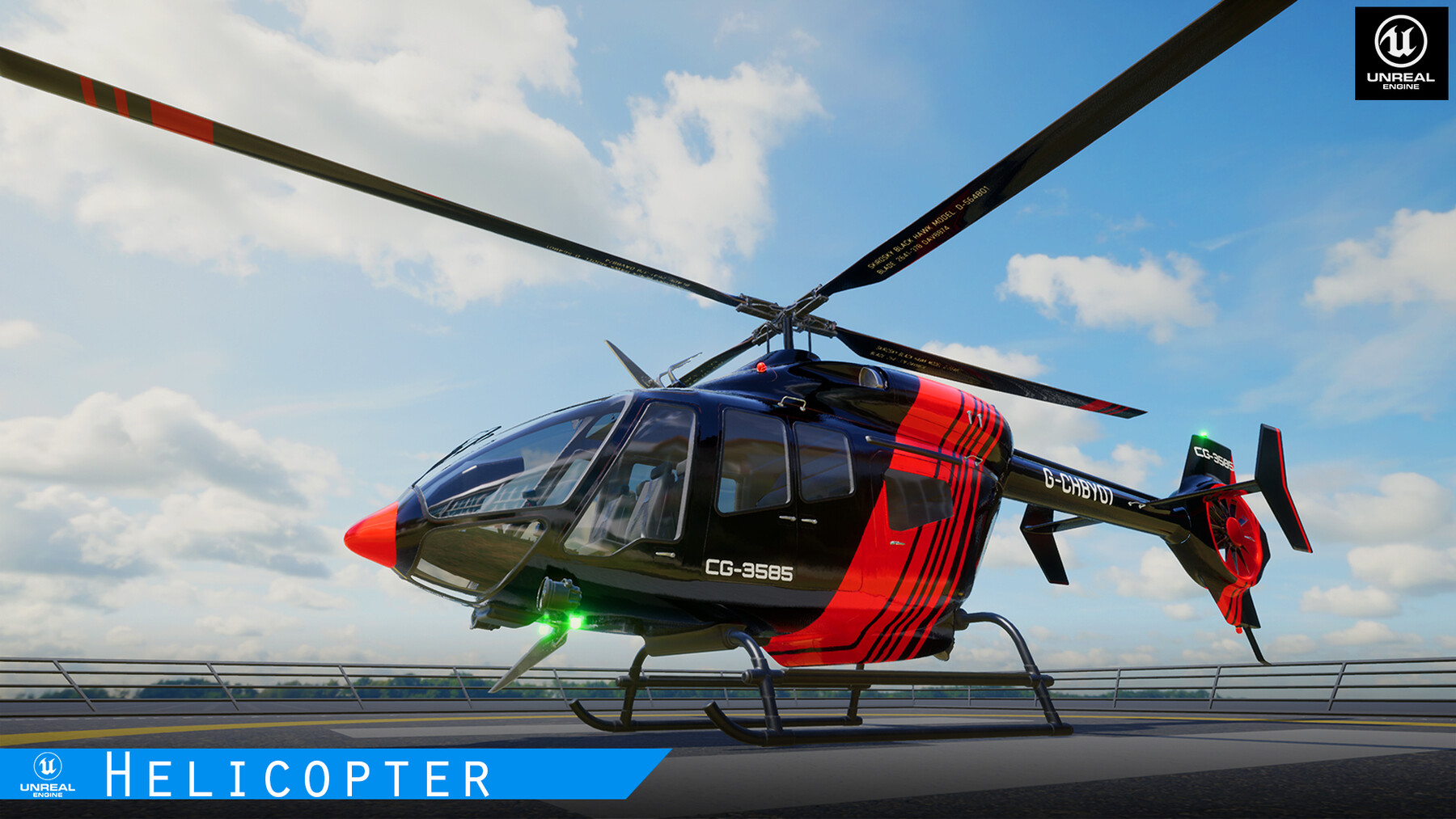


For the Very first time when you open any of the two Helicopter maps will take some time to load and it's normal basically, it will try to load Static mesh into the system memory and this is a one-time thing to do.
Additional Note:- Project needs HDRI Backdrop enabled its there by default if not you can easily enable it from plugins
Fully controlled helicopter, with sound, interior, detailed cockpit, player enter and exit function. All parts of the helicopter are animated in a blueprint not rigged with a skeleton mesh.
there is two levels Helicopter_LineUp_Map and Helicopter_Map where Helicopter_LineUp have Helicopter variation Present as shown in above images and Helicopter_Map has just 2 helicopters with the landing pad
all 4 to 5 animated doors open when buttons are pressed 1,2,3,4,5
Helicopter control is possible using the keyboard and mouse
Control system: for keyboard and mouse
Enter Vehicle: F (once you are closer to the helicopter door and for Exit once it's in the ground)
Move Up&Down: Arrow up and Arrow Down key
Move Forward&Backward: W, S
Move Right&Left : D,A
CameraX Mouse X
CameraY Mouse Y
Open&Close Door : 1,2,3,4,5
Yaw movement: Prss&Hold Arrow Right and Arrow Left Key
Features:
- Realistic Helicopter
- All parts of the helicopter are animated.
- 4 to 5 animated doors and 2 animated blades
- The model Comes with 8 LOD
- The helicopter comes with 2 model variations and 15 body texture variations 11 decal variations and 8 blade texture variations
- All textures are in 4k
- Fully Optimize Assets
Number of Blueprints: 3
Input: Keyboard, Mouse.
Documentation: Yes
Windows: Yes
Mac: Yes
CATEGORIES
Standard Use License
USD $80.00
License: Standard License
Stock Assets
For personal use and one commercial project (up to 2,000 sales or 20,000 views).
TutorialsOne copy to be used by a single user.
Installable ToolsOne installation by a single user.
Learn MoreFiles (2)
https://artstn.co/m/wbW16
Copied
Add a tip for Ultimatrix GameDev
Tips are appreciated, but optional!
