
 Sign Up with Epic Games

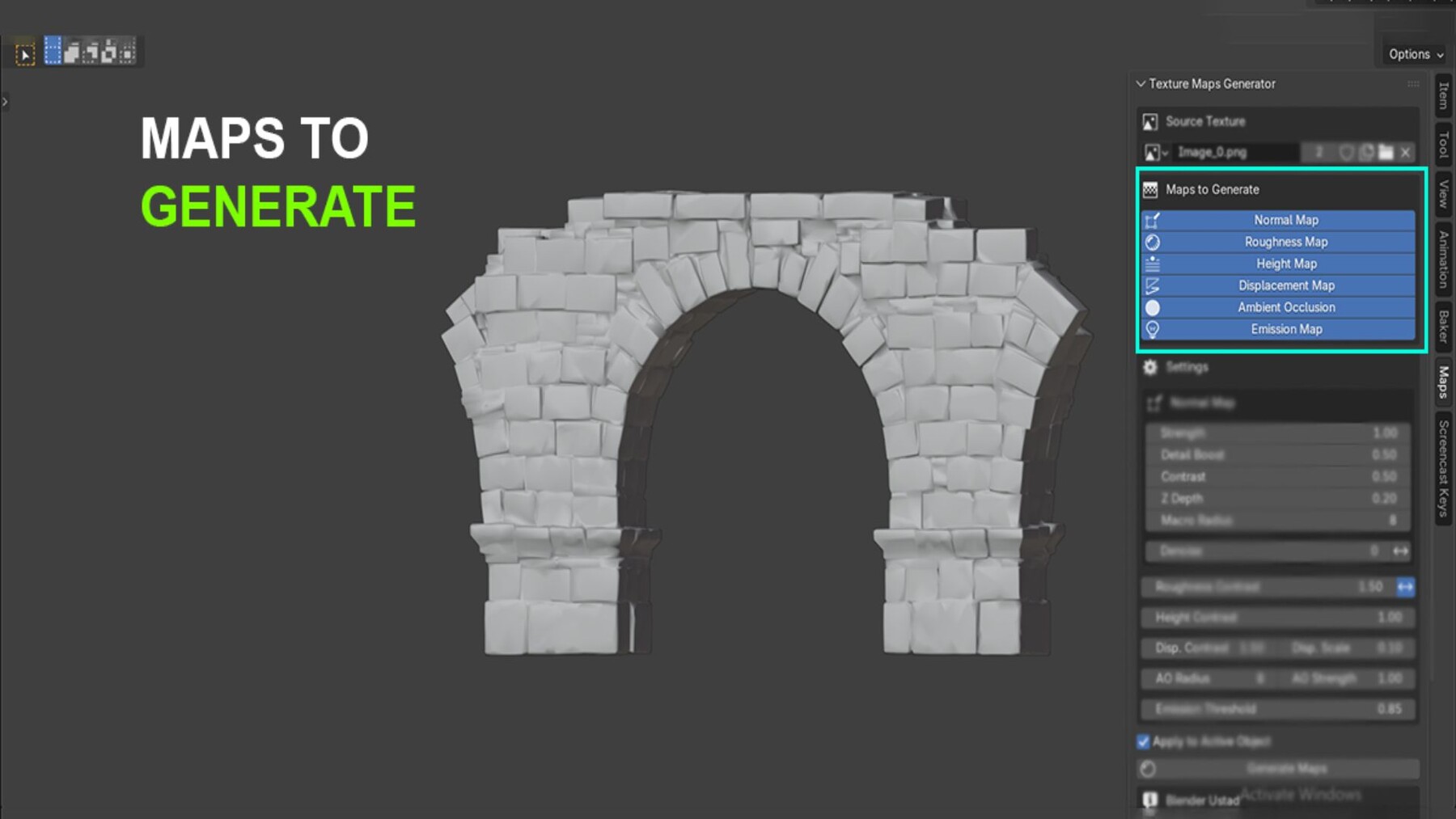




Generate a complete PBR material from one texture. No Photoshop. No Substance. No external tools.
You have a base color texture. You need normal, roughness, height, displacement, AO, and emission maps. This addon creates all of them inside Blender with one click, then builds and assigns the full Principled BSDF material node tree automatically.
The Problem It SolvesThe manual workflow means leaving Blender, opening a third-party tool, generating maps one by one, saving them to disk, importing them back, creating nodes by hand, connecting everything, and setting the correct color spaces. That process takes time you do not always have, especially when working with many textures across a scene.
This addon replaces that entire process with a panel inside the 3D Viewport.
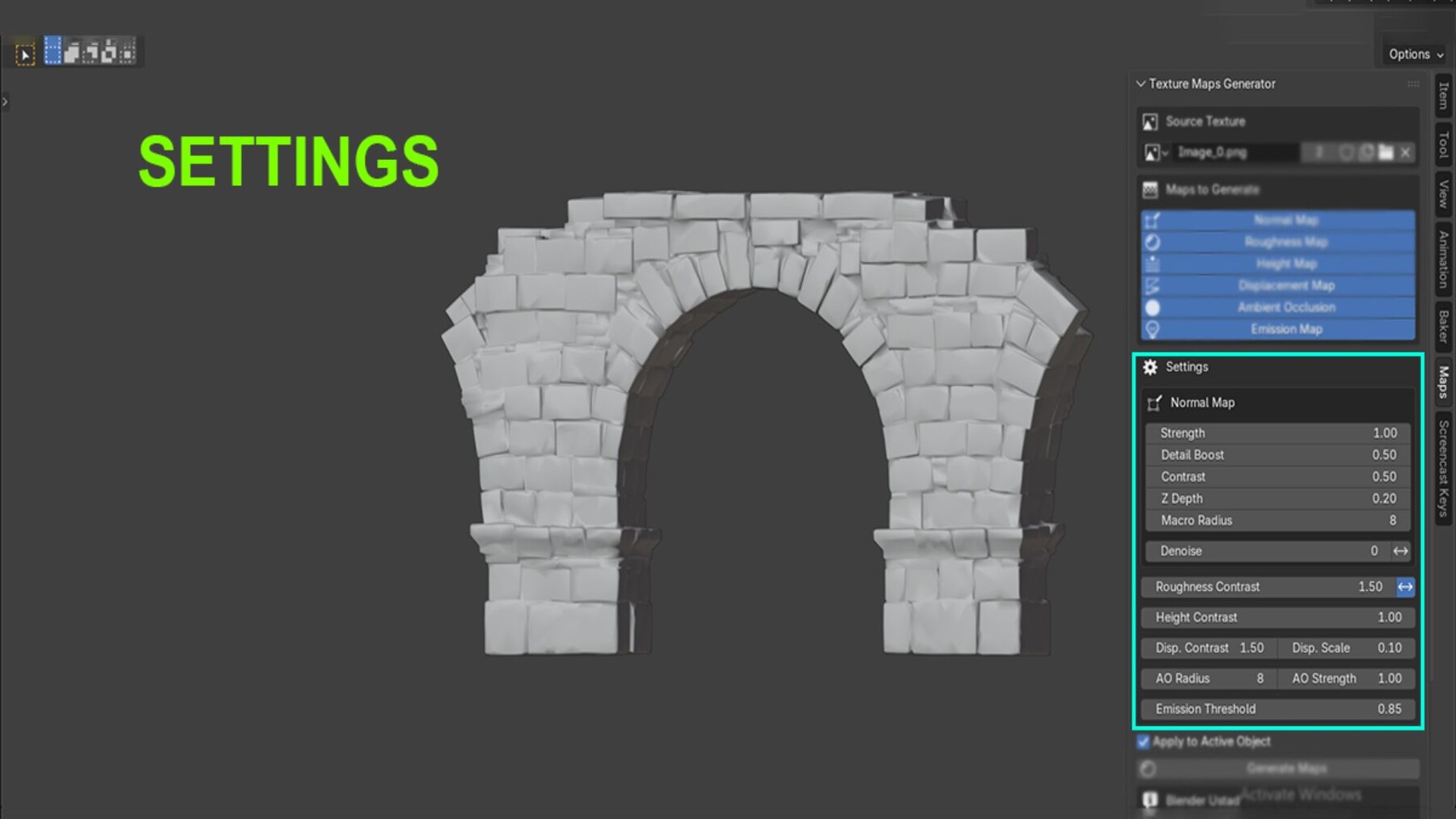
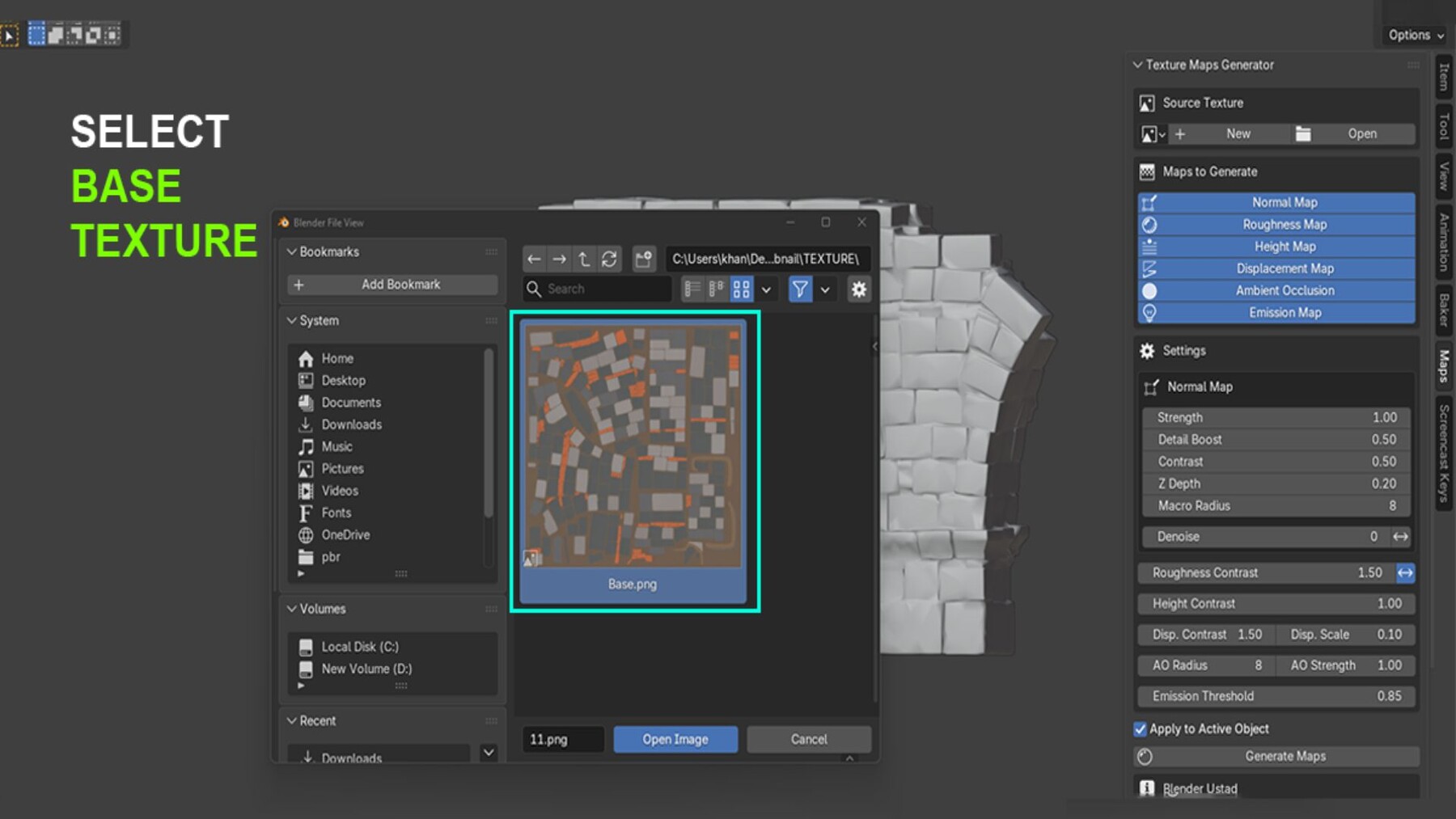
How It WorksSelect your source image in the N-panel sidebar. Choose which maps to generate. Adjust the settings. Click Generate Maps.
The addon reads your image, processes it using proper image algorithms, creates the selected maps as packed datablocks inside your .blend file, and wires the complete material node tree on your active mesh. No external files. No broken links. No manual node setup.
Maps You Can GenerateNormal Map - Built using a Scharr gradient operator with multi-scale micro and macro detail detection. Controls include strength, detail boost, contrast, Z depth, macro radius, denoise, and a DirectX Flip Y toggle for Unreal Engine compatibility.
Roughness Map - Derived from luminance with adjustable contrast and invert toggle.
Height Map - Contrast-adjusted grayscale connected through a Bump node in the material.
Displacement Map - Separate displacement output connected to the Material Output node. Cycles displacement method set automatically.
Ambient Occlusion - Local contrast-based cavity detection with adjustable radius and strength.
Emission Map - Extracts bright regions from the source using a configurable brightness threshold with soft falloff.
What the Material Builder DoesWhen Apply to Active Object is enabled, the addon builds a clean, organized Principled BSDF node tree:
- TexCoord and Mapping nodes for UV control
- AO multiplied into base color using a Multiply blend
- Normal map routed through a Normal Map node
- Height map chained through a Bump node
- Displacement connected to the Material Output
- All color spaces set to Non-Color automatically
If the object already has a material, it replaces it. All generated images are packed directly into the .blend file.
Who Should Use This- 3D generalists who need PBR materials fast without switching applications
- Archviz artists managing large numbers of materials across a scene
- Game asset artists who need DirectX normal maps for Unreal Engine
- Beginners who understand PBR concepts but find manual node setup slow
- Indie developers and students who do not have access to Substance Painter
CATEGORIES
Standard Use License
USD $9.00
License: Standard License
Stock Assets
For personal use and one commercial project (up to 2,000 sales or 20,000 views).
TutorialsOne copy to be used by a single user.
Installable ToolsOne installation by a single user.
Learn MoreFiles (1)
https://artstn.co/m/vmk6n
Copied
More by BlenderUstad



Add a tip for BlenderUstad
Tips are appreciated, but optional!
