Sign Up with Epic Games
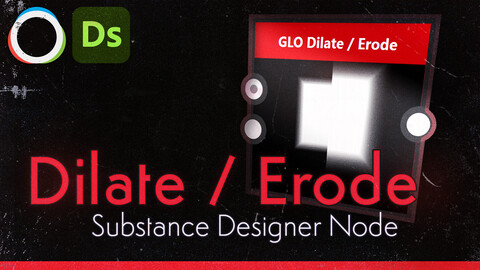
Dilate / Erode - Distance Expand - Bevel [Substance Designer Node]

in Resources


Shape-aware dilation and erosion with proper art-direction controls: pick your shape (diamond, box or circle), push details outward or inward with a linear edge-based falloff, and trade quality for speed with a sample density slider – all while keeping behaviour consistent across resolutions.
Use it to inflate or carve height/roughness masks, grow edge damage, thicken paint, or erode patterns in a controlled way instead of relying on the stock, fixed-behaviour nodes.
It also functions very much like an advanced bevel node. Helping get rid of some of the jagged lines
Features
Dilate / Erode in one node – Expand or contract high values with a simple mode switch.
Three shape modes –
- Diamond (Manhattan) for faceted, grid-aligned growth.
- Box (Chebyshev) for hard, square expansions.
- Circle (Euclidean) for smooth radial growth.
Linear edge falloff – Decay Factor sets the value at the outer radius, giving predictable, art-directable soft edges (0 = fade to black at edge, 1 = no fade).
Sample Density control – Adjust internal kernel density to balance smoothness vs performance without changing the apparent radius.
Mask support – Use a mask to restrict where dilation/erosion can affect your input, ideal for isolating material zones or protecting key details.
Technical
- Created in Substance Designer 15.0.3.
- Behaviour is guaranteed for this version; older versions are not officially supported.
Included
- Glow_DilateErode.sbsar
- Glow_DilateErode.sbs
Not included
- Keanu Reeves
Contact / feedback
For feedback, bug reports, or if you want to keep up with more releases:
Discord: https://discord.gg/FGNHRAS
Twitter: https://twitter.com/Glow_3D
Instagram: https://www.instagram.com/glow_3d/
Email: itsglowarts@gmail.com
License / usage
You may use the node in commercial projects and ship textures generated with it in any media (games, films, etc.).
The node itself (SBS/SBSAR) may not be sold, redistributed, or shared as a standalone product or as part of a competing node pack; it must be embedded as a component of your own work.
CATEGORIES
Personal License
USD $1.00
License: Standard License
Stock Assets
For personal use and one commercial project (up to 2,000 sales or 20,000 views).
TutorialsOne copy to be used by a single user.
Installable ToolsOne installation by a single user.
Learn MoreFor Personal Use Read MoreRead Less
Files (1)
Commercial License
USD $8.00
License: Extended Commercial License
Stock Assets
For use on an unlimited number of commercial projects with no limits on sales or views.
Learn MoreFor use on an unlimited number of commercial projects with no limits on sales or views. Read MoreRead Less
Files (1)
https://artstn.co/m/nz0JV
Copied
More by Marcus 'Glow' Rasmussen
![40 Stylized Crack Alphas (Zbrush, Photoshop) [CRACKS Vol. 2]](https://cdnb.artstation.com/p/marketplace/presentation_assets/002/966/517/20230828124829/thumbnail/file.jpg?1693244897)
![Stylized Moss - Smart Material [Substance 3D Painter]](https://cdna.artstation.com/p/marketplace/presentation_assets/004/060/436/20241106153751/thumbnail/file.jpg?1730929065)
![Substance Painterly Pack [Substance Designer Custom Nodes]](https://cdnb.artstation.com/p/marketplace/presentation_assets/003/999/683/20241006230017/thumbnail/file.jpg?1728273612)
![Stylized Tree Bark - Smart Material [Substance 3D Painter]](https://cdnb.artstation.com/p/marketplace/presentation_assets/004/078/271/20241117151931/thumbnail/file.jpg?1731878365)
Add a tip for Marcus 'Glow' Rasmussen
Tips are appreciated, but optional!