Sign Up with Epic Games
Maldives Cottage VRChat - Ready Unity Project ( PC & Quest )

in Game Assets

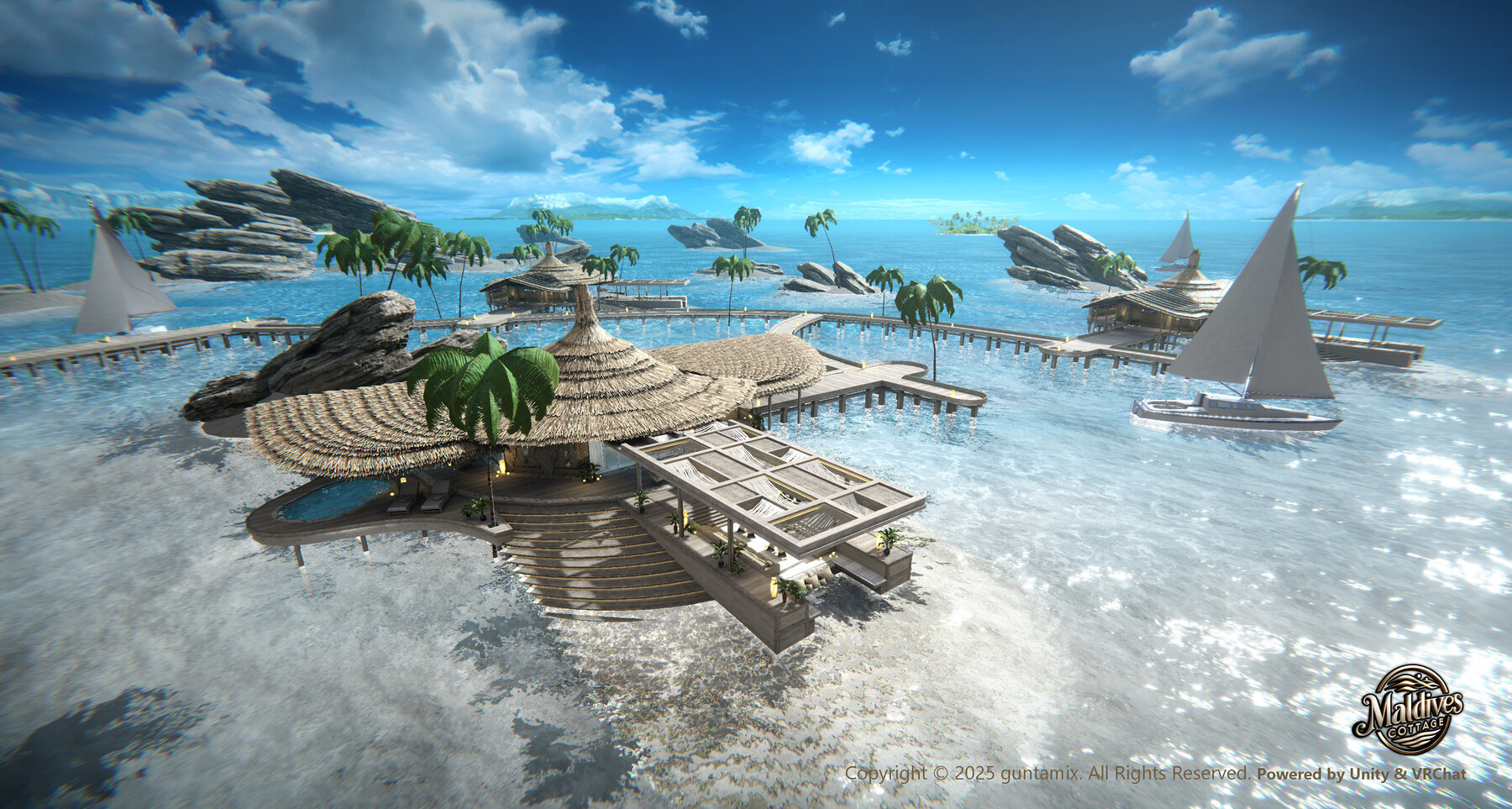



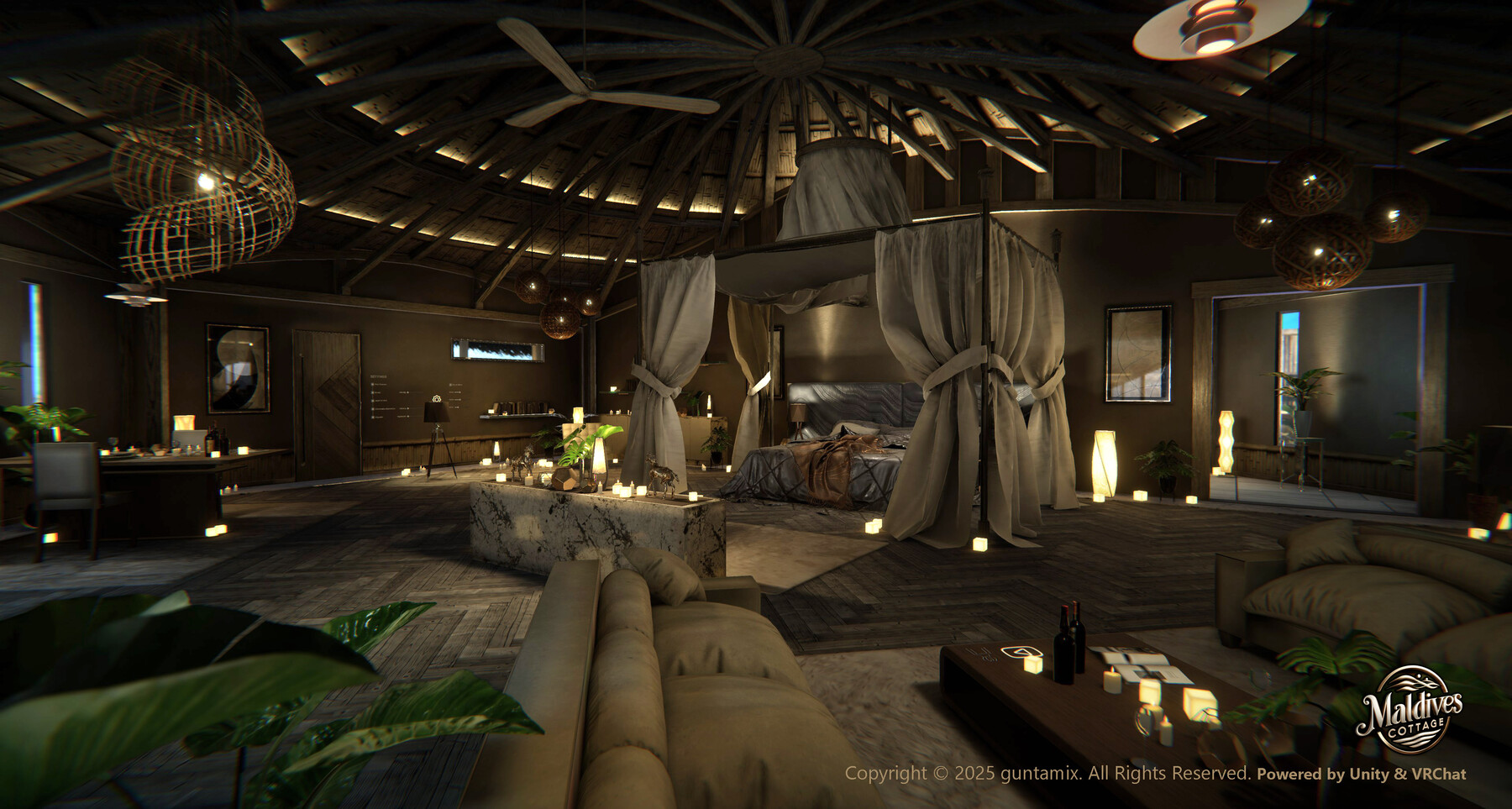
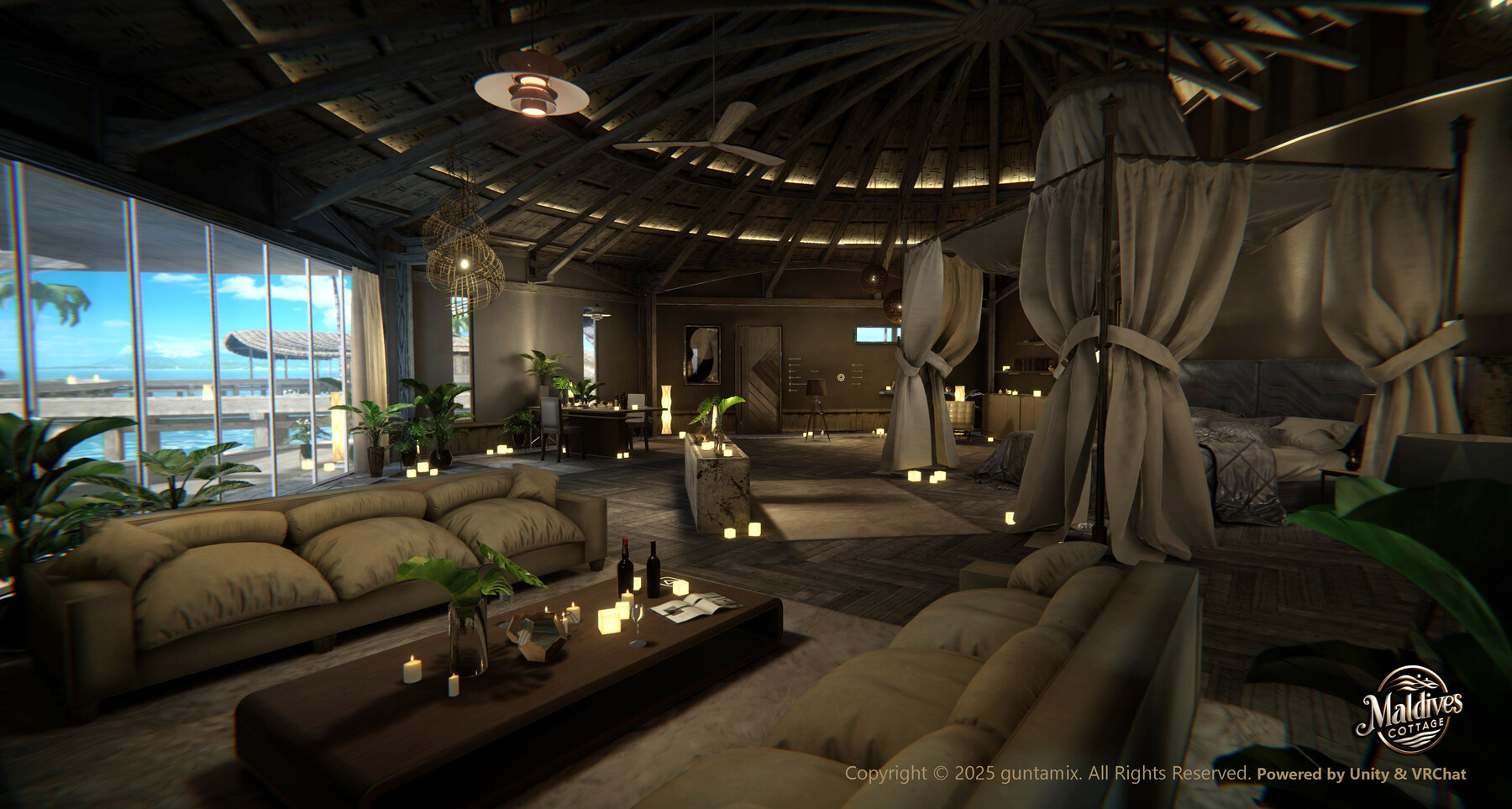


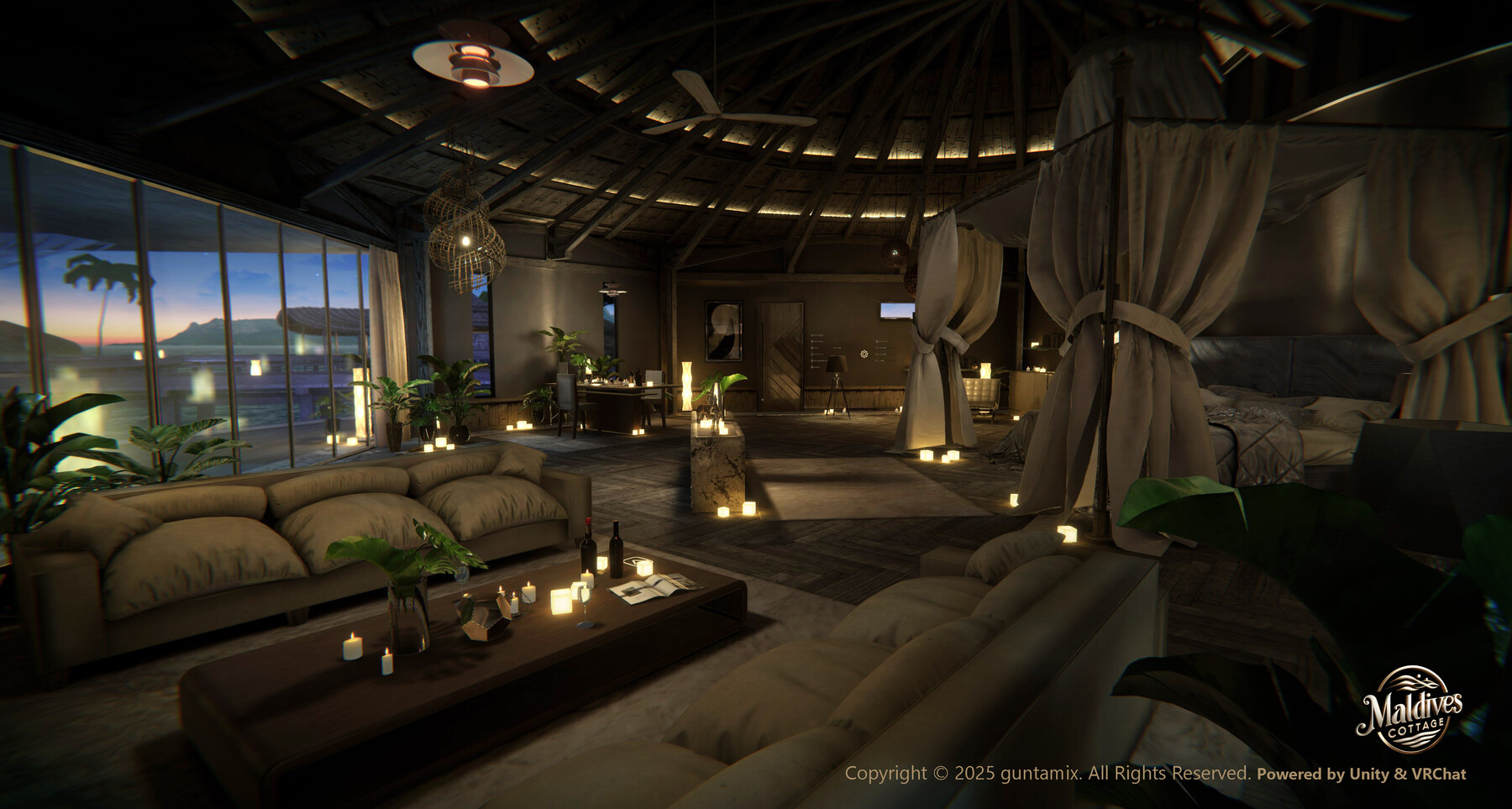

Maldives Cottage VRChat - Ready Unity Project ( PC & Quest )
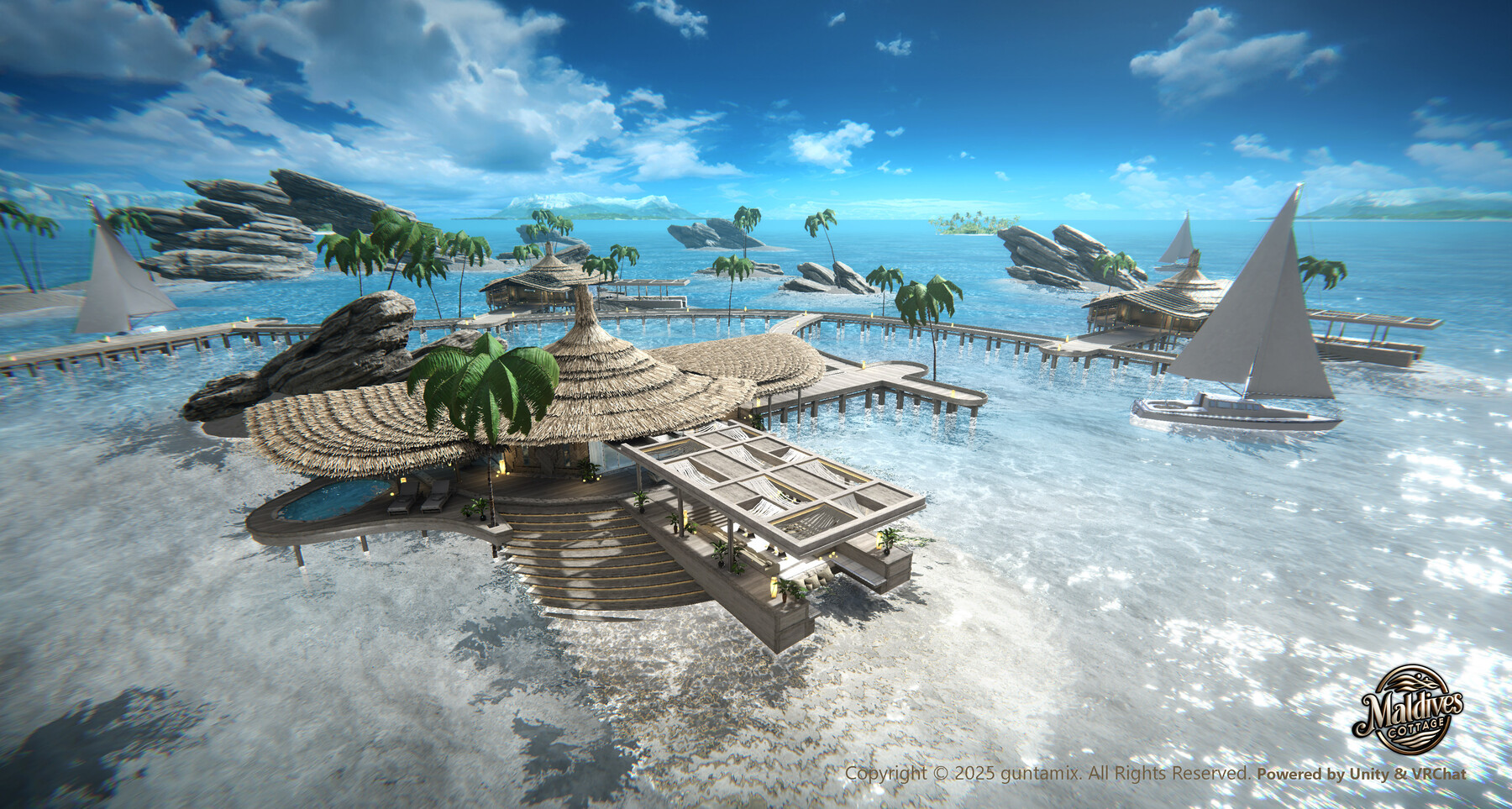
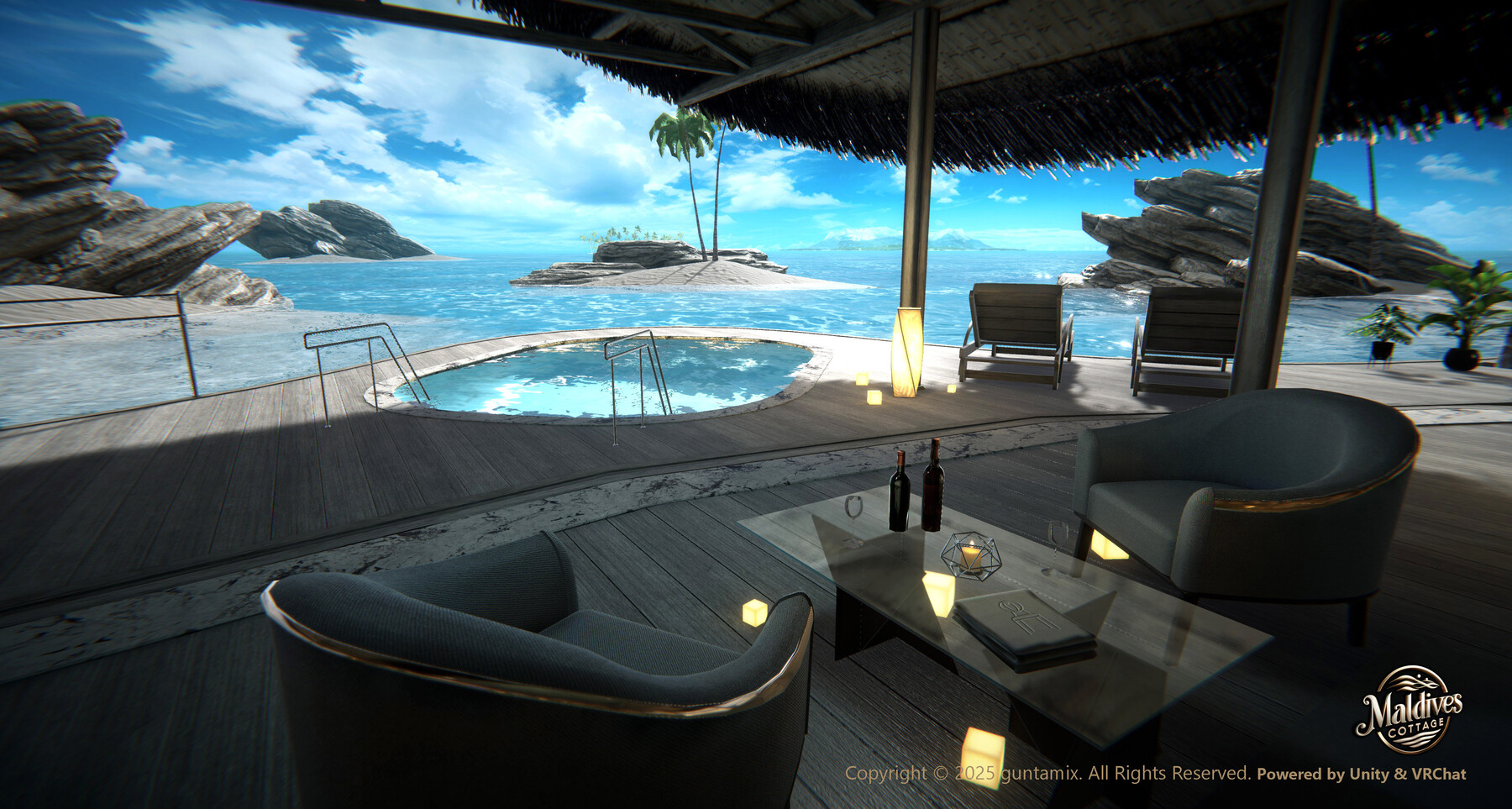
Experience a moment of healing, as if you've truly visited a tropical paradise. "Maldives Cottage" is a highly immersive resort world set in an overwater villa inspired by the Maldives. Optimized for VRChat and fully compatible with Unity 2022.3.22f1 / VRCSDK3, this asset is ready to be used in your own world out of the box.
This package includes three beautifully lit scene variations representing Daytime, Sunset, and Night, all finely tuned for a relaxing, immersive experience. Additionally, a lightweight Quest-compatible project is included, offering smooth performance on standalone VR devices.
🔗 Sample Worlds
You can try the demo versions of each time-of-day scene directly in VRChat:
-
Maldives Cottage - Daytime
https://vrchat.com/home/launch?worldId=wrld_ef76b2bf-3259-4e06-8bd8-71431c84c613 -
Maldives Cottage - Sunset
https://vrchat.com/home/launch?worldId=wrld_52d81315-8e11-4a0b-97fd-73c7e5b5d3bd -
Maldives Cottage - Night
https://vrchat.com/home/launch?worldId=wrld_a5f8c533-5b9d-4e17-a4b5-5112f4e5f0d9
✅ Included in the Package
- Complete Unity Project (Unity 2022.3.22f1)
- Compatible with VRCSDK3 (No Udon/UdonSharp required)
- PC Scenes (Day / Sunset / Night) with baked lighting
- Optimized Quest Scene for standalone VR
- Animated elements: ocean shader, clouds, ceiling fan, floating yacht
- LOD support, low-noise design, ambient sound effects
🌴 Features
- Realistic overwater villa inspired by the Maldives
- Dynamic environmental lighting using custom sky domes for each time of day
- Lightweight and optimized for individual world creators
- Freely customizable asset layout (Redistribution prohibited)
This package contains the PC version Unity project of the VRChat world “Maldives Cottage”, created using Unity version 2022.3.22f1.
It is intended to be opened and edited using Unity Creator Companion (VCC).
🧭 How to Open the Unity Project
Launch Unity Creator Companion (VCC)
Select “Add Existing Project”
Choose the extracted MaldivesCottage_v1.0_PC folder and add it
Open the project in Unity
🛠 Important Notes for First Launch
This project does not include a Library folder.
Unity will automatically rebuild it during the first launch, which may take several minutes.
⚠ If you see a prompt saying “Open in Safe Mode?”, please select “Ignore” to continue without entering Safe Mode.
📷 For Users of VirtualLens 2 and Other Camera Apps (Important)
This world uses a Sky Sphere (3D model) to render the sky.
Some camera apps (e.g. VirtualLens 2) may have a short Far Clip Plane setting by default, causing the distant sky to appear cut off or black.
In that case, please refer to the official documentation on adjusting the clipping plane:
▶ https://vlens2.logilabo.dev/ja/docs/functions/other-settings/#far-plane
📄 Documents
🕒 Version History
- v1.0.0 – Initial Release
Surround yourself with the sounds of the waves and feel the light and breeze. Bring a moment of serenity into your VRChat experience.
CATEGORIES
Standard Use License
USD $53.62
License: Standard License
Stock Assets
For personal use and one commercial project (up to 2,000 sales or 20,000 views).
TutorialsOne copy to be used by a single user.
Installable ToolsOne installation by a single user.
Learn MoreFiles (1)
https://artstn.co/m/l9lXB
Copied
More by guntamix
Add a tip for guntamix
Tips are appreciated, but optional!