Sign Up with Epic Games


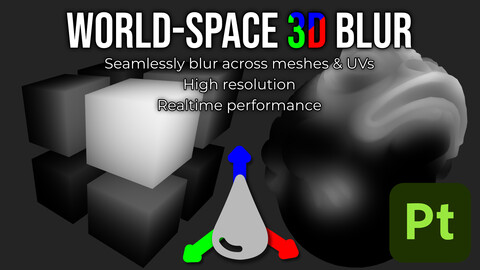
Seamless blur filter that operates using 3D World-space coordinates instead of 2D UV-space, blurring across UV islands and separate objects within the same texture set or UDIM.
- Resolves accurately in the entire range of intensities from very small to very large by choosing an appropriate algorithm for the blur width.
- Designed as a simple straight replacement for the standard blur filter. No complex parameters. No tweaking. No baking needed.
- Supports high resolutions up to 4k.
- Optimized for realtime performance, specially with large blurs.
Compatibility:
- Tested on Substance 3D Painter 2024.
- Substance Engine version 9 at least is required.
CATEGORIES
Personal License
USD $7.99
License: Standard License
Stock Assets
For personal use and one commercial project (up to 2,000 sales or 20,000 views).
TutorialsOne copy to be used by a single user.
Installable ToolsOne installation by a single user.
Learn MoreFiles (1)
Studio License
USD $24.99
License: Extended Commercial License
Stock Assets
For use on an unlimited number of commercial projects with no limits on sales or views.
Learn MoreFiles (1)
https://artstn.co/m/kVYok
Copied
Ratings & Reviews
Sort by:LikesDate
Reviews (11)
 sawubonazuz
00Report| Release v.1.0 | Personal License | about 2 months ago
amazing tool, use it all the time instead of default blur
 Tice
Tice00Report| Release v.1.0 | Personal License | 3 months ago
Works really great, but i wish it also worked with other filters, such as blur slope!
 Linxx
Linxx00Report| Release v.1.0 | Personal License | 3 months ago
Same as the person under me. Setting the intensity low caused my graphics card to have a crash and I had to force my pc to restart..
Edit: The creator reached out to me - big plus. We're going through my specs and try to figure out what caused it. I also forgot to say that this tool is STILL good. It does exactly what I wanted it to do. We're just having some issues but all in all it's a great product.
 Pawel Bogusz
00Report| Release v.1.0 | Personal License | 3 months ago
Setting Intensity Slider Below 1 will cause such a large amount of lag it will make the entire computer unusable till the computation is done
 Chris Gillett
00Report| Release v.1.0 | Personal License | 3 months ago
Such a handy little filter!
 Peachy Vibez
00Report| Release v.1.0 | Personal License | 3 months ago
Works great most of the time, having issues with the blur generator though. Using the latest version of sub painter- Tends to work fine on the first instance of a project but gets confused past that. Meaning if I blur painted mask A. Then want to blur another painted Mask, B- it will trace back to A still despite not at all being in A's folder or hierarchy for the mask. I do not know how to clear that.
Outside of this,theres alot of options I need to tweak each time the plugin is added. I wish it was at most 2 sliders, maybe more for detailed tweaks but there are 3-4 that needtweaks to work right the first time & these values are different for each mask
3 months ago
I have replied to your PM and we can discuss your experience there if you prefer. But I figured i would clarify here that the filter provided here has a single parameter, the blur intensity and an optional image input to bypass the automatic worldspace position map. There is nothing else that can be tweaked so I would ask that you confirm this review corresponds to this filter and there hasnt been a mixup.
 Nathan O'Donnell
00Report| Release v.1.0 | Personal License | 3 months ago
UV seams with blurs have driven me crazy for years, but this works perfectly. Great performance, no weird issues
 Wren Swim
00Report| Release v.1.0 | Personal License | 3 months ago
Fantastic and exactly what I was looking for. Works like a charm.
 Andrew Bradbury
00Report| Release v.1.0 | Personal License | 5 months ago
Works great! I've been waiting for something like this for ages; the regular Painter blur can be so annoying when it encounters seams. Absolutely a game changer.
 Sam Morse-Brown
10Report| Release v.1.0 | Personal License | 6 months ago
An excellent addition to Substance Painter. Can't believe there's not an official work-around for seamed blurring by default, but this absolutely fixes it. Runs well, works well, worth the price.
Filter by Rating
Add a tip for Borja Franco
Tips are appreciated, but optional!