Sign Up with Epic Games
Glow ViewTools [Blender Plugin] - Dimension indicators and visual gizmos

in Resources
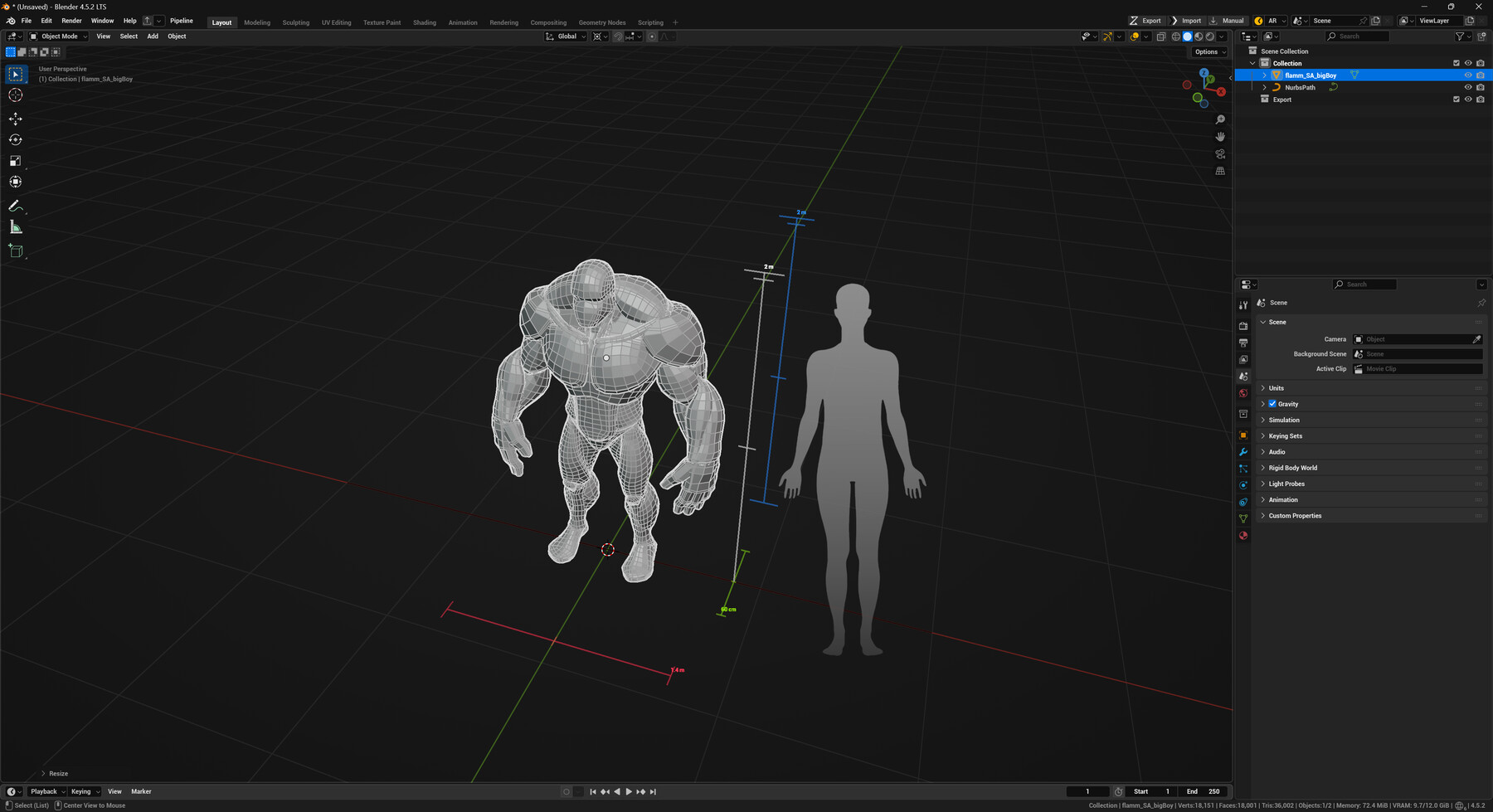
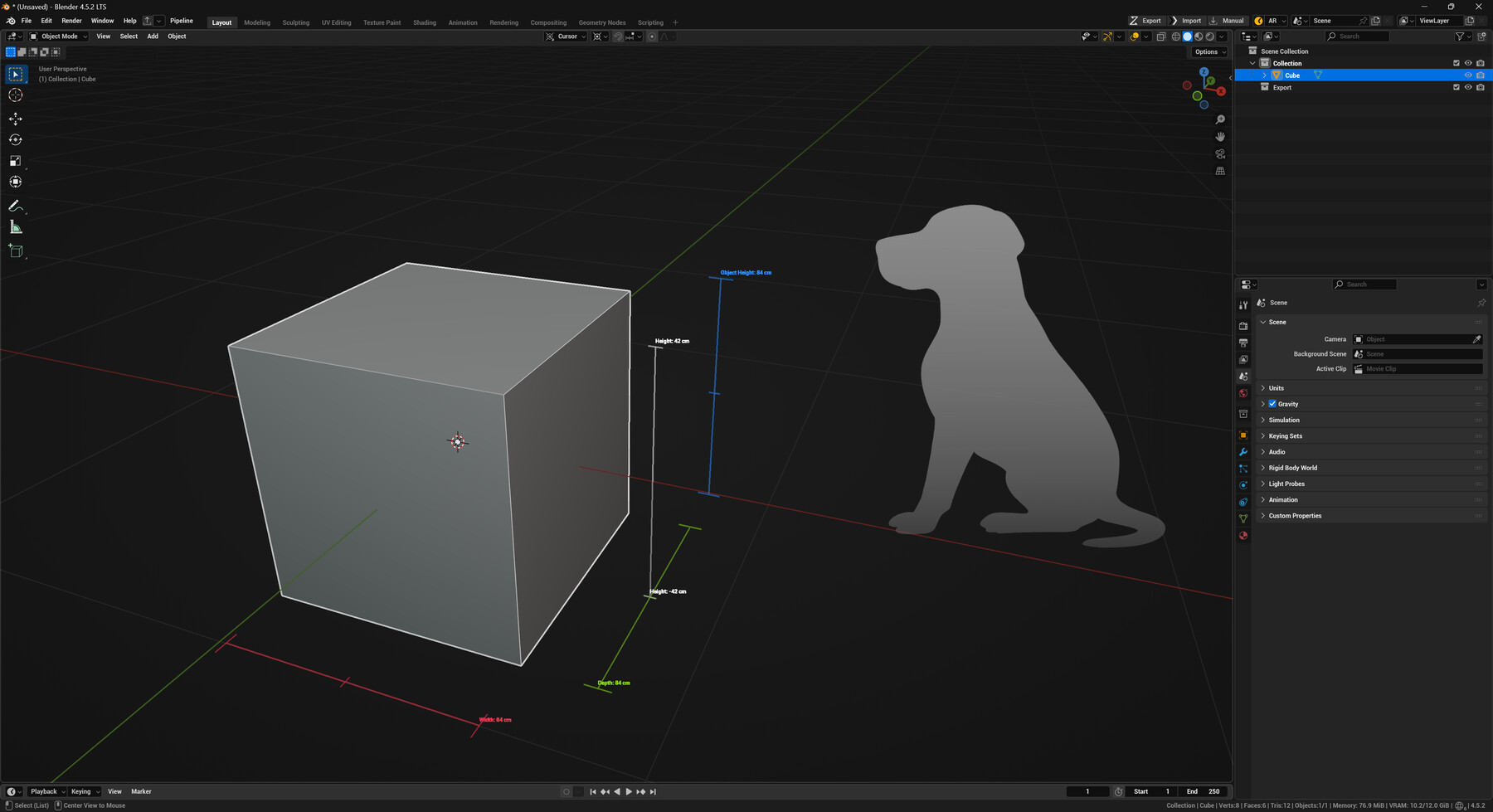


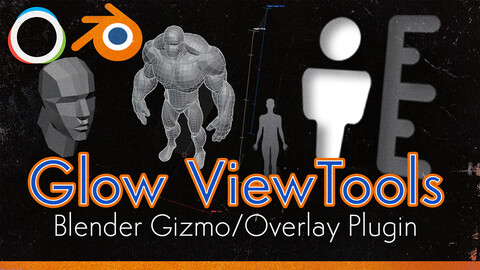
Ever wrestled with keeping sizes and orientation straight between DCCs and game engines? Glow ViewTools was built for that. It gives you quick, readable scale and orientation cues right in Blender 4.5 so you can export to Unreal, Unity, or any engine with confidence.
DISCLAIMER: Has not been tested with Blender 5 yet.
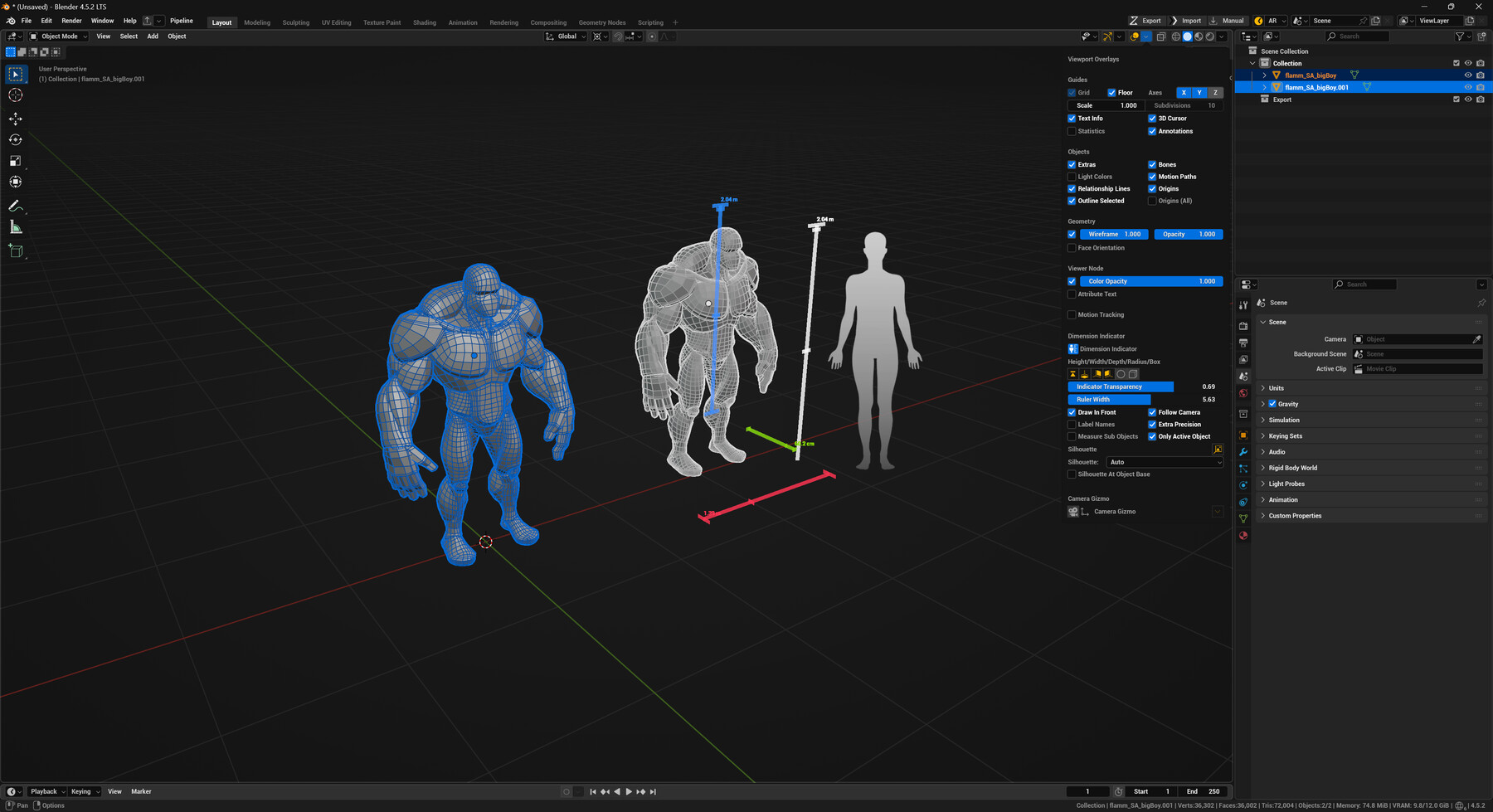
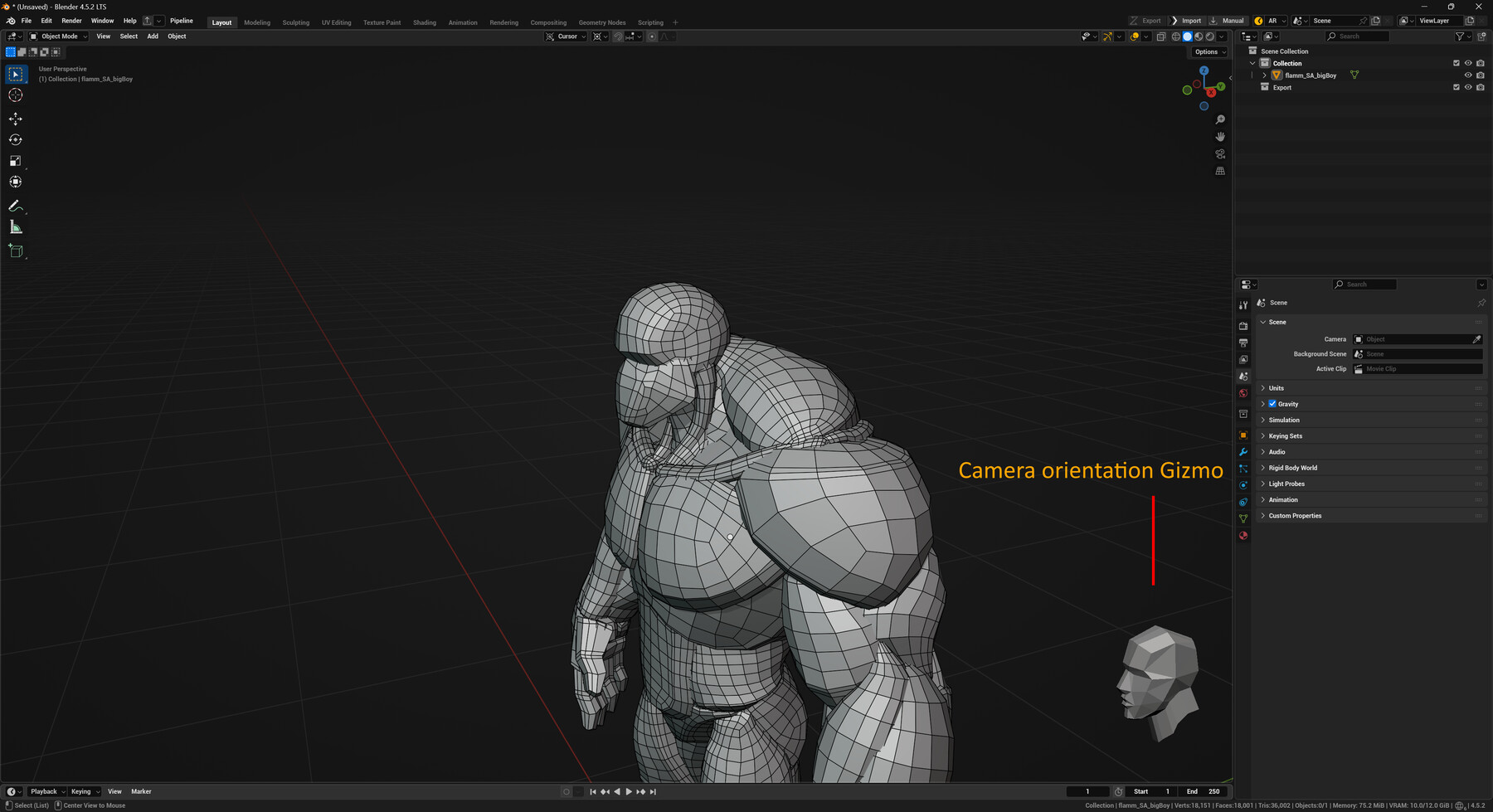
Glow ViewTools overlays configurable height/width/depth/radius rulers, optional bounding-box outlines, and billboarded silhouettes to give instant context for any selection—even in Edit Mode. A screen-anchored camera gizmo keeps orientation clear on screen.
- Dimension overlay: toggle height/width/depth/radius lines, a bounding-box outline, draw-in-front, axis labels, and precision. The height pole can follow the camera for easy reading.
- Silhouettes: billboarded reference figures that can sit at the object base or ride the height pole; pick from multiple presets or let it auto-select by size.
- Camera gizmo: screen-anchored orientation helper with adjustable position/scale and custom OBJ support.
- Built for game workflows: real-world units, fast visual checks, and tidy exports for Unreal/Unity scenes.
Simple install: drop the zip into Blender, enable Glow ViewTools, and toggle the Dimension Indicator or Camera Gizmo from the Viewport overlay menu.
DISCLAIMER: Has not been tested with Blender 5 yet.
If you have any feature requests please reach out at my Discord Channel
Release Notes
Fixed an issue where a recursive loop would write to preferences on startup causing a crash.
CATEGORIES
Free
Free
License: Standard License
Stock Assets
For personal use and one commercial project (up to 2,000 sales or 20,000 views).
TutorialsOne copy to be used by a single user.
Installable ToolsOne installation by a single user.
Learn MoreFree to use for whatever purpose Read MoreRead Less
Files (1)
Support me
USD $4.00
License: Standard License
Stock Assets
For personal use and one commercial project (up to 2,000 sales or 20,000 views).
TutorialsOne copy to be used by a single user.
Installable ToolsOne installation by a single user.
Learn MoreFree to use for whatever, and you also support me! wow! Read MoreRead Less
Files (1)
https://artstn.co/m/jNAlY
Copied
More by Marcus 'Glow' Rasmussen
![40 Stylized Crack Alphas (Zbrush, Photoshop) [CRACKS Vol. 2]](https://cdnb.artstation.com/p/marketplace/presentation_assets/002/966/517/20230828124829/thumbnail/file.jpg?1693244897)
![Stylized Moss - Smart Material [Substance 3D Painter]](https://cdna.artstation.com/p/marketplace/presentation_assets/004/060/436/20241106153751/thumbnail/file.jpg?1730929065)
![Substance Painterly Pack [Substance Designer Custom Nodes]](https://cdnb.artstation.com/p/marketplace/presentation_assets/003/999/683/20241006230017/thumbnail/file.jpg?1728273612)
![Stylized Tree Bark - Smart Material [Substance 3D Painter]](https://cdnb.artstation.com/p/marketplace/presentation_assets/004/078/271/20241117151931/thumbnail/file.jpg?1731878365)
Add a tip for Marcus 'Glow' Rasmussen
Tips are appreciated, but optional!