
 Sign Up with Epic Games


Scene Bookmark for Blender
Working with multiple shots, scenes, or animation ranges in Blender can quickly become difficult to manage. Remembering frame ranges, identifying shots, and repeatedly setting the timeline can interrupt your workflow.
Scene Bookmark gives you a simple way to organize and manage those saved ranges directly inside Blender.
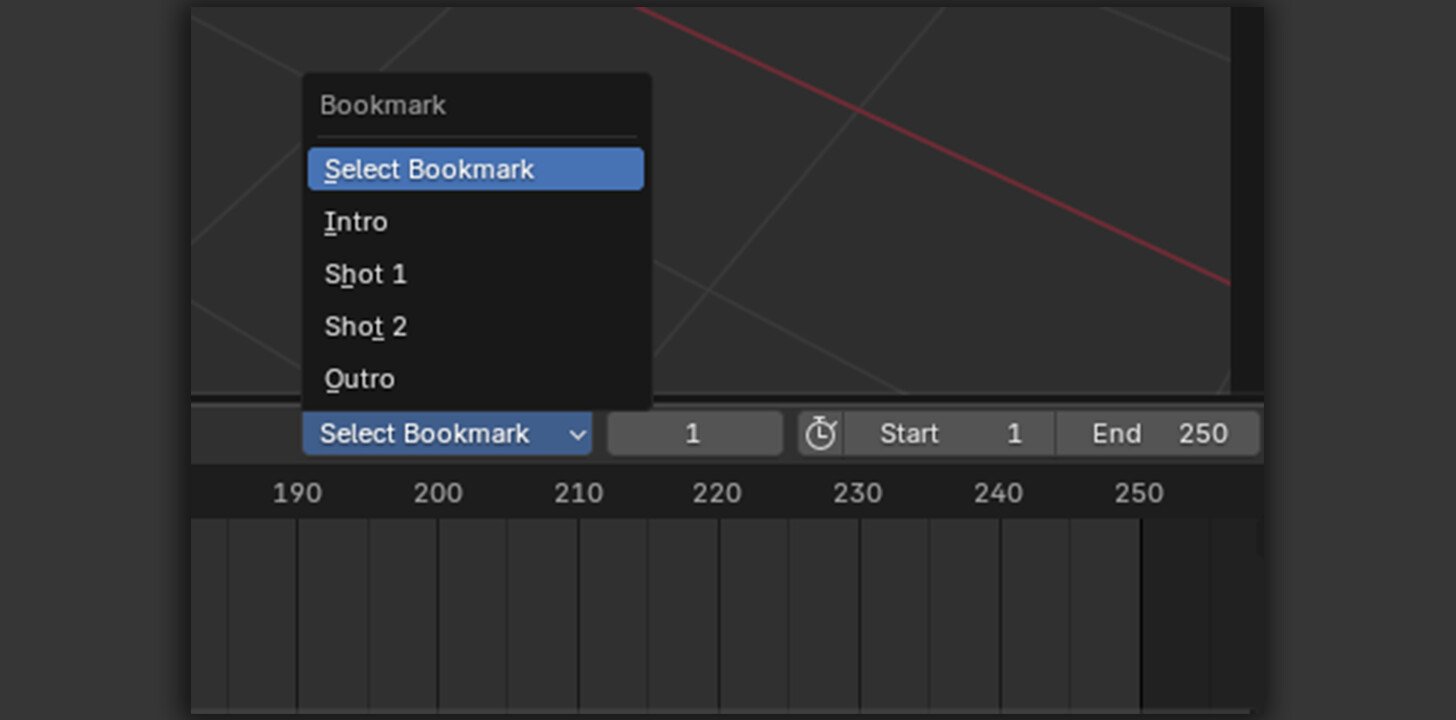
Create a bookmark for each shot or scene with a Title, Description, Start Frame, and End Frame. Once saved, you can quickly select a bookmark from the Timeline and apply its frame range without manually entering the values again.
But Scene Bookmark goes beyond timeline organization.
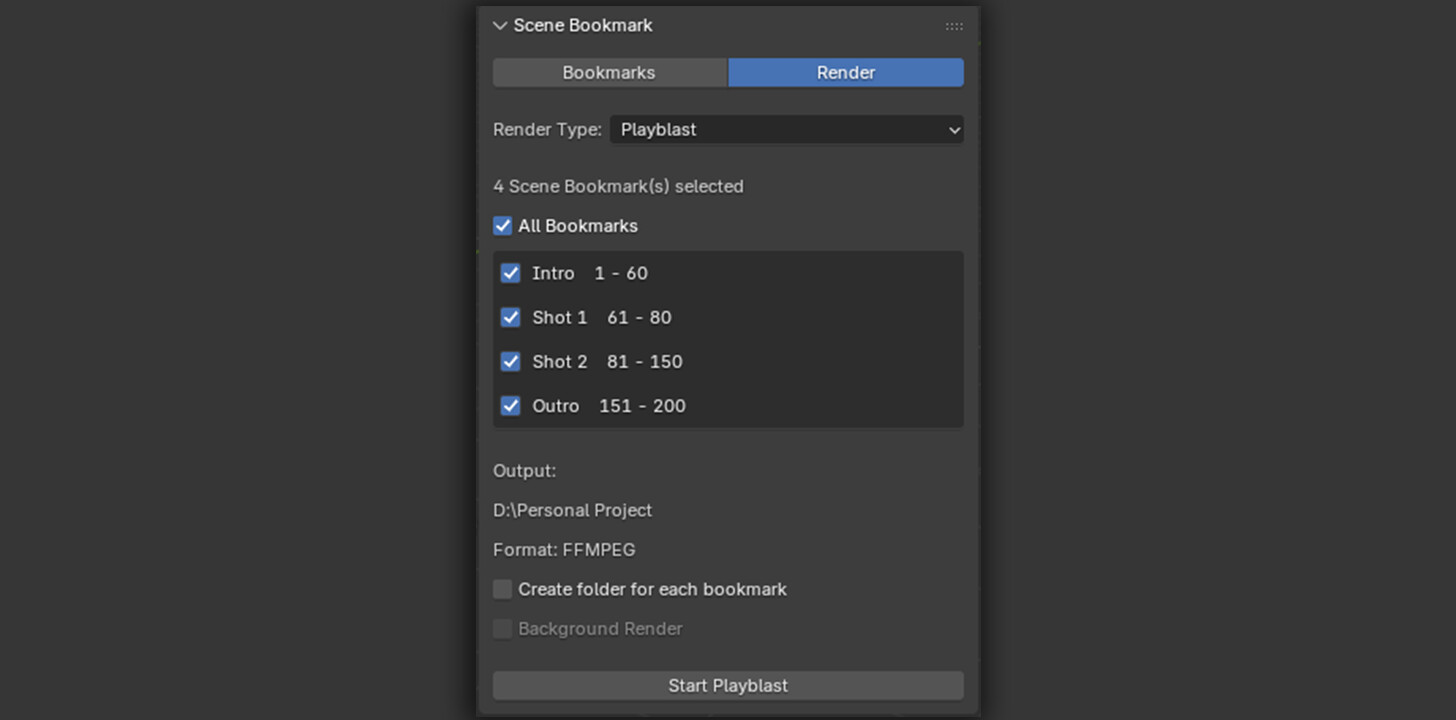
You can use your saved bookmarks to Playblast multiple shots or create Final Renders from your saved ranges. For better file management, you can also save each bookmark's renders into a separate folder, keeping output from different shots neatly organized.
Final Render also supports Background Rendering, allowing you to send your saved shots to render without needing to manage each range manually.
Key FeaturesSave shots and scenes as interactive bookmarks
Store Title, Description, Start Frame, and End Frame
Quickly apply saved frame ranges from the Timeline
Easily navigate and identify multiple shots
Playblast saved bookmarks
Final Render saved bookmarks
Option to organize renders into separate folders for each bookmark
Background Rendering support for Final Render
Scene Bookmark is designed to make working with multiple shots more organized and convenient, so you can spend less time managing frame ranges and more time creating.
CATEGORIES
Standard Use License
USD $3.00
License: Standard License
Stock Assets
For personal use and one commercial project (up to 2,000 sales or 20,000 views).
TutorialsOne copy to be used by a single user.
Installable ToolsOne installation by a single user.
Learn MoreFiles (1)
https://artstn.co/m/j2rN6
Copied
More by yashvanth kumar

Add a tip for yashvanth kumar
Tips are appreciated, but optional!
