Sign Up with Epic Games
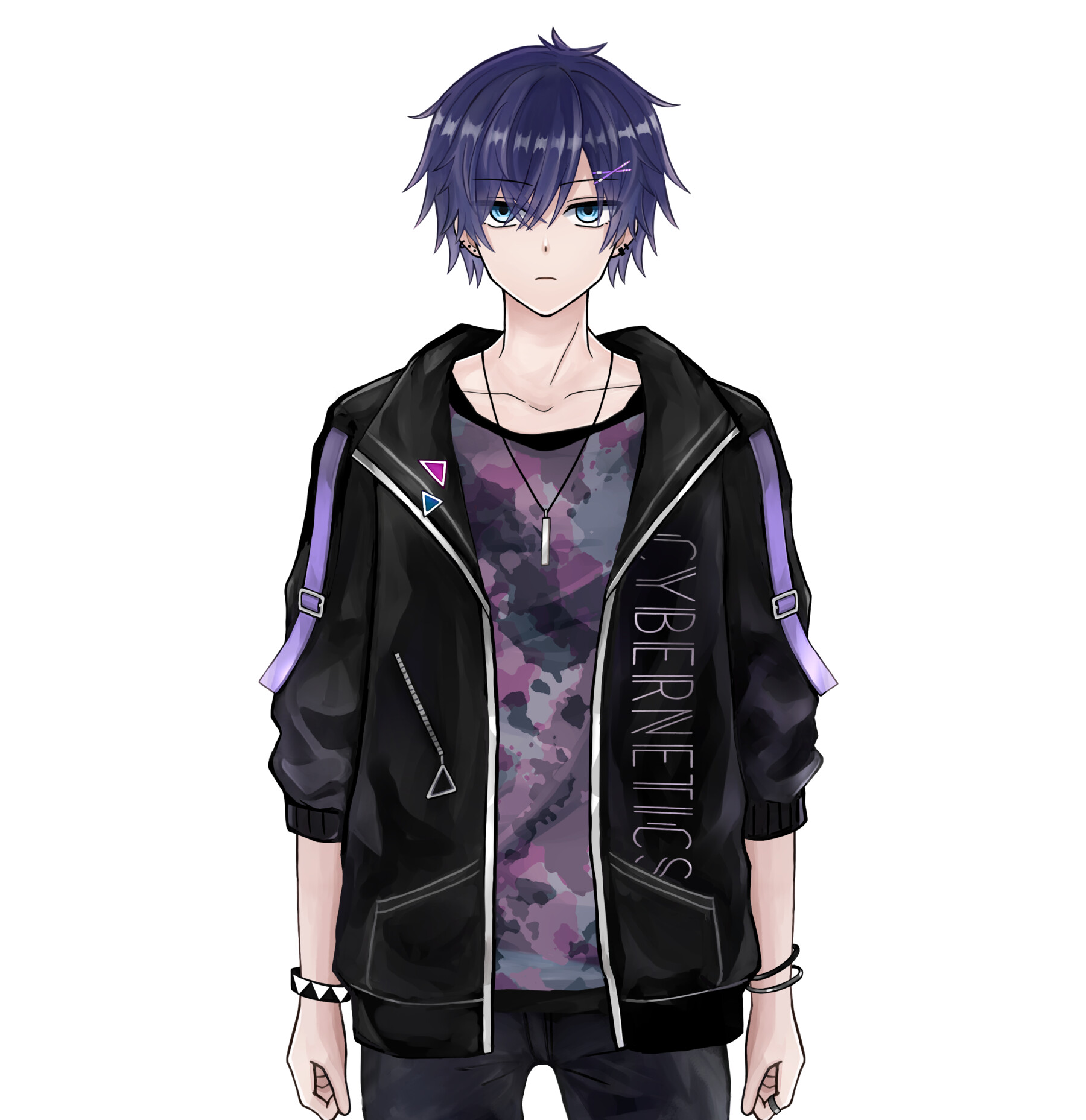

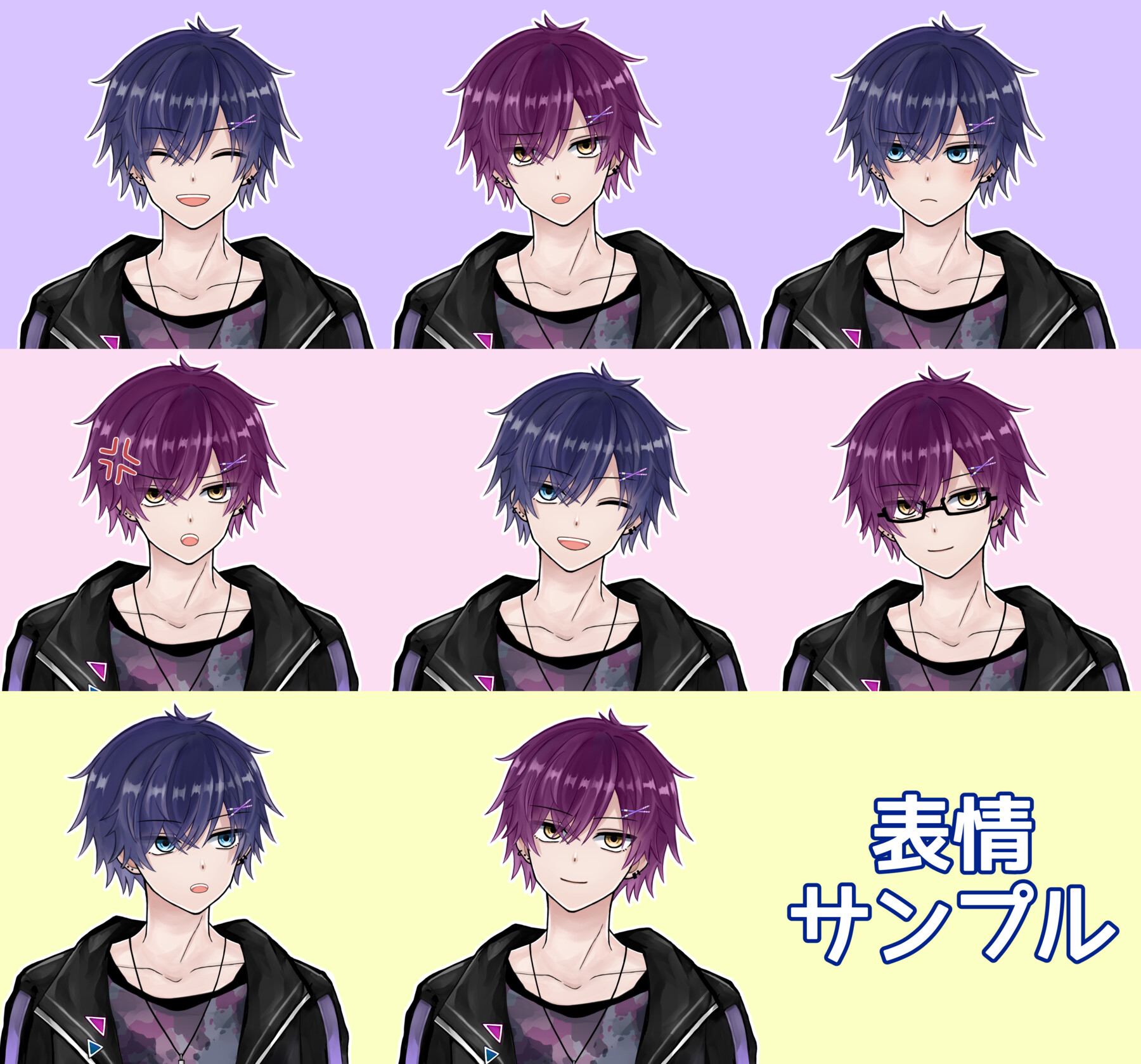
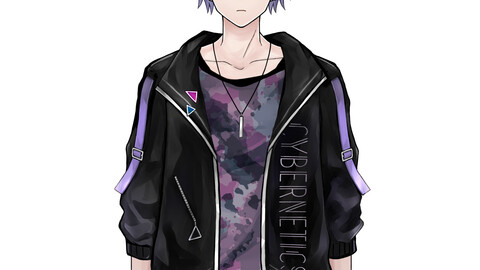
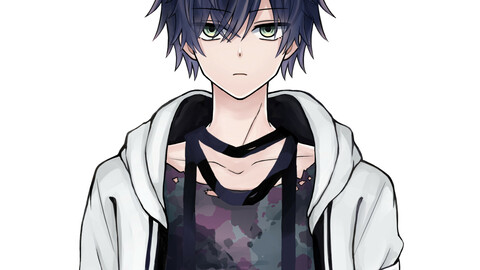
It is a Live2D model that can be used with VTubeStudio and nizimaLIVE and FaceRig and Animaze.
You can use it as a VTuber character on YouTube etc.
Check the movement with video. https://twitter.com/hayuki0x0/status/1376534265551147011
Twitter:https://twitter.com/hayuki0x0
Contact:hayuki0x0@gmail.com
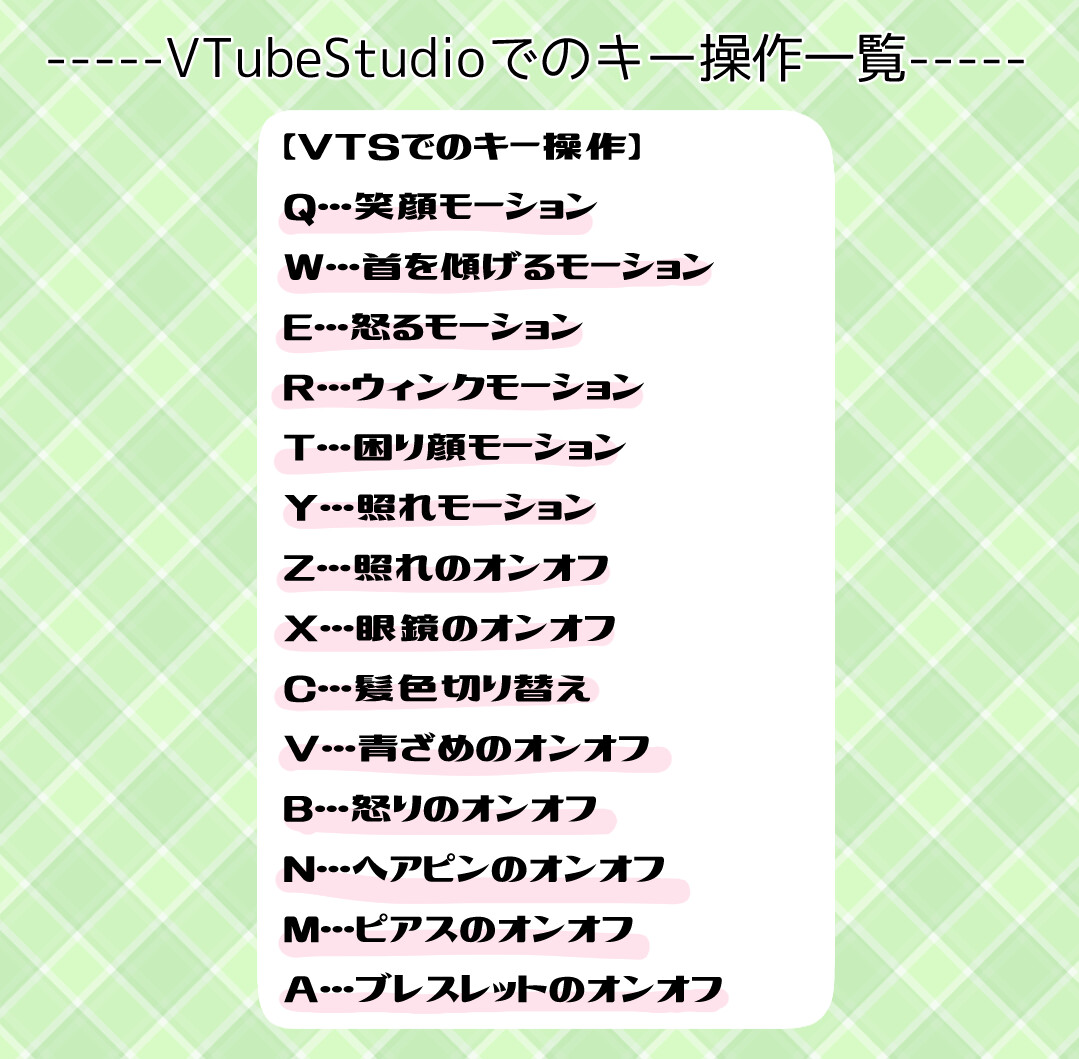
【Keystrokes with VTubeStudio】
Q...Smile
W...Tilt your head
E...Angry
R...wink
T...troubled face
Y...shyness
Z....embarrassment on/off
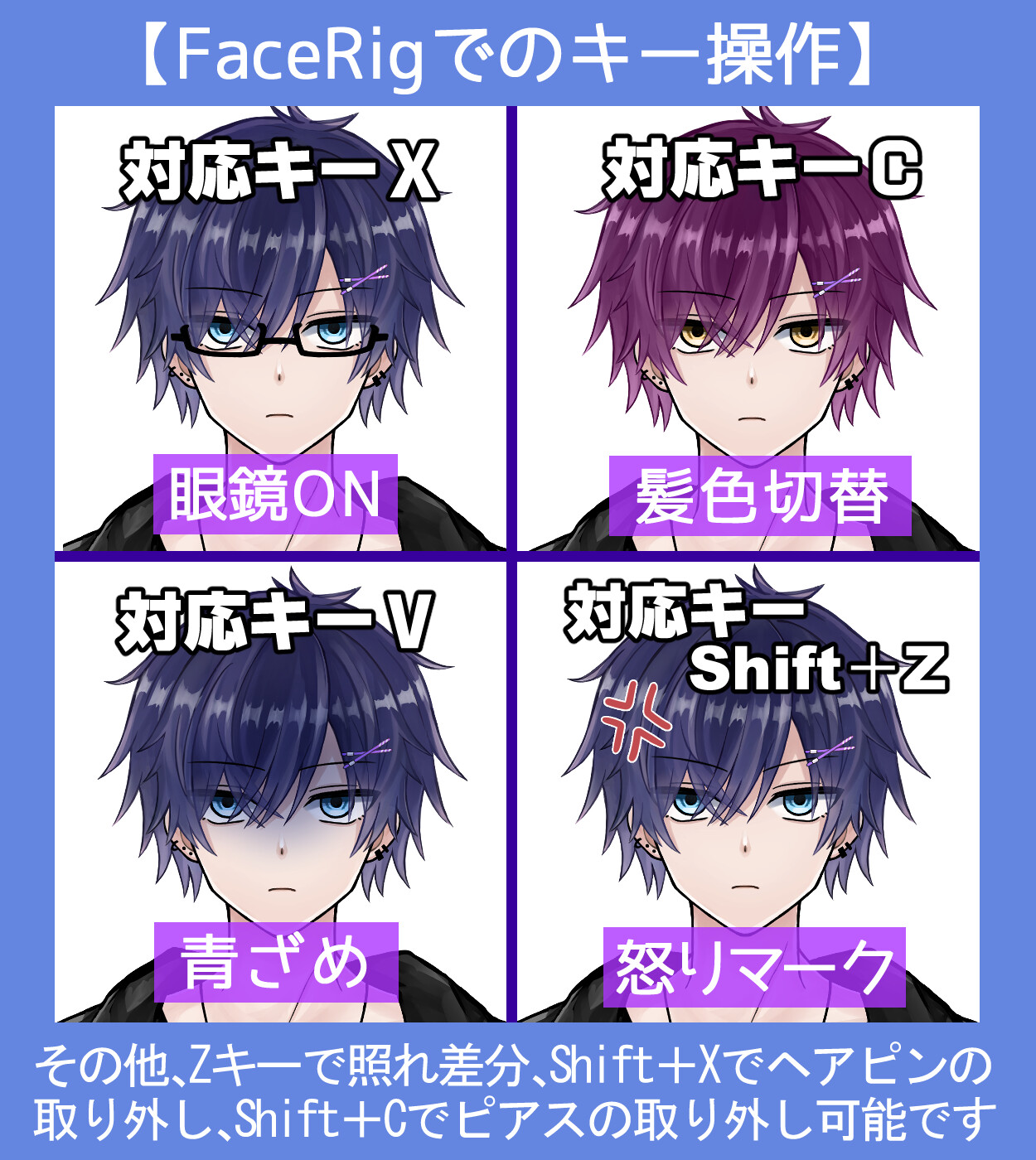
X...Glasses on/off
C...Hair color switching
V. Pale on/off
B....Anger on/off
N...Hairpin on/off
M...Earrings on/off
A...Bracelet on/off
S...Synchronization of left and right eye and eyebrow movements on/off
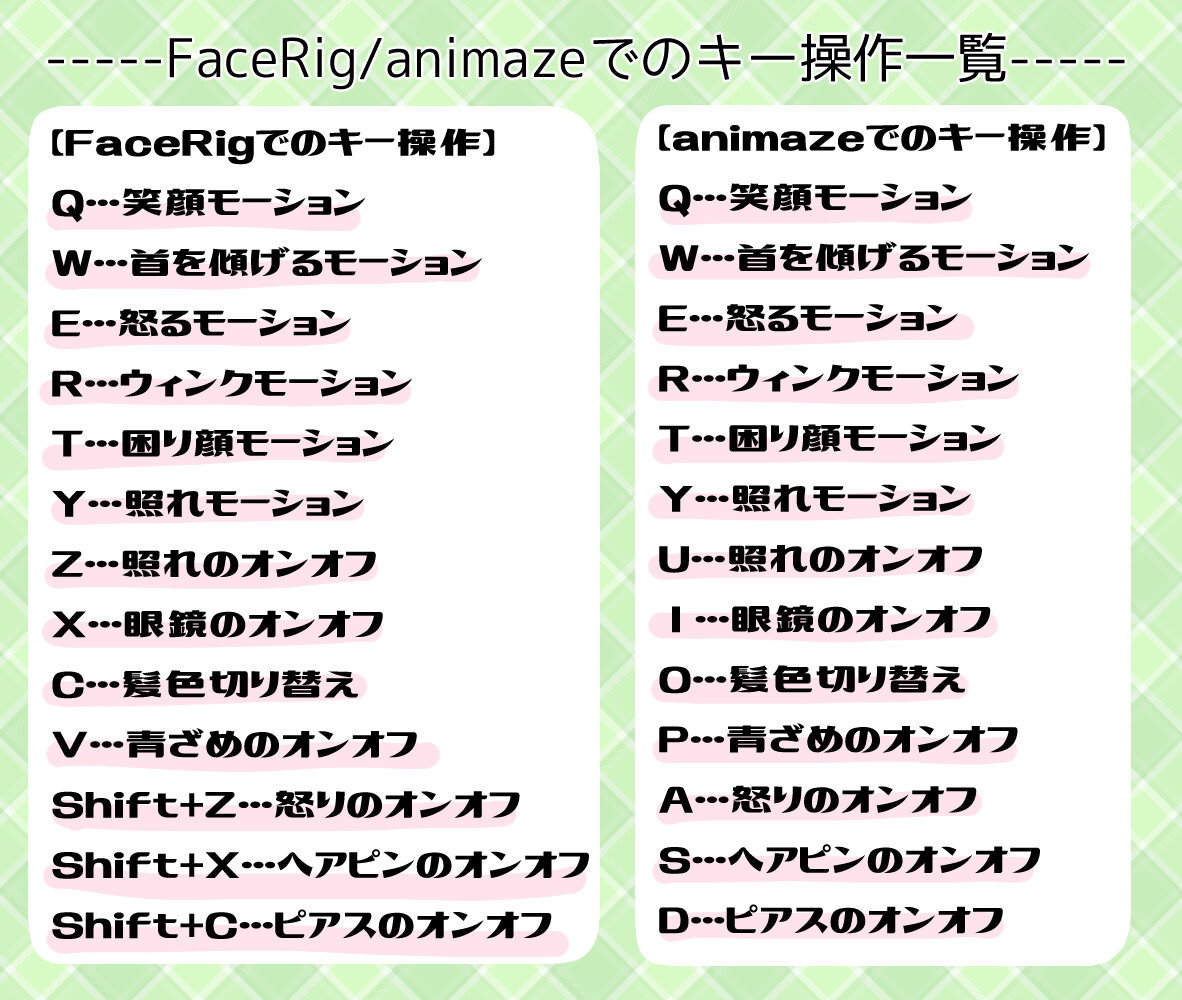
【Keystrokes with FaceRig】
Q...Smile
W...Tilt head
E...Angry
R...Wink
T...Trouble face
Y...shyness
Z....embarrassment on/off
X...Glasses on/off
C...Hair color switching
V...Turn on/off pallor
Shift+Z...Turn anger on/off
Shift+X...Toggle hairpin on/off
Shift+C...Piercing on/off
Shift+V...Synchronize left and right eye and eyebrow movements on/off
【Keystrokes with Animaze】
Q...Smile
W...Tilt head
E...Angry
R...Wink
T...troubled face
Y...shyness
U....On/off of embarrassment
I...Glasses on/off
O...Switching hair color
P...Pale on/off
A...Anger on/off
S...Hairpin on/off
D...Piercing on/off
F...Synchronization of left and right eye and eyebrow movement on/off
【Keystrokes with nizimaLIVE】
Please assign keys freely from the nizimaLIVE settings
CATEGORIES
Standard Use License
USD $30.00
License: Standard License
Stock Assets
For personal use and one commercial project (up to 2,000 sales or 20,000 views).
TutorialsOne copy to be used by a single user.
Installable ToolsOne installation by a single user.
Learn MoreFiles (1)
https://artstn.co/m/bbB5k
Copied
More by Hayuki
Add a tip for Hayuki
Tips are appreciated, but optional!