Sign Up with Epic Games
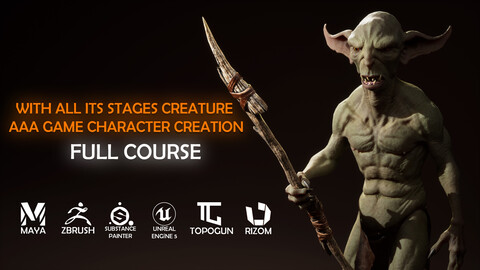
3D Creature Character Design For AAA Games | Full Course

in Tutorials


Creature design is a combination of anatomy, detail, and storytelling. In this tutorial, you'll learn step-by-step how to create impressive and original creature characters using professional 3D tools.
Hello, I'm Burak. I've been modeling characters for game, film, and animation studios for eight years. My motto has always been: Do one thing, but do it best. Starting out in this industry with an old computer and limited resources, I spent hours watching training videos and YouTube content to improve my skills. I've created this tutorial to share with you the methods and workflow I've developed over the years, down to the smallest detail, specifically for creature modeling.
In this highly competitive industry, finding a job is even more challenging than securing a place at companies that produce truly high-quality games. If you want to work for these companies, your work must stand out from the competition. From character detail and retopo and UV quality to realism and variety in painting, you must be strong. In this tutorial, I detail one of the workflows I've developed and used in recent years. This is a creature character modeling tutorial. Some steps may differ for hard-surface or clothed characters. I plan to prepare training for these areas in the future.
- What Awaits You in This Training Set?
* Detailed introductory tutorials on the programs used
* A complete workflow from design to rendering of a realistic AAA game character
* 3D sculpting and modeling with advanced techniques
* Standard-compliant retopology for animation
* Expert-level lighting and rendering techniques for a strong portfolio presentation
* Updates based on your requests and feedback
- Who is Suitable for?
This training is designed for 3D character artists who want to take their skills to the next level.
I will explain the programs used in detail in the Introduction section. However, you can also apply the operations we'll be doing in TopoGun, Marvelous Designer, or RizomUV with other software like Maya or Blender, as the technique is more important than the tool itself in these stages.
- Programs Used
* Sculpting: ZBrush
* Retopology: TopoGun (or Maya)
* UV: RizomUV (or Maya)
* Painting: Substance Painter
* Rendering: Unreal Engine 5
- What You'll Get:
* Access to all HD videos and project files (alphas, textures, base meshes, custom ZBrush interface, etc.)
* 12 hour of video and 26 part comprehensive training covering the entire workflow step-by-step
This course includes full-time, 2x accelerated videos. Even during the accelerated sections, I provide audio explanations of all important details. All technical aspects, excluding sculpting and similar work, are performed full-time, without being accelerated.
- Additional Information
This workflow can also be used to create different types of characters. Only technical details like material quality and polygon count change; the basic process remains the same.
While the character in the course is designed for a AAA-level video game, it can also be adapted for mobile games or animation projects with modifications like UV layout and polygon optimization.
After completing a project, do you start over to improve? Do you tirelessly and tirelessly address any areas you lack? These are the criteria that truly matter. That moment when you feel the most challenged, when you feel like giving up... That's the point where you'll leap to the next big thing. I hope this course serves as a solid starting point for you.
Release Notes
I added my anatomy reference archive and study files that I have accumulated over the years.
CATEGORIES
Standard Use License
USD $25.00
License: Standard License
Stock Assets
For personal use and one commercial project (up to 2,000 sales or 20,000 views).
TutorialsOne copy to be used by a single user.
Installable ToolsOne installation by a single user.
Learn MoreFiles (32)
https://artstn.co/m/NXJ6X
Copied
Add a tip for Burak Bayram
Tips are appreciated, but optional!