Sign Up with Epic Games


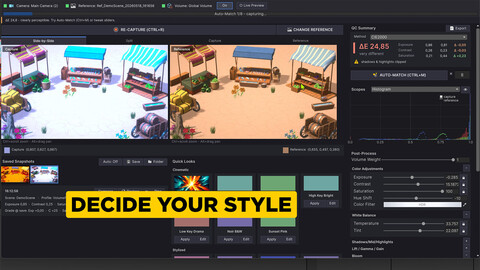
LookDevSync matches your scene to your desired look in minutes! Bring your reference, and it will take care of the rest and even prepare a LUT. All without leaving Unity!
You have a look in mind: a film still, a piece of concept art, a screenshot from a scene you love. Getting your Unity scene to actually look like it usually means dragging post-process sliders, squinting back and forth, and guessing when it is "close enough." LookDevSync takes out the guesswork.
Drop in the image you are aiming for, capture your camera, and it shows you how far off you are and matches it for you. Tune it until it is right, then bake it to a LUT your game can use.
Everything happens inside the Unity Editor, with no round-trip to Photoshop or grading software.
It is built for artists and developers who need a scene to hit a target look and stay consistent, and who want measurable results instead of eyeballing it.
Workflow
- Capture the game camera and compare it to your reference, then Auto-Match
- Or, apply a quick preset to get a starting style.
- Tune the post-process until it is exactly right, with live preview.
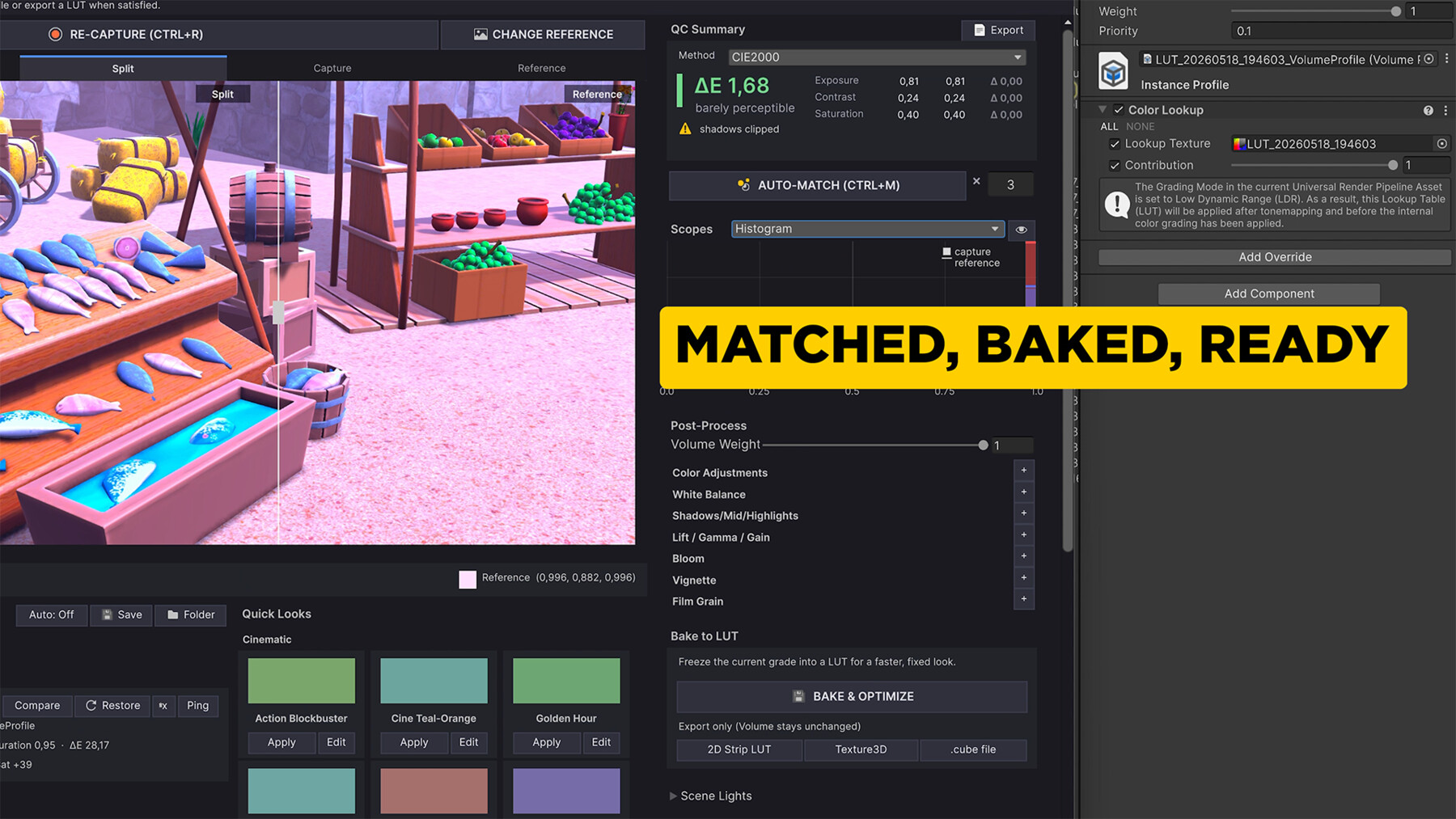
- Bake the grade to a LUT and use it in your game in an optimized way.
Key Features:
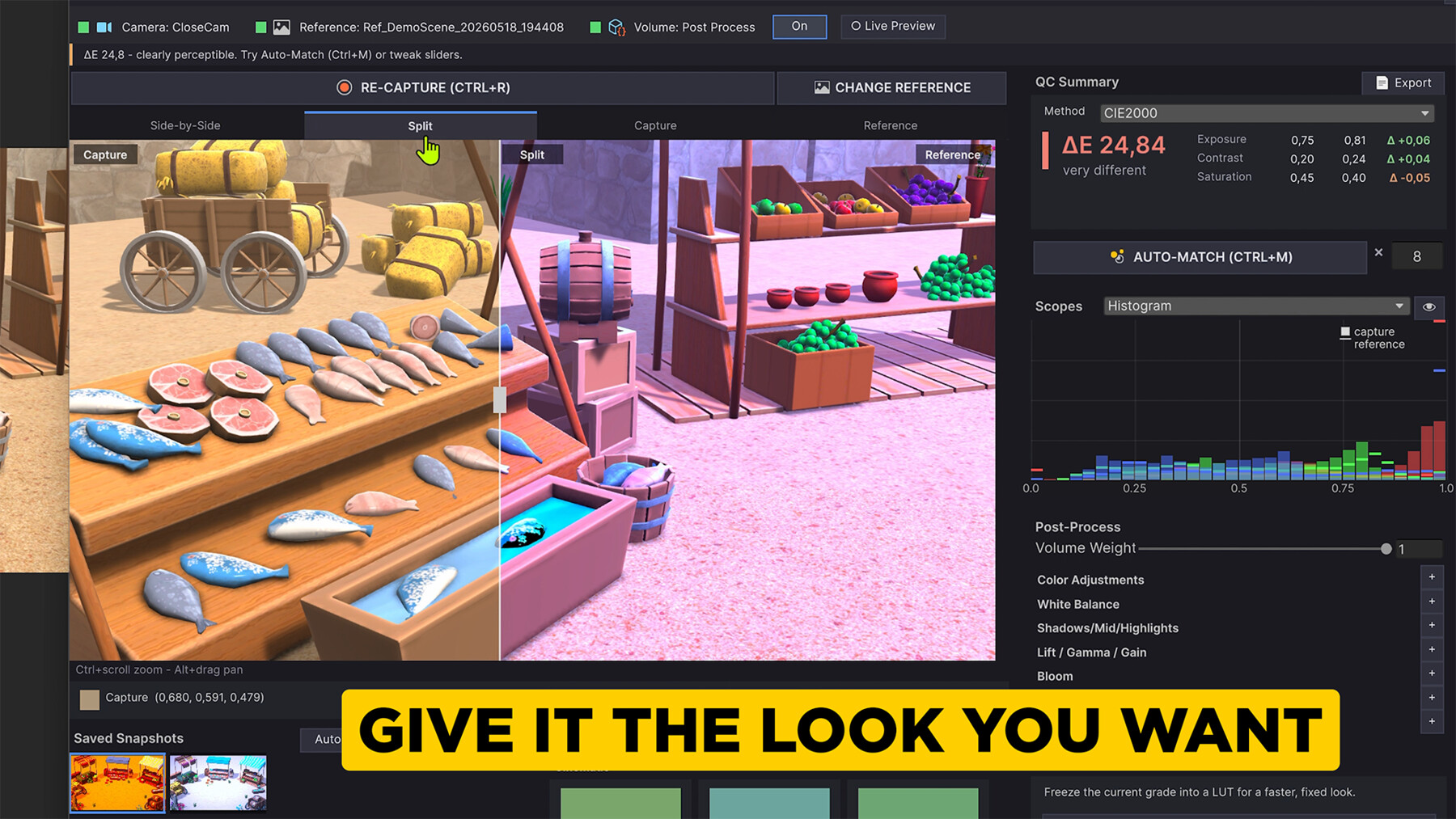
- Reference comparison: side-by-side, split, capture, and reference views, with zoom, pan, and a pixel color inspector. Captures stay aspect-correct, and mismatched resolutions are handled with a clear grade-match readout.
- Measurable QC: perceptual color difference (CIE76 / CIE2000, switchable), a QC summary with exposure, contrast, and saturation deltas, clipping warnings, and an exportable HTML report.
- Scopes: histogram, vectorscope, waveform (luma and RGB parade), and a difference map, collapsible to keep the workspace clean.
- Auto-Match: one-click matching of exposure, contrast, saturation, and white balance, plus optional shadows/midtones/highlights tonal zones, with adjustable strength, iteration count, and per-channel locks.
- Live preview: see the match update as you grade, with a fast draft pass that refines to full quality when you stop.
- Look library: built-in presets grouped by category, applied or edited in place.
- Snapshot history: save graded captures with thumbnails, then compare, restore the saved grade, or ping the file. Optional auto-save on every capture.
- Post-process editing: edit the assigned URP Volume profile directly (Color Adjustments, White Balance, Shadows/Mid/Highlights, Lift/Gamma/Gain, Bloom, Vignette, Film Grain).
- LUT baking: bake the current grade into a URP 2D LUT and replace the Volume with an optimized one, or export Texture3D or .cube for use in other tools. .cube import is supported for round-trips.
- Editor-native: capture, reference, grading, QC, and LUT bake all happen inside the Unity Editor. No external software, no manual screenshots.
CATEGORIES
ADDITIONAL INFORMATION
Special Offer! Get 10% off when you buy 2 products. Get 15% off when you buy 3 or more products. Applies to all products from this seller only from USD $1.00 to USD $100.00
Standard Use License
USD $39.90
License: Standard License
Stock Assets
For personal use and one commercial project (up to 2,000 sales or 20,000 views).
TutorialsOne copy to be used by a single user.
Installable ToolsOne installation by a single user.
Learn MoreFiles (1)
https://artstn.co/m/L7aLl
Copied

Add a tip for Cihan Toraman
Tips are appreciated, but optional!