
 Sign Up with Epic Games




🎬 Render Studio — One-Click Render Presets & Multi-Camera Batch Rendering for Blender
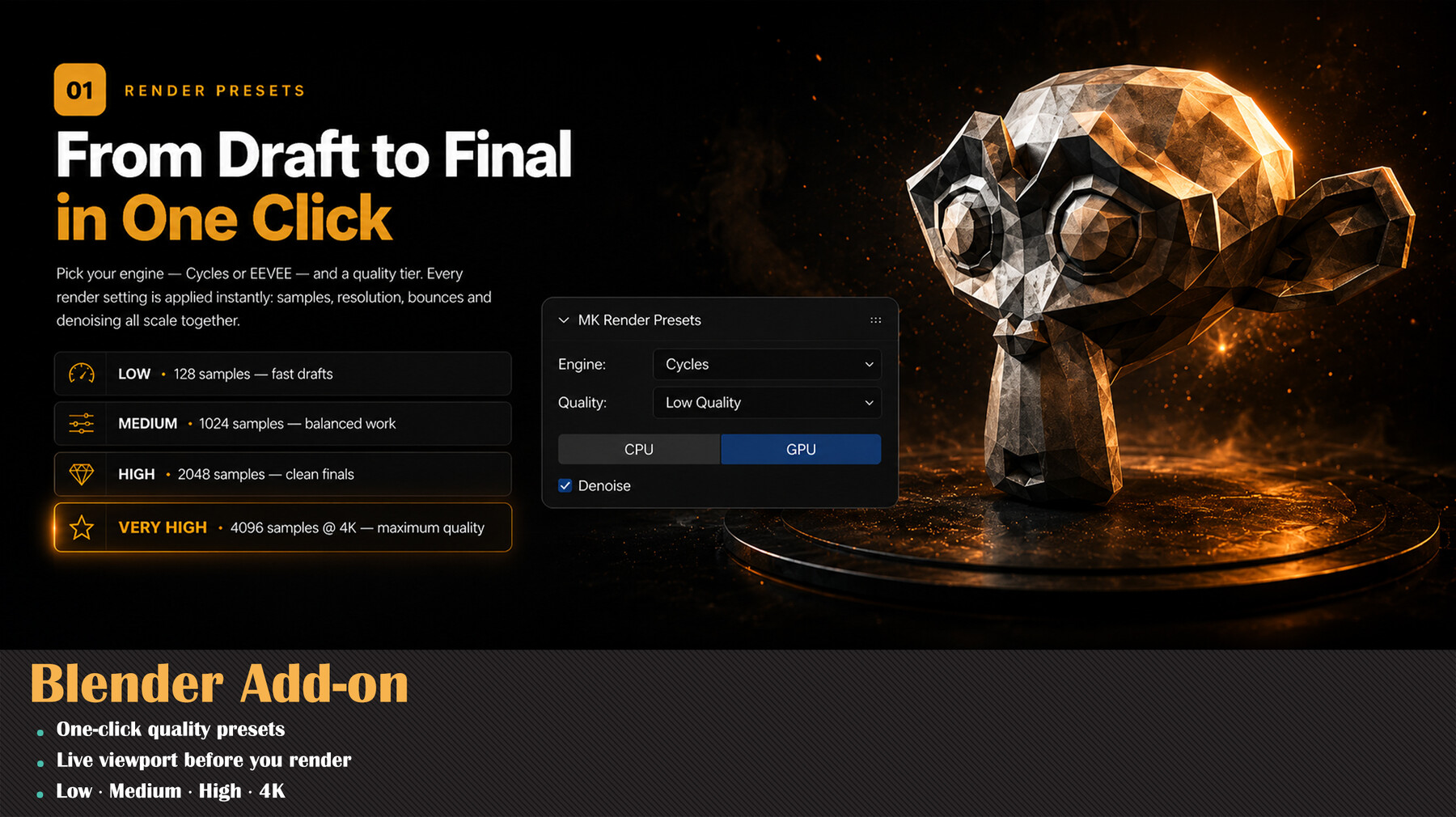
Render Studio is a lightweight render control panel that lives right in your N-panel. Pick an engine and a quality level, and it applies a full, production-tuned render configuration for you — then lets you batch render every camera in your scene with a single click. ⚡
No more digging through dozens of render settings before every shot. 🙌
✨ What it does
- 🎛️ Engine + Quality presets — Choose Cycles or EEVEE, then Low / Medium / High / Very High. Render Studio sets samples, bounces, clamping, caustics, transparent bounces, fast GI, pixel filter, volumetrics, denoiser, and resolution automatically.
- 🔁 Cycles & EEVEE ready — Works with EEVEE Next on Blender 4.2+ and legacy EEVEE on older versions. No setup needed.
- 🖥️ Resolution from below 1K to 4K — Each preset ships with matching resolution, plus a custom override with live viewport aspect-ratio preview.
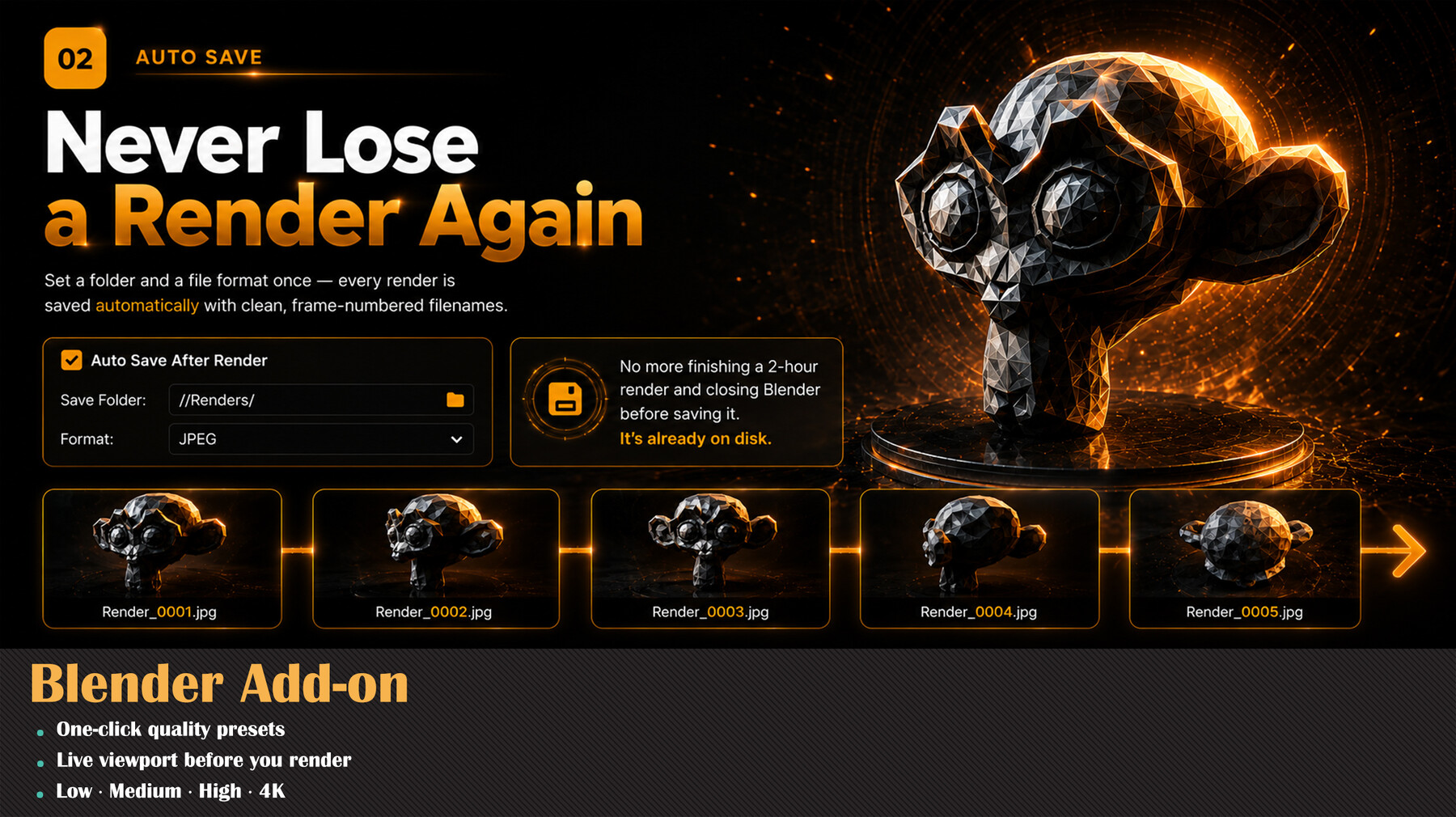
- 💾 Auto Save After Render — Set a folder and format (PNG, JPEG, TIFF, EXR, BMP, TGA, WEBP); every finished render is saved automatically.
- 📸 Multi-Camera Batch Render — Each camera gets its own row with its own resolution and optional frame range. Render them all at once; every output is saved with its camera name.
- 👁️ View From Camera — Jump into any camera's view straight from its row in the list.
- 🛑 Stoppable renders — Single and Batch buttons turn into a red Stop while rendering, and ESC cancels the current frame instantly.
- 🎚️ Denoise toggle & CPU/GPU switch — Right there in the panel.
🌟 Highlights
- ✅ One-click quality presets
- 👀 Live viewport before you render
- 🎥 Batch render every camera, each at its own resolution
🧩 Installation
Edit → Preferences → Add-ons → Install… (Blender 4.2+: Add-ons → dropdown → Install from Disk…), select the zip, enable it. Find it in the 3D Viewport N-panel under "Render Studio", or in Properties → Render.
⚙️ Requirements: Blender 3.0 or newer.
💬 Support & updates: Join the Discord — https://discord.gg/EC8d7nPsYj
🎨 By Milad Kambari — 3DRedbox Studio
Release Notes
Free Add-on
CATEGORIES
Free Full Version
Free
License: Standard License
Stock Assets
For personal use and one commercial project (up to 2,000 sales or 20,000 views).
TutorialsOne copy to be used by a single user.
Installable ToolsOne installation by a single user.
Learn MoreFiles (1)
A Cup Of Coffee
USD $2.00
License: Standard License
Stock Assets
For personal use and one commercial project (up to 2,000 sales or 20,000 views).
TutorialsOne copy to be used by a single user.
Installable ToolsOne installation by a single user.
Learn MoreInvite me for a cup of coffee Read MoreRead Less
Files (1)
https://artstn.co/m/KbP2d
Copied
More by Milad Kambari

Add a tip for Milad Kambari
Tips are appreciated, but optional!
