Sign Up with Epic Games




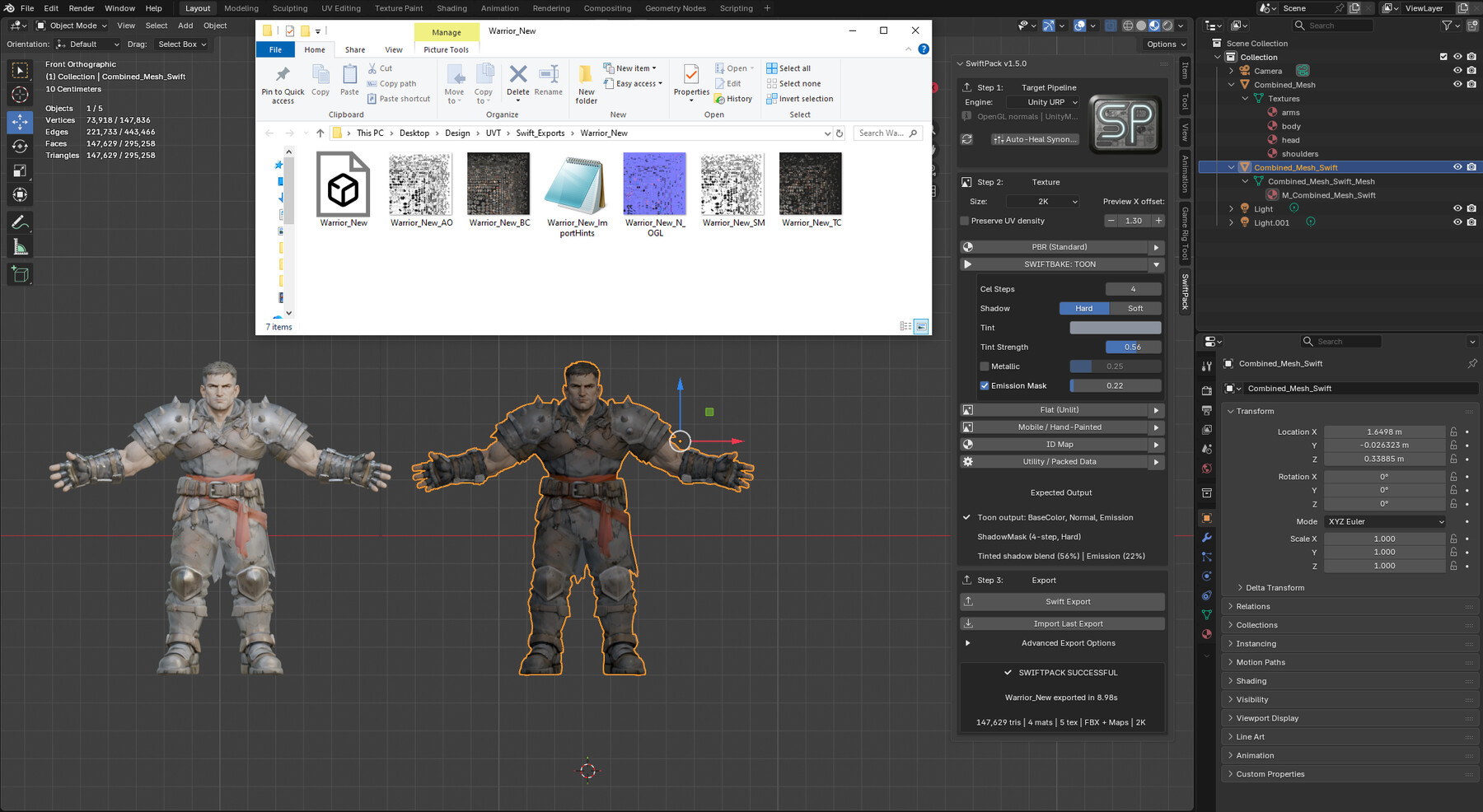

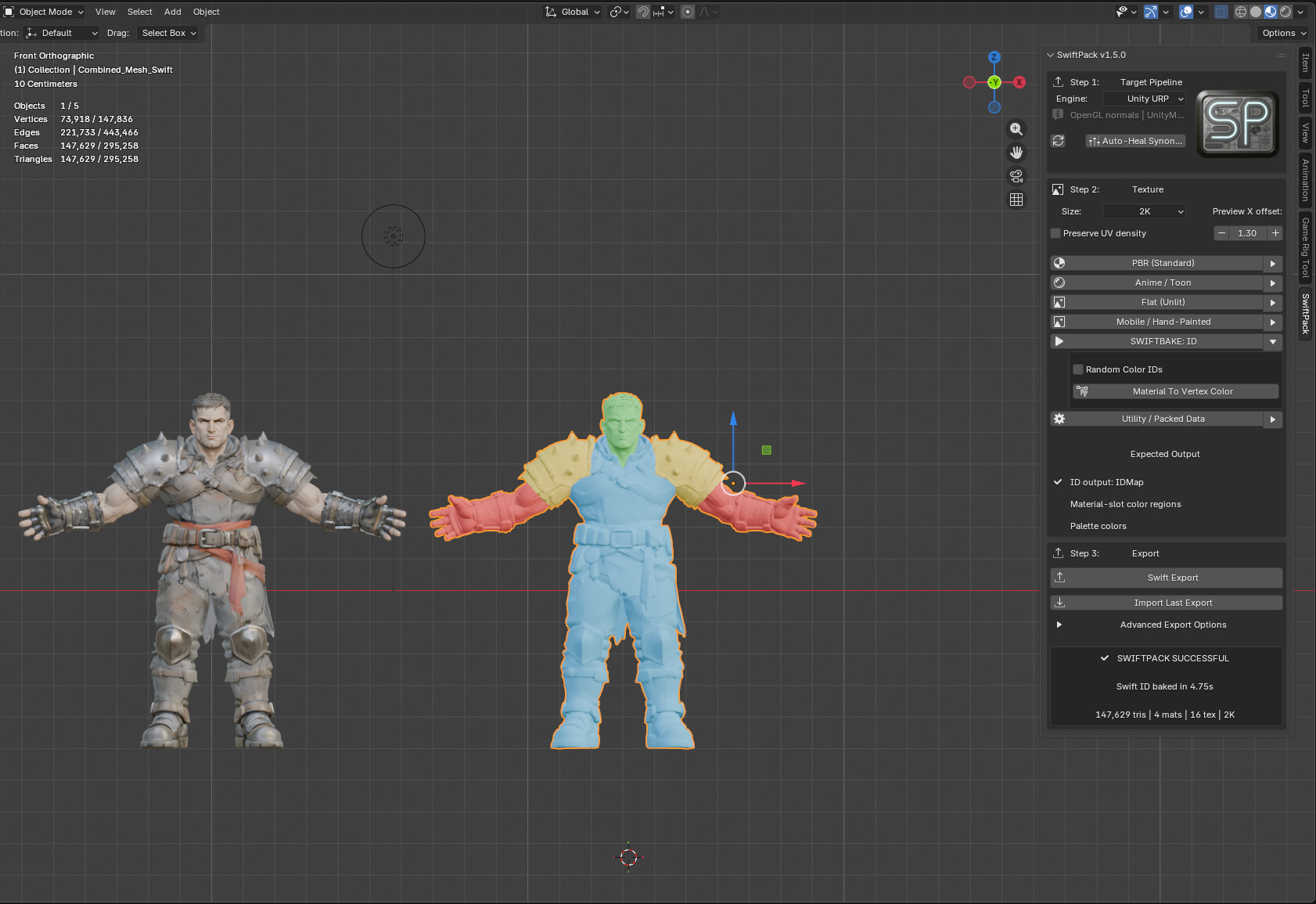
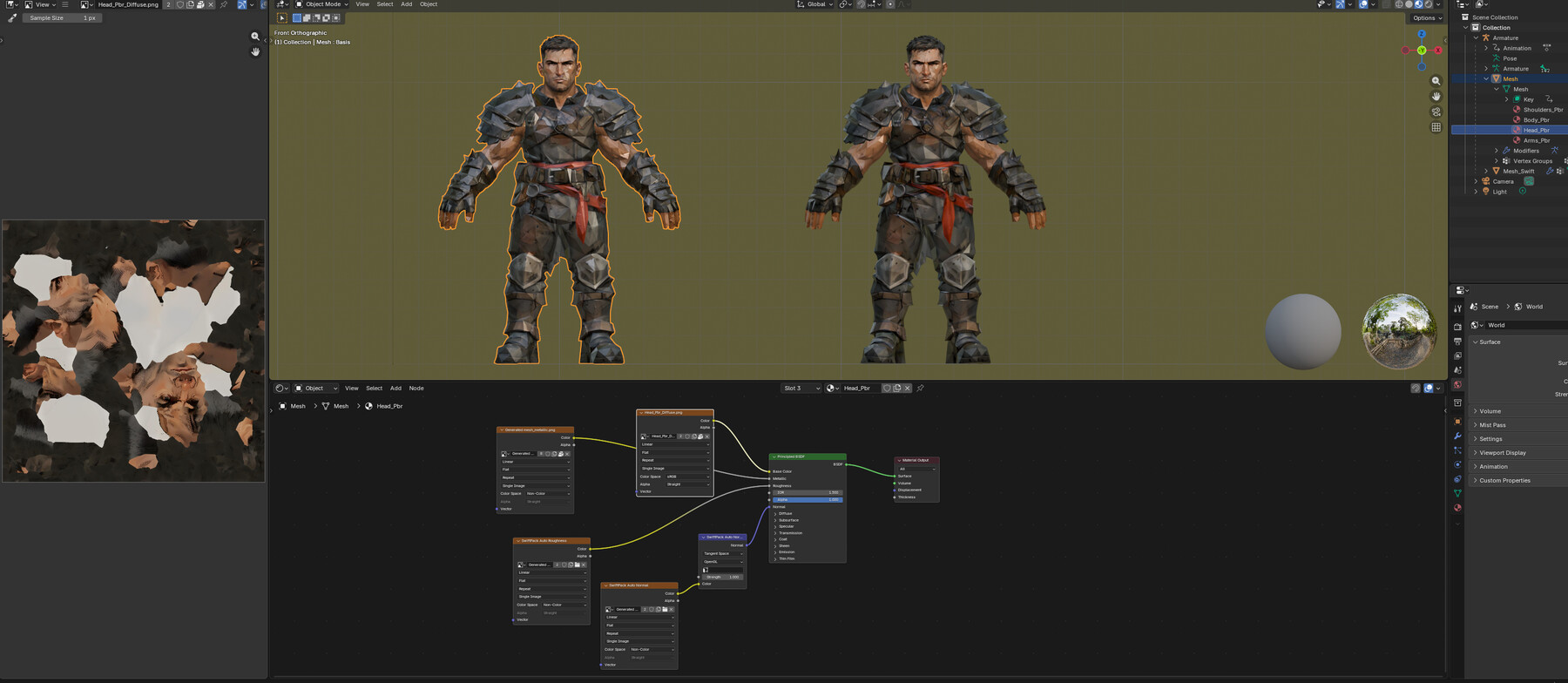

SwiftPack v1.5
https://www.youtube.com/watch?v=JM3tdrGcUmA
https://superhivemarket.com/products/swiftpack-for-blender
https://swiftpackdev.gumroad.com/l/swiftpack-blender
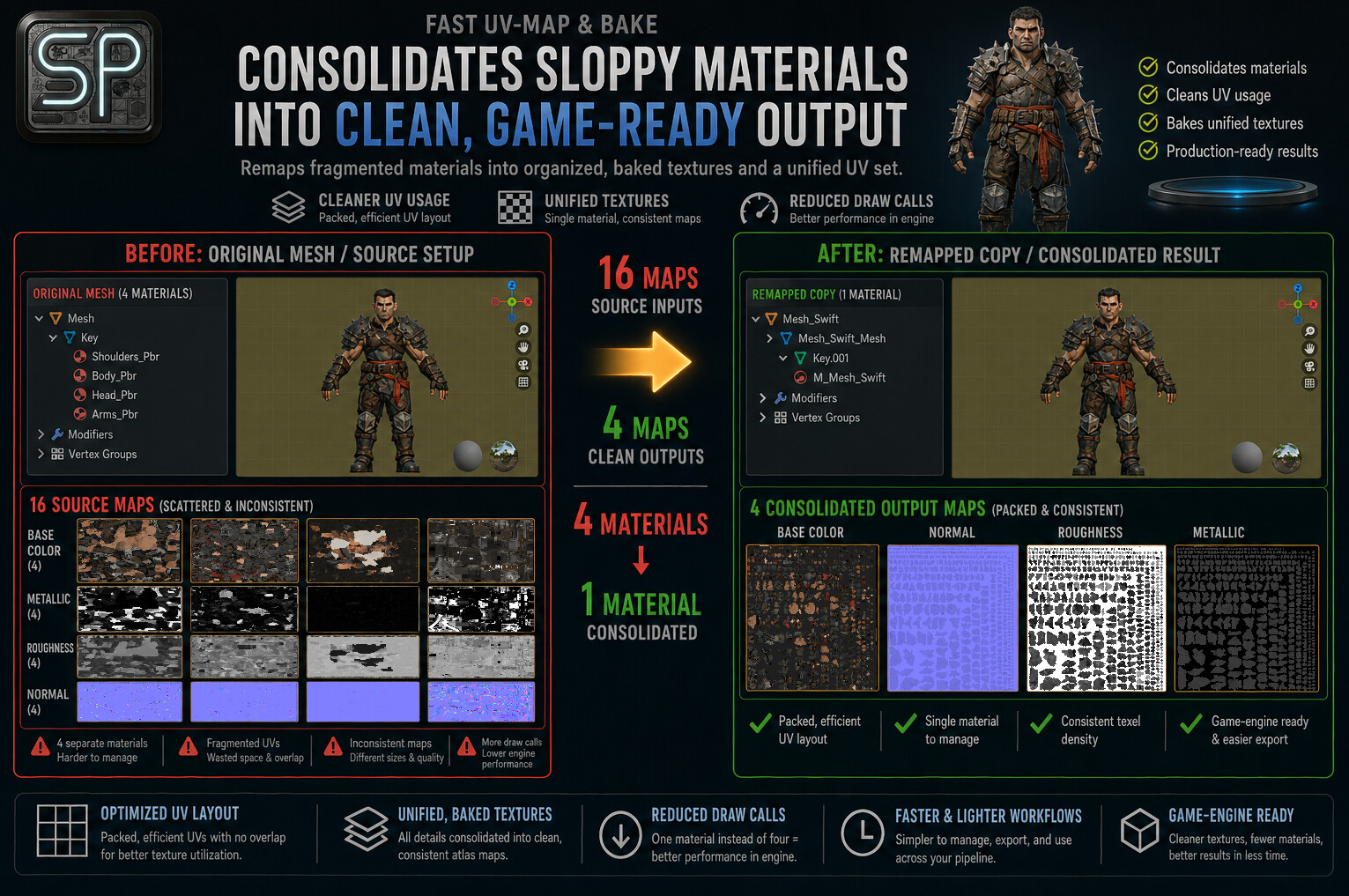
SwiftPack is a Blender add-on for texture optimization, UV remapping, baking, and export prep for Unity and Unreal Engine.
Designed for messy kitbash workflows, SwiftPack helps turn complex multi-material assets into cleaner, game-ready outputs with less manual setup. From UV atlasing and material repair to bake styles and export formatting, it handles the technical overhead so you can stay focused on the final asset.
How It Works
- Choose your target engine: Unreal, Unity, or another workflow.
- Choose your output resolution: 1K, 2K, or 4K.
- Then follow the simple 3-click workflow:
1. Select a render style tailored to your target result.
2. Click that style again to bake and review the preview.
3. Export your `.FBX` and texture maps, ready for rigging and engine import.
Why SwiftPack
- Built for Speed and Simplicity
SwiftPack is built around one core idea: make draw call optimization fast, straightforward, and reliable. No endless settings. No confusing overlap. No long setup process just to get an asset game-ready.
- Less Friction. Faster Results.
SwiftPack handles the heavy lifting behind the scenes so you can move from setup to bake to export with minimal interruption.
- Auto Heal for Broken Materials
SwiftPack’s Auto Heal detects missing maps and common material issues, then attempts to rebuild those links automatically using mesh file paths and source mesh names. After a manual heal, it can also learn your naming conventions to improve future results.
- Stress Tested
On a legacy RX 580 GPU, SwiftPack successfully re-atlased meshes up to 1 million polygons with many materials and textures, producing a full Unreal Engine-ready 4K PBR output, including AO and ORM, in about 70 seconds.
For more typical assets in the 20k to 500k polygon range, 2K output completed in roughly 10 to 30 seconds, and 1K output in under 5 seconds. Results will vary, but faster modern hardware should improve these times substantially.
Key Features
- 3-click texture optimization, UV remapping, baking, and export prep
- Bake-ready UV rebuilding for cleaner texture workflows
- Target-aware export for Unity URP, Unity HDRP, and Unreal
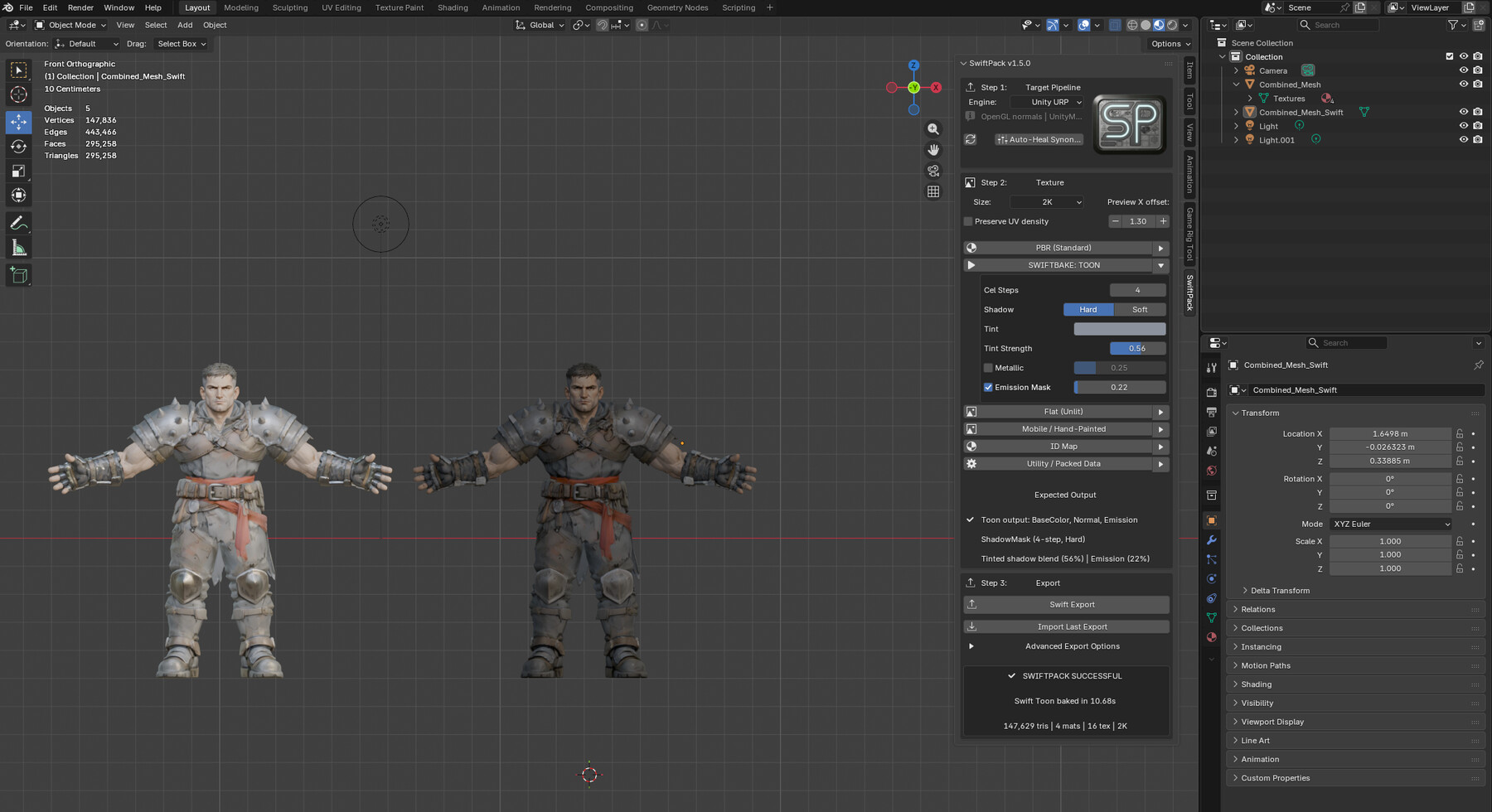
- Preset styles for PBR, Anime/Toon, Flat (Unlit), Mobile/Hand-Painted, and ID Map
- Generates packed helper maps such as Unity Mask, HDRP Mask, and ORM
- Saves learned synonym matches like `shoulders <-> pauldrons` for smarter future Auto Heal
- Includes Import Last Export for fast Blender-side round-trip verification
- Export options for naming presets, import hints, and texture embedding support
Best For
- Kitbashed character cleanup
- Game-ready texture rebakes
- Unity and Unreal export prep
- Artists and solo developers who want less manual relinking and setup
Included
- SwiftPack add-on package
- README
- GPL v3 license text
- bundled asset license notes
- packaged source files
License
SwiftPack code is distributed under GPL v3. Bundled asset license notes are included in the package.
Notes
This is an actively developed release build. The update checker respects Blender's online access setting.
Instructions
Install
- In Blender, open Preferences > Add-ons.
- Use Install from Disk and choose the SwiftPack zip or folder package.
- Enable the add-on, then open the Sidebar in the 3D View and find the SwiftPack tab.
Before You Start
- If your asset is made of separate mesh pieces, select them and join them first with `Ctrl+J`.
- Select the source mesh object you want SwiftPack to process.
- Use the original source mesh, not the generated SwiftPack preview copy, when starting a new bake.
Quick Workflow
- Step 1: In Target Pipeline, choose the engine or export target you want to build for.
- Step 2: Open the style you want to use, such as PBR, Toon, Flat, Mobile/Hand-Painted, or ID Map.
- Adjust any style options if needed, then click that style’s SwiftBake button again to run the bake.
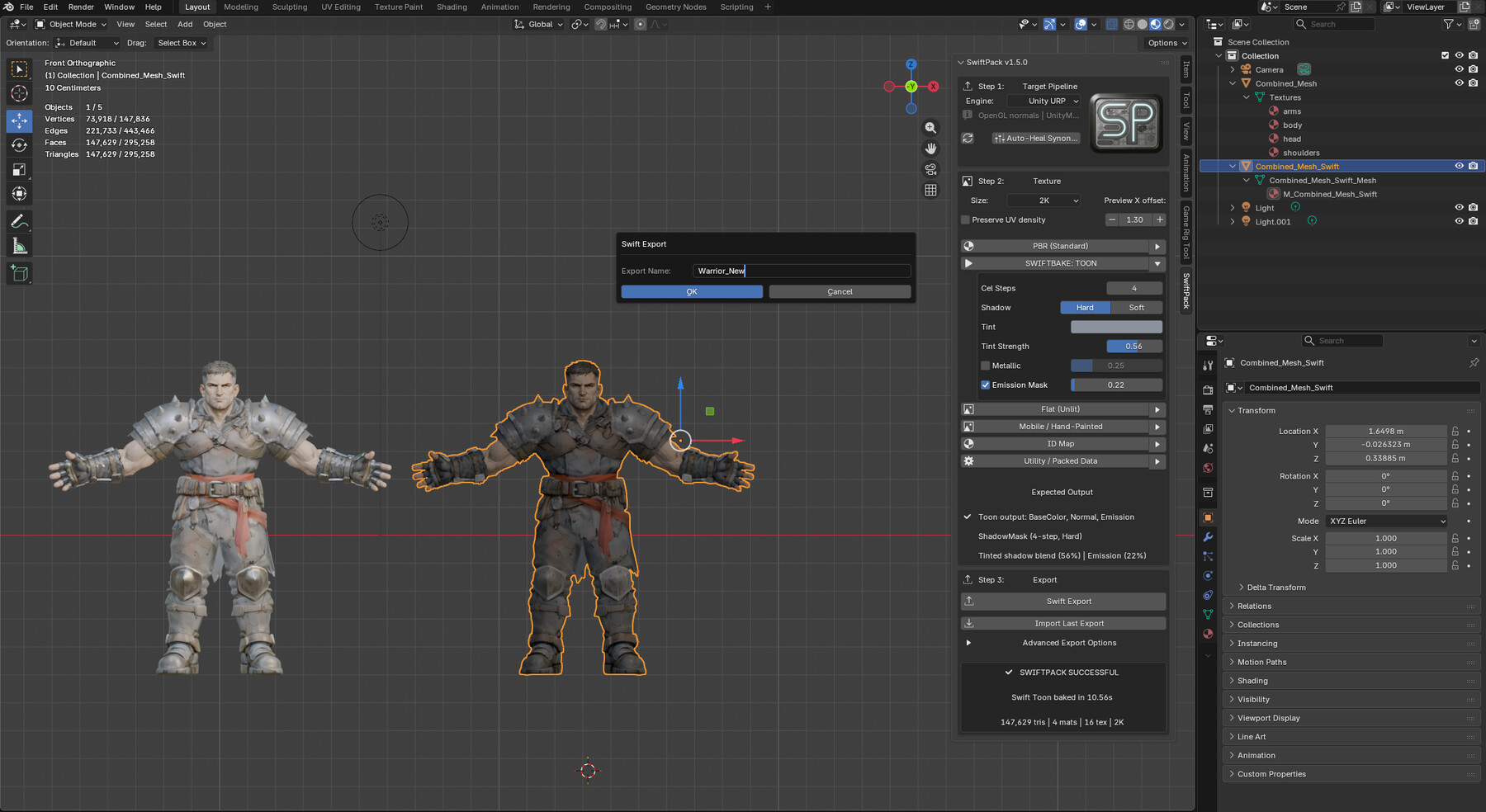
- Step 3: Use Swift Export to write the final output files.
- Open Advanced Export Options if you want to change naming, tagging, or automatic folder-opening behavior.
Step Details
- Step 1 controls how SwiftPack formats outputs for the target engine or workflow.
- Step 2 controls the visual output style and any style-specific bake options.
- Step 3 handles final file output, including FBX and texture export where supported.
Auto Heal and Manual Heal
- If SwiftPack detects missing source maps during setup, it first tries Auto Heal.
- Auto Heal searches nearby source folders and matching material-name contexts to reconnect missing maps automatically.
- If Auto Heal cannot find a reliable match, SwiftPack offers Manual Heal.
- During Manual Heal, point SwiftPack to the folder that contains the missing texture set for that material.
- After a successful Manual Heal, SwiftPack will also try to recover other nearby missing sets automatically before asking again.
Export Options
- Advanced Export Options can be used to change output naming and tagging behavior.
- You can also enable automatic opening of the export folder after export completes.
Release Notes
- Added clearer built-in workflow instructions covering mesh join, target selection, style bake flow, export options, and auto/manual heal behavior.
- Updated packaged documentation so the shipped download now matches the current storefront workflow guidance.
- Standardized versioning across the add-on, README files, and update manifest.
CATEGORIES
Standard Use License
USD $15.00
License: Standard License
Stock Assets
For personal use and one commercial project (up to 2,000 sales or 20,000 views).
TutorialsOne copy to be used by a single user.
Installable ToolsOne installation by a single user.
Learn MoreFiles (3)
https://artstn.co/m/Bjvez
Copied
Add a tip for Rob S
Tips are appreciated, but optional!