
 Sign Up with Epic Games
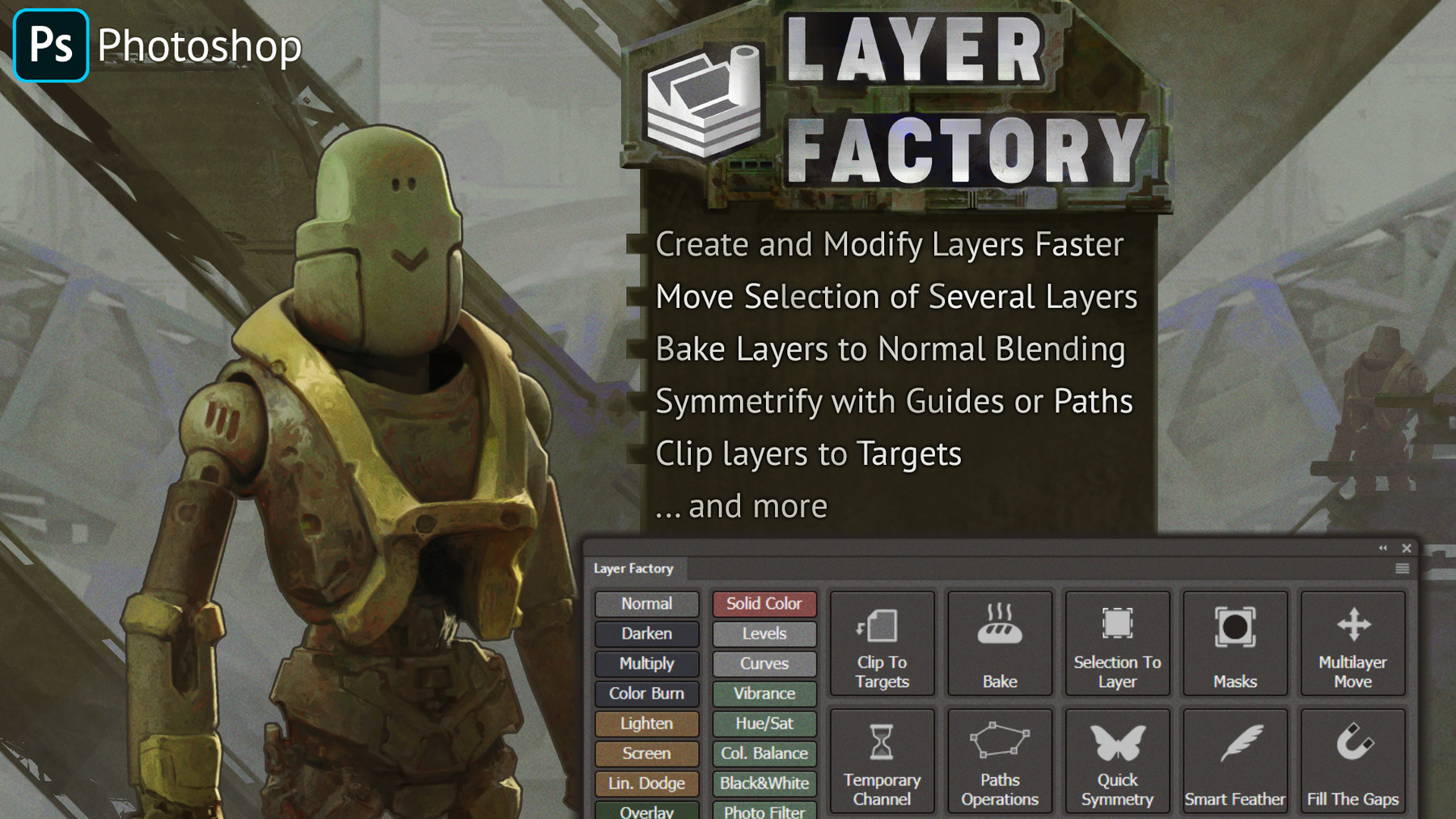
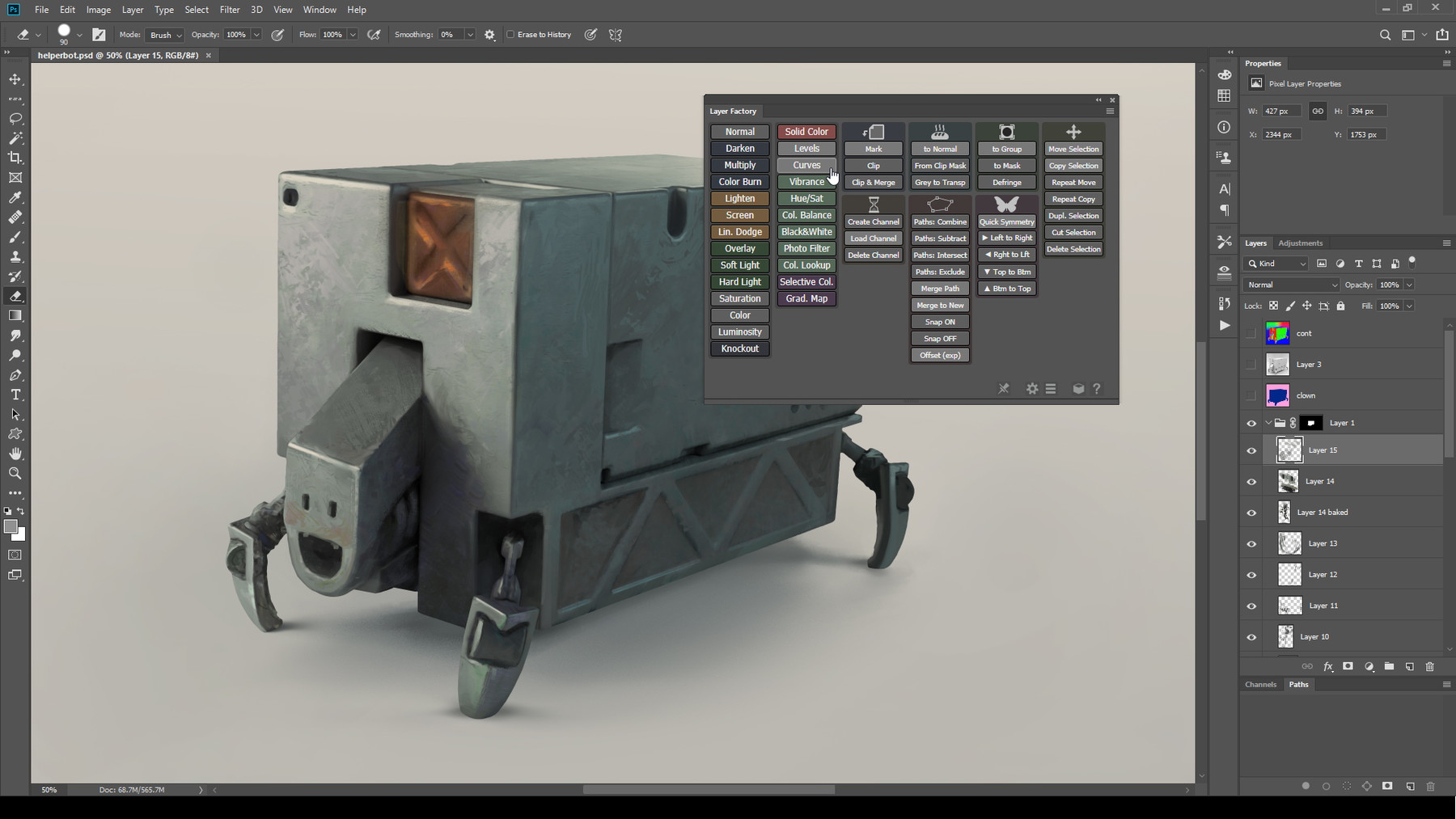
Layer Factory is a collection of tools for Adobe Photoshop, designed to enhance and speed up different tasks related to creating, modifying, and working with layers.
Create new layers with blending modes of your choice, create new adjustment layers, layers from selection, symmetrify layers, move selection of several layers simultaneously, convert opacity to layer mask: it’s Layer Factory! Every panel module can be temporarily hidden to make sure you only see the tools you use on the panel.
All the functions are explained in the panel manual.
⚠️ This extension will NOT work in PS CS6 and below. Note that currently native version of Photoshop for Macs with M-CPU isn't supported.
Release Notes
Hi everyone,
I hope you're doing great! Just to let you know that LF was updated to 1.4.5. In this version:
- New function: Multi-Transform, which allows you to transform each selected layer separately;
- the previously added "Create a symmetrical layer copy" now requires Shift to be held and can also be turned off in the Tool Options (to prevent interference with hotkeys);
- Rename Multiple Layers is available as a script that can be assigned to a hotkey or added to Brusherator;
- Multi-Liquify now shows a warning if a non-compatible layer is selected;
- Fixed: NNew color labels (Fuchsia, Magenta, etc.) were not showing in the latest Photoshop 2024 within the Labels module;
As always, to install the update, simply run the installer again or use the same installation method as before.
If you have any questions, you can reach out at kritskiy.sergey@gmail.com or on Discord.
Cheers!
Sergey
CATEGORIES
One personal license
USD $15.00
License: Standard License
Stock Assets
For personal use and one commercial project (up to 2,000 sales or 20,000 views).
TutorialsOne copy to be used by a single user.
Installable ToolsOne installation by a single user.
Learn MoreFor using by one person on unlimited number of computers Read MoreRead Less
Files (10)
Company license (up to 10 seats)
USD $70.00
License: Extended Commercial License
Stock Assets
For use on an unlimited number of commercial projects with no limits on sales or views.
Learn MoreFiles (10)
Company license (up to 40 seats)
USD $200.00
License: Extended Commercial License
Stock Assets
For use on an unlimited number of commercial projects with no limits on sales or views.
Learn MoreFiles (10)
https://artstn.co/m/7K6G
Copied




Add a tip for Sergey Kritskiy
Tips are appreciated, but optional!
