
 Sign Up with Epic Games

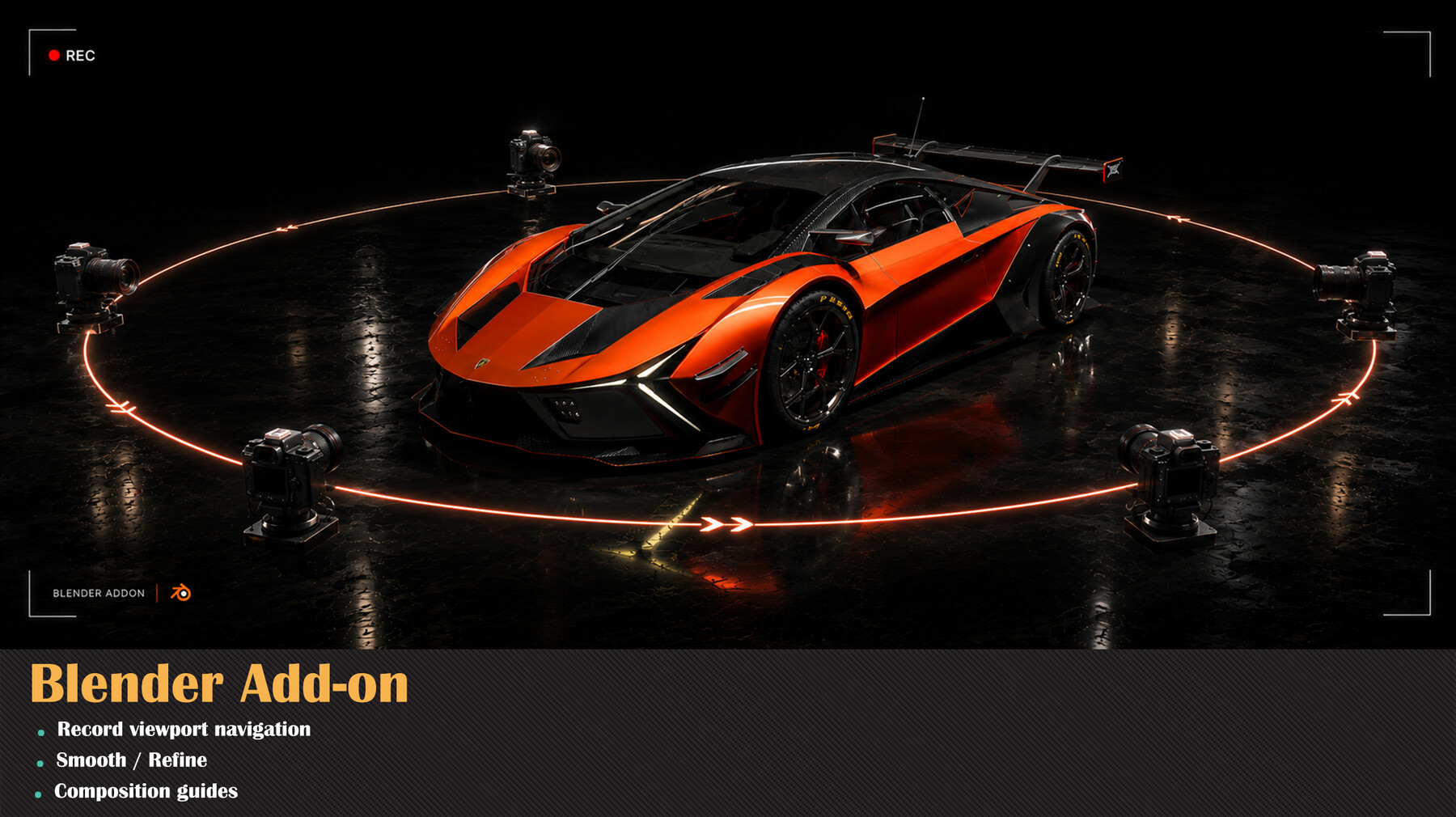
Record • Smooth • Retime — the fastest way to get a cinematic camera in Blender.
Stop fighting with camera placement and manual keyframing. View2Cam lets you frame your shot by simply navigating the viewport, then turns that exact view into a real camera in one click — with no cropping. Want motion? Just navigate while recording and your orbit/pan/zoom becomes clean, editable animation. Built-in smoothing and retiming tools turn shaky hand-navigation into professional, steady, cinematic camera moves.
Perfect for product shots, automotive renders, turntables, beauty shots, and flythroughs — no animation skills required.
✨ Key Features- 📸 Create Camera From View — One click creates a camera that matches your viewport exactly: position, rotation, and field of view.
- 🚫 No-Crop Matching — Reads the viewport's true projection matrix and matches the render aspect, so the camera captures exactly what you see — never a zoomed-in crop.
- 🔴 Record Viewport → Animation — Press record, navigate freely, and your movement becomes camera keyframes. Live "Recording" state with one-click Stop or ENTER to save.
- ⚡ Heavy-Scene Friendly — Samples to memory and bakes on stop, so there's no per-frame scene re-evaluation — smooth capture even in dense, high-poly scenes.
- 🎯 Keyframe Every N Frames — Drop one keyframe every N frames with averaged sampling for naturally smoother motion and lighter curves.
- 〰️ Smooth / Refine — Gaussian de-jitter, auto-bezier handles, and keyframe simplification. Smooth Location, Rotation, and Lens independently.
- ⏱️ Retime / Rhythm — Fix uneven hand-timing with Constant Speed (arc-length re-sampling of translation and rotation), Ease In/Out for cinematic acceleration, and a Set Duration control.
- 🟦 Composition Guides — Rule of Thirds, Golden Triangles, Harmonious Triangles, Center & Diagonal — shown in the viewport and camera view.
- 🎞️ Perspective & Orthographic — Full support for both projection types.
- 🔍 Optional Lens/Zoom Recording — Capture focal-length and ortho-scale changes too.
- Frame your shot by navigating the viewport.
- Hit Create Camera From View — or Start Record and move the view to capture motion.
- (Optional) Smooth / Refine to clean jitter.
- (Optional) Retime with Constant Speed + Ease for a polished, steady move.
- Hit play — your camera does exactly what you did.
- 🟢 Blender 4.2 → 5.x (Extension package with manifest + legacy add-on)
- 🟢 Slotted-Action compatible (works with the new 4.4+ animation system and legacy actions)
- 🟢 Exact FOV from the viewport projection matrix — no guesswork
- 🟢 Quaternion-averaged sampling + Euler continuity (no 360° flips)
- 🟢 Clean N-panel UI under the View2Cam tab
Product & automotive beauty shots • turntables • environment flythroughs • portfolio renders • quick previz.
CATEGORIES
Special Offer! Get 10% off when you by 2 and more products. Applies to all products from this seller only from USD $20.00 to USD $100.00
Standard License
USD $15.00
License: Standard License
Stock Assets
For personal use and one commercial project (up to 2,000 sales or 20,000 views).
TutorialsOne copy to be used by a single user.
Installable ToolsOne installation by a single user.
Learn MoreFiles (1)
Studio License
USD $40.00
License: Extended Commercial License
Stock Assets
For use on an unlimited number of commercial projects with no limits on sales or views.
Learn MoreFiles (1)
https://artstn.co/m/AJjRe
Copied
More by Milad Kambari



Add a tip for Milad Kambari
Tips are appreciated, but optional!
