
 Sign Up with Epic Games
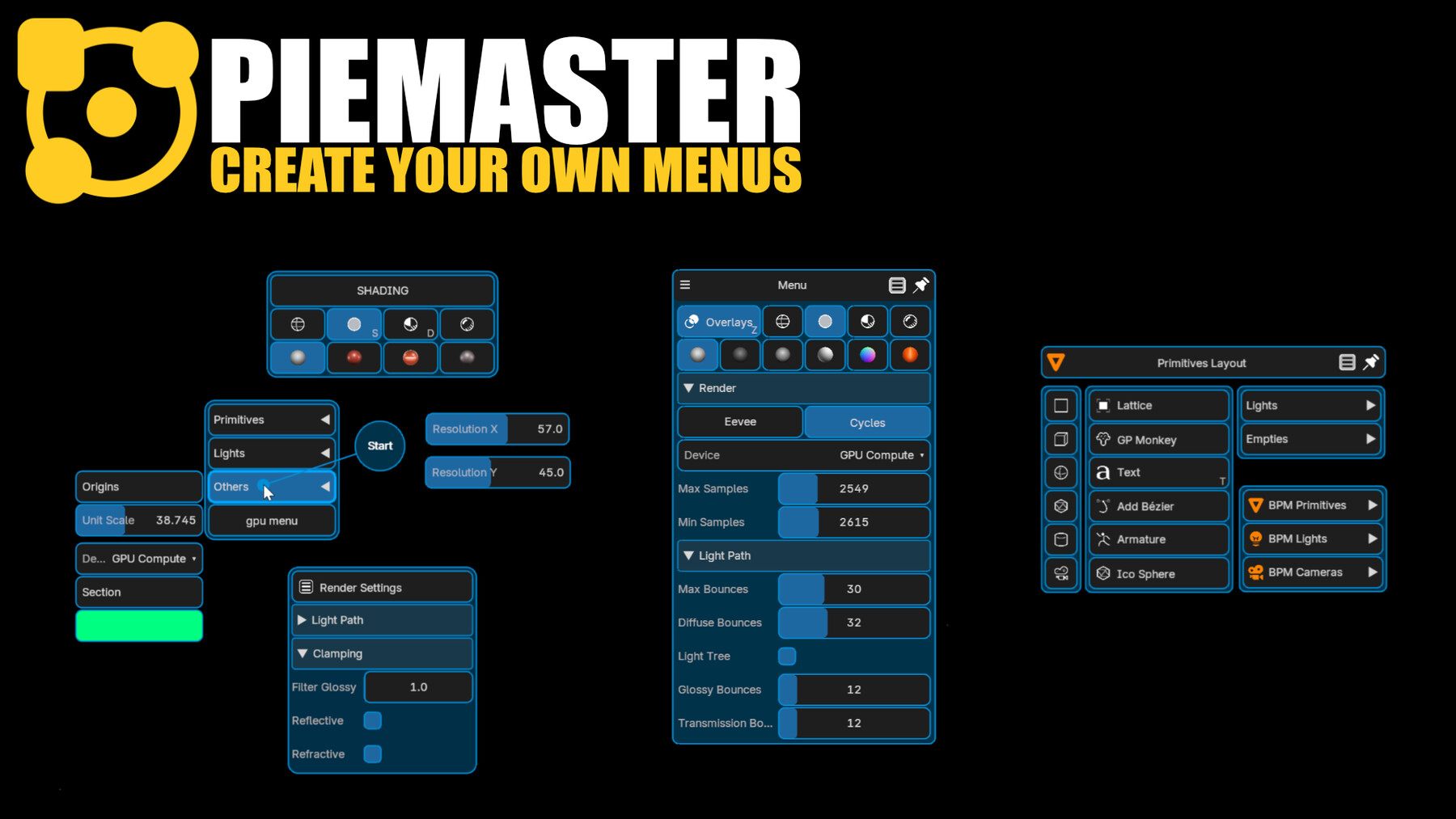


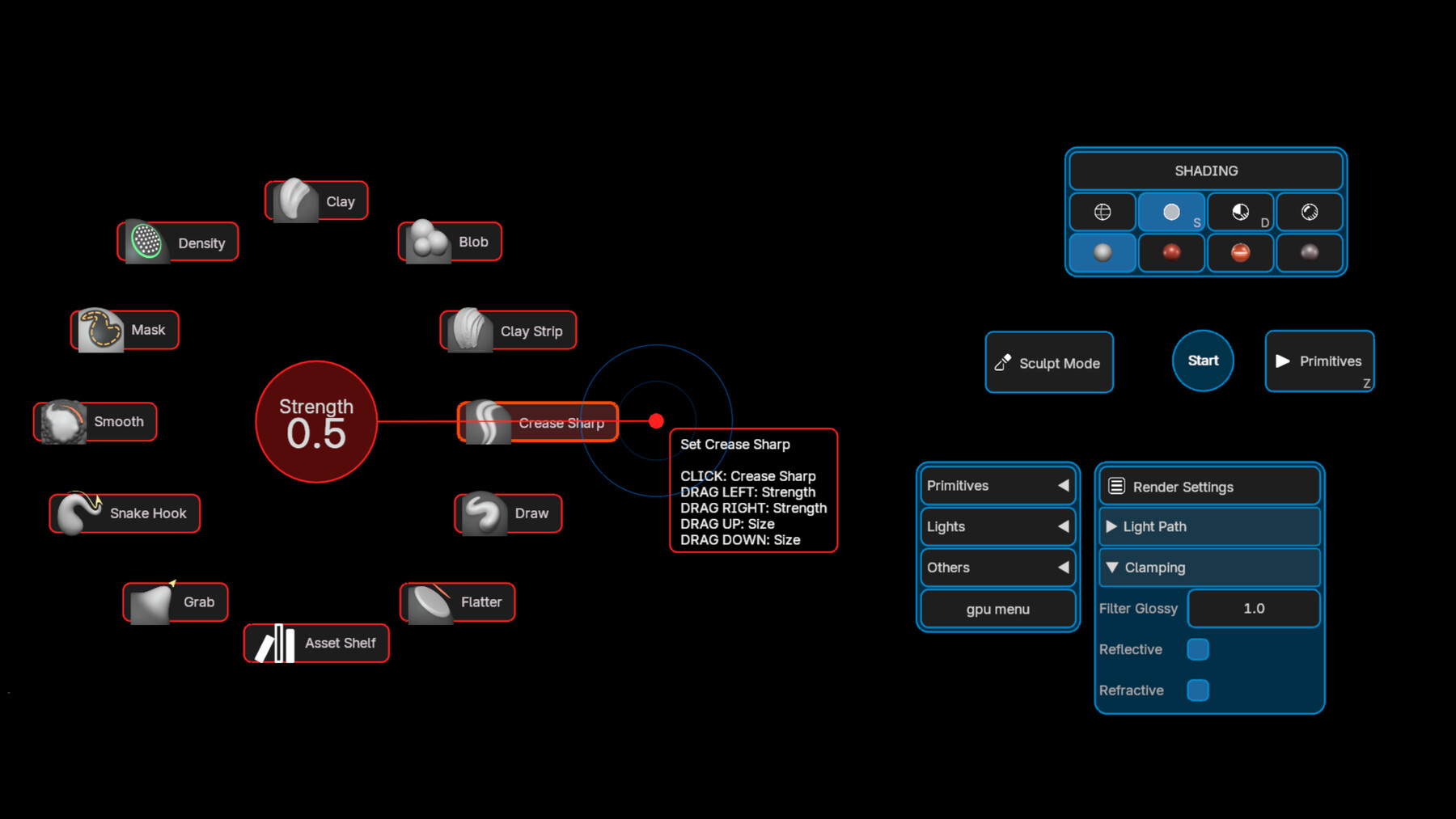

PieMaster puts you in full control. Design your own pie menus, dropdown menus, and floating panels from scratch, exactly how you want them, exactly where you need them.
No templates. No constraints. You decide the layout, the colors, the icons, the hotkeys, and what each button does.
Use any tool you already own. PieMaster works with every Blender addon installed on your machine, or any custom operator.
If it has an operator ID, you can put it in a menu. Build unified menus that bring together tools from multiple addons into a single, fast workflow.
What you can build:
- Pie menus triggered by hotkeys, in any editor
- Dropdown menus attached to pie buttons
- Floating panel menus with multi-column layouts
- Menus that show or hide buttons based on context (edit mode, object type, active tool…)
- Property sliders, color pickers, and enum selectors — directly inside your menus
- Nested menus and chained pie calls
- Fully custom visuals: colors, sizes, icons, animations
PieMaster is built on Blender's GPU module, with no native UI restrictions. Everything you see is drawn exactly as you designed it.
One addon to rule your entire workflow.
Requires Blender 5.1+
Release Notes
V0.2.5
New
NEW - An HDRI clicked in an asset folder drawer now builds a full world node setup instead of a lone texture node.
NEW - Menus can now follow Blender's own interface scale, either the Resolution Scale slider alone or the full DPI scale used by Blender's UI.
Fixed
FIX - An HDRI folder holding maps and thumbnails side by side no longer shows each map twice.
FIX - .hdr maps with no thumbnail next to them now show their own picture in the drawer.
FIX - Re-exporting a preset package no longer drops the custom icons already bundled in it.
FIX - Fixed a bug on the Pie_call pre-operator with auto-open on hover
CATEGORIES
Special Offer! Get 10% off when you buy 2 products. Get 15% off when you buy 3 or more products. Applies to all products from this seller only from USD $5.00 to USD $100.00
PERSONNAL
USD $20.00
License: Standard License
Stock Assets
For personal use and one commercial project (up to 2,000 sales or 20,000 views).
TutorialsOne copy to be used by a single user.
Installable ToolsOne installation by a single user.
Learn More1 user - personal or commercial usage Read MoreRead Less
Files (16)
PRO
USD $80.00
License: Standard License
Stock Assets
For personal use and one commercial project (up to 2,000 sales or 20,000 views).
TutorialsOne copy to be used by a single user.
Installable ToolsOne installation by a single user.
Learn MoreUp to 5 users - For commercial projects Read MoreRead Less
Files (16)
STUDIO
USD $160.00
License: Standard License
Stock Assets
For personal use and one commercial project (up to 2,000 sales or 20,000 views).
TutorialsOne copy to be used by a single user.
Installable ToolsOne installation by a single user.
Learn MoreUp to 10 users - For commercial projects Read MoreRead Less
Files (16)
https://artstn.co/m/qpYrv
Copied





Add a tip for CEDRIC LEPILLER
Tips are appreciated, but optional!
