
 Sign Up with Epic Games


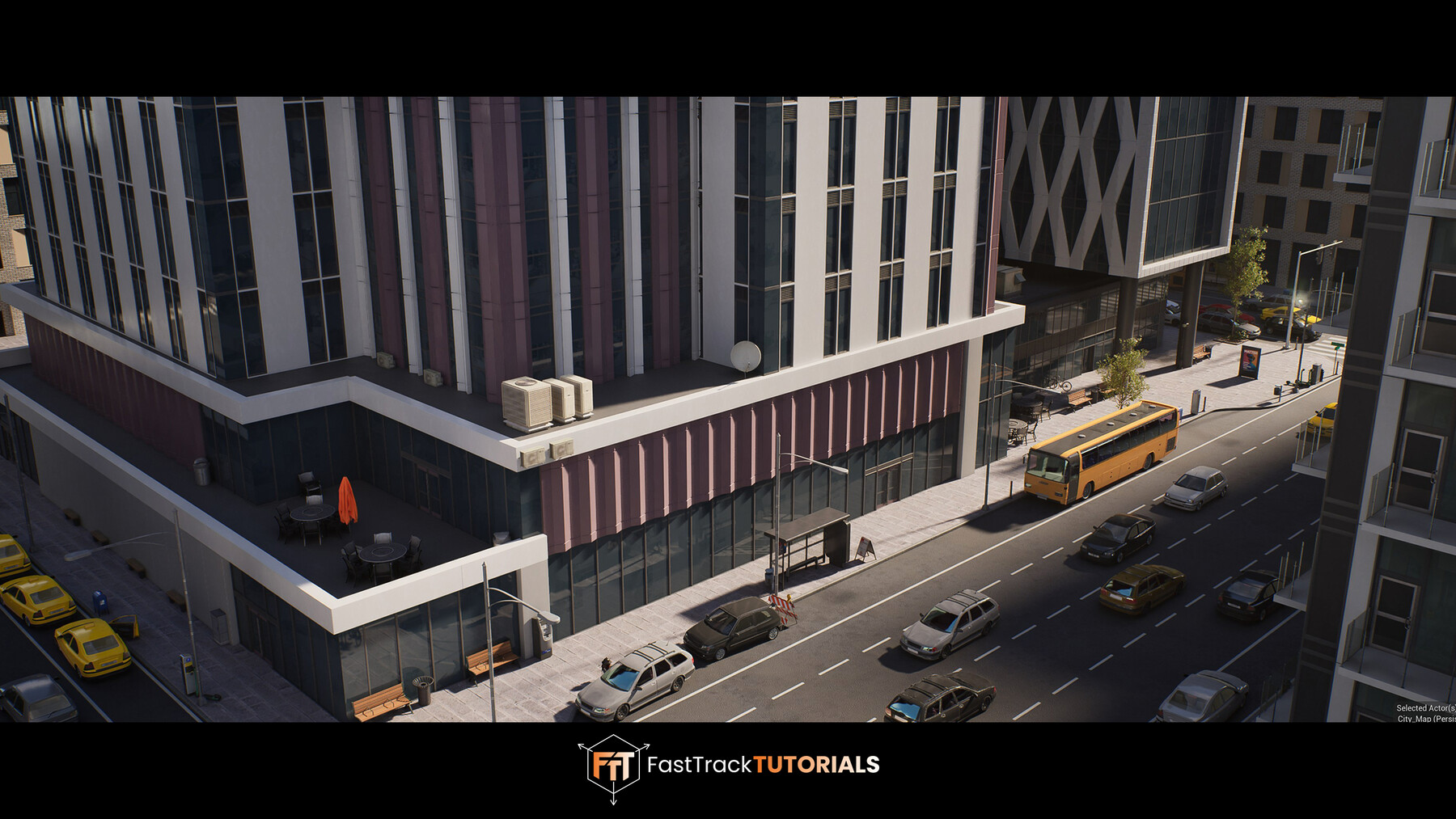
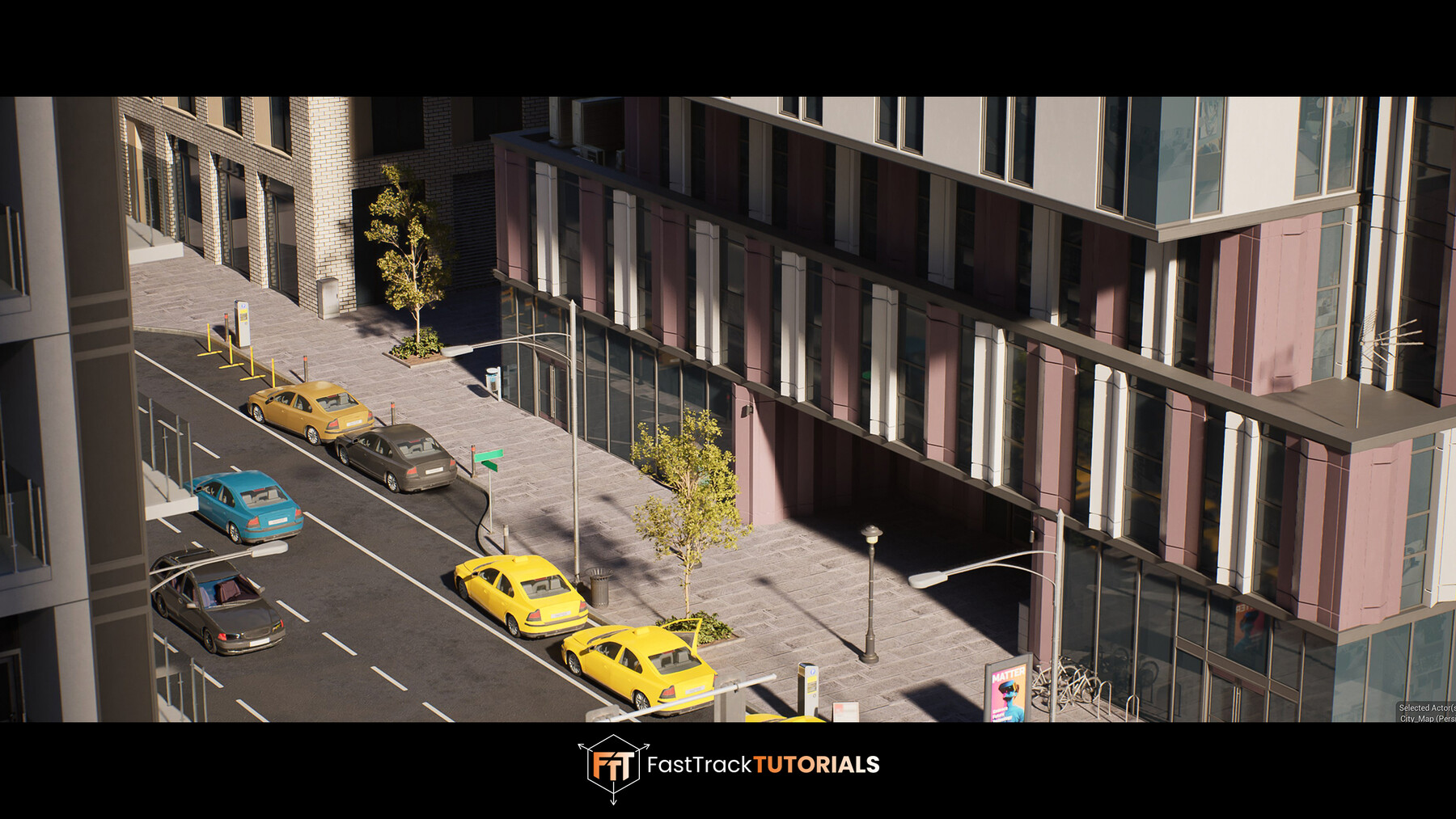
Creating City 3D Environments for Games
Learn how a professional 3d environment artist works when creating large city environments for games. You’ll learn a wide range of techniques from planning projects and defining scale, creating modular buildings, creating efficient 3d assets, creating procedural materials and photo scanned materials, doing level art & lighting in UE, optimizing your project and more!
3DS MAX - SUBSTANCE PAINTER - UNREAL ENGINE
For the modeling of this course we are using 3DS Max, HOWEVER we use universal techniques meaning you can easily replicate our results in your preferred software like blender or maya as long as you know the basics of that software.
We will start the course off by planning our environment and using real-life mapping data to ensure we have a correct layout and scale.
Next, we will work on creating a modular road system and place all our roads in unreal.
After this, We will be creating all of our modular building blockouts and already place them in Unreal Engine to ensure we have every piece we need to create a large city scene.
And once we have a solid looking blockout we go through the process of turning all of our modular blockouts to final meshes.
We will also create any textures we might need from plastic & metal to tarmac using various techniques including procedural texture creating in substance painter and photogrammetry scanning.
We will even create a simple fake interior shader for unreal to make it seem like our buildings have interiors.
Throughout this process we keep going back and forth between Unreal and our other programs to ensure everything is working correctly.
Finally, we will show you how to quickly create and texture assets using Weighted Normals. In this case the model of a bench and after that we will do the final level art of our scene in which we will be using some additional already existing assets and materials.
We will finish the environment off with a quick optimization and polishing chapter.
18+ HOURS!
This course contains over 18+ hours of content – You can follow along with every single step – There is only a minimal amount of timelapses to speed up repetitive parts. At the end of this course you should be extremely efficient in creating city and other 3d environments.
PROJECT FILES
This tutorial comes with all the project files including the buildings and additional assets you see in the scene. (note that not all assets and materials used are made during this tutorial course)
SKILL LEVEL
This course is best for an intermediate skill level, it is essential to have a good understanding of the software listed. We do provide a keyboard shortcut overlay while explaining the process, so hopefully everyone can join along. But without knowing how to use the programs we use it might be difficult to follow along.
TOOLS USED
- 3DS MAX
- Substance 3D Painter
- Substance 3D Designer
- marmoset Toolbag
- Photoshop
- Unreal Engine 5.6+
YOUR INSTRUCTOR
Emiel Sleegers is a lead 3d environment artist and owner of FastTrack Tutorials. He’s worked on games like The Division 2 + DLC at Ubisoft, Forza Horizon 3 at Playground Games, and as a Freelancer on multiple projects as an Environment Artist, Prop Artist and Material Artist.
CHAPTER SORTING
There’s a total of 44 videos split into easy-to-digest chapters. All the videos will have logical naming and are numbered to make it easy to find exactly the ones you want to follow.
SUBTITLES
Subtitles are offered for this tutorial in English, Chinese and Spanish. Please note the subtitles are auto generated and might not always be 100% accurate.
JOIN OUR DISCORD!
https://discord.gg/Uhj6PCjdeX
CATEGORIES
Special Offer! Get 10% off when you buy 2 products. Get 15% off when you buy 3 or more products. Applies to all products from this seller only from USD $29.99 to USD $500.00
Personal License
USD $39.99
License: Standard License
Stock Assets
For personal use and one commercial project (up to 2,000 sales or 20,000 views).
TutorialsOne copy to be used by a single user.
Installable ToolsOne installation by a single user.
Learn MorePerfect for individual artists wanting to learn. Read MoreRead Less
Files (6)
Commercial/Team License
USD $119.99
License: Extended Commercial License
Stock Assets
For use on an unlimited number of commercial projects with no limits on sales or views.
Learn MorePerfect when you work in a team of up to 10 people and want to share this course with your co-workers. Read MoreRead Less
Files (6)
https://artstn.co/m/j7xLr
Copied
More by FastTrackTutorials
![Large 3D Game Environment Creation - In-Depth Tutorial Course [UE5]](https://cdnb.artstation.com/p/marketplace/presentation_assets/002/172/815/20221118092945/thumbnail/file.jpg?1668785382)

Add a tip for FastTrackTutorials
Tips are appreciated, but optional!
