Sign Up with Epic Games
Arabian Shader Pack for Blender — 31 Stylized Materials for Architecture, Props, Terrain & Water

in Resources

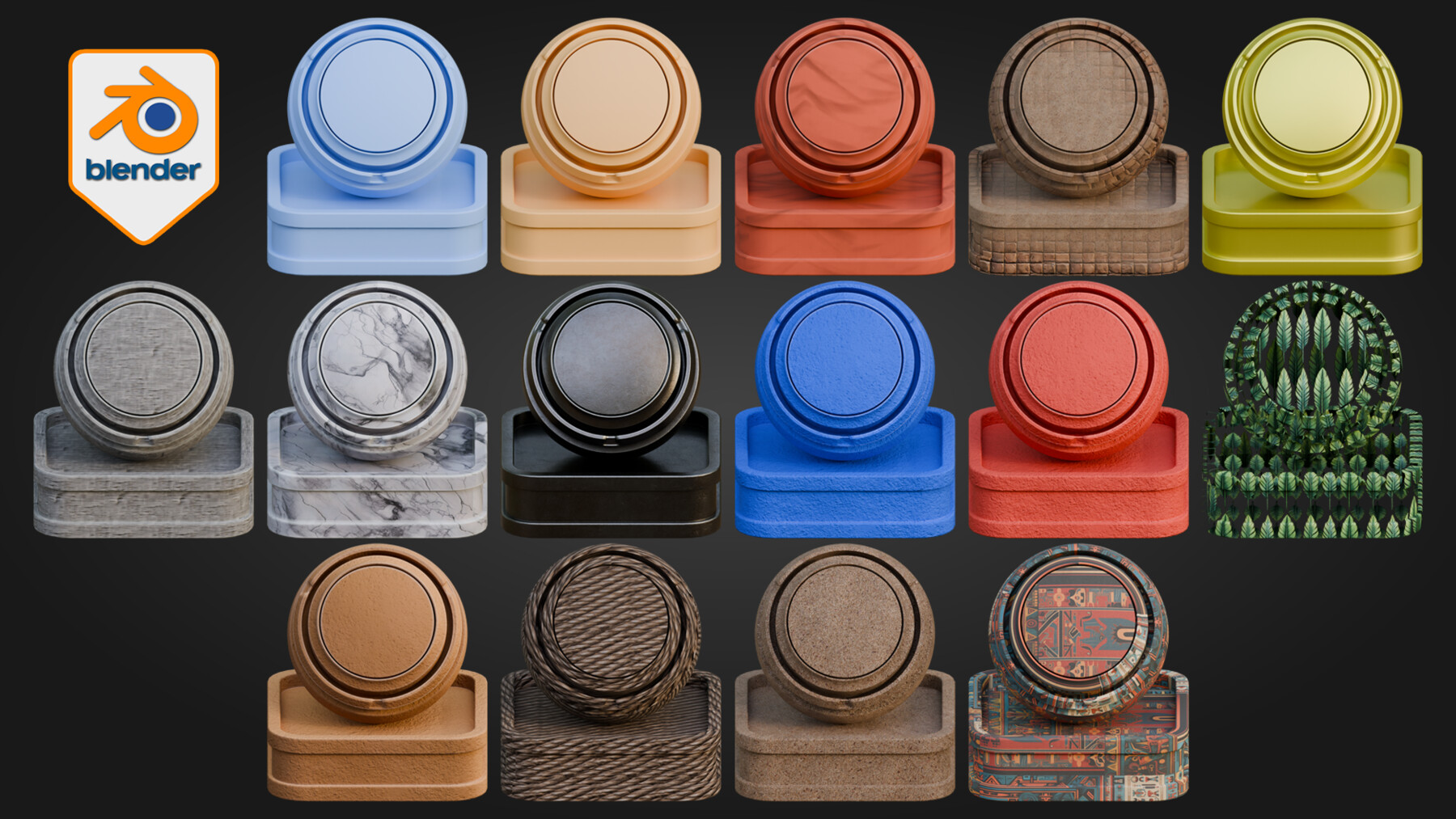

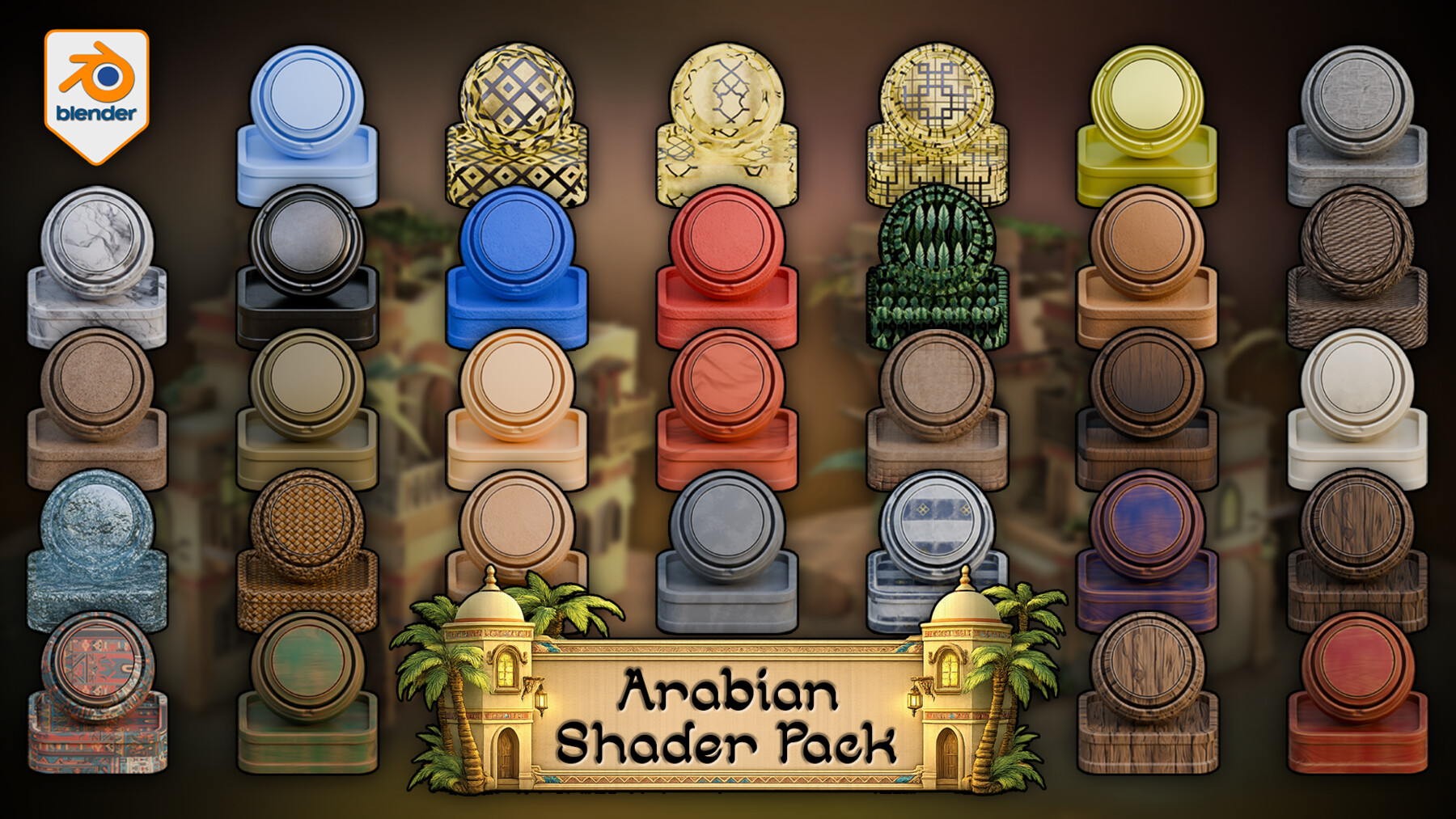
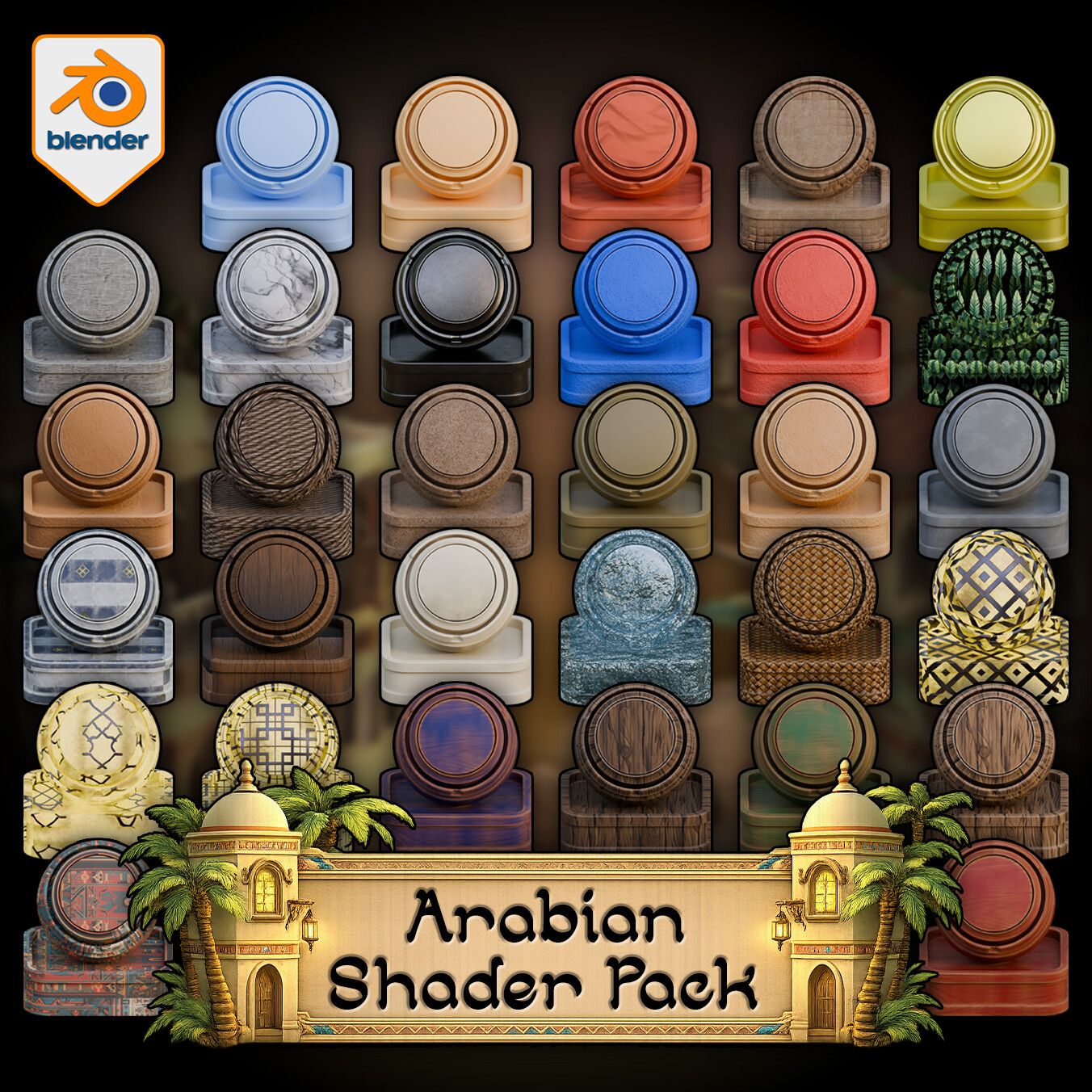
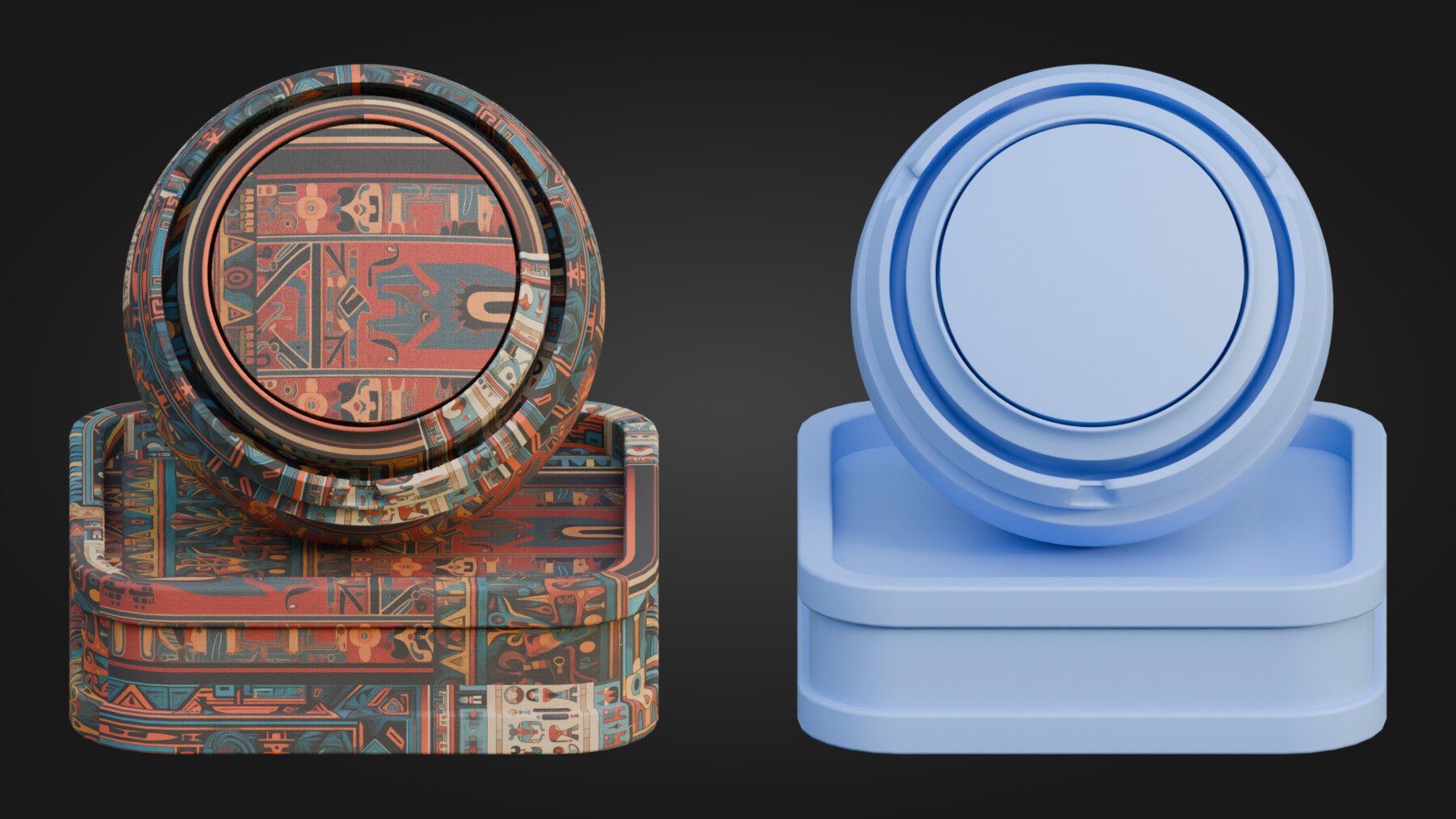
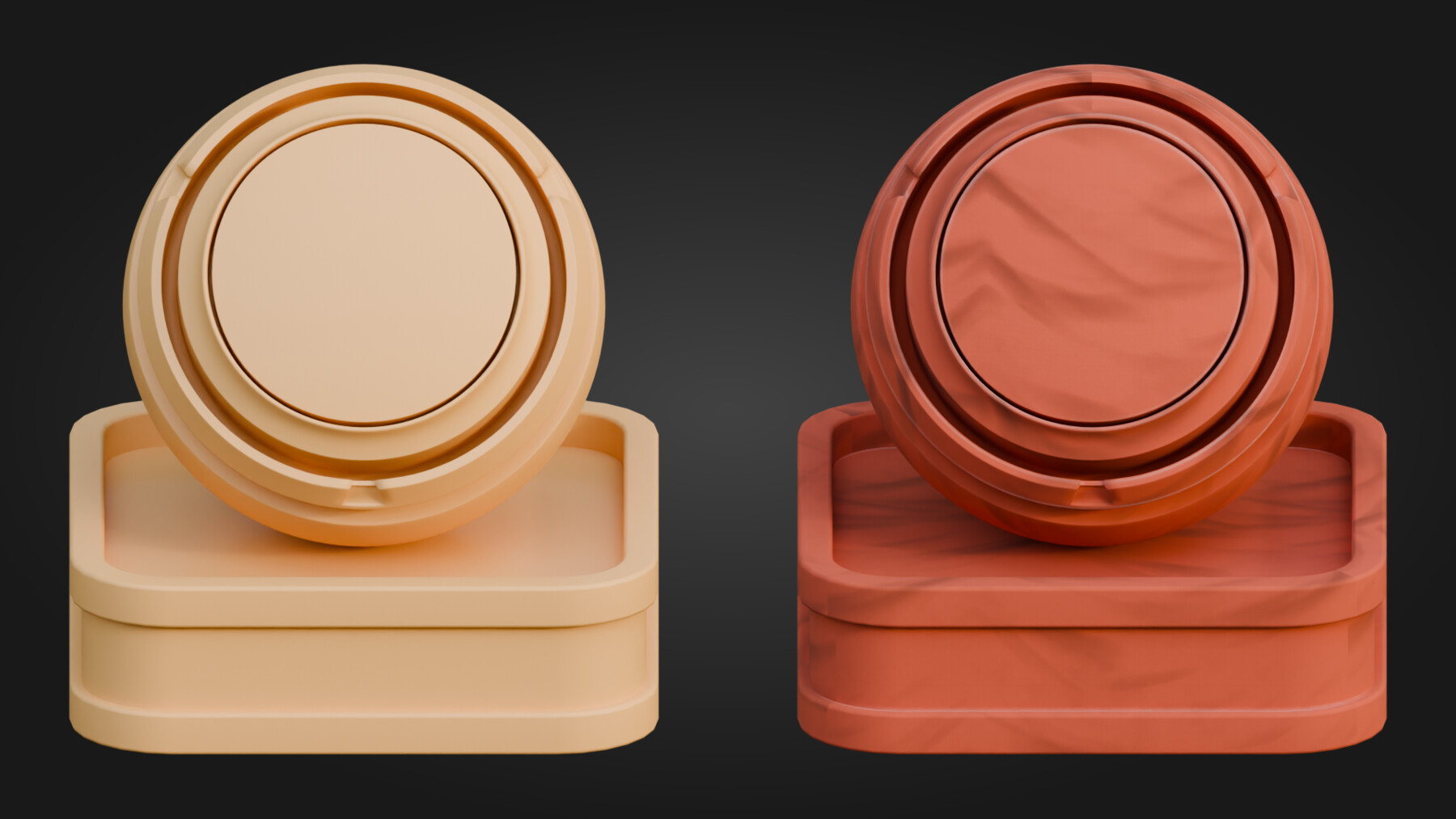


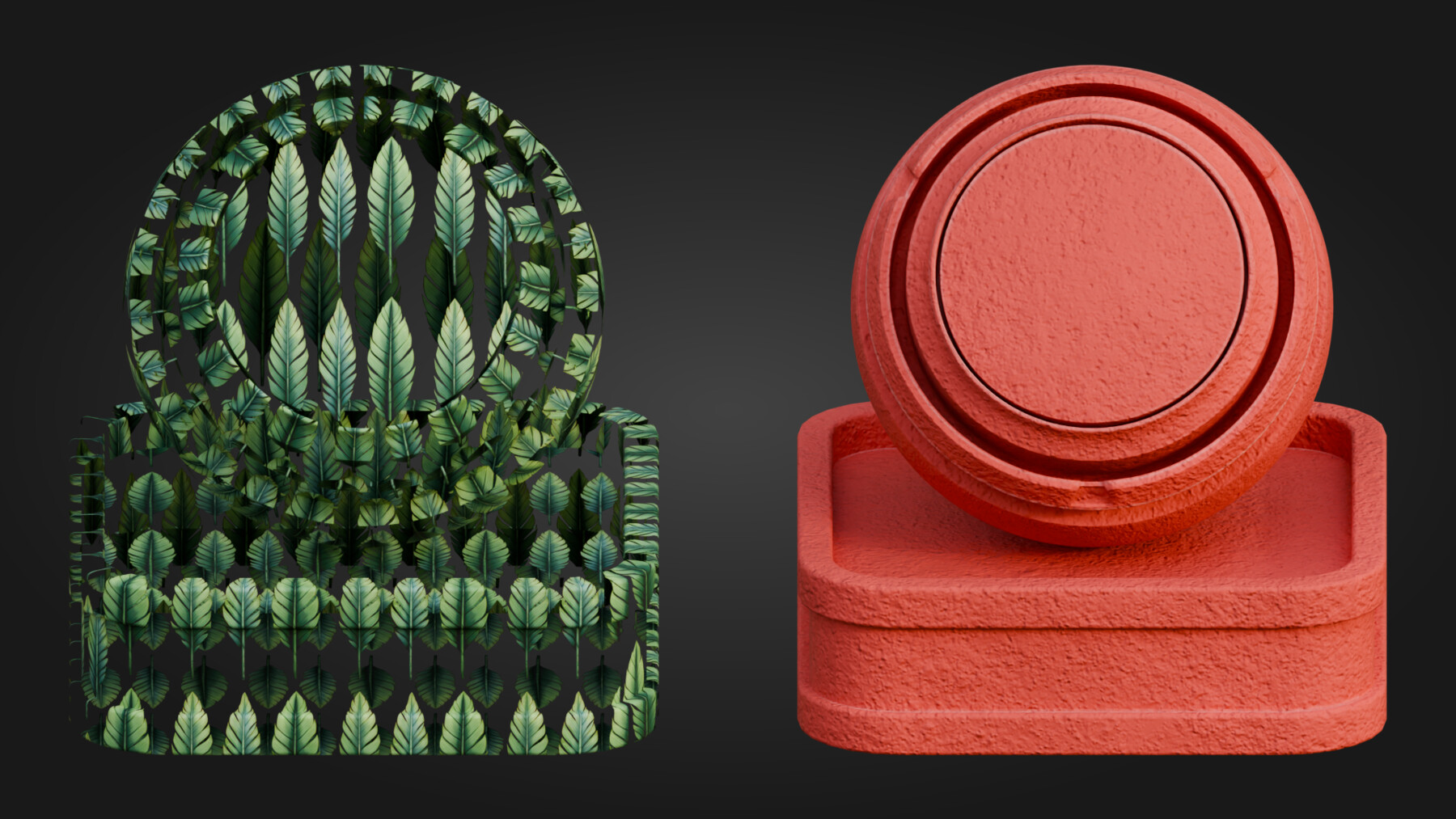
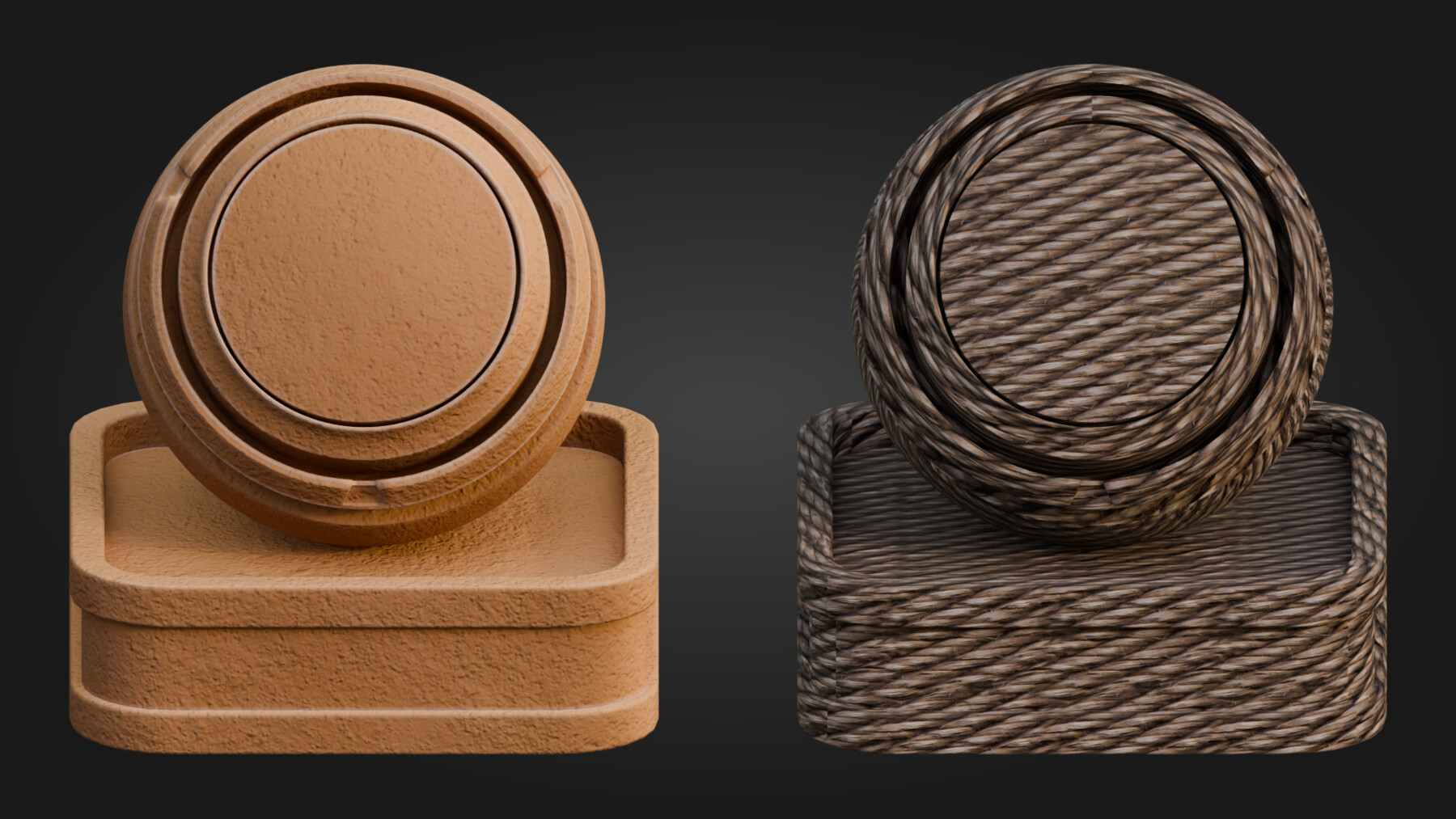
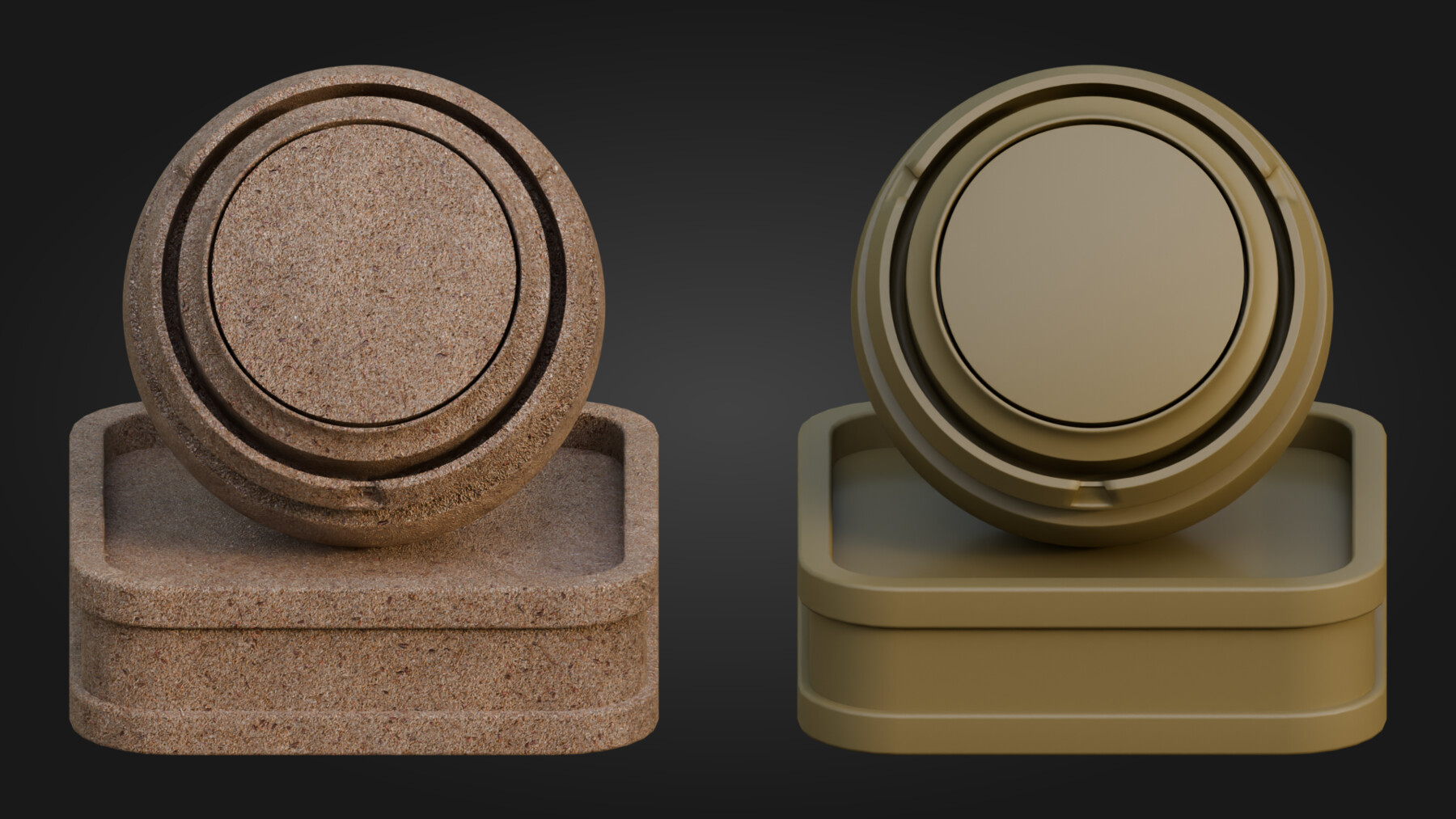
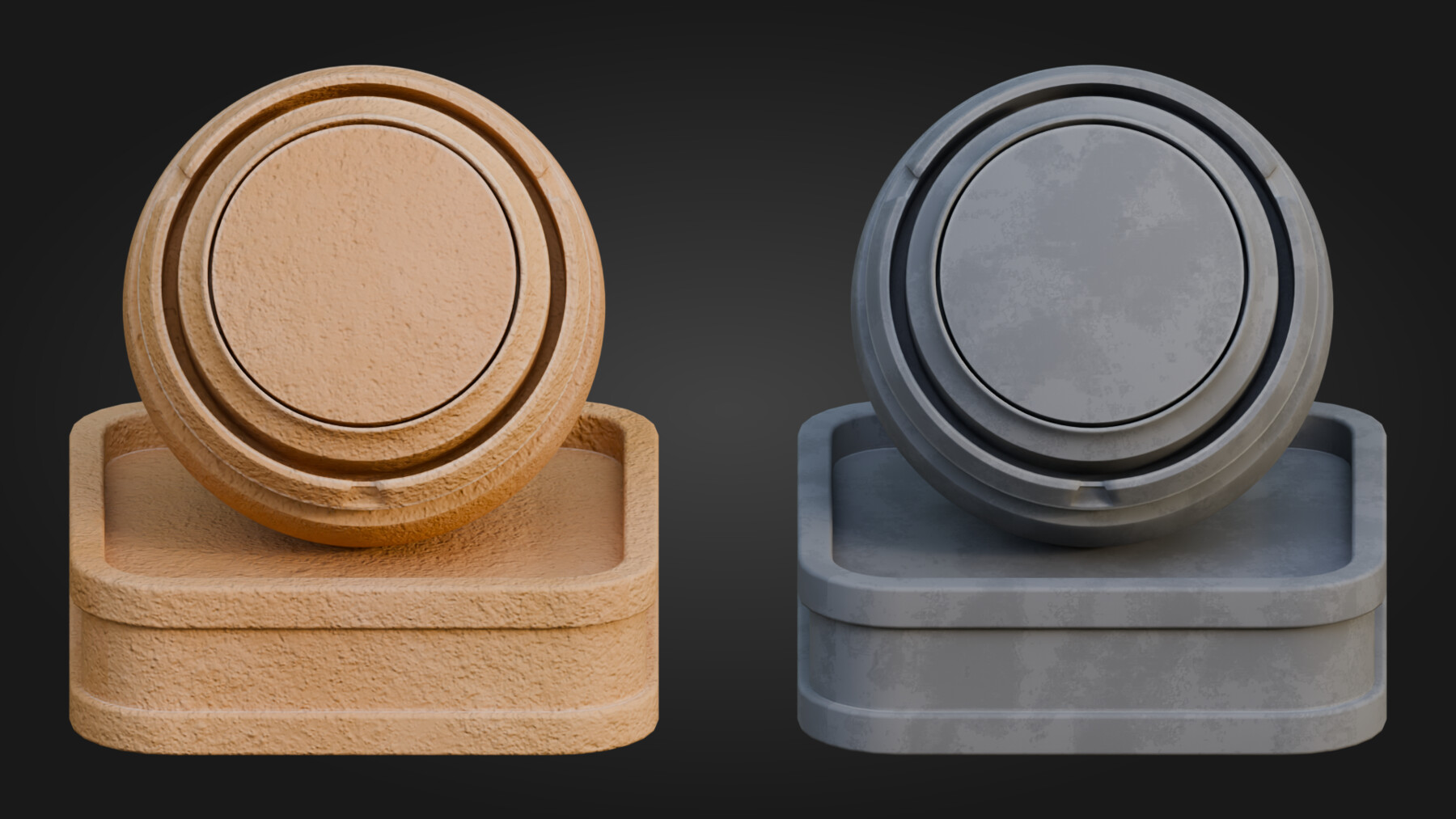

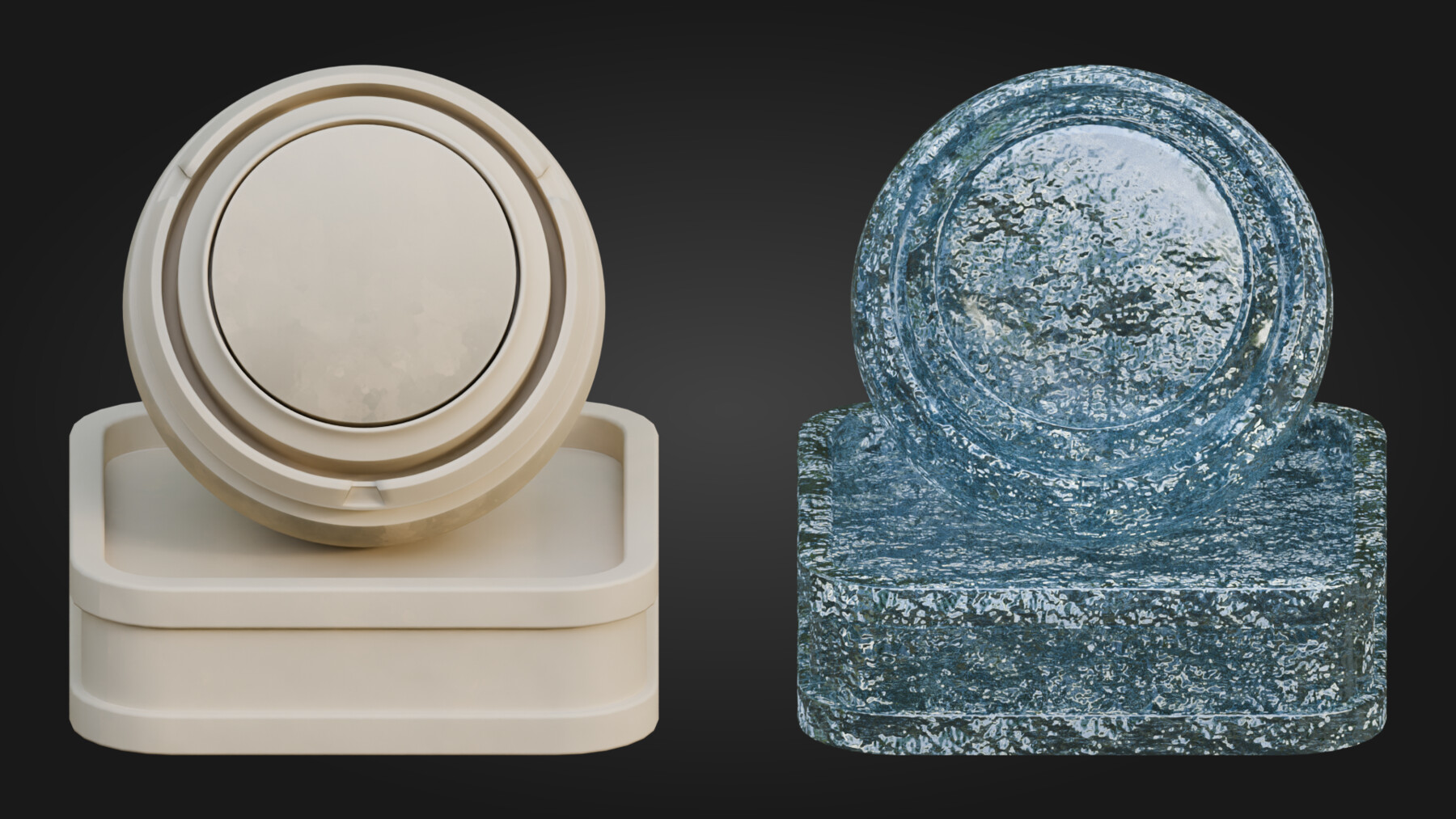




Build richer Arabian-inspired scenes in Blender with one cohesive material library instead of a random stack of unrelated surfaces.
This pack includes 31 verified materials designed to work together across architecture, props, ground treatment, decorative surfaces, foliage, glowing windows, and water. Rather than forcing you to patch a scene together from mismatched shaders, it gives you a controlled stylized library built for stronger visual cohesion and practical reuse inside Blender.
What is included
You get a broad Blender material library built around real scene roles, not just isolated swatches.
Inside the pack:
31 materials in total
24 texture-based materials
1 fully procedural water shader
4 intentionally simple solid-colour materials
13 materials with automatic edge wear
4 displacement-enabled materials
1 alpha-cutout foliage material
3 emissive window shaders
Adjustable tiling on all textured materials
Material coverage
The pack covers the surfaces that do the heavy lifting in a stylized Arabian scene:
Painted woods and natural woods
Stone, marble, walls, and decorative architectural finishes
Rope, weave, sand, and ground surfaces
Patterned ornamental materials for trims, panels, and focal accents
Palm leaves with alpha cutout support
Lit window shaders for instant interior glow
Fully procedural water for scene support without tiling artifacts
That spread is what makes the pack useful. Some materials are deliberately simple for blocking and quieter support areas. Others are more layered and are designed to carry visual weight on beams, trims, doors, panels, courtyards, and hero props. That balance helps you build a scene with hierarchy rather than ending up with thirty-one materials all fighting for the same attention.
Key features
Automatic edge wear on 13 materials
Edges and corners pick up wear, chipping, and breakup automatically, so surfaces start behaving more naturally the moment you apply them.
Layered painted wood shaders
The painted wood materials are not flat colour swaps. Paint wears through to reveal the timber beneath, which gives them much stronger behaviour on trims, props, beams, and architectural accents.
Displacement where it matters
Sand, rope, weave, and the floor material use displacement for real surface depth, helping key surfaces hold up better in close and medium shots.
Emissive window shaders
Three glowing window materials help add quick mood and interior light accents to buildings and scene edges.
Alpha-cutout foliage
Palm Leaves includes transparency support for leaf cards and billboard-style foliage use.
Procedural water shader
The water material is fully procedural and combines refraction, transparency, emission, noise-driven variation, and displacement for a cleaner result on larger surfaces where obvious texture repetition would quickly break the illusion.
Node & Control Highlights
A few of the most useful controls in the pack:
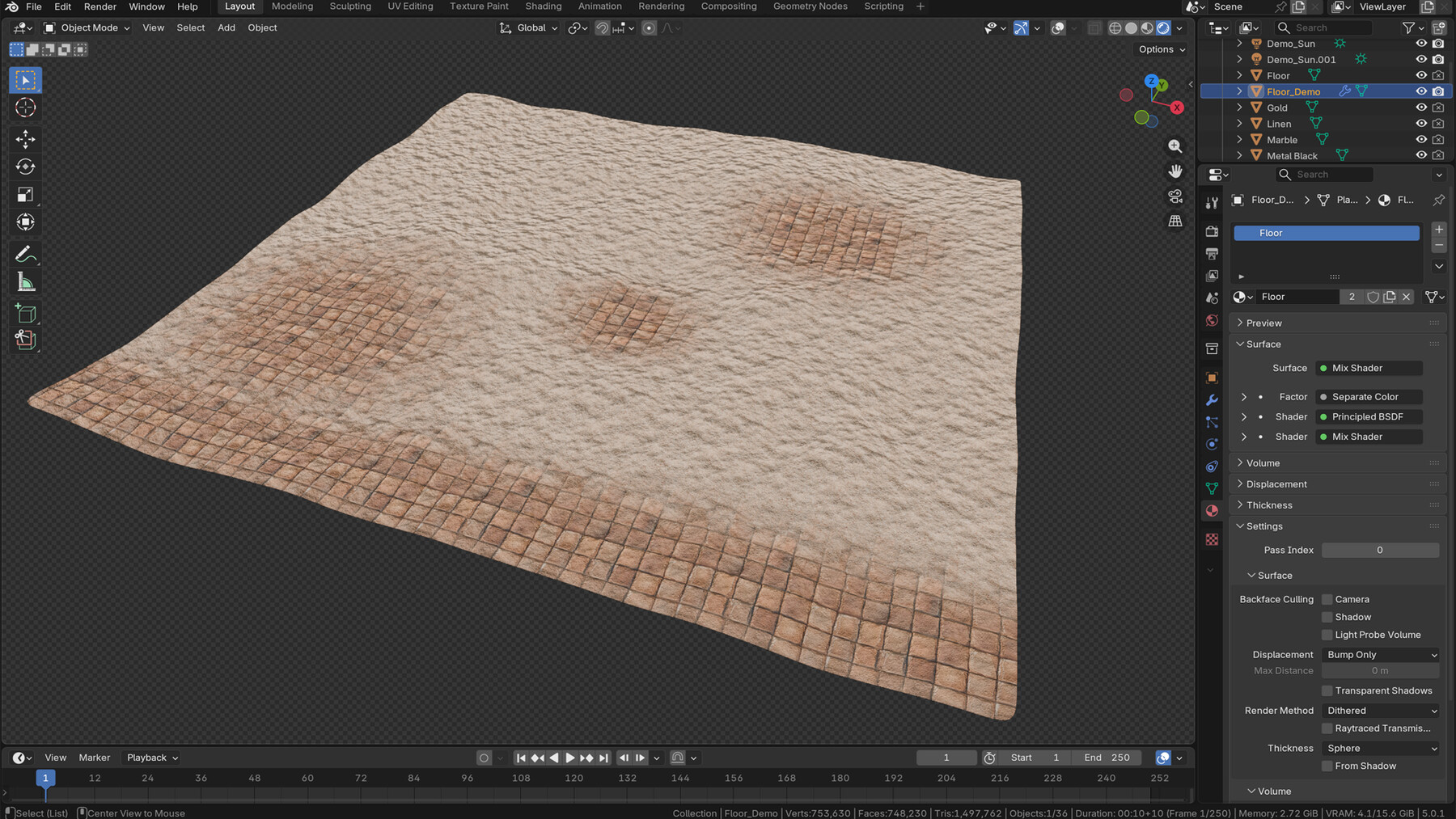
Floor shader
Red channel reveals stylized stone tiles through sand
Blue channel controls visibility
Green and Alpha are left free for custom use
Tiling can be adjusted
Displacement and normal strength can be tuned for stronger or softer ground depth
Procedural water shader
Water colour can be adjusted
Wave scale is driven by procedural noise and Musgrave settings
Transparency amount can be changed
Refraction strength can be tuned
Glow and displacement can be adjusted to fit calmer or more active water surfaces
These are practical controls, not buried technical extras. They are what make the pack more adaptable once you start using it across different Blender scenes.
Standout workflow feature: paint-on terrain blending
The floor shader is the standout workflow material in the pack.
It lets you paint directly onto your mesh in Blender to reveal stylized stone tiles through sand in real time. Blue controls visibility, Red controls the sand-to-tile blend, and Green plus Alpha are left free for custom use.
That makes it especially useful for courtyards, thresholds, walkways, and larger ground planes where a single flat surface quickly becomes dull. Instead of building a separate masking workflow, you can paint the transition directly in Blender and update the result live in the viewport.
Why this pack works in real scenes
A material pack is only useful if the surfaces still hold together once they leave the preview stand.
That is where this library is strongest. The simpler materials keep quieter areas under control, the layered hero materials give focal surfaces real character, and the atmosphere-support shaders help extend the pack into full scene building rather than object surfacing alone.
Performance & Scene Use
This pack works best when used as a controlled Blender material library rather than a challenge to use every shader at once. The simpler solids and standard textured materials are ideal for quieter support areas, while the more layered materials are better used on focal architecture, trims, entrances, and hero props. Adjustable tiling helps the same materials scale more cleanly across different assets, and displacement is there for the surfaces that genuinely benefit from extra depth rather than being forced onto everything by default.
If you want a stylized Blender material pack for Arabian-inspired architecture, props, courtyards, trims, foliage, and water, this is built to give you a more coherent starting point than mixing unrelated shaders from different sources.
Watch the video preview above, then check the live listing details below for the final delivery structure, licensing, and pricing once those fields are set.
CATEGORIES
Special Offer! Get 20% off when you buy 2 products. Get 35% off when you buy 3 or more products. Applies to all products from this seller only from USD $1.00 to USD $100.00
Standard License
USD $9.99
License: Standard License
Stock Assets
For personal use and one commercial project (up to 2,000 sales or 20,000 views).
TutorialsOne copy to be used by a single user.
Installable ToolsOne installation by a single user.
Learn MoreFor personal use and one commercial project (up to 2,000 sales or 20,000 views). Read MoreRead Less
Files (3)
Commercial License
USD $19.99
License: Standard License
Stock Assets
For personal use and one commercial project (up to 2,000 sales or 20,000 views).
TutorialsOne copy to be used by a single user.
Installable ToolsOne installation by a single user.
Learn MoreFor use on an unlimited number of commercial projects with no limits on sales or views. Read MoreRead Less
Files (3)
https://artstn.co/m/KbNxA
Copied
More by 3D Tudor


Add a tip for 3D Tudor
Tips are appreciated, but optional!