Sign Up with Epic Games


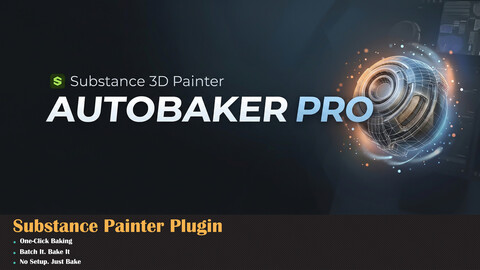
⚡ AutoBaker Pro v1.0 — Substance Painter Bake Automation🔥 Stop Baking One by One. Automate Your Entire Asset Library.😩 The Old Way
Open Substance Painter → Import low poly → Load high poly → Set bake settings → Bake → Export textures → Close project → Open new project → Do it all again...
For every. Single. Model.
🚀 The AutoBaker Pro Way
Select your meshes → Hit BAKE → Done. ✅
Or drop an entire folder → Hit BATCH BAKE → Go grab a coffee. ☕
✨ Features⚡ One-Click Single Bake
Select your High Poly and Low Poly, pick your channels, click BAKE. Normal, AO, Curvature, Height and more — all baked and exported automatically. No manual setup needed.
📦 Batch Bake Entire Libraries
Point to a folder full of assets. AutoBaker Pro finds every high/low pair, bakes them all one by one, and saves textures right next to your source files. 10 models or 100 — same one click.
🧠 Smart Pair Detection
No strict naming rules. The plugin auto-detects all common conventions:
- Asset_Low.fbx + Asset_High.fbx
- Asset_LP.fbx + Asset_HP.fbx
- Asset_Lowpoly.fbx + Asset_Highpoly.fbx
- Asset_Lo.fbx + Asset_Hi.fbx
- Asset_lores.fbx + Asset_hires.fbx
- Asset_game.fbx + Asset_source.fbx
- And many more! 🔍
📁 Recursive Subfolder Scanning
Your assets organized in subfolders? No problem. AutoBaker Pro scans all subfolders and finds pairs everywhere.
💾 Save Next to Source
Enable "Save textures next to source files" and textures land in a Baked_Textures folder right beside your FBX/OBJ files. Clean. Organized. Ready to use.
🎛️ Full Bake Control
Every important setting at your fingertips:
✅ Resolution — 512 / 1024 / 2048 / 4096 / 8192 ✅ Dilation — Padding around UV islands ✅ Apply Diffusion — Edge smoothing ✅ Max Frontal / Rear Distance — Ray casting range ✅ Relative to Bounding Box ✅ Average Normals ✅ Ignore Backface ✅ Match — Always / By Mesh Name ✅ AO Rays — Quality control ✅ AO Min/Max Occluder Distance
🗺️ 10 Bake Channels
✅ Normal Map ✅ World Space Normal ✅ ID Map ✅ Ambient Occlusion (AO) ✅ Curvature ✅ Position ✅ Thickness ✅ Height ✅ Bent Normals ✅ Opacity
📤 Multiple Export Formats
✅ PNG ✅ TGA ✅ EXR ✅ TIFF ✅ JPG
🖥️ Requirements
- 🟢 Adobe Substance 3D Painter 11.0+
- 🟢 Windows / macOS
📥 Installation
- Copy AutoBaker_Pro.py to:Documents/Adobe/Adobe Substance 3D Painter/python/plugins/
- Restart Substance Painter
- Plugin appears as dockable panel ✅
🎯 Perfect ForUse CaseHow AutoBaker Pro Helps🎮 Game Asset ProductionBatch bake entire prop libraries in minutes🏛️ ArchvizBake AO and Normal maps for architectural details🎬 Film / VFXAutomate texture pipeline for large scene builds📦 Asset Store CreatorsBake textures for all your products fast🎓 Students / LearnersSimple UI, no complex setup needed💬 Why AutoBaker Pro?
"High poly + Low poly → Baked textures. Done."
"One model or a hundred — same one click."
"No setup. Just bake."
Release Notes
What's New in v1.1
- Substance Painter 12 Support — Fully compatible with SP 12
CATEGORIES
Special Offer! Get 10% off when you by 2 and more products. Applies to all products from this seller only from USD $20.00 to USD $100.00
Standard License
USD $12.00
License: Standard License
Stock Assets
For personal use and one commercial project (up to 2,000 sales or 20,000 views).
TutorialsOne copy to be used by a single user.
Installable ToolsOne installation by a single user.
Learn MoreIncludes a full license for both commercial and non-commercial use with no limitations. Read MoreRead Less
Files (2)
Studio License
USD $38.00
License: Extended Commercial License
Stock Assets
For use on an unlimited number of commercial projects with no limits on sales or views.
Learn MoreCommercial license for studios and teams, with no limit on the number of studio members or seats. Read MoreRead Less
Files (2)
https://artstn.co/m/WjjrB
Copied
More by Milad Kambari


Add a tip for Milad Kambari
Tips are appreciated, but optional!