Sign Up with Epic Games
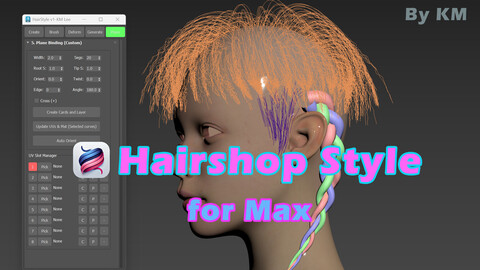
Hairshop Style for Max - Hair curve and card tool

in Resources



Discord - https://discord.gg/Wn7WnvHn
Youtube - https://www.youtube.com/@HairshopCG
I have been creating characters for over 20 years, and I have used almost every hair tool out there. Based on my experience, I have gathered all the essential features that artists actually need when working on hair. I am confident that with this tool alone, you will be able to create hair very quickly, easily, and have fun doing it!
저는 20년 넘게 케릭터를 제작하고 있습니다. 그리고 여러가지 헤어툴들을 모두 사용해봤습니다. 그래서 이를 바탕으로 실제 아티스트가 헤어 작업할때 필요한 기능들을 다 모아두었습니다. 이 툴만 있으면 아주 빠르고 쉽게 헤어를 재미있게 제작하실수있을 거라고 확신합니다.
How to Install (Installation Guide)
Step 1. Run the Installer
Unzip the downloaded file. Make sure both HairStyle_Core.mse and Install_HairStyle.ms are in the same folder.
Open 3ds Max.
Drag and drop the Install_HairStyle.ms file directly into the 3ds Max viewport.
Step 2. Add to Your Toolbar
Go to the top menu and click Customize > Customize User Interface...
Go to the Toolbars tab.
Open the Category drop-down menu, scroll down, and select KMLee_Tools.
You will see HairStyle in the list below.
Click and drag HairStyle onto any of your Max toolbars to create a quick access button.
인스톨 방법
Step 1: 압축을 풀고 두 파일이 같은 폴더에 있는지 확인하세요.
맥스를 켜고 Install_HairStyle.ms 파일을 뷰포트에 드래그 앤 드롭하세요.
Step 2: 상단 메뉴의 Customize > Customize User Interface로 들어갑니다.
Toolbars 탭을 누르고, Category 목록에서 KMLee_Tools를 찾습니다.
아래에 나온 HairStyle을 마우스로 끌어서 툴바 빈 곳에 놓으면 버튼이 완성됩니다! (단축키나 쿼드 메뉴에 등록해서 쓸 수도 있습니다.)
HairStyle v1.0 - The Ultimate Real-Time Hair Card & Grooming Tool for 3ds Max
Create game-ready hair in minutes, not hours. HairStyle v1.0 is a complete, lightweight, and highly optimized hair pipeline tool designed specifically for 3D character artists. From initial curve generation to real-time hair card binding, everything you need is packed into one intuitive interface. No extra plugins required!
Whether you are creating stylized hairstyles, realistic grooms, or complex braids, HairStyle will drastically speed up your workflow.
🔥 Key Features1. Intuitive Curve Creation
Plant Curve: Draw hair guide curves directly onto your selected scalp mesh with gravity support.
Short & Feather: Automatically generate mass hair curves on selected faces in one click. Perfect for fade cuts, animal fur, or short facial hair.
Bridge & Rebuild: Seamlessly bridge gaps between curves and easily adjust knot counts for perfect detail control.
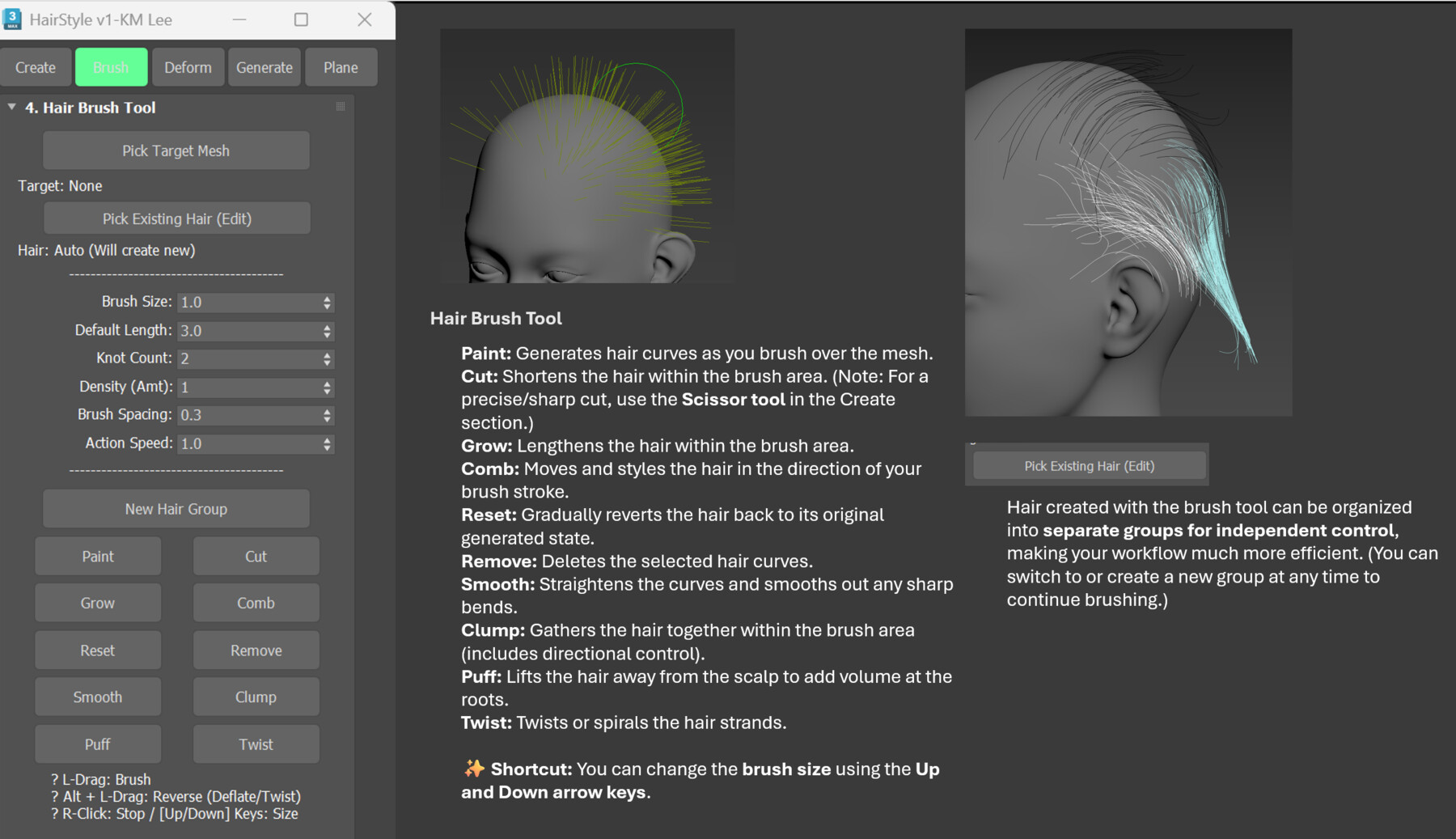
2. Interactive Viewport Brush Grooming
Sculpt your hair like clay! Work directly in the viewport with a camera-facing circular brush.
10+ Brush Modes: Paint, Comb, Smooth, Puff, Twist, Cut, Grow, Clump, and more.
Hotkey Support: Instantly resize your brush using the [Up] / [Down] arrow keys. Hold [Alt] to reverse the brush effect.
3. Advanced Deformers
Add organic realism and volume to your grooms instantly.
Clumping & Group Clumping: Gather strands into natural clusters.
Noise, Wave & Frizz: Add rhythmic curls, frizz, and random variations.
Target Clump: Magnetically pull hair tips toward a specific target mesh.
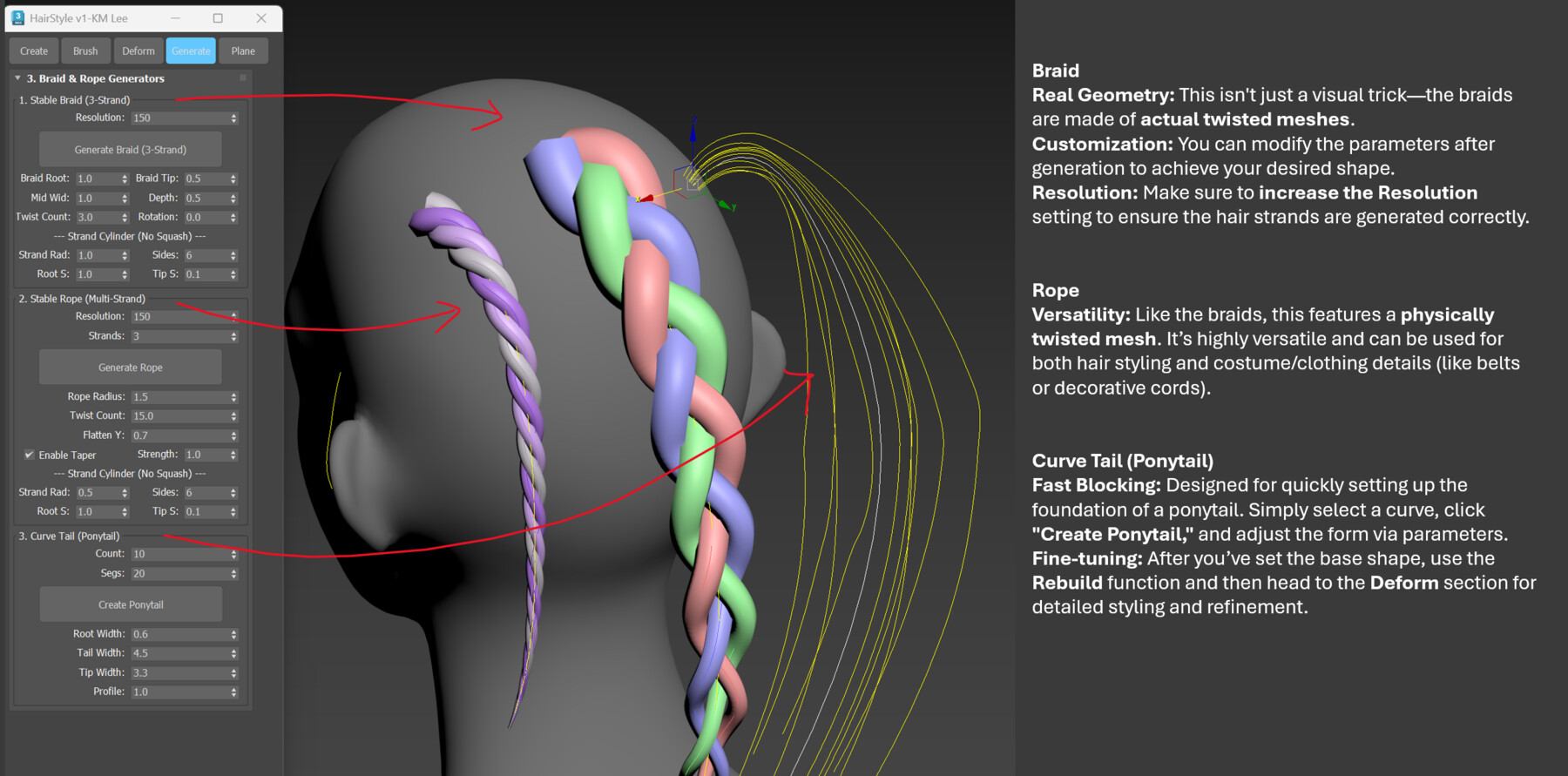
4. 1-Click Generators (Braid & Rope)
Stop modeling complex braids by hand!
Stable Braid: Generates actual intertwined 3-strand 3D meshes (not just visual tricks).
Rope & Ponytail: Instantly create twisted rope meshes or radial ponytails. Great for character hair and clothing details!
5. Real-Time Hair Card Binding (✨ The Game-Changer)
The fastest way to create game-ready hair cards.
Real-Time Update: Bind polygon planes to your curves. When you brush or modify the guide curves, the hair cards deform and update in real-time!
Auto Orient: Automatically rotates all hair cards to face outward from the scalp for optimal camera viewing.
UV Slot Manager: Easily assign your hair textures to numbered slots and manage multi-layered hair setups effortlessly.
🚀 Why choose HairStyle v1.0?
100% Native MaxScript: No external plugins (like Ornatrix or HairFarm) are needed.
Lightweight & Fast: Optimized for heavy scenes and high curve counts.
💻 Compatibility
Autodesk 3ds Max 2022 ~ 2026+ (Tested and optimized on 2024)
Get HairStyle v1.0 today and level up your character grooming pipeline! 🎨✨
🇰🇷 한국어 소개 (Korean Description)
단 몇 분 만에 게임용 헤어 모델링을 완성하세요.
HairStyle v1.0은 3D 캐릭터 아티스트를 위해 특별히 설계된 가장 가볍고 직관적인 3ds Max 전용 헤어 파이프라인 툴입니다. 초기 커브 생성부터 실시간 헤어 카드(Plane) 바인딩까지, 무거운 외부 플러그인 없이 이 툴 하나로 모든 작업이 가능합니다.
🔥 주요 기능
직관적인 커브 생성: 두피 메쉬 위에 직접 선을 그리거나, 선택한 면(Face)에 수많은 잔머리를 원클릭으로 자동 생성합니다.
뷰포트 브러쉬 툴: 빗질(Comb), 부풀리기(Puff), 꼬기(Twist), 자르기(Cut) 등 10가지 이상의 브러쉬 모드를 지원합니다. 포토샵처럼 단축키로 크기를 조절하며 직관적으로 뷰포트에서 그루밍하세요.
강력한 형태 변형 (Deform): 자연스러운 머리 뭉침(Clumping), 웨이브(Wave), 잔머리 노이즈(Frizz) 효과를 클릭 한 번에 적용합니다.
원클릭 메쉬 생성기: 수작업으로 만들기 힘든 3가닥 땋은 머리(Braid)와 밧줄, 포니테일 형태의 3D 메쉬를 즉시 생성합니다.
실시간 헤어 카드 바인딩 (✨ 핵심 기능): 스플라인을 따라 폴리곤 플랜(Plane)을 생성합니다. 브러쉬로 선의 형태를 수정하면 헤어 카드의 모양이 실시간으로 따라 변형됩니다. 카드가 항상 두피 바깥을 향하도록 자동 정렬(Auto Orient)하는 기능도 포함되어 있습니다.
💡 장점 및 호환성
플러그인 불필요: 100% 맥스 자체 스크립트로 구동되어 매우 가볍고 빠릅니다.
호환 버전: 3ds Max 2022 ~ 2026+ 완벽 지원
CATEGORIES
Single User License (Commercial Use)
USD $27.00
License: Standard License
Stock Assets
For personal use and one commercial project (up to 2,000 sales or 20,000 views).
TutorialsOne copy to be used by a single user.
Installable ToolsOne installation by a single user.
Learn MoreThis is a one-time purchase for a LIFETIME license (Not a subscription).
This license is for Indie Studios or small teams with up to 10 artists/users.
You can:
- Share and use this tool internally within your studio (up to 10 seats).
- Use it for unlimited commercial projects (Games, Animations, VFX, etc.).
You cannot:
- Resell, repackage, share, or distribute the script/tool outside of your studio/team. Read MoreRead Less
Files (1)
Indie Studio License (Up to 10 Users)
USD $139.00
License: Extended Commercial License
Stock Assets
For use on an unlimited number of commercial projects with no limits on sales or views.
Learn MoreThis is a one-time purchase for a LIFETIME license (Not a subscription).
This license is for Indie Studios or small teams with up to 10 artists/users.
You can:
- Share and use this tool internally within your studio (up to 10 seats).
- Use it for unlimited commercial projects (Games, Animations, VFX, etc.).
You cannot:
- Resell, repackage, share, or distribute the script/tool outside of your studio/team. Read MoreRead Less
Files (1)
Studio License (Unlimited Users)
USD $349.00
License: Extended Commercial License
Stock Assets
For use on an unlimited number of commercial projects with no limits on sales or views.
Learn MoreThis is a one-time purchase for a LIFETIME license (Not a subscription).
This license is for medium to large companies, studios, or teams.
You can:
- Share and use this tool internally within your studio with UNLIMITED seats.
- Use it for unlimited commercial projects (Games, Animations, VFX, etc.).
You cannot:
- Resell, repackage, share, or distribute the script/tool outside of your studio/company. Read MoreRead Less
Files (1)
https://artstn.co/m/PBO99
Copied
More by Kyoungmin Lee ( KM )
Add a tip for Kyoungmin Lee ( KM )
Tips are appreciated, but optional!