Sign Up with Epic Games
Blender 5 & Unreal Engine 5.7: Stylized Haunted Street Modular Kit Workshop

in Tutorials



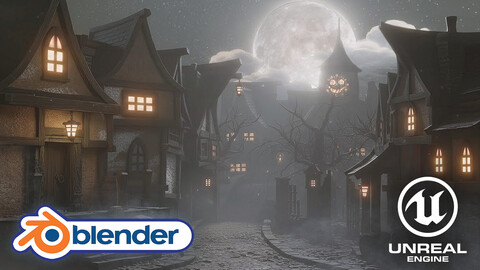
Build a Blender modular kit that actually fits, then finish the full street in Unreal with Landmass, Water, PCG, Lumen, and fog.
Your modular environment should not turn into a pile of almost-matching parts the moment you try to build a full street.
Answer Capsule (2026 pipeline TL;DR):
Blender 5 and Unreal Engine 5.7 form the complete 2026 stylized environment pipeline. This workshop teaches you to build an efficient modular kit using the 20-Material Rule mindset and export via GLB/glTF 2.0 for a clean handoff into Unreal’s modern toolset: Landmass, Water, PCG, Lumen, vertex painting, and volumetrics. The result is a finished haunted street with a Money Shot camera move.
The core problem (the uncomfortable middle bit)
A lot of artists can build a single nice-looking building. Then they try to extend it into a street… and everything falls apart:
- walls that almost align until you rotate them
- scale that drifts from asset to asset
- UVs that look fine until repetition starts shouting
- materials that feel like they came from five different worlds
- lighting and fog that never quite “locks”
This workshop is designed to fix that middle bit. Not with vague theory, but with a repeatable pipeline you can apply to any theme.
What you will build
By the end, you will have:
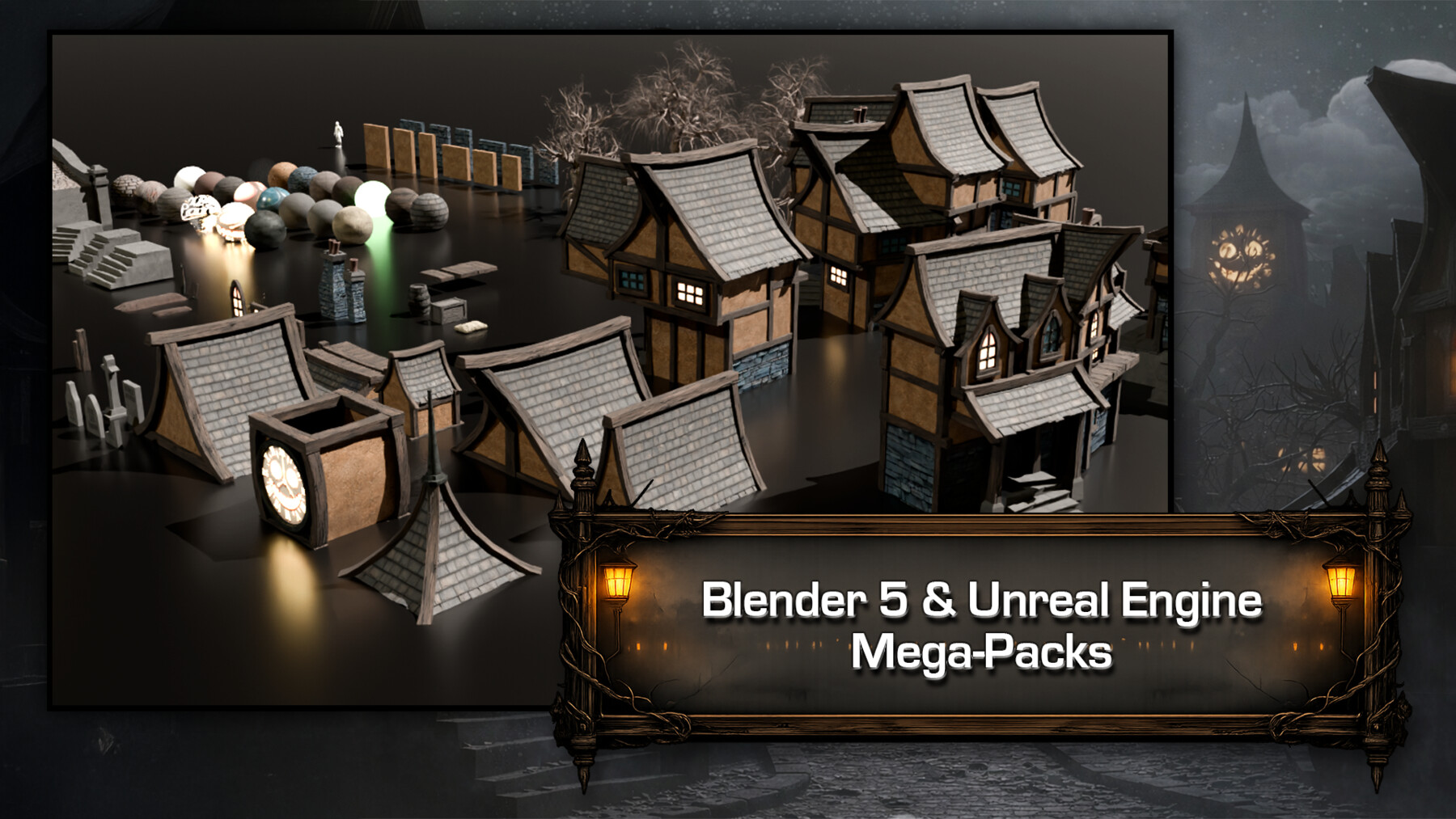
- A Blender-made stylized haunted street modular kit designed to fit together cleanly at street scale
- A complete Unreal Engine 5.7 environment: terrain + river, street assembly, procedural dressing, foliage, mood lighting, fog and atmospherics
- A short Money Shot camera move that presents the street as a portfolio-ready establishing shot
The 50/50 workflow (two instructors, one pipeline)
This is a strict 50/50 course: Blender 5 for creation and kit discipline, Unreal Engine 5.7 for world-building, lighting, and final presentation.
Blender 5 Phase – Taught by Neil (3D Tudor)
In the Blender phase, we focus on the decisions that make modular sets succeed:
- Modular logic that stays stable when you duplicate, rotate, and extend
- Clean modelling habits that scale across dozens of parts
- Controlled stylisation (wonk with intent, not chaos)
- UV discipline, texel density consistency, and materials that read as one world
- Export prep that prevents engine pain later: pivots, transforms, naming, normals
- GLB/glTF 2.0 handoff so the kit arrives in Unreal predictably
Unreal Engine 5.7 Phase – Taught by Luke
Once the kit is exported, Luke takes over to build the full scene and sell the mood:
- Landscape shaping with Landmass (non-destructive terrain workflows)
- River creation using the Water system
- Vertex painting for grime and variation without material bloat
- PCG (Procedural Content Generation) tools for rule-based street dressing and repetition control
- Lumen lighting for real-time global illumination and believable night mood
- Volumetrics and fog for depth, separation, and atmosphere
- A final establishing shot and Money Shot camera move
What you will learn (high-signal, practical outcomes)
- Build a modular environment kit that stays compatible at street scale
- Keep a stylized look consistent across a full kit (shapes, materials, value contrast)
- UV cleanly, maintain texel density, and prevent “one building looks sharper than the next”
- Export via GLB/glTF 2.0 for a reliable Blender-to-Unreal pipeline
- Assemble a full street scene in Unreal Engine and validate scale and alignment early
- Use Landmass and landscape edit layers to shape a scene that supports composition
- Build a river using the Water system and integrate it into the environment
- Add controlled variation with vertex painting (grime, moss, wear)
- Use PCG and splines to automate repeated placement with art direction intact
- Finish with Lumen, fog, volumetrics, and a cinematic camera move
Included resource pack
You will receive a resource pack designed to keep momentum high:
- Shaders and materials used in the project
- A curated reference bundle (so you are not hunting for direction mid-build)
- Human scale reference for consistent proportions
- Two Geometry Nodes setups: stairs + stone walkway generator
- Sample prebuilt buildings you can use as jumpstarts in Unreal while you build your own variations
Quick glossary (so the tech is never “magic words”)
- GLB/glTF 2.0: a modern format for transferring assets cleanly between Blender and Unreal
- PCG: Procedural Content Generation, rule-based placement for repeated elements
- Lumen: real-time global illumination and reflections in Unreal Engine
- Landmass: landscape tools for shaping terrain forms non-destructively
- Vertex painting: blending variation by painting data directly onto meshes
- Volumetrics: fog and light scattering that adds depth and atmosphere
- Texel density: consistent texture resolution across assets
- Nanite displacement: high-detail surface depth designed to remain efficient in Unreal
Flexible learning paths
- Blender-only: build the kit and render in Blender if you prefer an offline render finish
- Unreal-focused: use the included jumpstart content and focus on world-building, lighting, fog, and presentation inside UE5.7
Requirements
- Blender 5.x recommended
- Unreal Engine 5.7 recommended
- A computer that can run Blender and Unreal comfortably (DX12-capable GPU recommended for UE5 features such as Lumen)
- Basic navigation skills in Blender and Unreal (viewport movement, transform tools, basic UI comfort)
FAQ
Is this beginner friendly?
Yes, if you already know basic navigation in Blender and Unreal. This is a pipeline course, not a first-contact interface tour.
Do I need Substance Painter?
No. The workflow and resources are designed to be “zero friction” without requiring extra software.
Can I reuse this workflow for other themes?
Yes. The whole point is a repeatable pipeline you can apply to haunted villages, fantasy towns, medieval streets, and stylized game worlds.
Does this cover the handoff properly?
Yes. The handoff is the core lesson: build the kit with intent, export it cleanly, then prove it works by finishing the full environment in Unreal.
Happy modelling everyone!
Neil – 3D Tudor
For support, inspiration, and updates, join the 3D Tudor community and unlock the full potential of your artistic journey.
💬 Click here to join our Discord: https://discord.gg/vdbUGJbAfY
Join our Facebook community:https://www.facebook.com/groups/1152218958467185
CATEGORIES
Special Offer! Get 20% off when you buy 2 products. Get 35% off when you buy 3 or more products. Applies to all products from this seller only from USD $1.00 to USD $100.00
Standard Use License
USD $29.99
License: Standard License
Stock Assets
For personal use and one commercial project (up to 2,000 sales or 20,000 views).
TutorialsOne copy to be used by a single user.
Installable ToolsOne installation by a single user.
Learn MoreFiles (18)
https://artstn.co/m/elpxd
Copied
Ratings & Reviews
Sort by:LikesDate
Reviews (1)
 Fiona Stewart
00Report| Release v.1.0 | Standard Use License | 3 months ago
amazing as always. An in depth, thorough and easy to take at your own pace full tutorial, with industry insights, tips, tricks and patience.
Filter by Rating
More by 3D Tudor


Add a tip for 3D Tudor
Tips are appreciated, but optional!