Sign Up with Epic Games
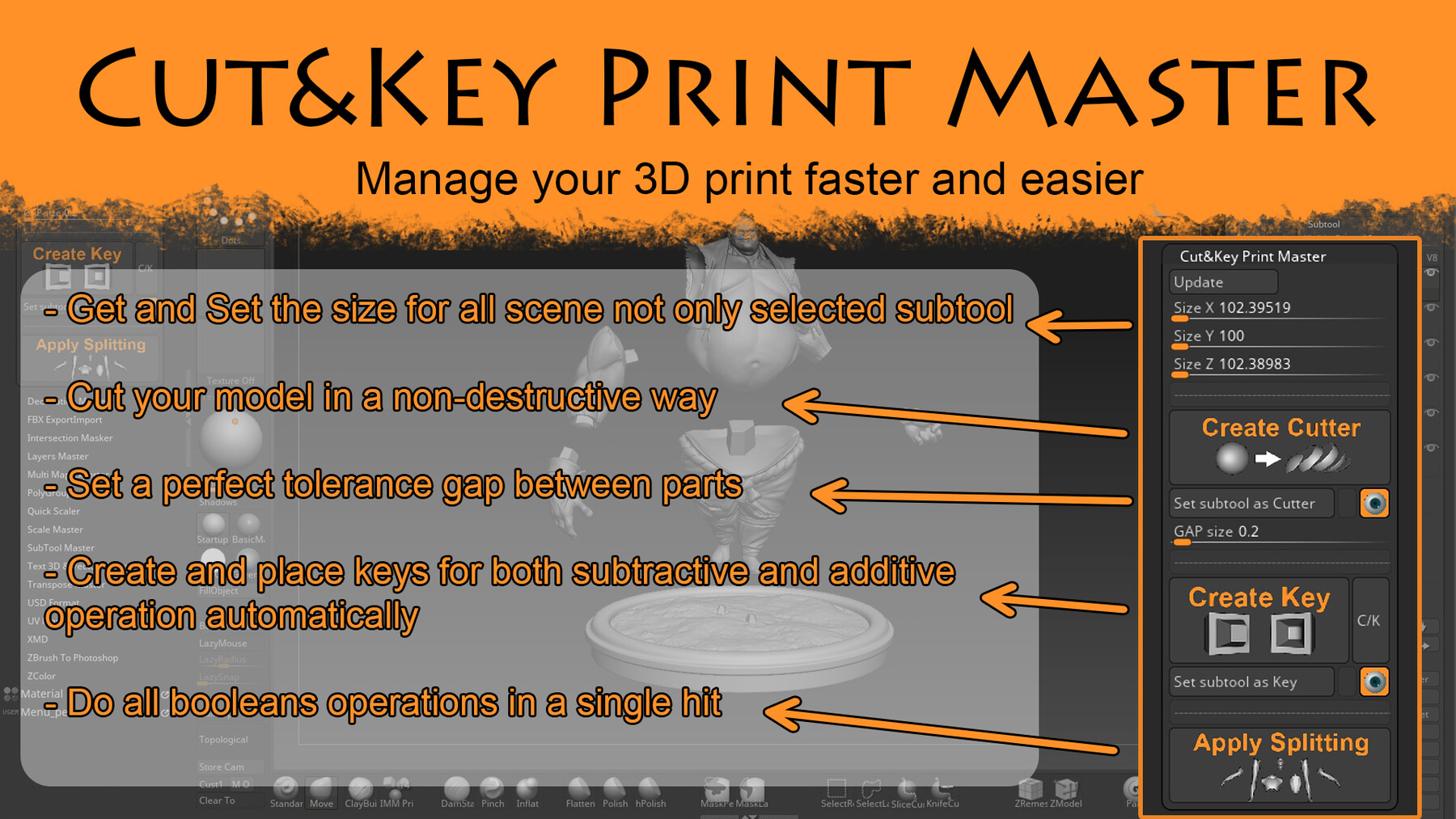
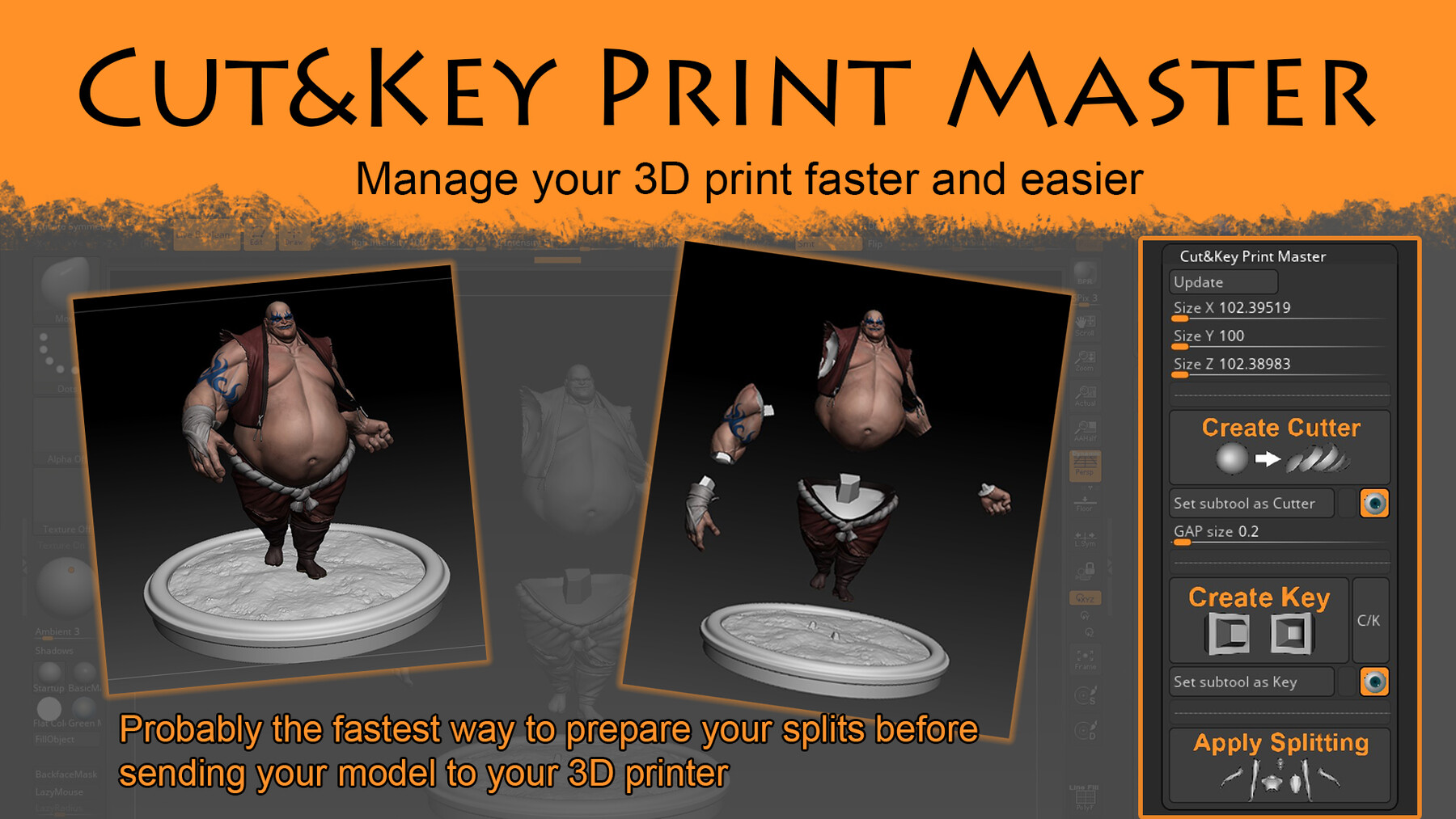
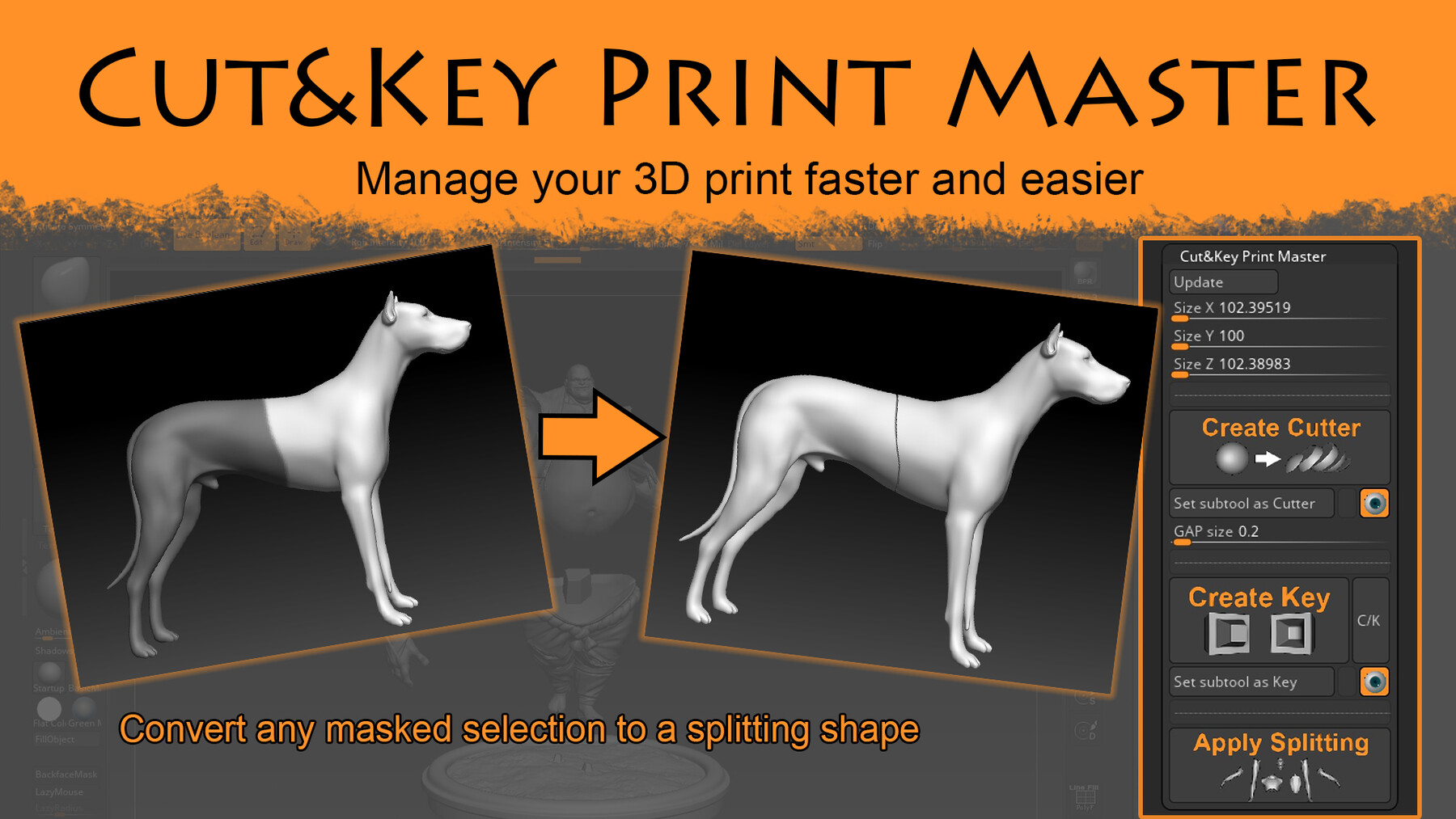

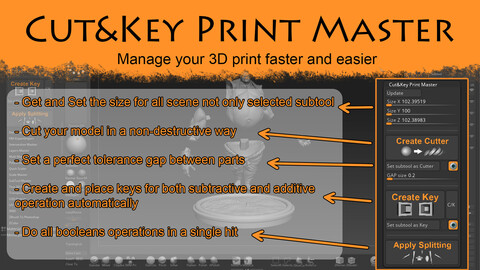
Cut&Key Print Master it's a Zplugin for ZBrush (from version 2022.0.7 minimum, you can read realease info to check until which version it currently works).
It will make you able to be much faster while working on model for 3D print
It works in a non-destructive way to allow you to print a model in severals size without needed to redo a lot of work.
I made 2 videos tutorials to show you how to used it.
Here is the first one:
Here is the video showing changes for ZBrush 2023
Here is the video showing changes for ZBrush 2024
Here is the video showing changes for ZBrush 2026
Release Notes
Cut&Key Print Master 1.3 (Update for ZBrush 2026)
This release works on ZBrush 2026 (currently ZBrush 2026.1.0.1) and also on previous versions from Zbrush 2022.0.7
New features:
- The "Update" button is now a little bit faster and basically better ;)
- You can now specify if you want the CutterShape to be mostly flat or as previously
- You can set the GAP size differently between CutterShapes and Keys
- You can disabled fews options during the "ApplySplitting" process if it works better for you
Cut&Key Print Master 1.2 (Update for ZBrush 2024)
This release works on ZBrush 2024 (currently ZBrush 2024.0.2) and also on previous versions from Zbrush 2022.0.7
New features:
There is no new feature just a small change on the behavior of the C/K button, see video below.
Cut&Key Print Master 1.1 (Update for ZBrush 2023)
This new release works now with ZBrush 2023 and 2023.1 but it's also working on ZBrush 2022 if you want to.
Once again, I didn't test it on Mac OS so if you take it for Mac is at you own risk (with the previous version one buyer told me it was working well but I can't tell myself).
New features:
- Clean Splits By Size: This is a completely new function, it will give you the ability to delete automatically subtools who are to small after the "Apply Splitting" (which can happen if mesh is wrong or if surface from a single mesh are intersecting)
- Create Cutter (update): The method as a small difference but it will allow you to get better shape in most case, you can still use the previous method by holding "CTRL" while hitting it if needed.
- Apply Splitting (update): It will now turn off "Solo mode" and "Transparency" if there are activate to be sure boolean operation will work.
How to update your previous version?
You just need to delete the previous ".zsc" file from "Zplug64" folder and add the new one in that place. For new install with Maxon you should copy also the Folder "..._DATA" in "Zplug64" from Maxon.
CATEGORIES
Special Offer! Get 15% off when you buy 2 products. Get 25% off when you buy 3 or more products. Applies to all products from this seller only from USD $1.00 to USD $100.00
Cut&Key Print Master Standard Licence
USD $12.95
License: Standard License
Stock Assets
For personal use and one commercial project (up to 2,000 sales or 20,000 views).
TutorialsOne copy to be used by a single user.
Installable ToolsOne installation by a single user.
Learn MoreThis licence allow you to install the tool onlyfor one user and to use it on only one commercial project Read MoreRead Less
Files (1)
Cut&Key Print Master Commercial Licence
USD $29.95
License: Extended Commercial License
Stock Assets
For use on an unlimited number of commercial projects with no limits on sales or views.
Learn MoreThis licence allow you to install the tool only for one user but ther is no limitation about the number of commercial projects Read MoreRead Less
Files (1)
https://artstn.co/m/OyAk9
Copied
Ratings & Reviews
Sort by:LikesDate
Reviews (9)
 Kristopher Konkel
00Report| Release v.1.3 | Cut&Key Print Master Standard Licence | 10 months ago
Fantastic Tool! Thanks for re-uploading!
10 months ago
Thank you Kristopher, a new version was finally the best way to manage the downloading issue on the past ones ^^
 Phornchai Charoenprasittisuk
00Report| Release v.1.3 | Cut&Key Print Master Standard Licence | over 1 year ago
Works fine in 2025. It would be nice to have an option to add a key on the gizmo, because sometimes the mesh is already cut and just needs the key to be placed.
over 1 year ago
Thanks for your review. I will have a look at your demand for the next update, it's a good idea. BTW, I'm really hoping to make an update soon but I have too much work for now.
 Gabriel Michaud
10Report| Release v.1.3 | Cut&Key Print Master Standard Licence | almost 2 years ago
Works like a charm on my figurines!! Merci beaucoup mr.
 Rerk_CH
10Report| Release v.1.3 | Cut&Key Print Master Standard Licence | almost 2 years ago
I hope Cut&Key Print Master will be updated to be compatible with zbrush 2025.0.1, currently there are some minor problems.
almost 2 years ago
Sorry I missed your comment so far.
I didn't try on ZB 2025 yet but I will try to have a look on it before the end of 2024.
 Marco Cocozza
10Report| Release v.1.3 | Cut&Key Print Master Standard Licence | about 2 years ago
INCREDIBLE TOOLS!!!! Many thanks for produce it! Ciao Da Napoli, Marco
 Gregor Skoul
00Report| Release v.1.3 | Cut&Key Print Master Commercial Licence | about 2 years ago
works, sorta. Creates crazy 360 - 590 subtools on simple mesh. Mesh has no holes, no floating regions,is watertight so should be working. Yes it is possible to remove splints by size, but it takes forever to do first splitting and than more time to remove such enormous amount of splints.
about 2 years ago
Getting that much of Subtools isn't right so I believe you when you say it takes forever. However trust me, it isn't because this Zplugin itself and I have already explained that in some videos and how you can pass through it, it is usually pretty easy to fix. I would be glad to help you if you want so do not hesitate to contact me.
 Ardaa Bangsa
10Report| Release v.1.3 | Cut&Key Print Master Standard Licence | over 2 years ago
This really helped me today... usually I manually make cuts for each part, then continue adding holes & dowels... but this tool helps me to do it more quickly with only one step. Thank You!
 Michael Berglund
10Report| Release v.1.3 | Cut&Key Print Master Commercial Licence | about 3 years ago
This works exactly as advertised. It is easy to use, once you watch the tutorials. It's almost like magic. I always dread the 'cut and key' part of getting the sculpture ready and this really is a pleasure to use, with great results. I had one small issue and Maxime answered my concern and explained how to fix it right away. Get it!
 Jelly3D
10Report| Release v.1.3 | Cut&Key Print Master Standard Licence | over 3 years ago
Had some issues with it at the beginning (mostly my fault :D), but the creator helped out and send me new files and a video explaining what to do. Really great tool.
Filter by Rating
More by Maxime Forveille
Add a tip for Maxime Forveille
Tips are appreciated, but optional!