
 Sign Up with Epic Games
RVT Object-Terrain Blending Educational Sample

in Tutorials
Works for: Unreal Engine 4.26 - 5.2.
WHAT DOES THIS PLUGIN CONTAIN:
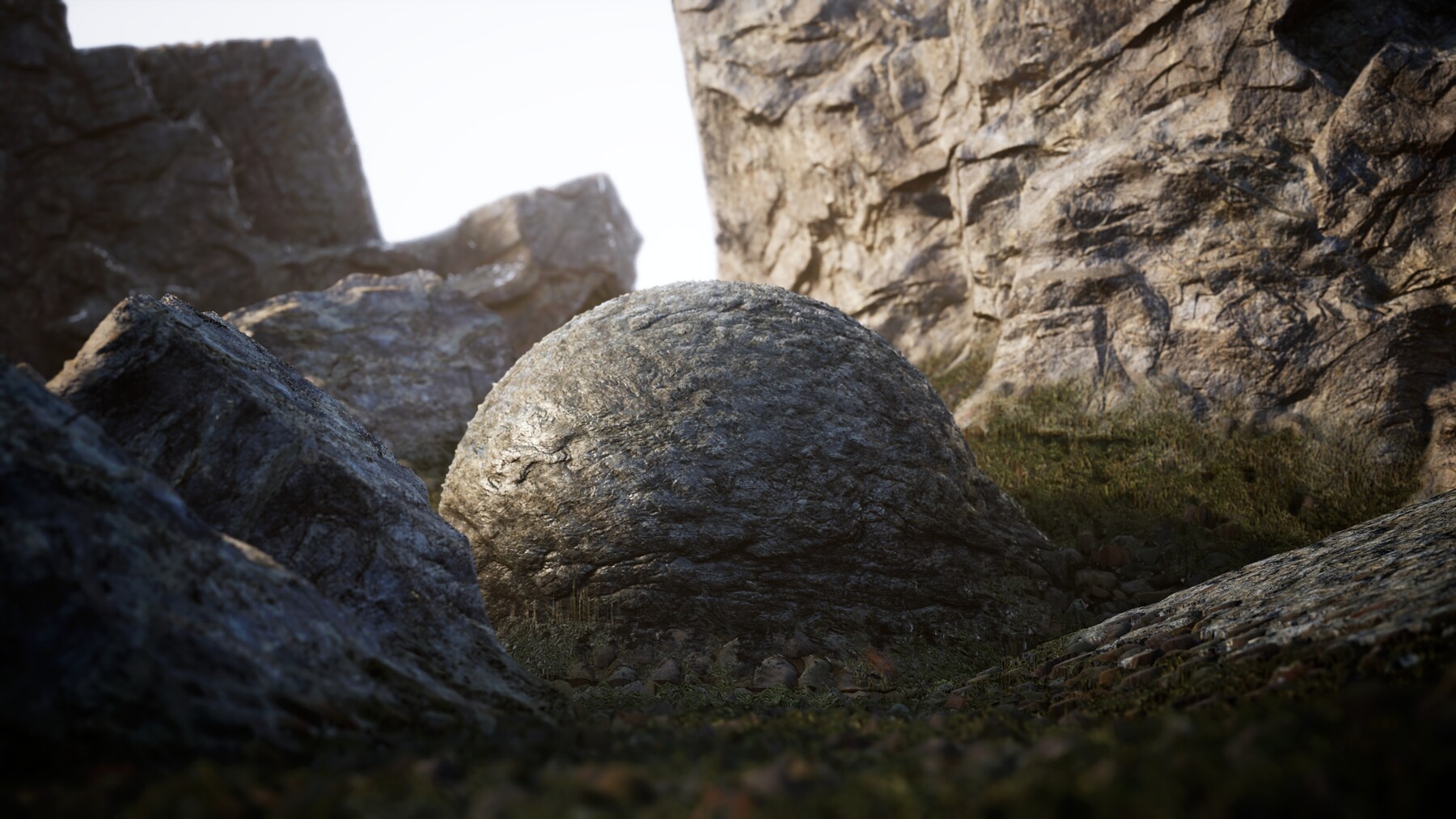
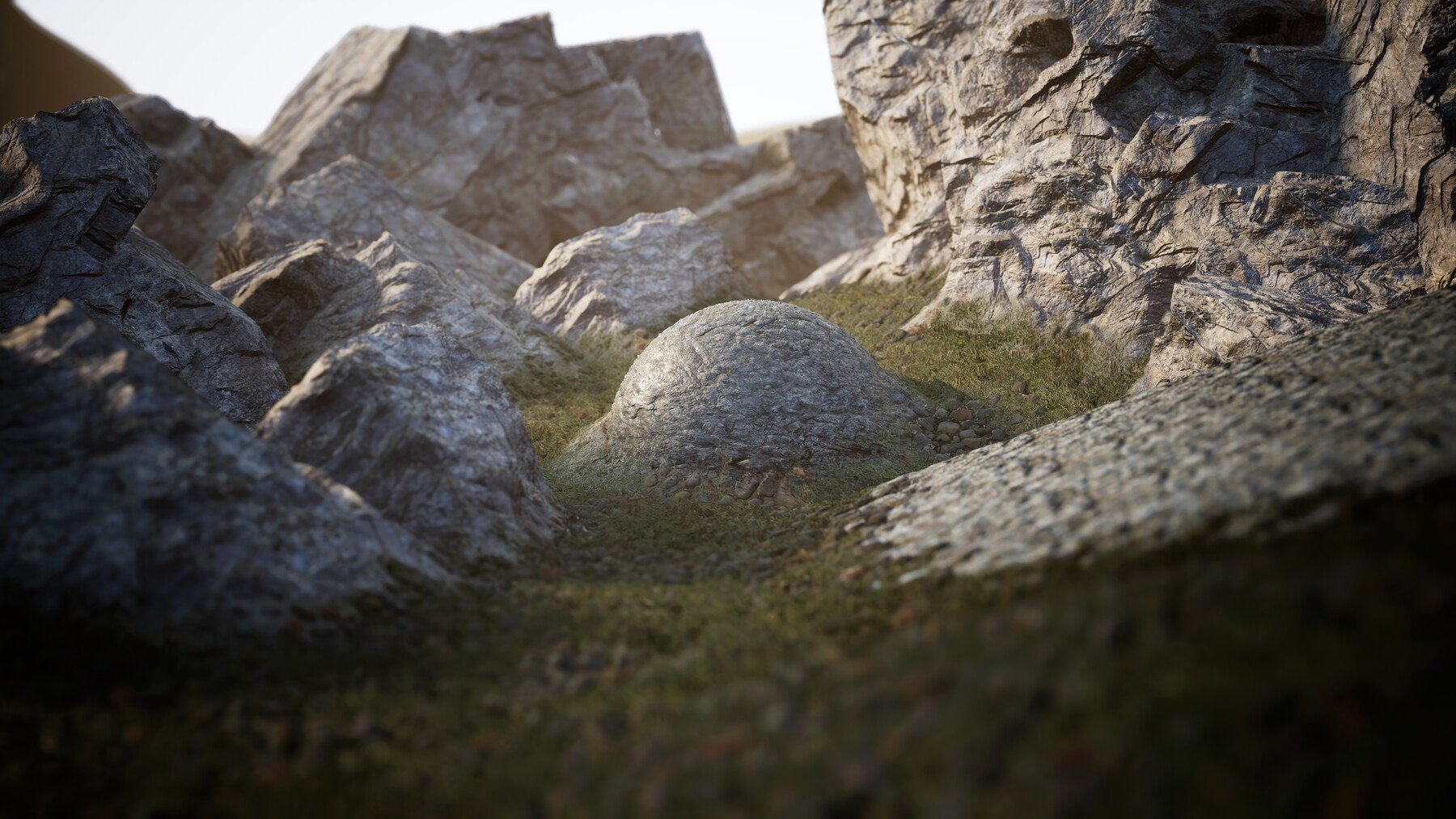
This content plugin contains a sample level and a set of materials for Object-terrain blending using Runtime Virtual Textures for educational goals.
Showcase Video:
HOW TO INSTALL:
1. Either create a new project or open the project you want to add this plugin to.
2. Go to "Edit > Project Settings > Engine > Rendering > Virtual Textures" and enable the option "Enable Virtual Texture Support".
3. Let the editor restart and close the editor it after its done.
4. Go to your project's root folder.
5. If it doesnt exist yet, create a folder called "Plugins".
6. unzip/unpack the "RVTObjectLandscapeBlending" folder into the Plugins Folder
7. Open the project and navigate to "Edit > Plugins > Project" and enable "RVTObjectLandscapeBlending" plugin, let the editor restart.
8. Once the project has been restarted, go to your content browser, and on the bottom right click on "View Options > Show Plugin Content".
9. Show the resource panel on the left side of the content browser and navigate to the "RVTObjectLandscapeBlending Content" folder.
10. Open the "VirtualTextureSampleLevel" level asset.
11. Enjoy!
installation video:
List of assets:
- 1x Umap level
- 2x Runtime Virtual Texture Asset
- 8x Unreal Engine startercontent textures
- 1x CliffTest staticmesh.
- 2x Materials (1 terrain material, 1 object material)
- 4x Material Instances (1 terrain material instance, 3 object material instances)
- 6x Material Functions
- 1x Landscape Layer Asset
Release Notes
Hello everyone,
Sorry for the spam, Needed to update the zip file as it was one of the older iterations.
This version is all correct :)
Again sorry for the spam, it should all be fixed now.
CATEGORIES
Unreal Engine 4.26
USD $5.00
License: Standard License
Stock Assets
For personal use and one commercial project (up to 2,000 sales or 20,000 views).
TutorialsOne copy to be used by a single user.
Installable ToolsOne installation by a single user.
Learn MoreFiles (1)
https://artstn.co/m/geOV
Copied
Ratings & Reviews
Sort by:LikesDate
Reviews (5)
 Jimbo Gilmour
10Report| Release v.1.2 | Unreal Engine 4.26 | over 5 years ago
I have just tried this in Unreal Engine 5.0 Early access 2, its amazing. Its loading quickly its running without error and the plugin worked first time without having to mess with the plugin great work. I am really glad I bought this. The price for Beginners will be amazing in UK and you can pay using Pay Pal
 Hicham Ouchan
10Report| Release v.1.2 | Unreal Engine 4.26 | over 5 years ago
A fast way to get a RVT-setup for environment.
 Andre
Andre10Report| Release v.1.2 | Unreal Engine 4.26 | over 5 years ago
Looks really good, especially the WPO that "melts" the meshes along the terrain, really cool stuff.
But the framerate makes this literally unusable for my project. After removing tessellation in the material and doing other various tests, when I'm pointing the camera directly at the ground the FPS hits 100-110. Looking at the sky, 300+. This is really not normal.
When Assigning a different material (350+ instructions) to the terrain the framerate sky-rockets back to 300+. I have no idea why that is, I figured RVT was supposed to be optimized. So I can't tell if it's the way the materials are set up or Epic's RVT.
EDIT: After using "stat virtualtexturing" I can see the cost for the RVT is ~7 MS total, which is massive. Any ideas?
 Dean Scott
00Report| Release v.1.2 | Unreal Engine 4.26 | over 5 years ago
Super helpful for understanding RVTs. The object blending master material has some really nice features in it too!
 Mohamed EL BOUHY
21Report| Release v.1.2 | Unreal Engine 4.26 | over 5 years ago
Pretty handy plugin! Well optimized and easy to use.
Filter by Rating
Add a tip for Kay Volbeda
Tips are appreciated, but optional!
