Sign Up with Epic Games
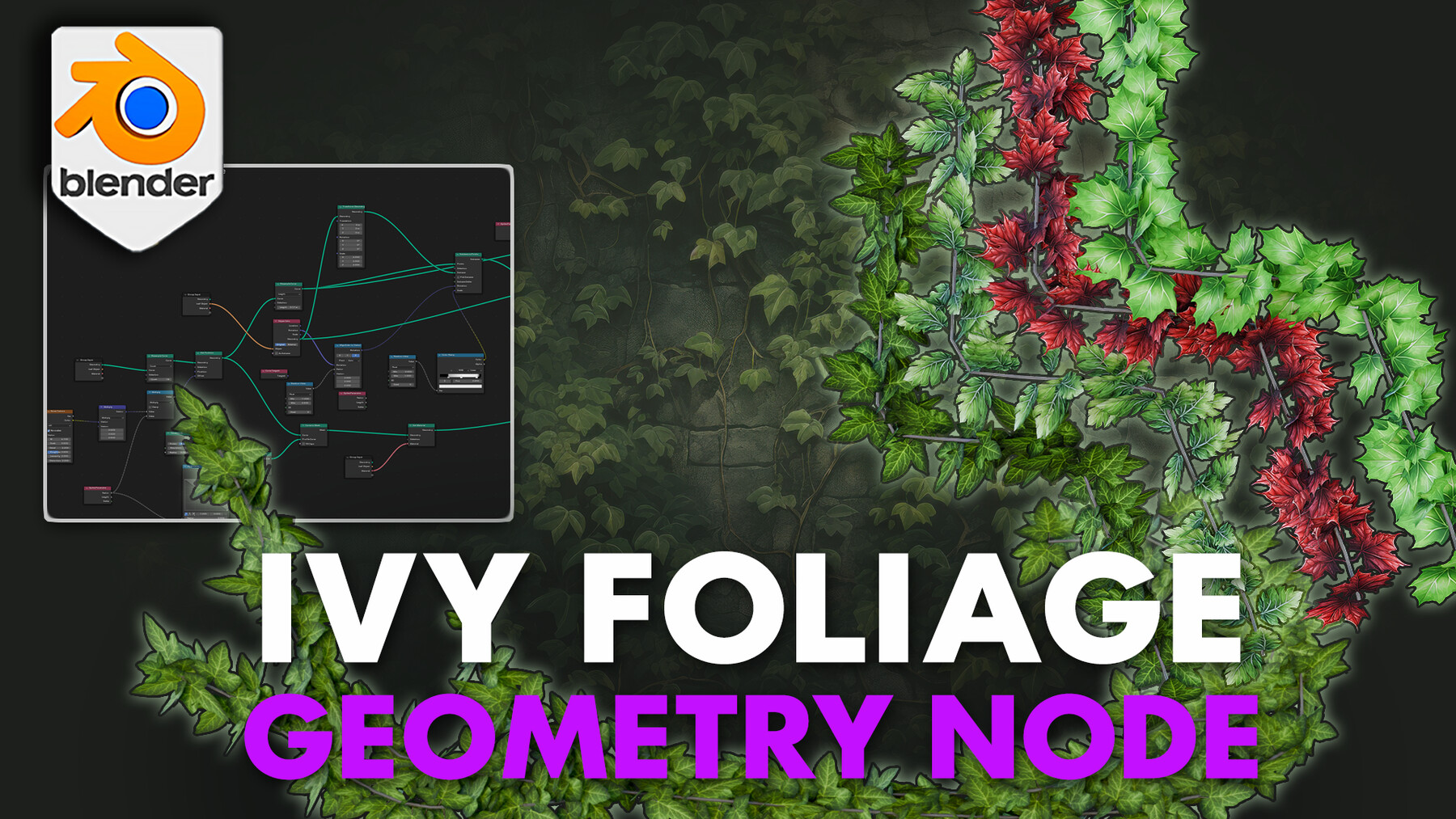


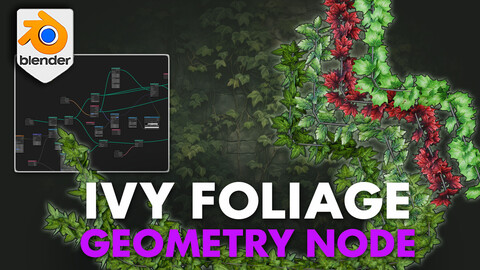
Introducing the 'Blender 4 Ivy Foliage Geometry Node' - a versatile and user-friendly tool designed for both novice and experienced 3D artists!
'Blender 4 Ivy Foliage Geometry Node' revolutionizes the way you create and customize ivy in your Blender projects, offering unparalleled control and realism.
Our 'Blender 4 Ivy Foliage Geometry Node' setup is a 3D modelling artist must-have!Key Features of 'Blender 4 Ivy Foliage Geometry Node':
Customizable Leaf Assets: At the heart of Blender 4 Ivy Foliage Geometry Node is the ability to easily switch between default leaf assets and your custom objects. This feature allows you to personalize the appearance of your ivy leaves, ensuring they perfectly match the style and atmosphere of your scene.
Custom Material for Ivy Stems: You have the freedom to apply your own custom materials to the ivy stems, providing an opportunity to achieve the exact look you desire, whether it's a lush green or a dried, autumnal brown.
Curvature Draw Mode: Effortlessly draw ivy onto any object with the intuitive curvature draw mode. This tool enables you to accurately place ivy in your scene, following the contours and shapes of your objects with ease.
Adjustable Ivy Growth with Curve Splines: Blender 4 Ivy Foliage Geometry Node uses curve splines, giving you the ability to create ivy growth of any length. This flexibility ensures that your ivy can stretch, wind, and drape exactly as you envision.
Bezier Point Radius for Stem Thickness: Control the thickness of your ivy stems with precision. The bezier point radius adjustment allows you to determine the thickness of the stems, providing another layer of customization for your ivy creation.
Four Unique Leaf Presets with PBR Materials: Included with Blender 4 Ivy Foliage Geometry Node are four unique leaf presets, each set up with physically based rendering (PBR) materials. These presets offer a variety of looks suitable for different environments and scenes, from lush gardens to ancient ruins.
'Blender 4 Ivy Foliage Geometry Node' Applications:
Architectural Visualization: Enhance architectural renders by adding realistic ivy to buildings, creating a sense of age, nature integration, or urban decay.
Game Development: Use our Blender 4 Ivy Foliage Geometry Node for in-game environments to add immersive, natural elements in everything from mystical forests to abandoned urban landscapes.
Film and Animation: Bring scenes to life in animation and VFX by incorporating detailed, lifelike ivy, perfect for creating enchanting or eerie atmospheres.
Virtual Reality and Augmented Reality: Introduce a new level of realism in VR and AR experiences, particularly in simulations involving nature or historical reconstructions.
Educational and Scientific Visualization: Use Blender 4 Ivy Foliage Geometry Node for botanical studies or historical recreations, showcasing how ivy interacts with different structures and environments over time.
Whether you're creating a serene garden, a mysterious forest, or adding touches of green to urban landscapes, Blender 4 Ivy Foliage Geometry Node is your ideal tool. It's a perfect blend of ease-of-use and depth of customization, ensuring that your 3D scenes are as vibrant and lifelike as possible.
Elevate your Blender projects today with this essential tool for nature-inspired designs!
Until next time, happy modelling everyone!
Neil - 3D Tudor
****
To get in touch with me about any questions or support, please email: bettison.gamedesign@gmail.com
Also feel free to like 3D Tudor on Facebook (https://www.facebook.com/3DTudor) as well as join my student community group to share renders of your projects from courses and tutorials: https://www.facebook.com/groups/1152218958467185
Release Notes
Ivy Geometry Nodes 1.2.2 (Blender 5.0+)
Update Log:
Updated for Blender 5.0
Fixed translucency issue
Fixed scaling falloff
Added support for curve shrinking
Added support for noise offset controls
Added preset texture variants, including 3 unique leaf types and a foliage preset with 4 different leaf textures
Added per-leaf color variation for a more organic look
CATEGORIES
Special Offer! Get 20% off when you buy 2 products. Get 35% off when you buy 3 or more products. Applies to all products from this seller only from USD $1.00 to USD $100.00
Standard License
USD $7.99
License: Standard License
Stock Assets
For personal use and one commercial project (up to 2,000 sales or 20,000 views).
TutorialsOne copy to be used by a single user.
Installable ToolsOne installation by a single user.
Learn MoreFiles (4)
Extended Commercial
USD $18.99
License: Extended Commercial License
Stock Assets
For use on an unlimited number of commercial projects with no limits on sales or views.
Learn MoreFiles (4)
https://artstn.co/m/pBpy3
Copied
More by 3D Tudor


Add a tip for 3D Tudor
Tips are appreciated, but optional!