Sign Up with Epic Games
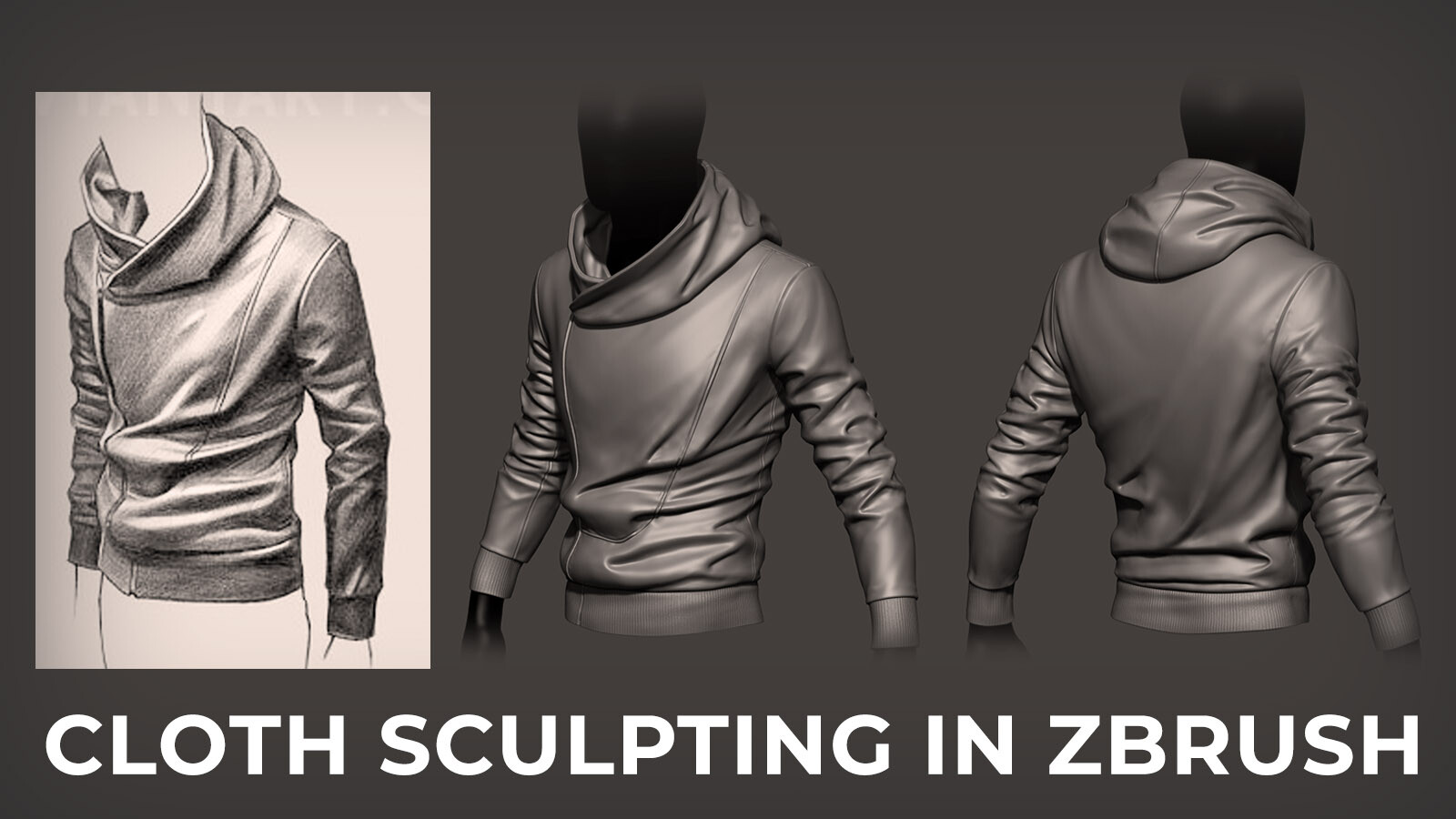
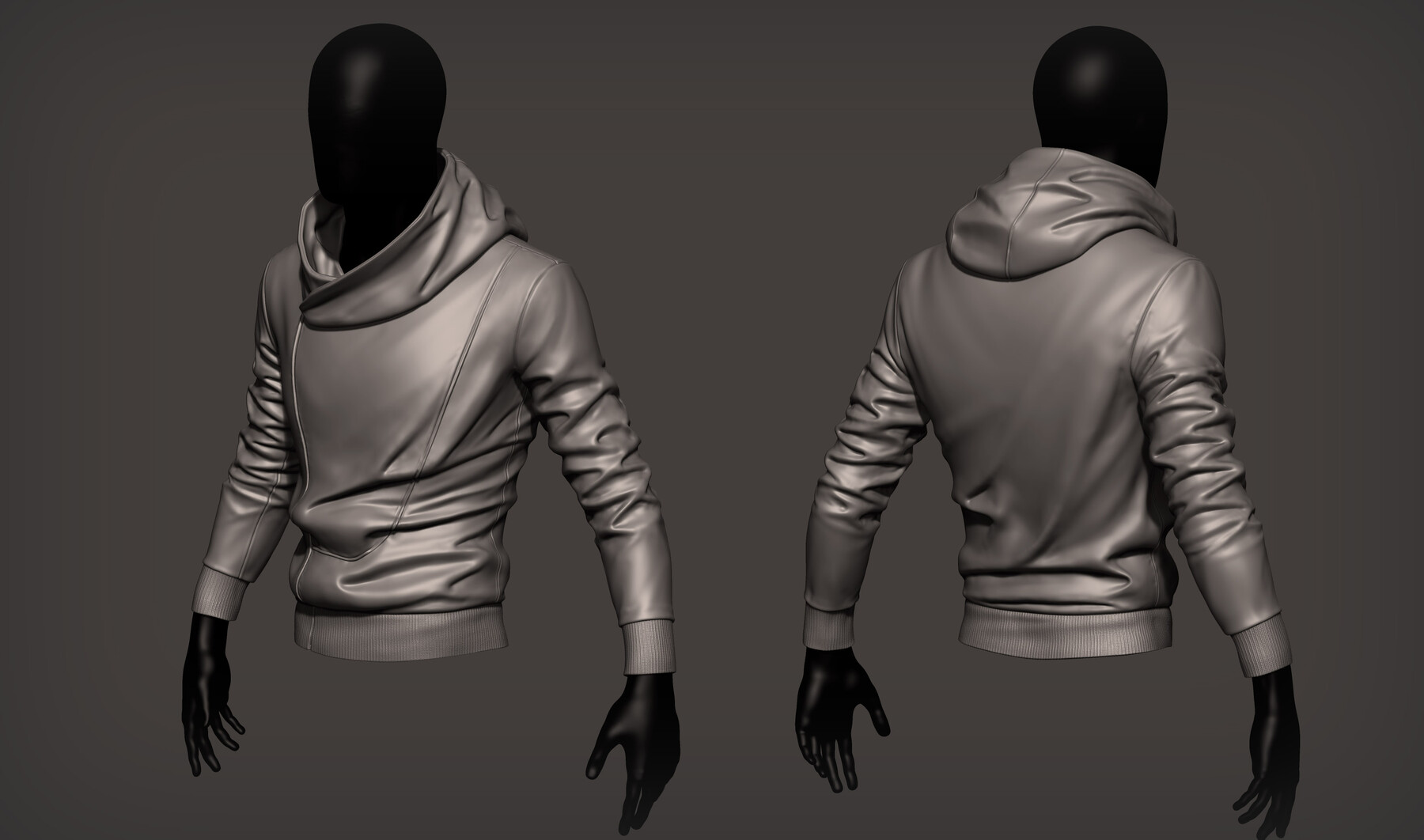

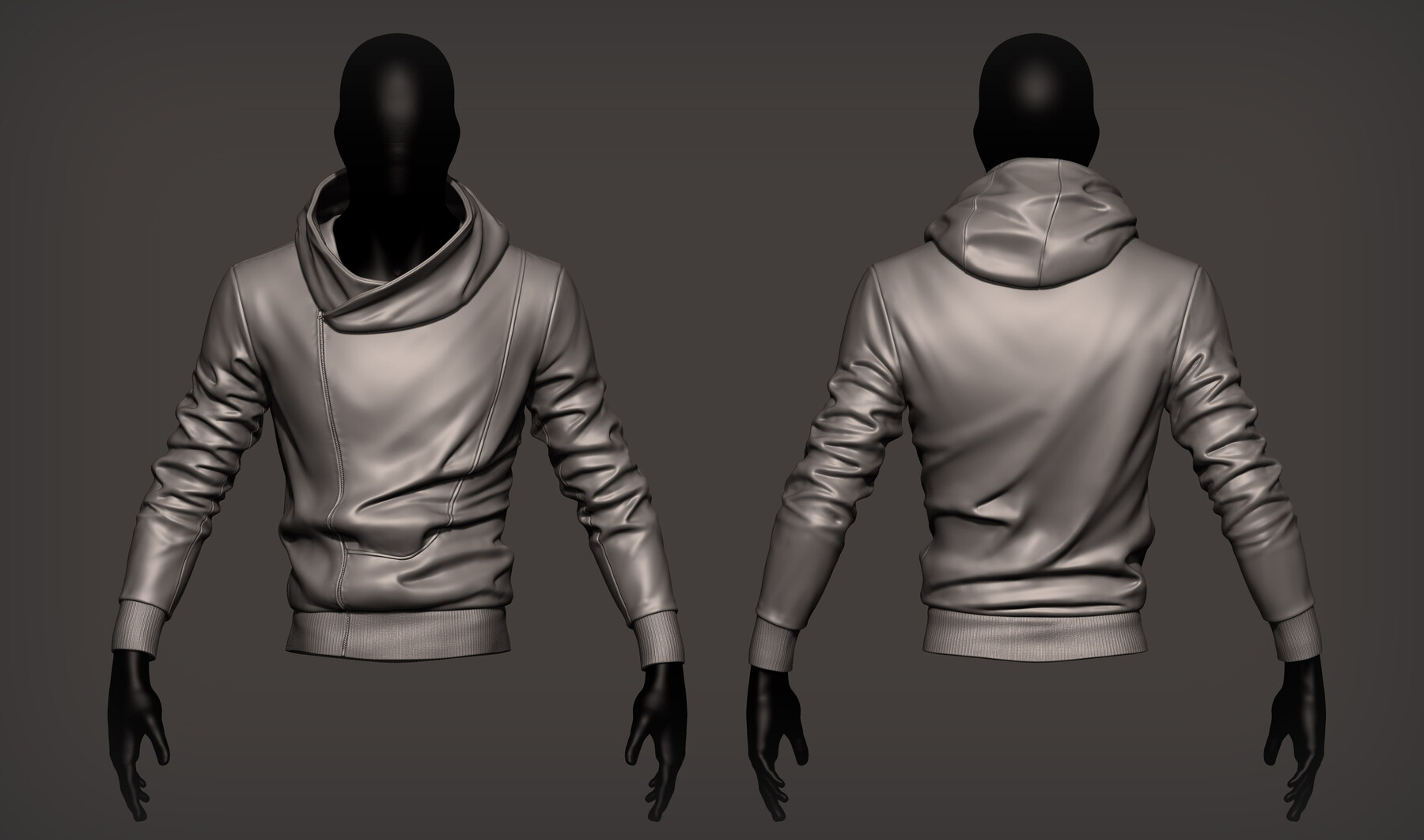
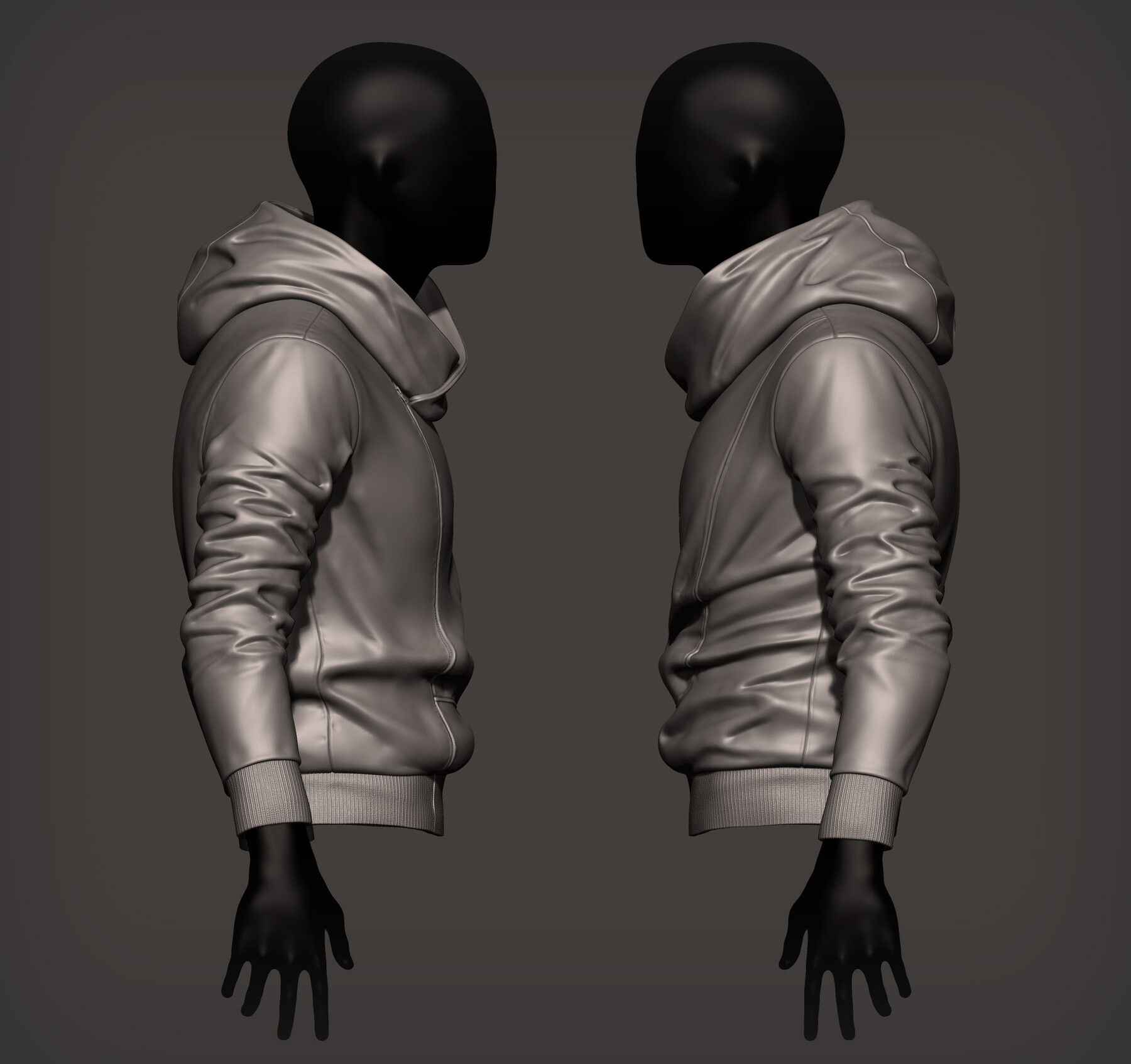
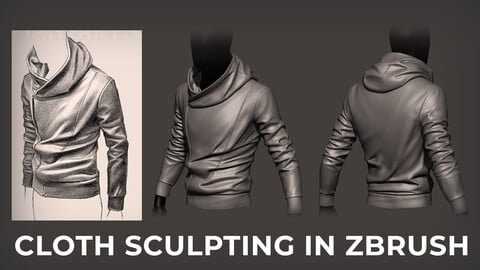
This is an unedited, real-time (but relatively concise) tutorial that anyone can follow and work at their own pace. In these videos, I'll show you how to confidently start sculpting cloth instead of slapping random folds all over the place! (Don't worry, we've all done it)
One of the most important character art skills is increasing knowledge and proficiency in sculpting realistic and believable clothing. It takes finding good reference and applying an understanding of what forces play into how garments behave. The classical sculptors from ages passed knew how to observe the world around them and work with very difficult media like stone (and no undo button and multiple file saves!). Today, we have the benefit of amazing sculpting software like ZBrush to try and achieve the same level of proficiency these great artists had. So let's talk about how you can start to understand even more than you already do, whether you're a complete beginner, all the way up to a senior artist already in the cg industry.
Here's a breakdown of the tutorial:
______________________________________________________________
Objectives
-- What kind of reference to look for and analyze what you're seeing (the how and why)
-- Realize everything has anatomy and structure
-- Apply that observation to your subject in efficient iteration (working your way through without getting sloppy)
-- Learn which brushes to use and what strokes work best
-- Work with layers to add details and stay organized
-- Polishing and rendering your final work
Length: 6+ hrs (8 lesson segments, 21-79 min each)
Why should I buy this?
-- If you want to accurately sculpt cloth for your characters
-- If you want to push yourself to know more than you already do
-- If cloth work intimidates you
-- How to carve in seams and other details
______________________________________________________________
OUTLINE
01 Introduction and tutorial overview (33 min)
how to gather and study cloth reference
basic physics of cloth in 2D/3D art
training your eye to observe
introduce the concept we'll use for the tutorial
analyze the subject before sculpting
evaluating Marvelous Designer vs ZBrush
02 Getting Started in ZBrush (21 min)
using and understanding my custom UI (optional)
using proper brushes for cloth sculpting
practicing the strokes before we do the real thing
03 Setting Up the Base Mesh (24 min)
start from sphere vs free source models
working around a mannequin as a guide
creating the hoodie
04 Primary Forms (40 min)
blocking in main shapes and silhouette
using Move brush and big strokes
modifying the mesh to prepare for secondary forms
creating waist and wrist bands
05 Secondary Forms - Part One (62 min)
adding shell thickness using Panel Loops
building jacket secondary forms on top of previous primary work
making the main cloth folds and studying how to lay them out
using concept as guide for flow
06 Secondary Forms - Part Two (35 min)
building hoodie secondary forms
finish other sleeve for asymmetry
transitioning from compression into tension
07 Polishing Stage (71 min)
finding areas that catch the eye and fixing them
adjust silhouette for more appeal
cleaning up strokes and polishing for clarity
final polish of anything else that bothers you
08 Detailing Stage (79 min)
where to put seams and zippers
sculpting seams on layers
adding the zipper
adding texture to waist and wrist bands using UV Master and Noisemaker on a layer
adding subtle detail along seams
making quick renders
Release Notes
added material used in video
CATEGORIES
Special Offer! Get 15% off when you buy 2 products. Get 20% off when you buy 3 or more products. Applies to all products from this seller only from USD $1.00 to USD $100.00
Standard Use License
USD $20.00
License: Standard License
Stock Assets
For personal use and one commercial project (up to 2,000 sales or 20,000 views).
TutorialsOne copy to be used by a single user.
Installable ToolsOne installation by a single user.
Learn MoreFiles (13)
https://artstn.co/m/2a7ja
Copied
Ratings & Reviews
Sort by:LikesDate
Reviews (9)
 DCart
DCart10Report| Release v.1.02 | Standard Use License | 8 months ago
Very nice and good tutorial for sculpting cloth without using marvelous designer. Detailed enough for you to understand the basics and fundamentals of sculpting cloth inside zbrush
 Tony Pommells
00Report| Release v.1.02 | Standard Use License | almost 2 years ago
An incredible course. Highly recommend if you're looking to truly understand sculpting clothes.
 Anthony Weekes
00Report| Release v.1.02 | Standard Use License | about 2 years ago
This is an excellent tutorial for learning to sculpt folds professionally. It is straightforward to follow, and I enjoyed every moment. Thanks Jesse.
 Mario d'Aniello
00Report| Release v.1.02 | Standard Use License | about 2 years ago
Very useful and clear
 Alexander Remez
00Report| Release v.1.02 | Standard Use License | over 2 years ago
Very informative and nicely done tutorial. Bravo
 Michael Lugo
10Report| Release v.1.02 | Standard Use License | almost 3 years ago
this was the exact tutorial I needed! Sculpting clothes had always given me trouble when making characters, but Jesse was able to explain it in a way that I could understand. I hope he does another tutorial that goes over pants or pockets!
 Pronoy Dutta
10Report| Release v.1.02 | Standard Use License | almost 3 years ago
This was a really helpful video that explained the sculpting process by breaking it down. The brushes and techniques are quite handy. It's a good tutorial covering fundamentals and is easy to follow along.
 Konstantin Kusakin
10Report| Release v.1.02 | Standard Use License | about 3 years ago
realy the best!!
 Tomoya Ogawa
20Report| Release v.1.02 | Standard Use License | over 3 years ago
I really enjoyed this course! Everything was explained clearly and it really helped me to understand about cloth sculpting technique because it wasn't one of those tutorials like " hey follow what I do1:1 and done", but instead you learn fundamentals like how to observe, cloth anatomy, and even how to use a brush. I really appreciated that this course was done in real-time and that the instructor was talking all the time so I was able to understand what he was doing exactly. Thank you for sharing your knowledge, sir!
(If I have to bring up one negative, it was the music. background music itself was nice and quiet but in the music, but I could hear like beeping sound a lot so it was a bit distracting. but that is probably because of the fact I was born with a sensitive sense of hearing so that might not be even an issue for most people.)
Filter by Rating
More by Jesse Sandifer

Add a tip for Jesse Sandifer
Tips are appreciated, but optional!