
 Sign Up with Epic Games
GS CurveTools v2 - Maya Plug-in - Braids, Hair Card Sculpting and more!

in Resources




GS CurveTools v2 plug-in for Autodesk Maya
New Major Update is here!
Main Features of GS CurveTools v2:
FULL DOCUMENTATION:
- If you wish to read the full detailed documentation - the links are in the description of my YouTube video.
DESCRIPTION:
GS CurveTools v2: All-in-one solution for creating and manipulating geometry cards, tubes and braids with ease. From creating hair cards to designing complex braids and beards, GS CurveTools is the perfect tool for any workflow.
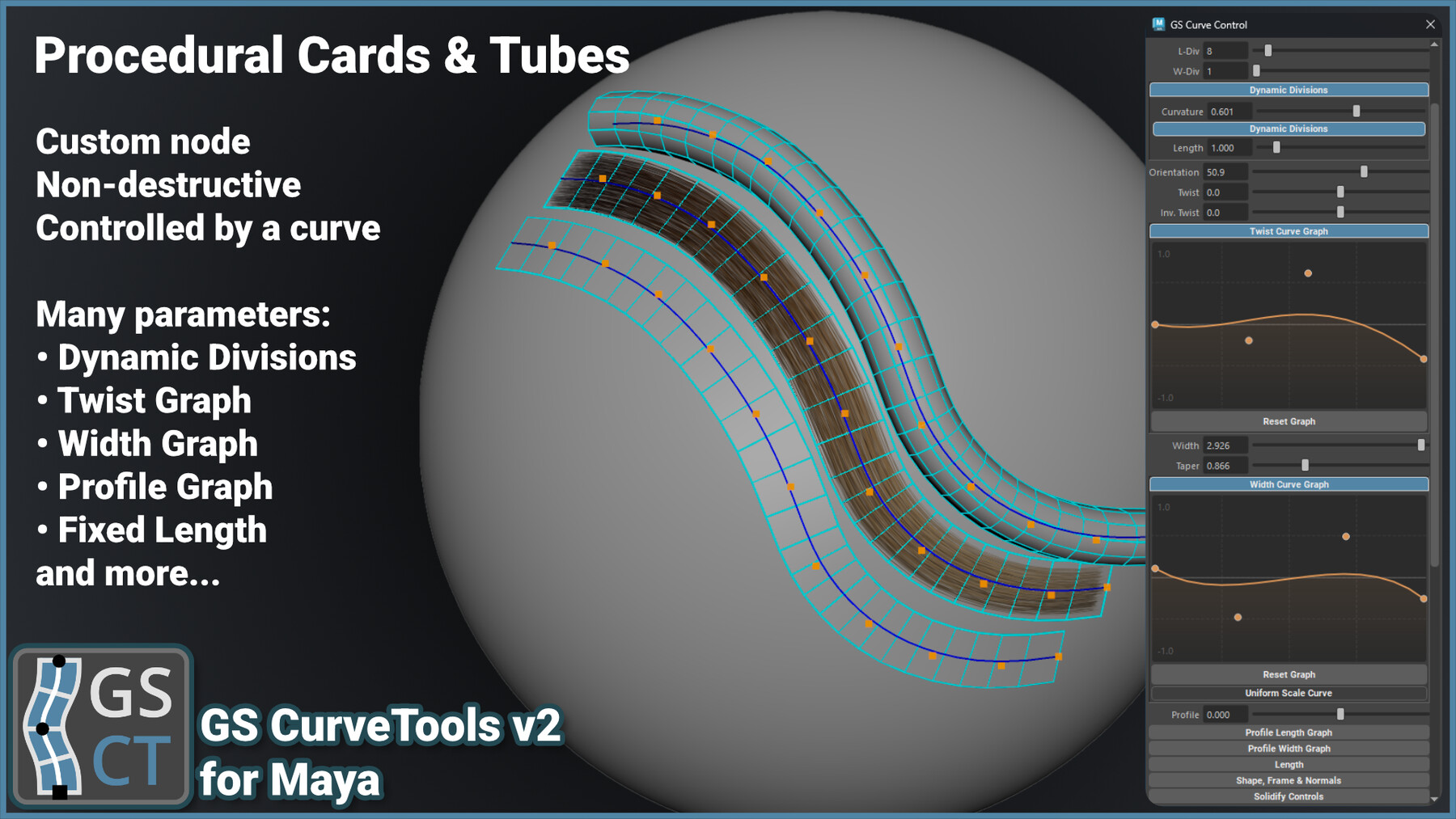
At the heart of GS CurveTools v2 is its powerful and performant generator, braid and deformer nodes created specifically for hair cards workflows. GS CurveTools v2 allows you to quickly create new procedural objects (cards, tubes, braids) directly from NURBS curves or XGen descriptions.
The Layer system will help you organize your work quickly, and if you require more control and complexity, there are layer collections to help you out.
Powerful templating allows you to set up the most-used hair cards with their parameters and UVs to quickly reuse throughout the project with one click.
Additionally, GS CurveTools v2 includes intuitive and easy to use curve placement, drawing and sculpting tools.
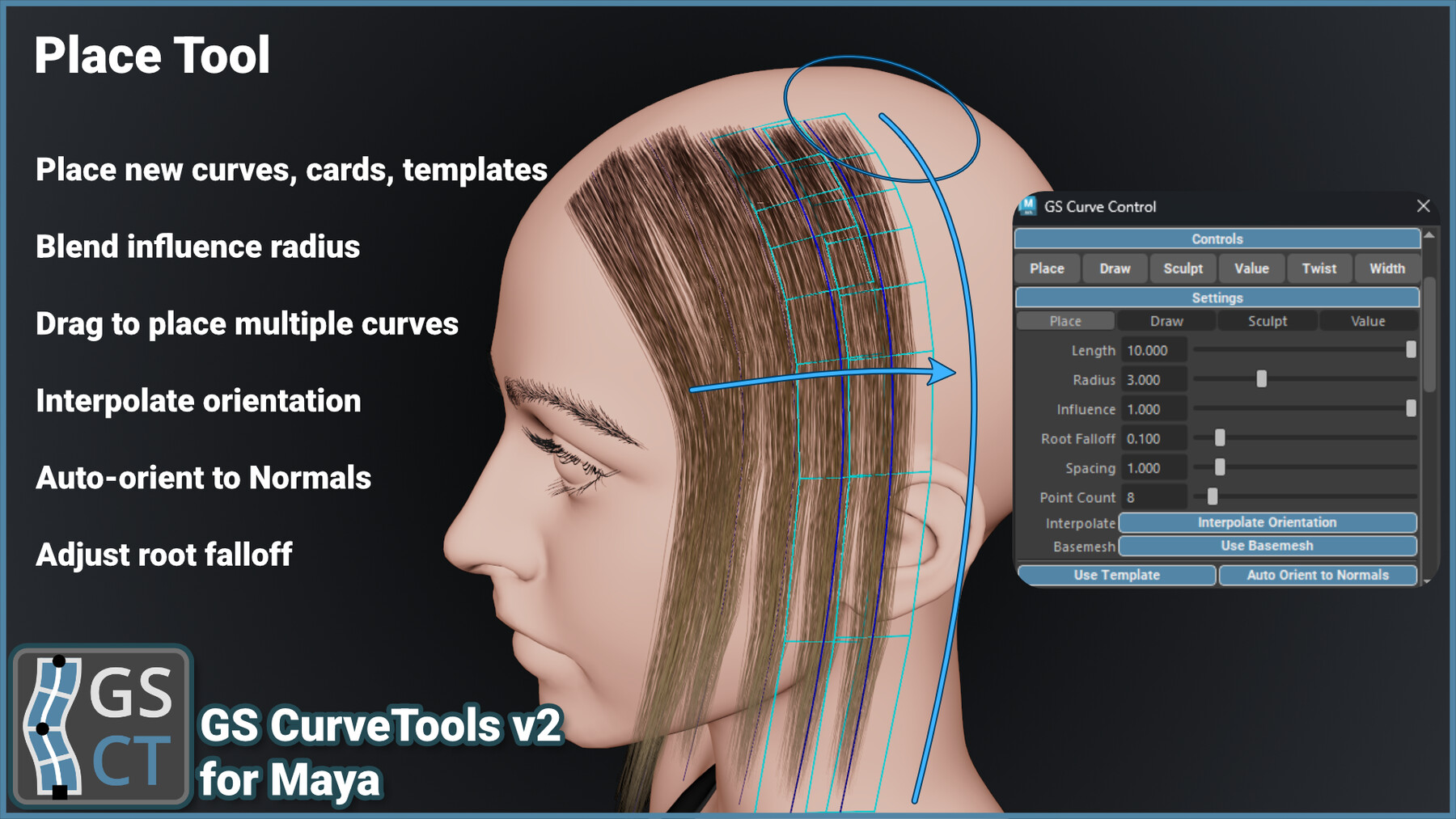
Place curves directly on the surface of the mesh, blend them with nearby curves and adjust other parameters like root influence and more.
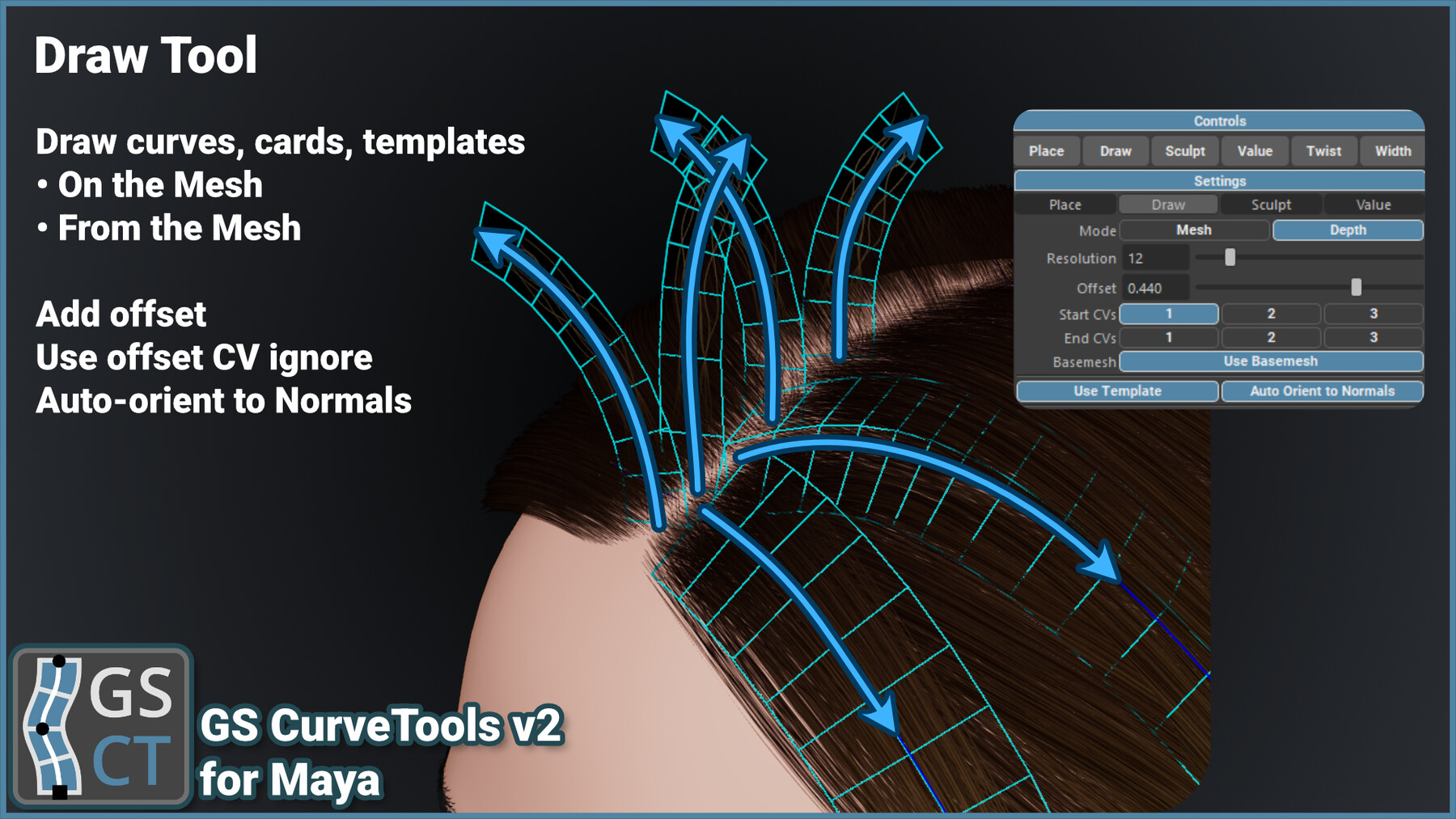
Draw directly on the mesh surface with offsets and other parameters. Select templates to quickly generate new cards with textures right as you draw the curve.
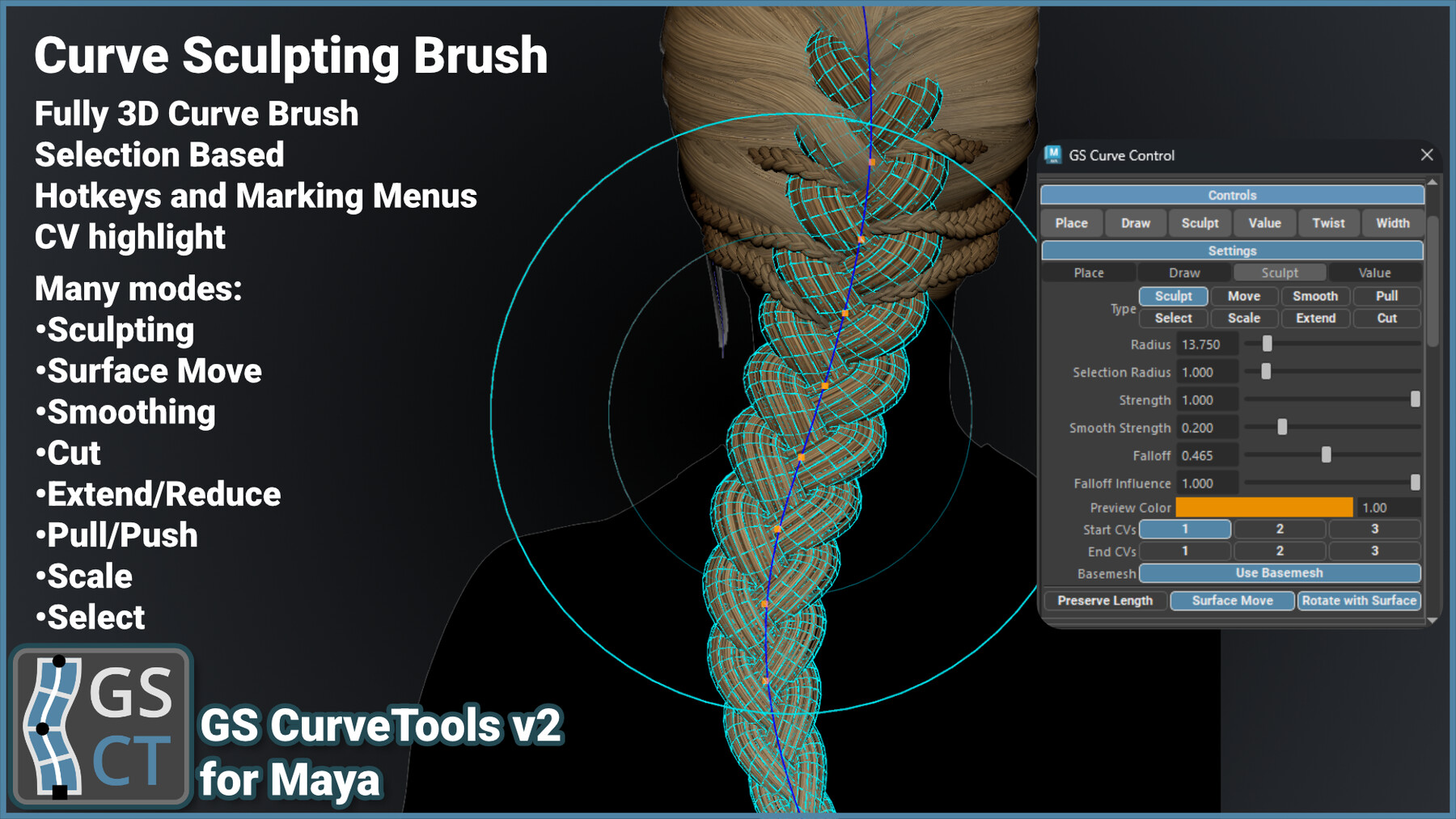
Use Sculpting mode to adjust already placed curves and with the help of additional modes (move, select, extend, reduce, smooth etc) make the exact edits you need.
Orient to Normals will allow you to select all the procedural objects and align them with the mesh in one click.
Fill Plus will allow you to quickly add density to already placed curves. It smoothly blends between selected curves and adjusts for mesh intersections.
Quick hotkeys and marking menus for most used tools and functions, randomization, fast geometry export, and much more.
MAIN FEATURES:
- Fast creation of procedural geometry cards, tubes and braids.
- Conversion of already existing curves to curve cards, tubes and braids.
- Conversion of XGen description to curves, cards, tubes, braids, templates with automatic orientation to surface.
- Convert any single-sided cards or tubes to NURBS curves or directly to GS CurveTools cards or tubes.
- Ability to quickly place cards in between other cards using Fill and increase the density with Fill Plus.
- Subdivide selected curves into multiple smaller curves to quickly increase the density.
- Fast and intuitive layer and collection system.
- Place, Draw and Sculpt curves for quick creation and editing.
- Use marking menus for quick switching between the tools and tool modes.
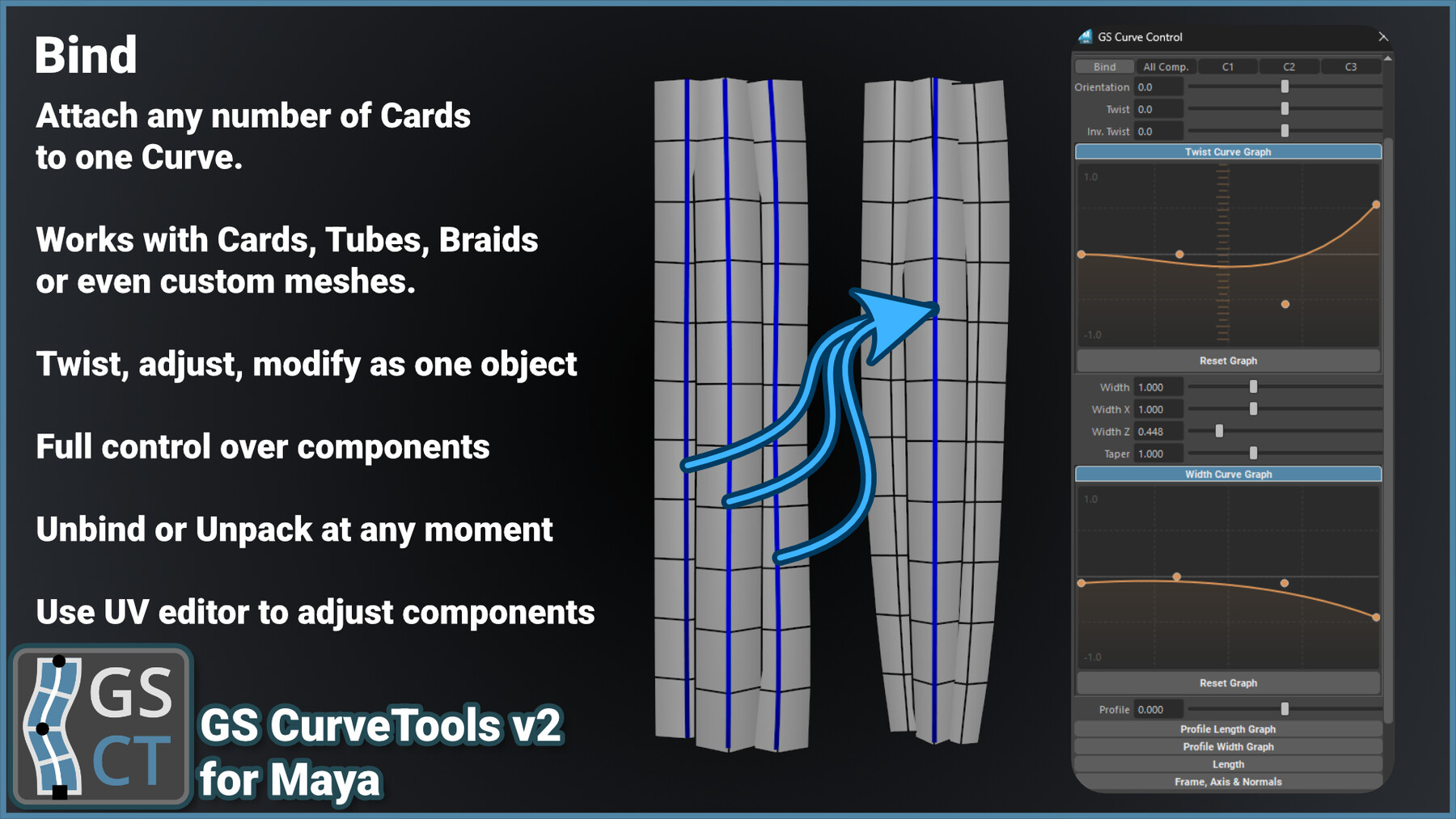
- Ability to bind (attach) and unbind any geometry or already existing curve cards, tubes or braids to any curve.
- Easy to use filters to quickly show/hide all curves or geometry.
- Color mode that will change colors of the cards based on the layer colors with transparency support.
- Custom Color and Layer Name Editor.
- Regroup by Layer function to organize your curves in the outliner.
- Subdivide Selected Curves.
- Quickly Extract All geometry for Export, or Extract Selected only. Original Curves stay functional.
- Fast selection and grouping of curves.
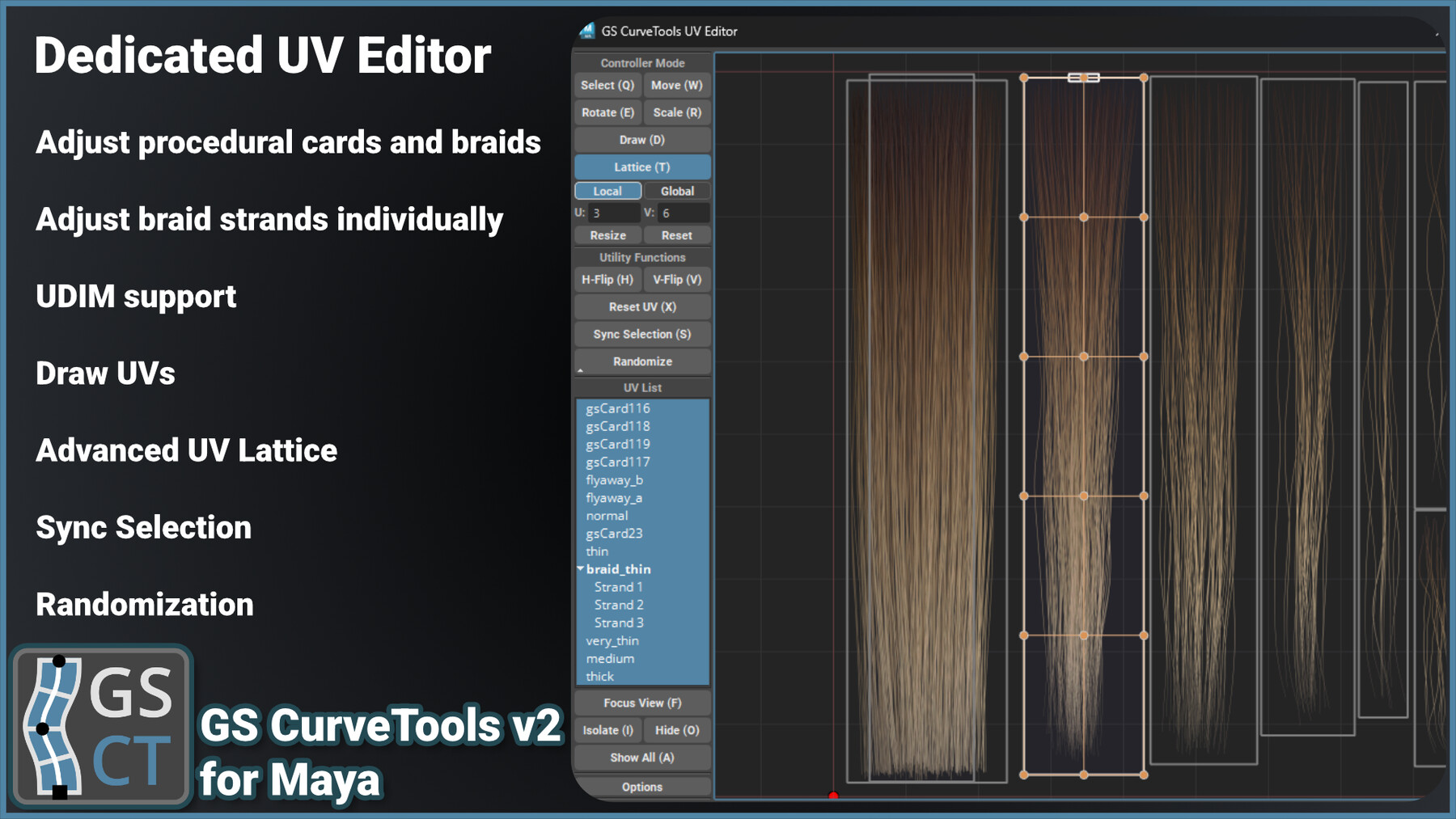
- Interactive UV Editor specifically for procedural objects with Randomization, Lattice and other tools.
- Mirror curves easily.
- Transfer of attributes and UVs between curve cards, tubes and braids with one click.
- Interactive rebuild of existing curves for additional complexity or vice versa, to simplify control.
- Duplicate procedural objects with one button.
- Randomize created curves attributes to easily add realism.
- Smooth/Extend/Reduce created curves.
- Control multiple curves with Control Curve deformer.
- Custom interactive window for all curve controls that includes templating and other features.
- Powerful attributes (controls) for curves, including Twist, Width and Profile along the curve.
- Extremely fast to save and load the scenes even with thousands of cards.
- and much more…
STEP-BY-STEP INSTALLATION GUIDE: LINK
SUPPORTED MAYA VERSIONS:
- 2018-2027
COMPATIBILITY:
- Tested and supported: Maya 2018-2027 for Windows
- macOS is supported for v1.3.19 only
- MAYA LT is NOT supported.
- macOS is NOT SUPPORTED for v2 (for now).
- Linux is NOT SUPPORTED.
UPDATE INSTRUCTIONS:
1. Download and unpack the latest version.
2. Close Maya if it’s open.
3. Copy gs_curvetools folder and gs_curvetools.mod file to Documents/Maya/{Maya_Version}/modules/. Create the modules folder if it doesn’t exist.
4. Open Maya, go to Windows -> Settings/Preferences -> Plug-in Manager and enable the gs_curvetools_v2_init.py plugin.
5. That’s it! You can now use the GS CurveTools v2!
UPDATE PRICE:
All future updates are free!
Release Notes
v2.0.2 Hotfix
BUG FIXES:
- Fixed Mirror not accounting for twist and v-offset.
- Fixed Orient to Normals unnecessary warning messages.
--------------------------------------
v2.0.1 Hotfix
BUG FIXES:
- Fixed marking menu hotkeys not working with modifier keys (Alt, Shift, Ctrl).
--------------------------------------
GS CurveTools v2 Release
IMPORTANT:
- GS CurveTools v2 is NOT compatible with v1 scenes. Make sure to finish your v1 projects before upgrading to v2. You can still safely open v1 scenes, but you won’t be able to use v2 tools on v1 objects.
- Check the new installation method.
NEW FEATURES:
- Complete rework of GS CurveTools including custom compiled nodes specifically created for hair cards workflow, fast compiled commands and intuitive sculpting and manipulation tools.
- New Mesh Generator node for Cards and Tubes that is about 20x times faster than v1.3 Warp card with the same polycount.
- New attributes for cards and tubes including Curvature-based Divisions, Profile Width Graph, Profile Frequency, V-Offset, Length Offset (yes it’s back!) and more.
- The node graph is now extremely simple (only 3 nodes!) which means smaller file size and much faster saving/loading.
- Scenes can now handle thousands of cards easily without performance issues.
- New procedural Braid Mesh Generator node that allows for quick creation of 2, 3 and 4 strand braids with various patterns.
- Create any type of braid in seconds, adjust at any moment since everything is non-destructive.
- Control every strand separately or the braid as a whole.
- Full set of controls (Twist, Graphs, UVs, everything) for the braid and strands.
- New custom Deformer (Bind) node that is about 20x faster than v1.3 Bind and hosts additional parameters.
- Create more Bind objects in the scene without sacrificing the performance or inflating the scene size.
- Bind objects now have full range of controls just like regular Cards and Tubes.
- New UV Lattice for more granular UV adjustments in the UV Editor.
- New Template system that allows to store and re-use scene-scoped templates easily.
- Most commands that generate new objects can now use Templates as an optional output
- Dedicated Templates command that will directly create the selected template on the curve or apply template parameters to already existing objects.
- Add templates to Curve Control Window in one click. Rename, move and delete templates
- New Sculpt brush that allows for fast and intuitive sculpting, selection, smoothing, moving, cutting, scaling and extending NURBS curves.
- New Place Tool that allows to place curves on the surface of the base mesh with ease. Place tool will blend the curves based on the nearby curves if they are in the influence radius of the tool.
- New Draw Tool that will help you quickly draw curves and templates right on the mesh surface. Use offset param, auto-orient to normals and more.
- New Value Tool to quickly change curve attributes like Orientation, Width, Twist and more. Quickly switch between the attributes using the provided marking menu.
- New Twist and Width manipulators that are used for precise edits of the Twist and Width graphs on all the objects. Change the graphs right in the viewport without touching the Curve Control Window. Hotkeys available.
- New updated Curve Control Window with custom sliders that support precision mode (hold Ctrl) and that also shows sub-components so you can easily adjust Braid or Bind objects.
- New Fill Plus window that will help you create new Curves, Cards or Templates between selected curves. Unlike regular Fill command, Fill Plus works regardless of the selection order and will adjust the curves based on the base mesh and many available parameters. Regular Fill is still available.
- New Orient to Normals algorithm is 17x faster and much more precise because it now samples multiple times to get the best orientation even for curves that are almost perpendicular to the mesh.
- New Mirror command that is more precise and much faster. It will better compensate for rotation of the cards and have better precision for Bound objects. Bound objects are now truly mirrored, not just moved.
- New Convert window that is an improvement to Geo to Curve from v1.3 and can convert from various sources to many output types:
- Geometry source will convert Cards and Tubes to GS CurveTools objects.
- XGen will convert a selected XGen description to curves or directly to GS CurveTools objects.
- Edges will convert from any selected edges directly to GS CurveTools objects.
- Automatically Orient to Normals and adjust the root position after creation.
- Every command uses fast native code.
- New Extract All and Extract Selected function now uses custom compiled code to extract geometry 28-50x times faster than the old method from v1.3.
- New Layer and Layer Collection system that has no issues with curves being imported from other files using native Maya import command. Using provided Export/Import is still recommended.
- New Rebuild Curve command that powers the Rebuild Curve slider. Better preview and much better performance.
- Layer Names and Colors window now supports Layer Collections (shown as tabs selector).
- New easier installation method. Just copy and click one button.
IMPROVEMENTS:
- Performance improvements to Randomize command.
- Improvements to sliders: precision mode. Hold Ctrl to have more granular control over the value.
- Improvements to Graphs. Hold Ctrl and drag up/down with LMB to change the graph’s range.
- Improvements to Advanced Visibility. More performance and better geometry highlight. Control over geometry highlight color, alpha and line thickness.
- Profile Length Graph is now just a regular graph without locked points or other inconveniences.
- Improved Smooth, Extend and Reduce functions. They now use native code, faster and more accurate.
CATEGORIES
Special Offer! Get 10% off when you buy 2 products. Get 15% off when you buy 3 or more products. Applies to all products from this seller only from USD $1.00 to USD $75.00
Personal License (One Seat)
USD $24.99
License: Standard License
Stock Assets
For personal use and one commercial project (up to 2,000 sales or 20,000 views).
TutorialsOne copy to be used by a single user.
Installable ToolsOne installation by a single user.
Learn MoreFor freelancers or small solo indie developers.
One seat license. Perpetual. Read MoreRead Less
Files (5)
Small Studio License (One Seat)
USD $99.99
License: Extended Commercial License
Stock Assets
For use on an unlimited number of commercial projects with no limits on sales or views.
Learn MoreFor studios with 2-9 employees.
One seat license. Perpetual. Read MoreRead Less
Files (5)
Large Studio License (One Seat)
USD $199.99
License: Extended Commercial License
Stock Assets
For use on an unlimited number of commercial projects with no limits on sales or views.
Learn MoreFor studios with 10+ employees.
One seat license. Perpetual. Read MoreRead Less
Files (5)
https://artstn.co/m/zzR2
Copied
Ratings & Reviews
Sort by:LikesDate
Reviews (106)
 Vasil Yafremau
10Report| Release v.1.3.19 | Personal License (One Seat) | 8 days ago
Great tool! Thanks a lot!
 Jose Sanjuan (Cheli)
10Report| Release v.1.3.19 | Personal License (One Seat) | 3 months ago
Excellent Product. Very useful!
 JL Jones
10Report| Release v.1.3.19 | Personal License (One Seat) | 6 months ago
5 stars. Absolutely great plugin and worth the price. Makes Hair
Card creation and placement easy for a beginner like me. I'm 53 and just starting to like this type of thing for a hobby/stress relief. This helps tremendously!!
 Urszula Gorak
10Report| Release v.1.3.19 | Personal License (One Seat) | 9 months ago
A must-have for making hair-cards in Maya. Thank you for this !
 eser ersek
10Report| Release v.1.3.19 | Personal License (One Seat) | 10 months ago
very good
 Dinca Marius
10Report| Release v.1.3.19 | Personal License (One Seat) | 11 months ago
Super useful! A time saver!
 Wahyu Tanoto
10Report| Release v.1.3.19 | Personal License (One Seat) | 12 months ago
keep it up bro!
 Nikita Lebedev
10Report| Release v.1.3.19 | Personal License (One Seat) | 12 months ago
absolutely a must have for hair card workflow
 Christiane Schaper
10Report| Release v.1.3.19 | Personal License (One Seat) | about 1 year ago
Amazing love it!
 Frederyco Martins
10Report| Release v.1.3.19 | Personal License (One Seat) | over 1 year ago
This is a must have tool, for sure! It makes the process of making and placing hair cards way easier and it has many features to edit curves, geos, uvs... if you never heard of GS Curve Tools before or aren't sure if should buy it, go ahead and watch some of the official videos on YouTube, you won't regret it!
Filter by Rating
Add a tip for George Sladkovsky
Tips are appreciated, but optional!
